
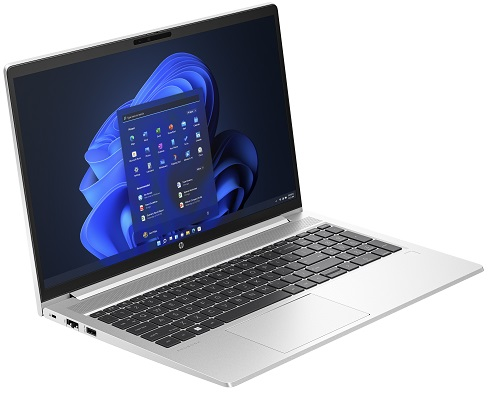
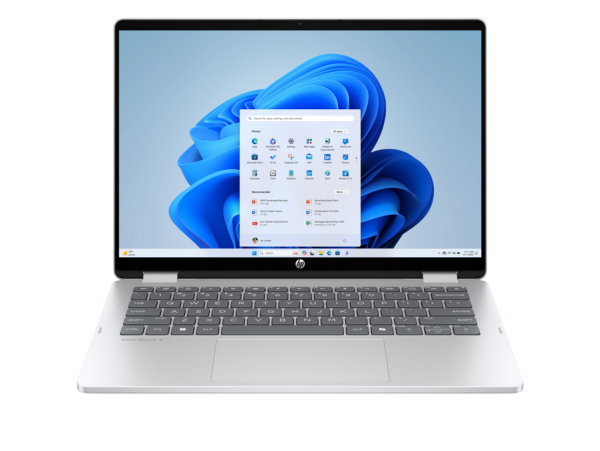
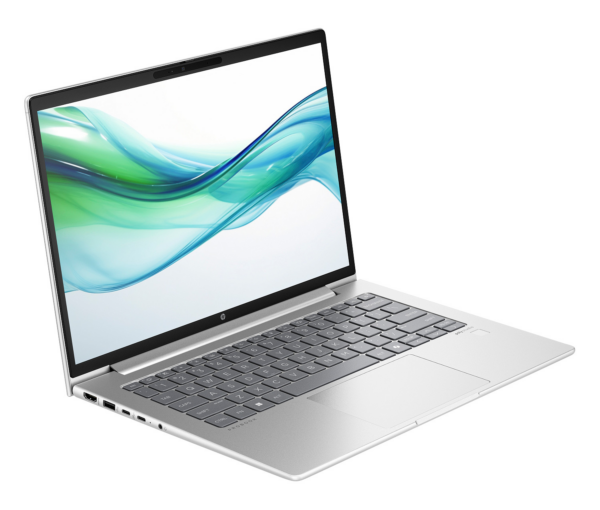
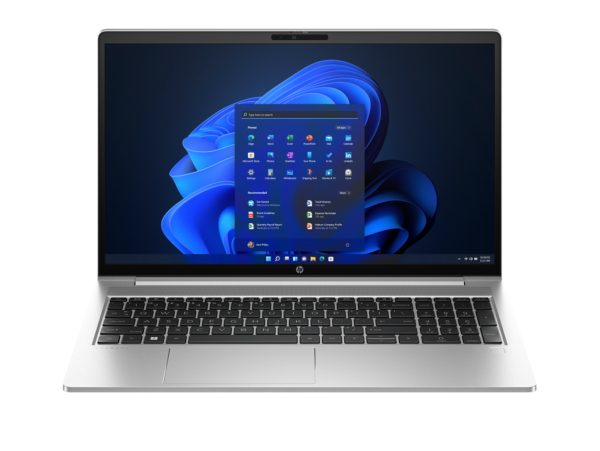
HP ProBook 440 G10 – Intel Core i5-1334U, 14-Inch FHD, FreeDOS (9G1Q5ET)
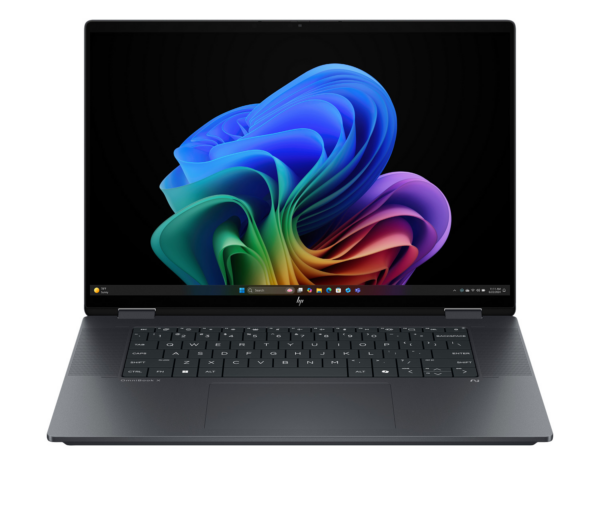
The HP ProBook 440 G10 is a 14-inch commercial notebook aimed at growing businesses and IT departments that need a reliable, lightweight workhorse they can procure in volume and manage centrally. Powered by a 13th Gen Intel Core i5-1334U processor and housed in a 1.38 kg aluminium-accented chassis, this laptop suits office-based knowledge workers, field staff, and smaller organisations entering commercial-grade hardware for the first time. Model 9G1Q5ET is the EMEA suffix variant and ships with FreeDOS, giving IT teams full control over operating system deployment without paying for a bundled retail licence. Furthermore, the 51 Wh battery and sub-2 kg form factor make it a credible choice for employees who move between desks, meeting rooms, or sites.
Technical Specifications
Processor
| Attribute | Detail |
|---|---|
| Model | Intel Core i5-1334U (13th Gen, Raptor Lake-U) |
| Architecture | 10 cores / 12 threads (2 P-cores + 8 E-cores) |
| P-core base frequency | 1.3 GHz |
| E-core base frequency | 0.9 GHz |
| P-core Max Turbo | 4.6 GHz |
| E-core Max Turbo | 3.4 GHz |
| Cache | 12 MB Intel Smart Cache |
| TDP | 15 W (configurable) |
| vPro | No |
Memory
| Attribute | Detail |
|---|---|
| Installed | 8 GB DDR4-3200 MHz |
| Configuration | 1 × 8 GB SODIMM (single-channel) |
| Slots | 2 × SODIMM (both user-accessible) |
| Maximum | 32 GB |
Single-channel RAM — Intel UHD Graphics: This unit ships with a single 8 GB SODIMM, which means the memory bus operates in single-channel mode. Per HP’s own QuickSpecs footnote (c08480164), Intel Iris Xe Graphics requires dual-channel memory when paired with an i5 processor. As shipped, the GPU functions as Intel UHD Graphics. Installing a second 8 GB DDR4-3200 SODIMM activates dual-channel mode and upgrades GPU capability to Intel Iris Xe. This also doubles available RAM to 16 GB — a meaningful productivity improvement for multi-application workloads.
Storage
| Attribute | Detail |
|---|---|
| Drive | 512 GB PCIe NVMe M.2 SSD |
| Form factor | M.2 (field-replaceable) |
Display
| Attribute | Detail |
|---|---|
| Size | 14-inch diagonal |
| Panel type | IPS, UWVA, anti-glare |
| Resolution | 1920 × 1080 (FHD) |
| Aspect ratio | 16:9 |
| Rated brightness | 250 nits |
| Colour gamut | 45% NTSC |
| Touch | No |
| Bezel | Narrow |
| Aspect ratio | 16:9 |
Graphics
| Attribute | Detail |
|---|---|
| GPU | Intel UHD Graphics (single-channel configuration at purchase) |
| VRAM | Shared system memory |
Connectivity
| Attribute | Detail |
|---|---|
| Wi-Fi | Wi-Fi 6E (802.11ax), 2 × 2, Realtek RTL8852CE |
| Bluetooth | 5.3 |
| Ethernet | Gigabit Ethernet (RJ-45) |
Ports
| Port | Specification |
|---|---|
| USB-C | 2 × USB-C 10 Gbps (USB 3.2 Gen 2, Power Delivery, DisplayPort 2.1) |
| USB-A | 2 × USB-A 5 Gbps (1 charging, 1 standard) |
| HDMI | 1 × HDMI 2.1 |
| Ethernet | 1 × RJ-45 Gigabit |
| Audio | 1 × 3.5 mm headphone/microphone combo jack |
| AC power | 1 × barrel connector |
| Security | Nano Security Lock Slot |
| ODD | None |
Camera & Audio
| Attribute | Detail |
|---|---|
| Webcam | 720p HD |
| Microphone | Dual-array |
| Speakers | Dual stereo 2 W |
| Keyboard | HP Premium backlit, spill-resistant |
Security
| Feature | Detail |
|---|---|
| HP Sure Click | Hardware-enforced browser and attachment isolation |
| HP Sure Sense | Deep-learning AI malware detection |
| HP Sure Start | Self-healing BIOS |
| HP BIOSphere Gen6 | Automated firmware updates and integrity checks |
| HP Wolf Security | Multi-layered, hardware-enforced endpoint protection |
| Fingerprint reader | Not confirmed on base 9G1Q5ET configuration — verify pre-publication |
| Physical | Nano Security Lock Slot |
Battery & Power
| Attribute | Detail |
|---|---|
| Capacity | 3-cell, 51 Wh Li-Ion polymer |
| Battery life | Up to 14 hours (MobileMark 2018, UMA, Intel U15, 200 nits) |
| Charging | Supports fast charge: 50% in 30 minutes |
| Adapter | HP Smart 65 W external AC adapter |
Operating System
| Attribute | Detail |
|---|---|
| OS | FreeDOS (no Windows licence included) |
| Compatibility | Windows 11 Pro, Windows 10 Pro, Ubuntu (user-supplied) |
Physical
| Attribute | Detail |
|---|---|
| Colour | Pike Silver aluminium |
| Dimensions | 32.19 × 21.39 × 1.99 cm |
| Weight | Starting at 1.38 kg |
| Hinge opening | Up to 177° |
| MIL-STD | MIL-STD-810H (19 tests passed) |
Use Cases
Volume Deployments for Growing SMBs
For IT managers procuring 10 or more seats, the ProBook 440 G10 9G1Q5ET’s FreeDOS configuration simplifies imaging workflows. Devices arrive without a retail OS, so teams can apply their volume-licensed Windows build or an enterprise Linux distribution straight from their deployment infrastructure. Additionally, the accessible SODIMM slots and M.2 drive mean memory and storage upgrades are achievable without sending units back for servicing — a practical advantage when managing a distributed fleet.
Office-Based Knowledge Work
The i5-1334U handles the full range of browser-based collaboration tools, ERP systems, office suites, and video-conferencing applications that characterise modern office roles. Furthermore, the 14-inch chassis and 1.38 kg weight make it easy to carry between meeting rooms or shared workspaces. The anti-glare FHD display reduces the eye strain that accumulates during long document-heavy sessions under fluorescent lighting.
Budget-Conscious Commercial Procurement
Compared with the HP ProBook 450 G10 i5-1335U FreeDOS Touchscreen (85C40EA), the ProBook 440 G10 9G1Q5ET trades the larger 15.6-inch display and touchscreen for a more compact footprint, lower weight, and a faster-charging 65 W adapter — making it the more mobile-oriented option at the same generation. Organisations that prioritise portability over screen size will therefore find the 440 G10 the more practical choice.
Field Roles and Remote Teams
The 14-hour rated battery life covers the working day under typical usage without requiring a charger. The MIL-STD-810H certification provides meaningful durability assurance for employees who carry their laptop daily, work in variable environments, or share devices across shifts. Wi-Fi 6E additionally future-proofs connectivity for offices upgrading their wireless infrastructure.
Considerations
No Operating System Included
The 9G1Q5ET ships with FreeDOS. Windows 11 Pro or another operating system must be installed separately using a valid licence. Buyers who need a Windows-preloaded ProBook 440 G10 should verify availability of the i5-1335U Windows 11 Pro variant from their HP reseller. Alternatively, see the HP ProBook 450 G10 i7-1355U Windows 11 Pro (822P5UT) for a 15.6-inch Windows-ready option in the same generation.
8 GB RAM — Tight for Modern Multitasking
Eight gigabytes of DDR4 RAM covers light to moderate office workloads. However, users who routinely run five or more browser tabs alongside a video call, a spreadsheet, and an ERP system may encounter slowdowns. The second SODIMM slot is immediately accessible and accepts a standard DDR4-3200 module. Adding 8 GB brings the total to 16 GB, activates dual-channel mode, upgrades the GPU to Intel Iris Xe, and meaningfully improves overall system responsiveness — making the RAM upgrade a cost-effective first step after deployment.
Display Brightness and Colour Coverage
The 250-nit panel is adequate for shaded indoor office environments. In practice, however, it can appear dim near windows or under strong overhead lighting. Additionally, the 45% NTSC colour coverage makes this display unsuitable for colour-sensitive work. Buyers who need accurate colour reproduction should use a calibrated external monitor via the HDMI 2.1 or USB-C DisplayPort 2.1 output, or consider the higher-brightness 400-nit HP Eye Ease panel available on select ProBook 440 G10 configurations.
Wi-Fi Adapter: Realtek, Not Intel
This SKU uses a Realtek RTL8852CE Wi-Fi 6E adapter rather than the Intel AX211 found on the ProBook 450 G10 and ProBook 4 G1i. In most office environments, the practical difference in wireless performance is negligible. However, IT teams deploying alongside Intel vPro management infrastructure should note that the Realtek adapter does not participate in Intel Active Management Technology — and this processor (i5-1334U) is also non-vPro.
No Fingerprint Reader Confirmed on Base Configuration
The HP product sheet for the equivalent base SKU does not list a fingerprint reader. This is in contrast to higher-specification ProBook 440 G10 variants. Confirm whether the 9G1Q5ET unit includes a fingerprint reader by checking the HP EMEA spec page for this specific model number before publishing, and update the Security table accordingly.
USB-C Ports Are 10 Gbps, Not 20 Gbps
The two USB-C ports operate at USB 3.2 Gen 2 (10 Gbps) with DisplayPort 2.1. This is sufficient for docking stations, display output, and peripheral connectivity. However, buyers comparing with the HP ProBook 4 G1i 14 AI PC (CT1H7ET) should note that the newer platform offers 20 Gbps USB-C ports.
Frequently Asked Questions
Does the HP ProBook 440 G10 9G1Q5ET come with Windows?
No. This model ships with FreeDOS. A Windows 11 Pro or Windows 10 Pro licence must be sourced and installed separately. For a pre-loaded Windows option at a similar specification level, consult your HP authorised reseller for Windows variants of the ProBook 440 G10.
Can I upgrade the RAM in the 9G1Q5ET?
Yes, and it is strongly recommended. The unit ships with a single 8 GB DDR4-3200 SODIMM in one of two accessible slots. Adding a matched 8 GB module costs relatively little, brings total RAM to 16 GB, activates dual-channel mode, and upgrades the GPU from Intel UHD to Intel Iris Xe — three meaningful performance improvements from one straightforward upgrade.
What is the difference between the i5-1334U and the i5-1335U?
Both are 13th Gen Intel Raptor Lake-U processors with 10 cores, 12 threads, and 4.6 GHz Max Turbo. The i5-1334U is the non-vPro variant of the i5-1335U family, with a marginally lower base P-core frequency. For the office productivity tasks this laptop is designed for, the real-world performance difference is negligible. The key implication is that the i5-1334U does not support Intel vPro enterprise management features — which matters for IT departments relying on Intel AMT for remote management.
Does this laptop support USB-C charging?
Yes. Both USB-C ports support Power Delivery, so the laptop can be charged via a compatible USB-C power adapter in addition to the included 65 W barrel-connector adapter. This adds flexibility when using a USB-C dock or third-party charger on the road.
How does the ProBook 440 G10 compare to the ProBook 4 G1i 14?
The ProBook 440 G10 (9G1Q5ET) uses 13th Gen Intel Raptor Lake-U (no NPU), DDR4-3200, a 16:9 FHD display, and Wi-Fi 6E via Realtek. The HP ProBook 4 G1i 14 (CT1H7ET) uses a newer Meteor Lake architecture with a dedicated 12 TOPS NPU, DDR5-5600, a 16:10 WUXGA display with more vertical space, a 1080p webcam with Poly Studio audio, and 20 Gbps USB-C ports. For buyers who do not need on-device AI capabilities and are working within a tighter budget, the ProBook 440 G10 remains a practical commercial choice.
Is the ProBook 440 G10 compatible with docking stations?
Yes. The two USB-C 10 Gbps ports support DisplayPort 2.1 and Power Delivery, making the laptop compatible with most USB-C and Thunderbolt docking stations. However, Thunderbolt 4 compatibility is not confirmed on this SKU — verify dock compatibility before purchasing a Thunderbolt-only dock.
Reviews
There are no reviews yet.