
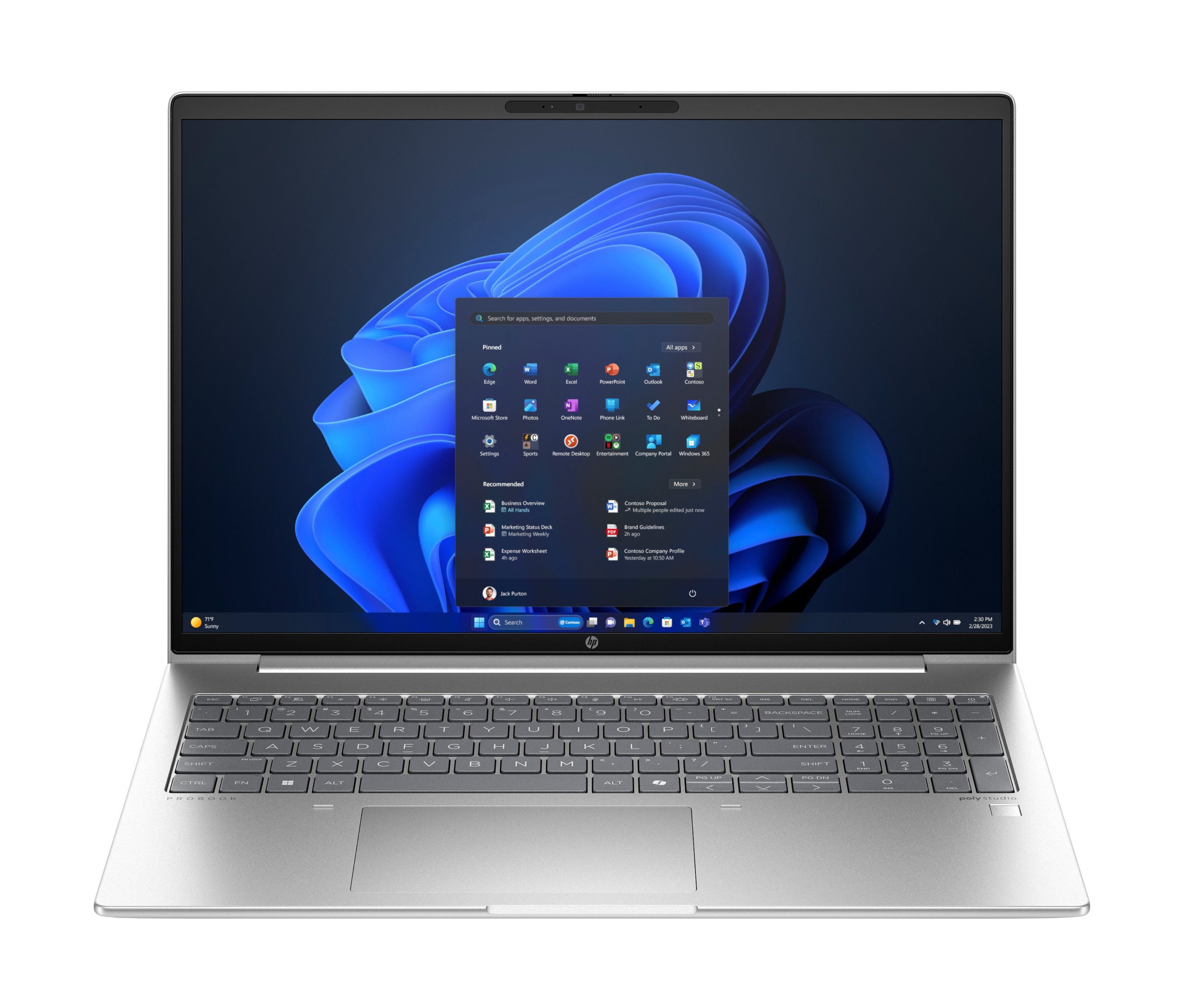

HP ProBook 460 G11 AI PC – Intel Core Ultra 7 155U, 8GB DDR5, 512GB SSD, 16″ WUXGA, FreeDOS (A38F9ET)
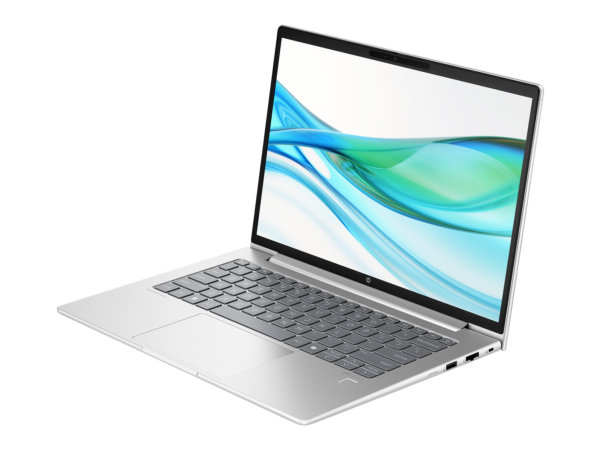
The HP ProBook 460 G11 A38F9ET is a 16-inch business laptop built around Intel’s Core Ultra 7 155U processor, sharing the same chassis, display, security stack, and connectivity as the HP ProBook 460 G11 CT9N1ET (16 GB) — with 8 GB of DDR5-5600 RAM installed instead of 16 GB. It targets businesses and IT procurement teams who want the commercial-grade durability, HP Wolf Security, Wi-Fi 6E, and MIL-STD-810H build quality of the ProBook 460 G11 at a lower entry price, with the option to upgrade RAM after deployment. The two SODIMM slots mean a second module can be added without replacing the existing one, making the A38F9ET a practical starting point for cost-conscious buyers who anticipate expanding workloads.
Technical Specifications
Processor
| Specification | Detail |
|---|---|
| Processor | Intel® Core™ Ultra 7 155U |
| Base Frequency | 1.7 GHz |
| Max Turbo Frequency | Up to 4.8 GHz (P-core); up to 3.8 GHz (E-core) |
| Core Configuration | 12 cores (2 P-cores + 8 E-cores + 2 LP E-cores), 14 threads |
| Cache | 12 MB L3 |
| NPU | Yes — Intel AI Boost NPU (Meteor Lake) |
| TDP | 15 W (configurable) |
| Generation | Intel Core Ultra (Meteor Lake, 1st Gen) |
Memory
| Specification | Detail |
|---|---|
| Installed RAM | 8 GB DDR5-5600 SDRAM (1 × 8 GB SODIMM) |
| Memory Slots | 2 × SODIMM |
| Slot 2 | Empty — available for upgrade |
| Maximum RAM | 64 GB (2 × 32 GB) |
| Memory Channel | Single-channel as shipped; dual-channel with second SODIMM installed |
Storage
| Specification | Detail |
|---|---|
| Primary Drive | 512 GB PCIe NVMe M.2 SSD |
| Optical Drive | None |
Display
| Specification | Detail |
|---|---|
| Screen Size | 40.6 cm (16″) diagonal |
| Resolution | WUXGA — 1920 × 1200 |
| Aspect Ratio | 16:10 |
| Panel Type | IPS; anti-glare |
| Refresh Rate | 60 Hz |
| Brightness | 300 nits (typical) |
| Colour Gamut | 45% NTSC |
| Touch | No |
Graphics
| Specification | Detail |
|---|---|
| Graphics | Intel® Graphics (integrated, Meteor Lake GPU) |
| Discrete GPU | None (this SKU) |
| External Display Support | Up to 2 external monitors (HDMI + USB-C simultaneously) |
Connectivity
| Port / Feature | Detail |
|---|---|
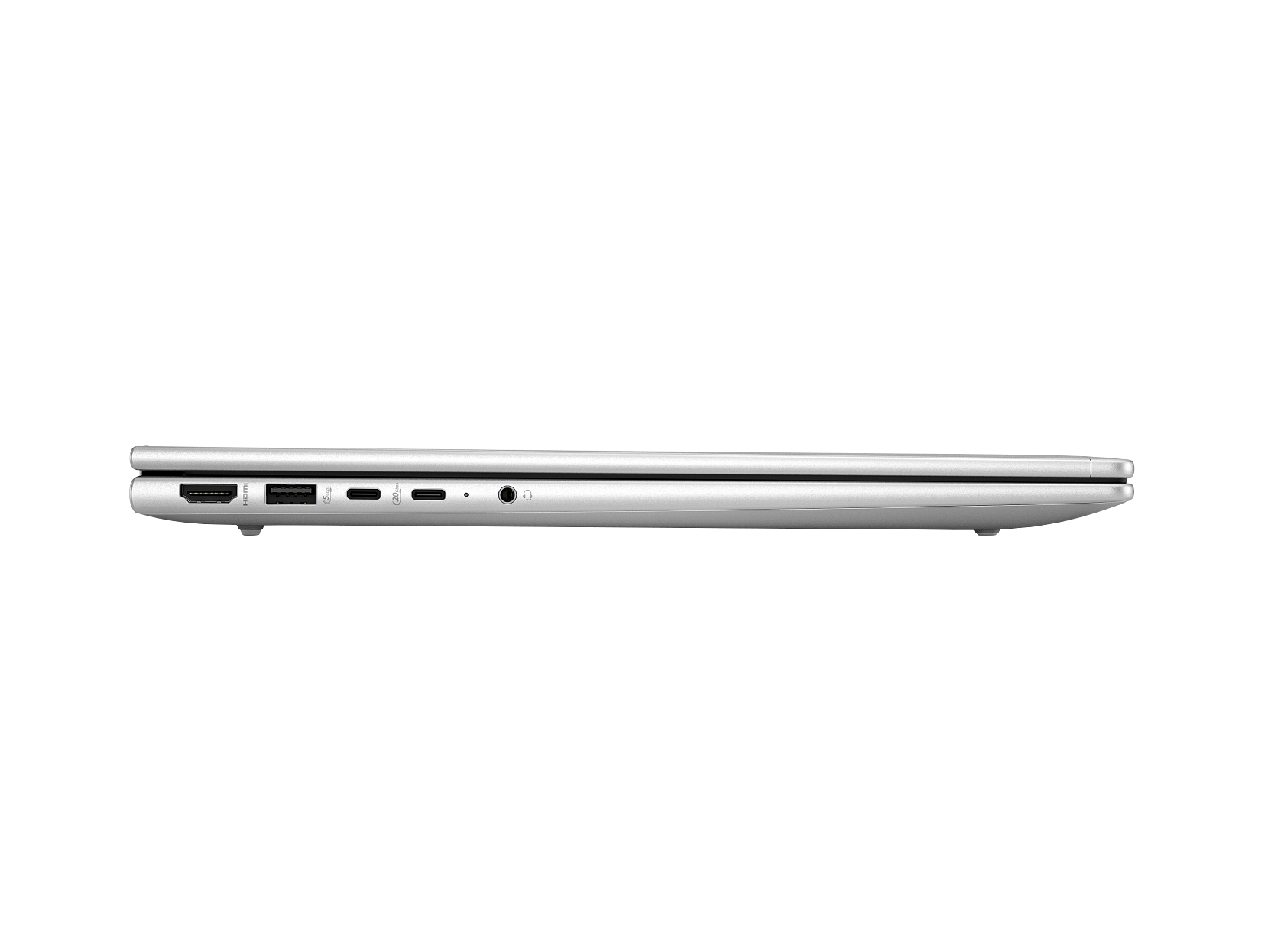
| USB-C | 2 × USB 3.2 Gen 2 (10 Gbps); DisplayPort 1.4 + USB Power Delivery |
| USB-A | 2 × USB 3.2 Gen 1 (5 Gbps) |
| HDMI | 1 × HDMI 2.1 (supports up to 4K @ 60 Hz) |
| Ethernet | 1 × RJ-45 (10/100/1000 Mbps) |
| Audio | 1 × 3.5 mm combo headphone/microphone jack |
| Card Reader | MicroSD (verify against HP QuickSpecs for A38F9ET) |
Wireless
| Specification | Detail |
|---|---|
| Wi-Fi | Intel Wi-Fi 6E AX211 (802.11 a/b/g/n/ac/ax); 2.4 / 5 / 6 GHz |
| Bluetooth | 5.3 |
Input Devices
| Feature | Detail |
|---|---|
| Keyboard | Full-size backlit island-style keyboard with numeric keypad; spill-resistant |
| Pointing Device | Touchpad with multi-touch gesture support |
| Fingerprint Reader | Yes (Windows Hello compatible) |
| Webcam | FHD 1080p with dual-array microphone |
Audio
| Feature | Detail |
|---|---|
| Speakers | Dual stereo speakers, Poly Audio tuned |
| Microphone | Dual-array microphone with AI Noise Reduction |
Battery and Power
| Specification | Detail |
|---|---|
| Battery | 3-cell, 56 WHr lithium-ion |
| Battery Life | Up to ~10 hours (video playback; varies with workload and settings) |
| Fast Charge | Yes — up to 50% in 30 minutes (system off or standby) |
| Power Adapter | 65 W USB-C (included) |
Physical
| Specification | Detail |
|---|---|
| Dimensions (W × D × H) | 359.4 × 251.1 × 17.0 mm |
| Weight (starting from) | 1.74 kg |
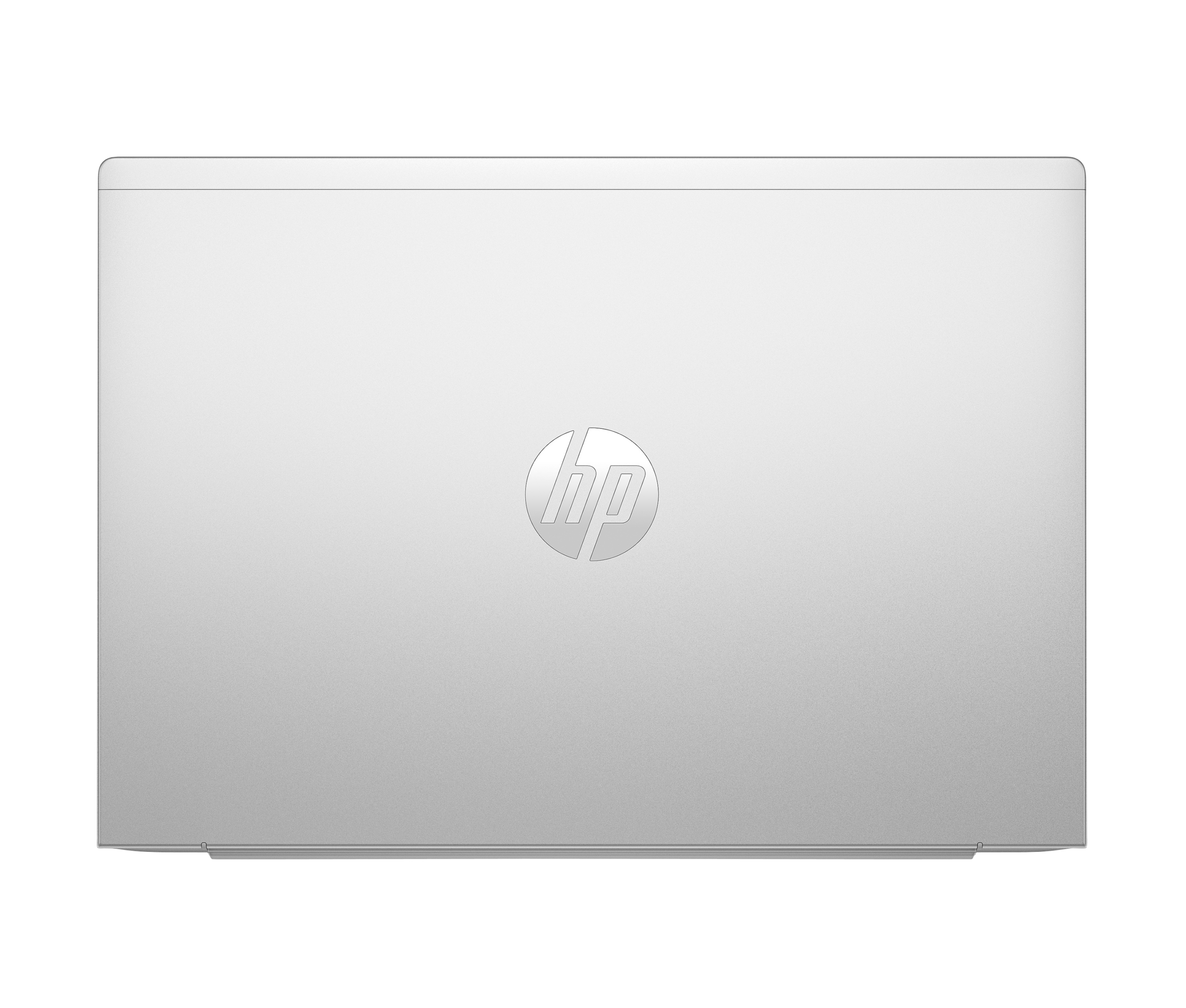
| Chassis Material | 50% post-industrial recycled stamped aluminium |
| Colour | Pike Silver |
| Durability Standard | MIL-STD-810H tested |
Operating System
| Specification | Detail |
|---|---|
| Installed OS | FreeDOS |
| Compatible OS | Linux; Windows 11 (via separate licence) |
Security
| Feature | Detail |
|---|---|
| HP Wolf Security | HP Sure Start, HP Sure Run, HP Sure Sense |
| Fingerprint Reader | Yes |
| TPM | TPM 2.0 (firmware) |
| Kensington Lock | Yes |
| HP Secure Erase | Yes |
Environmental & Certifications
| Certification | Status |
|---|---|
| ENERGY STAR® | Certified |
| EPEAT® | Gold registered (verify for African market) |
| MIL-STD-810H | Tested |
| Recycled Aluminium | 50% post-industrial recycled stamped aluminium in chassis |
| Packaging | 100% sustainably sourced materials (outer box) |
Warranty
3 years (standard HP commercial warranty; verify local Africa-region terms before publishing)
Use Cases
Cost-Entry Business Laptop with an Upgrade Path
The A38F9ET suits organisations that need to deploy commercial-grade hardware at a controlled initial cost and plan to expand RAM post-deployment as workloads demand it. The open SODIMM slot means IT teams can upgrade in the field without replacing the unit — a meaningful total-cost-of-ownership advantage over laptops with soldered memory. For standard office tasks at deployment — email, document editing, video calls, and light browser use — 8 GB DDR5-5600 performs adequately on the Core Ultra 7 155U’s efficient architecture.
FreeDOS Fleet Deployments with Custom OS Imaging
The FreeDOS configuration makes the A38F9ET well suited to organisations that manage volume OS licensing separately — deploying Windows 11 Pro via enterprise agreement, or adopting a Linux distribution as their managed standard. HP Wolf Security’s hardware-enforced BIOS protection and Sure Start activate independently of whichever OS IT installs, giving the device a consistent security baseline across the fleet from day one.
Hybrid and Field Workers Requiring Durability
MIL-STD-810H testing and the recycled aluminium chassis give the A38F9ET the physical resilience to handle daily commuting, site visits, and shared-desk rotation without the fragility of consumer-grade plastic lids. At 1.74 kg, it stays portable across a full travel day, and the 56 WHr battery supports approximately 10 hours of mixed productivity use. Wi-Fi 6E access to the 6 GHz band keeps the connection clean in congested office wireless environments.
Students and Professionals Entering Business Computing
For buyers who want a genuine business-class laptop — with a backlit numeric keyboard, FHD webcam, fingerprint reader, Gigabit Ethernet, and HDMI 2.1 — but cannot justify the premium of a 16 GB configuration at purchase, the A38F9ET offers the full ProBook 460 G11 feature set at a lower entry price. The upgrade path to 32 GB dual-channel RAM remains open at any point after purchase.
Considerations
8 GB RAM — Performance Ceiling for Heavier Workloads
At 8 GB in single-channel configuration, the A38F9ET handles light-to-moderate office workloads comfortably — email, documents, spreadsheets, video calls, and standard web browsing. However, users running many browser tabs simultaneously, working with large spreadsheets, running virtual machines, or using memory-intensive creative applications will feel the constraint. Single-channel memory also reduces bandwidth for the integrated GPU, which draws on system RAM. For heavier workloads, upgrading to a second 8 GB or 16 GB SODIMM is a practical first step. Consider the HP ProBook 460 G11 CT9N1ET (16 GB) if 16 GB from the outset is preferable to a post-purchase upgrade.
FreeDOS — No Windows Pre-installed
The A38F9ET ships with FreeDOS, not Windows. FreeDOS does not run Windows applications or activate the Windows Hello fingerprint reader without a Windows installation. Users who need Windows must purchase a separate licence and carry out the installation. Linux distributions install cleanly and the ProBook 460 G11 has broad driver support across major distributions. Buyers who need Windows pre-installed should request an alternative SKU with a Windows licence included.
Display Colour Gamut and No Discrete Graphics
The 45% NTSC colour gamut suits standard office and productivity work but does not reproduce colour accurately enough for design, photography, or video production. The integrated Intel Graphics handle everyday display output and video conferencing cleanly but are not suitable for 3D rendering, CAD, or GPU-accelerated data science. These workload constraints apply equally to the 16 GB CT9N1ET — they reflect the SKU’s positioning as a productivity laptop rather than a creative workstation.
No Thunderbolt
The two USB-C ports support USB 3.2 Gen 2 (10 Gbps), DisplayPort 1.4, and USB Power Delivery but are not Thunderbolt ports. Thunderbolt docks require a Thunderbolt-capable host; standard USB-C docking stations using DisplayPort or USB-C Power Delivery work correctly with the A38F9ET.
Frequently Asked Questions
How does the A38F9ET differ from the CT9N1ET?
The A38F9ET and CT9N1ET are identical in every specification except installed RAM. The A38F9ET ships with 8 GB DDR5-5600 (1 × 8 GB SODIMM); the CT9N1ET ships with 16 GB DDR5-5600 (1 × 16 GB SODIMM). Both use the same Core Ultra 7 155U processor, 512 GB NVMe SSD, 16-inch WUXGA display, port layout, Wi-Fi 6E, battery, chassis, and FreeDOS OS. The A38F9ET costs less and provides an open SODIMM slot for a RAM upgrade; the CT9N1ET provides 16 GB from day one without requiring a service intervention.
Can I upgrade the RAM in the A38F9ET?
Yes. The chassis has two SODIMM slots. The A38F9ET occupies slot 1 with an 8 GB DDR5-5600 module and leaves slot 2 empty. Adding a matching 8 GB module brings the total to 16 GB in dual-channel configuration; adding a 16 GB module brings the total to 24 GB. Replacing both slots with 32 GB modules reaches the 64 GB maximum. Dual-channel operation improves both CPU and integrated GPU performance noticeably over single-channel.
Does the ProBook 460 G11 work with Linux?
Yes. The ProBook 460 G11 has well-documented driver support across Ubuntu LTS, Fedora, Debian, and other major distributions. Wi-Fi, Bluetooth, the FHD webcam, sound, fingerprint reader (via libfprint), and the USB-C ports all function under Linux. HP also releases BIOS updates and firmware through the Linux Vendor Firmware Service (fwupd) for commercial ProBook models, making firmware maintenance straightforward from Linux.
Is the display sufficient for all-day office use?
At 300 nits and 45% NTSC, the display suits standard office environments with controlled overhead lighting. It is not suitable for colour-critical creative work, and it may appear dim in rooms with strong ambient light or near south-facing windows. For typical office tasks — documents, spreadsheets, email, browser, and video calls — the display is comfortable for a full workday.
Does the fingerprint reader work without Windows?
The fingerprint reader hardware is present but Windows Hello requires Windows to function as a biometric login method. Under Linux, the fingerprint reader works with libfprint and fprintd on supported distributions. Under FreeDOS, the fingerprint reader is non-functional. IT teams deploying Windows via enterprise licence will have full Windows Hello capability after OS installation.
Can I connect two external monitors?
Yes. The A38F9ET supports up to two simultaneous external displays — one via HDMI 2.1 (up to 4K at 60 Hz) and one via either USB-C port with DisplayPort 1.4. This enables a three-screen setup (laptop display + two external monitors) for users who work across multiple application windows.


Reviews
There are no reviews yet.