
Dell Pro Tower QCT1250 Desktop — AI-Ready Business Tower for Professional Workloads
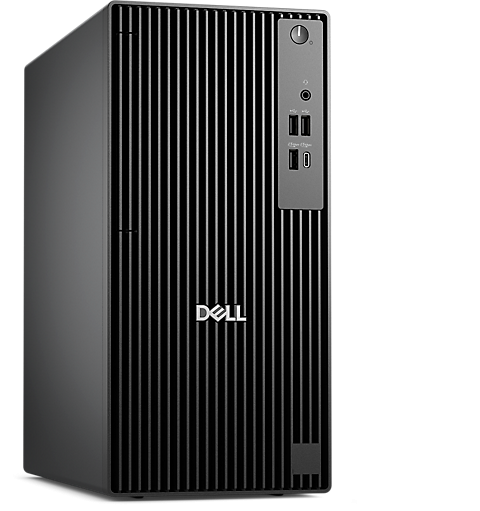
The Dell Pro Tower QCT1250 is a compact business tower desktop built for professionals who need serious processing power without sacrificing desk space. It runs the Intel Core Ultra 7 265 processor featuring a 13 TOPS Neural Processing Unit, 20 cores, and speeds reaching up to 5.3GHz, paired with 8GB DDR5 RAM and a 512GB NVMe SSD in this Ubuntu configuration. IT managers, developers, data analysts, and small-to-medium business teams looking for a Linux-native, expandable workstation will find this machine well-matched to demanding daily workloads.
Technical Specifications
Processor
| Specification | Detail |
|---|---|
| Processor | Intel Core Ultra 7 265 |
| CPU Series | Intel Core Ultra Series 2 |
| Base Clock Speed | 2.4GHz |
| Max Turbo Speed | Up to 5.3GHz |
| Cores / Threads | 20 cores / 20 threads |
| TDP | 65W |
| NPU Performance | 13 TOPS (AI acceleration) |
Memory
| Specification | Detail |
|---|---|
| RAM (this config) | 8GB DDR5 |
| Memory Speed | Up to 5600 MT/s |
| Memory Type | Non-ECC DDR5 SDRAM |
| Memory Slots | 2 slots |
| Max Supported RAM | 64GB |
Storage
| Specification | Detail |
|---|---|
| SSD | 512GB NVMe TLC SSD |
| M.2 Slot | M.2 2230/2280 |
| Additional Storage | 1 × SATA 3.0 HDD slot available |
| Optical Drive Bay | 1 × SATA 3.0 ODD slot available |
Graphics
| Specification | Detail |
|---|---|
| GPU | Intel Integrated Graphics (UHD) |
| Discrete GPU Support | Yes — via PCIe x16 slot |
| Video Output (Rear) | 1 × HDMI 2.1, 1 × DisplayPort 2.1 (UHBR20) |
| Optional Rear Expansion | USB 3.2 Gen 2 Type-C with DisplayPort Alt Mode |
Front Ports
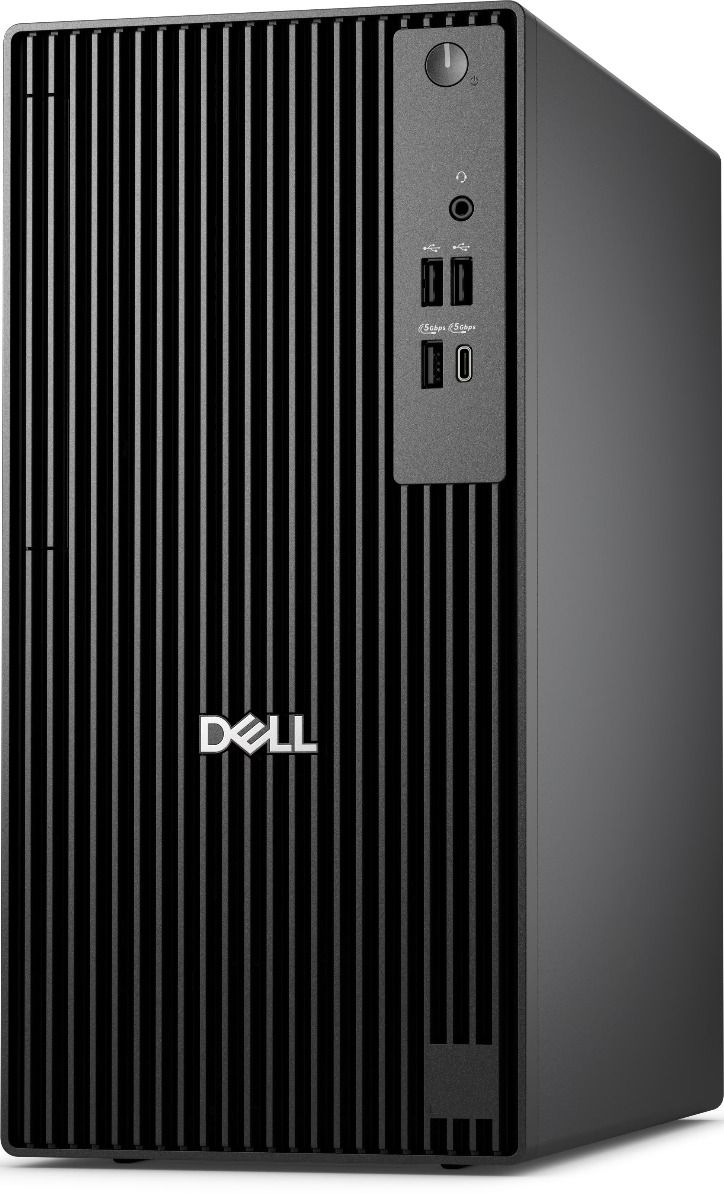
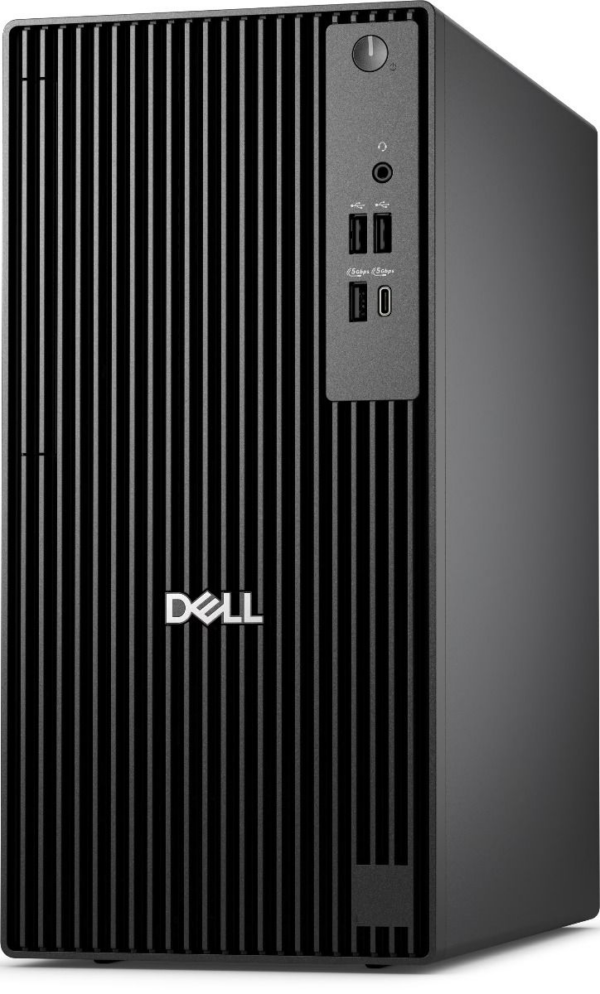
| Port | Specification |
|---|---|
| USB 2.0 | 2 × USB 2.0 (480 Mbps) |
| USB 3.2 Gen 1 Type-C | 1 × (5 Gbps) |
| USB 3.2 Gen 1 | 1 × (5 Gbps) |
| Audio | 1 × global headset jack |
Rear Ports (Standard)
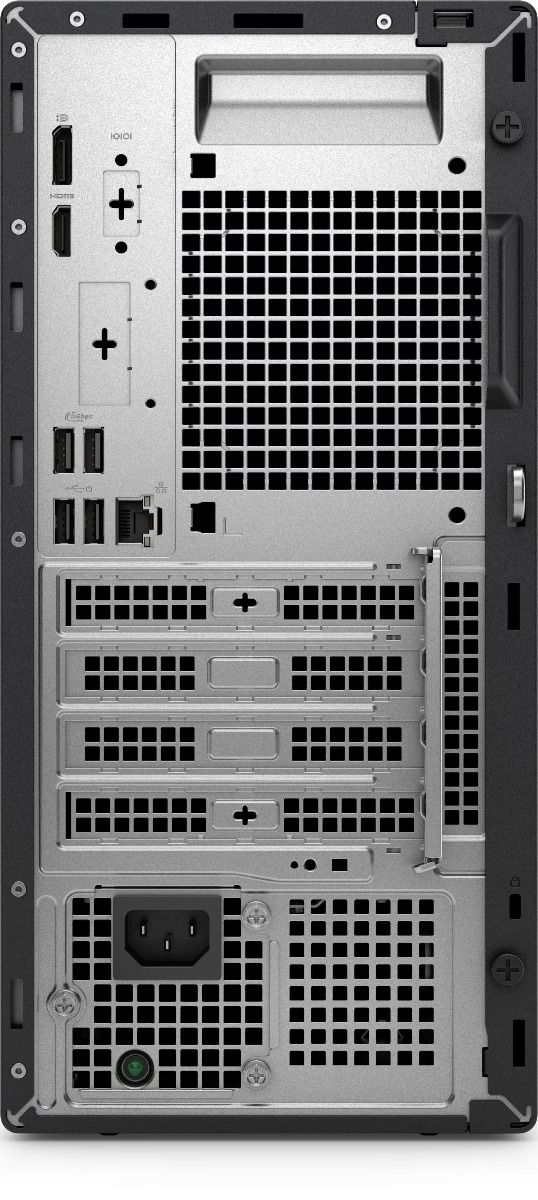
| Port | Specification |
|---|---|
| USB 2.0 | 2 × USB 2.0 with SmartPower On |
| USB 3.2 Gen 1 | 2 × (5 Gbps) |
| Ethernet | 1 × RJ45 (1 Gbps) |
| HDMI | 1 × HDMI 2.1 |
| DisplayPort | 1 × DisplayPort 1.4a |
Networking
| Specification | Detail |
|---|---|
| Ethernet | Gigabit LAN (10/100/1000) |
| Optional Wireless | Intel Wi-Fi 6E AX211, 2×2, 802.11ax, Bluetooth 5.3 |
Audio
| Specification | Detail |
|---|---|
| Chipset | Realtek ALC3204 |
| Output | HD Audio via headset jack |
| Speakers | None included |
Physical
| Specification | Detail |
|---|---|
| Form Factor | Mini Tower |
| Height | 324.30 mm (12.77 in.) |
| Width | 154.00 mm (6.06 in.) |
| Depth | 293.00 mm (11.54 in.) |
| Weight (Minimum) | 5.44 kg (12 lb) |
| Weight (Maximum) | 6.78 kg (14.95 lb) |
| Security | Kensington lock slot |
Power
| Specification | Detail |
|---|---|
| Power Supply | 180W |
| Input Voltage | 100–240V AC, 50/60Hz |
Operating System
| Specification | Detail |
|---|---|
| OS (this config) | Ubuntu Linux 24.04 LTS |
| Other Supported OS | Windows 11 Pro, Windows 11 Pro National Education |
Certifications & Compliance
- ENERGY STAR certified
- EPEAT Silver compliant
- RoHS compliant
- TCO Certified
Use Cases & Applications
Software Development & DevOps The Ubuntu pre-installation and 20-core Intel Core Ultra 7 processor make the QCT1250 a strong fit for developers running Docker containers, compiling large codebases, or managing CI/CD pipelines. The M.2 expansion slot lets teams add a second SSD as project storage grows.
Data Analysis & AI Workloads The built-in 13 TOPS NPU handles AI-inferencing tasks locally, reducing cloud dependency for teams running lightweight machine learning models, data pipelines, or analytics scripts on Linux.
Business Workstations & Enterprise Deployments Dell Display Manager compatibility and Remote Asset Management via Dell Command Monitor let IT administrators manage and monitor multiple units across a network from a single console — practical for offices deploying the QCT1250 at scale. CDW
CAD & Technical Applications The PCIe x16 expansion slot accepts a discrete GPU, making this tower upgradeable for users who need to run CAD, 3D modelling, or rendering software beyond what integrated Intel graphics handle.
Home Office Power Users At 154mm wide, the tower fits under most desks or on a shelf without dominating the workspace. Users who outgrow the base 8GB RAM configuration can upgrade to up to 64GB DDR5 without replacing the system.
Frequently Asked Questions
Does the Dell Pro Tower QCT1250 support Windows? Yes. While this configuration ships with Ubuntu Linux 24.04 LTS, the hardware also supports Windows 11 Pro and Windows 11 Pro National Education. Users can install Windows separately using a licensed copy.
Can you upgrade the RAM later? Yes. The system includes 2 memory slots and supports up to 64GB of DDR5 RAM, so upgrading from the base 8GB is straightforward.
Does it include Wi-Fi? This base configuration does not include wireless networking. However, the board features a dedicated M.2 2230 slot that accepts an optional Intel Wi-Fi 6E AX211 card with Bluetooth 5.3.
Can you add a dedicated graphics card? Yes. The full-height PCIe x16 slot accepts a discrete GPU. However, the 180W power supply limits the range of compatible cards — check GPU TDP requirements before purchasing.
Does it come with a keyboard and mouse? Keyboard and mouse availability varies by region and configuration. Confirm inclusion with the retailer at point of purchase.
Internal & External Resources
For a full comparison of the QCT1250 against other business desktop options, read our guide on the Dell Pro Tower QCT1250 for business and development workstations.
For the official owner’s manual, Ubuntu driver downloads, and warranty details, visit the Dell Pro Tower QCT1250 support page.
Reviews
There are no reviews yet.