
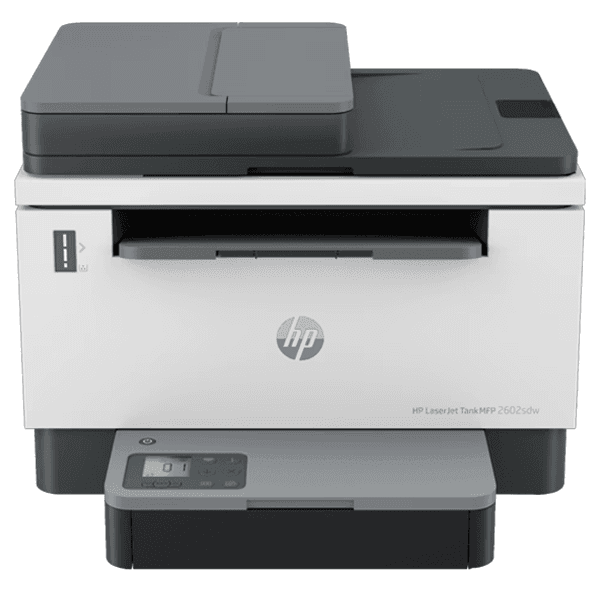
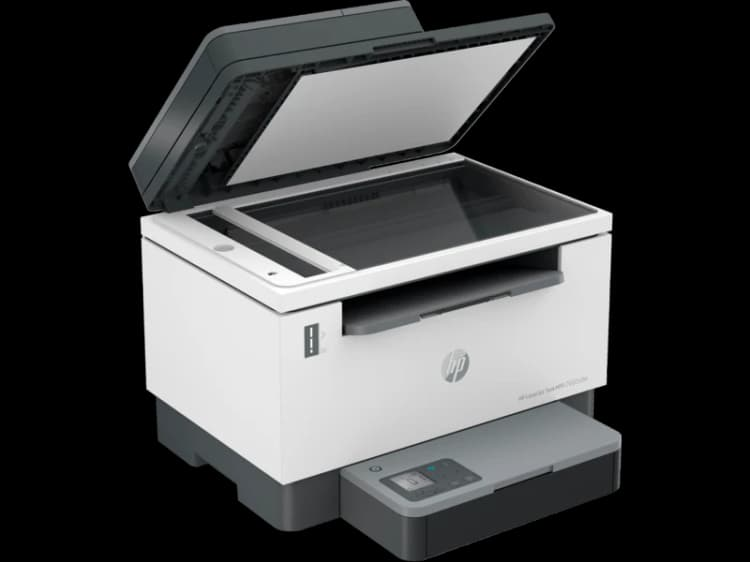
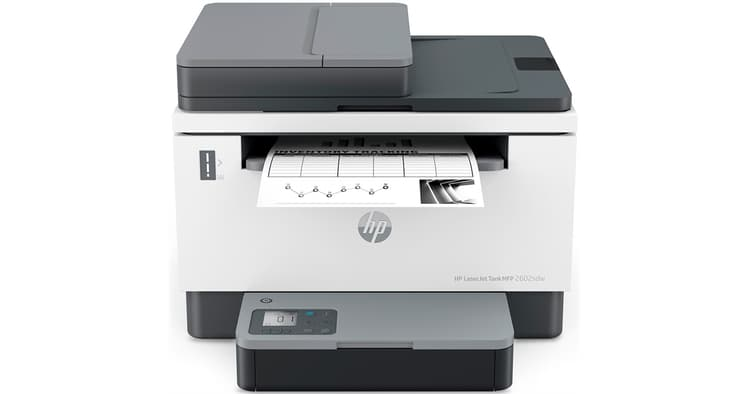
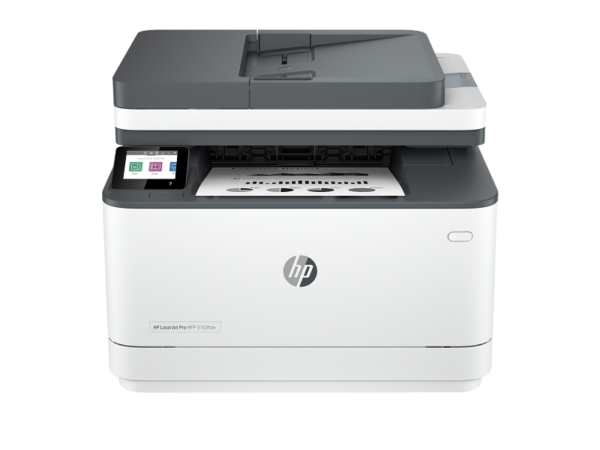
HP LaserJet Tank MFP 2602sdw Printer (2R7F5A) – High-Capacity Mono Laser Print, Copy & Scan with Wi-Fi and Auto Duplex
The HP LaserJet Tank MFP 2602sdw is a compact mono laser multifunction printer built for small home offices and business workteams of 1 to 5 users who print in sustained volumes and want to avoid the cost and disruption of frequent toner changes. Unlike conventional laser MFPs, it uses a tank-based toner system — arriving pre-filled with enough toner to yield approximately 5,000 pages from the in-box imaging drum, with reload kits available in yields of up to 5,000 pages each. Additionally, dual-band Wi-Fi, Fast Ethernet, automatic duplex printing, and a 40-sheet ADF make the 2602sdw a capable everyday device for print, copy, and scan workflows.
Technical Specifications
| Specification | Detail |
|---|---|
| Print technology | Laser (mono) |
| Print speed (A4, normal) | Up to 22 ppm |
| Print speed duplex (A4) | Up to 14 ipm |
| First page out (A4, ready) | As fast as 8 seconds |
| First page out (A4, sleep) | As fast as 8.4 seconds |
| First page out (Letter, ready) | As fast as 7.9 seconds |
| Print resolution (best) | Up to 600 × 600 dpi |
| Print resolution technologies | 600 × 600 dpi; 600 × 400 dpi |
| Duplex printing | Automatic (standard) |
| Print languages | PCLmS, URF, PWG |
| Monthly duty cycle | Up to 25,000 pages |
| Recommended monthly volume | 250–2,500 pages |
| Number of users | 1–5 |
Copy
| Specification | Detail |
|---|---|
| Copy speed (A4, mono) | Up to 22 cpm |
| Maximum copies per run | Up to 999 |
| Reduce / Enlarge | 25% to 400% |
Scan
| Specification | Detail |
|---|---|
| Scanner type | Flatbed + ADF |
| Scan technology | Contact Image Sensor (CIS) |
| Flatbed optical resolution | Up to 600 dpi |
| ADF optical resolution | Up to 600 dpi |
| Duplex ADF scanning | No |
| Maximum flatbed scan area | 216 × 297 mm |
| Minimum ADF media size | 148 × 210 mm |
| Maximum ADF media size | 216 × 356 mm |
| ADF capacity | 40 sheets |
| Bit depth | 24-bit colour |
| Scan file formats | JPG, TIFF, XPS, PDF, PDF/A |
| Scan input modes | HP Smart App; TWAIN (v2.1) |
| Scan destinations | Scan to email; Scan to email/PDF; Scan to PDF |
Connectivity
| Specification | Detail |
|---|---|
| Standard interfaces | Hi-Speed USB 2.0 (device); Fast Ethernet 10/100 Base-TX; Front USB port |
| Wireless | 802.11a/b/g/n, dual-band 2.4 GHz / 5 GHz; BLE (Bluetooth Low Energy) |
| Wi-Fi Direct | Yes |
| Mobile printing | HP Smart App; Apple AirPrint™; Mopria™ Certified; Wi-Fi Direct Printing |
| Network protocols | TCP/IP, IPv4, IPv6; LPD; SLP; Bonjour; WS-Discovery; BOOTP/DHCP/AutoIP; SNMPv1/v2/v3; HTTP/HTTPS; UDP; IPP |
Paper Handling
| Specification | Detail |
|---|---|
| Input tray capacity | 250 sheets |
| Output tray capacity | Up to 100 sheets (or up to 10 envelopes) |
| ADF capacity | 40 sheets |
| Total standard input | 250 sheets |
| Optional input expansion | None |
| Media weight | 60–163 g/m² |
| Supported media types | Plain paper, heavy paper, bond paper, light paper, labels, envelopes |
| Supported sizes (tray) | A4, A5, A6, B5 (JIS), B6 (JIS), Oficio (216×340 mm), No.10 Env, C5 Env, DL Env, B5 Env; Custom (102×152 to 215.9×355.6 mm) |
| Supported sizes (ADF) | A4, Letter, Legal |
Processor & Memory
| Specification | Detail |
|---|---|
| Processor speed | 500 MHz |
| Memory | 64 MB |
| Internal storage | None |
Control Panel & Display
| Specification | Detail |
|---|---|
| Display | Icon LCD |
| Indicator lights | 2 lights: Media, Lid open |
| Buttons | 10 buttons: Wi-Fi, Down, Menu, Up, Copy, ID Copy, Info, Resume, Cancel, Power |
Physical & Environmental
| Specification | Detail |
|---|---|
| Operating temperature | 15–32.5°C |
| Operating humidity | 30–70% RH (recommended) |
| Acoustics (active printing) | 49 dB(A) bystander |
| Acoustics (ready) | 2.5 B(A) acoustic power |
| Environmental certifications | EPEAT Silver; Blue Angel DE-UZ 219 (with original HP supplies) |
| Sustainable materials | Contains post-consumer recycled plastic; recyclable through HP Planet Partners |
Power
| Specification | Detail |
|---|---|
| Input voltage | 220–240 VAC ±10%, 50/60 Hz (region-specific; not dual-voltage) |
| Active printing | 390 W |
| Ready mode | 2.7 W |
| Sleep mode | 0.51 W |
| Manual Off / Auto Off | 0.05 W |
| Auto-Off / Wake on LAN | 0.5 W |
| Power supply | Internal (built-in) |
| Energy features | HP Auto-On/Auto-Off Technology |
Toner System — LaserJet Tank
| Item | Part Number | Approx. Yield |
|---|---|---|
| HP Black LaserJet Tank Imaging Drum (in-box, introductory toner pre-filled) | — | ~5,000 pages |
| HP 154A Black LaserJet Tank Toner Reload Kit | W1540A | ~2,500 pages |
| HP 154X Black LaserJet Tank Toner Reload Kit (high yield) | W1540X | ~5,000 pages |
Operating System Compatibility
| Platform | Supported Versions |
|---|---|
| Windows | Windows 10, 11 (full solution software); Windows Server 2008 R2 – 2016 (64-bit, print driver only) |
| macOS | Catalina (10.15), Big Sur (11), Monterey (12) |
| Linux | Via HP Linux Imaging and Printing (HPLIP) |
Warranty & In-Box Contents
| Item | Detail |
|---|---|
| Warranty | One-year limited hardware warranty |
| In-box contents | HP Black Original LaserJet Tank Imaging Drum (pre-filled, ~5,000-page introductory yield); Power cord; USB cable; Setup Guide; Reference Guide; Regulatory/Support Flyers |
| USB cable | Included (all regions) |
| Software | Download only via hp.com or hpsmart.com/setup |
Use Cases
High-Volume Low-Intervention Office Printing
Teams printing 250–2,500 pages per month benefit directly from the 2602sdw’s tank toner system. Because the imaging drum ships pre-filled and refills take approximately 15 seconds, the printer spends more time printing and less time requiring supply management. Furthermore, the 250-sheet input tray and 40-sheet ADF handle extended runs without frequent user attention.
Wireless Shared Printing for Small Teams
Up to 5 users share the 2602sdw wirelessly over dual-band 802.11a/b/g/n without cable runs to the printer. The 5 GHz band reduces interference in offices where multiple wireless devices share the same network. Additionally, Wi-Fi Direct allows mobile users to print directly from a phone or tablet without connecting to the office router, which is useful in reception areas or meeting rooms without reliable Wi-Fi access.
Document Scanning and PDF Distribution
The 40-sheet ADF handles multi-page originals for unattended batch scanning. Scan-to-email, scan-to-email/PDF, and scan-to-PDF are all available as scan destinations via the HP Smart app, enabling direct document distribution without routing through a separate PC. Furthermore, the flatbed scanner accommodates originals up to A4 for single-page high-quality scans.
Automatic Duplex Printing for Paper Reduction
Default automatic duplex output halves paper consumption on internal reports, policies, correspondence, and multi-page reference documents. Consequently, teams printing consistently double-sided at 250–2,500 pages per month will see meaningful paper cost savings over a 12-month period.
Mobile and Remote Printing
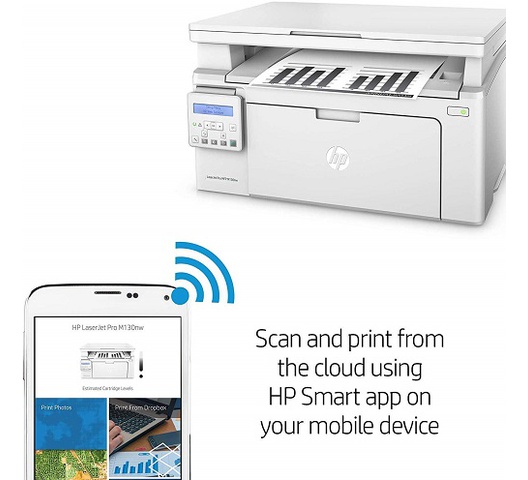
iOS and Android users print via Apple AirPrint, Mopria, or the HP Smart app without driver installation. The HP Smart app additionally provides scan-to-cloud workflows, remote printer status monitoring, and supply level alerts, making it practical for hybrid teams managing a shared office printer from multiple locations.
Considerations
Tank System Requires Separate Toner Reload Kits — Not Conventional Cartridges
The 2602sdw uses HP’s LaserJet Tank toner system, which is fundamentally different from conventional laser cartridges. Toner is purchased as a reload kit (W1540A or W1540X) rather than a replacement cartridge. The imaging drum is a separate component that does not ship with toner — toner is pre-filled into the drum for the introductory supply only. Buyers familiar with standard laser cartridge workflows should note this distinction before purchase, as replacement supplies are specific to the LaserJet Tank platform and not interchangeable with other HP LaserJet toner cartridges.
No Automatic Duplex ADF Scanning
The 2602sdw does not support duplex ADF scanning. Consequently, scanning double-sided originals requires manually flipping the document stack and running a second pass. Offices that regularly digitise high volumes of two-sided documents — contracts, ID documents, pre-printed forms — should factor this limitation into their workflow assessment before purchase.
No Fax Capability
Unlike the LaserJet Pro 3103fdn, 3103fdw, and 4103fdn models in this catalogue, the 2602sdw does not include a fax modem. It is a print, copy, and scan device only. Teams with an active fax requirement should therefore consider one of the fdn or fdw models instead. However, the HP Smart app supports digital mobile fax sending as a separate feature, subject to HP Smart subscription terms.
Single Paper Tray — No Optional Input Expansion
The 2602sdw has one 250-sheet input tray with no optional additional tray available. Teams with sustained daily print volumes exceeding 250 sheets per uninterrupted run will consequently experience more frequent refill interruptions. However, for the 1–5 user target audience at 250–2,500 pages per month, the single tray is proportionate to the intended workload.
Print Resolution Capped at 600 dpi
The maximum print resolution on the 2602sdw is 600 × 600 dpi — lower than the 1200 × 1200 dpi available on the LaserJet Pro 3103 and 4103 series. For standard business text and documents this is unlikely to be perceptible in practice. However, teams printing detailed graphics, fine-line technical drawings, or high-resolution logos should note this limitation against the Pro series models.
macOS Support Listed to Monterey (12) on Current Documentation
The official spec documentation lists macOS Catalina (10.15), Big Sur (11), and Monterey (12) as confirmed compatible versions. Buyers on macOS Ventura (13), Sonoma (14), or Sequoia (15) should verify current driver availability at hp.com/support before purchase.
Frequently Asked Questions
How does the HP LaserJet Tank toner system work?
The 2602sdw uses a two-component system: an imaging drum and a toner reload kit. The in-box imaging drum arrives pre-filled with toner for an introductory yield of approximately 5,000 pages — no setup is required. When toner runs low, a reload kit (W1540A or W1540X) is poured directly into the drum in approximately 15 seconds without tools or mess. The imaging drum itself has a separate lifecycle from the toner and will eventually require replacement independently of the toner supply.
What is the difference between the HP 154A and HP 154X reload kits?
Both kits use the same HP LaserJet Tank toner compatible with the 2602sdw. The HP 154A (W1540A) yields approximately 2,500 pages per reload, while the HP 154X (W1540X) yields approximately 5,000 pages per reload. Teams printing consistently at the upper end of the recommended monthly volume will benefit from the 154X’s higher yield and less frequent reloading intervals.
Does the 2602sdw support automatic duplex printing?
Yes. Automatic two-sided printing is standard and enabled by default. The printer produces duplex output at up to 14 ipm (A4). However, duplex ADF scanning is not supported — two-sided originals must be manually flipped for two-pass scan jobs.
Can the 2602sdw scan to email or PDF directly?
Yes, via the HP Smart app. Scan-to-email, scan-to-email/PDF, and scan-to-PDF are all available as scan destinations. An HP account and internet connection are required for full HP Smart app functionality, and certain features may require a subscription.
Is the HP LaserJet Tank MFP 2602sdw compatible with macOS?
The current spec documentation confirms compatibility with macOS Catalina (10.15), Big Sur (11), and Monterey (12). Buyers on later macOS versions should check current driver availability at hp.com/support. Drivers are downloaded only — no installation disc is included.
Reviews
There are no reviews yet.