


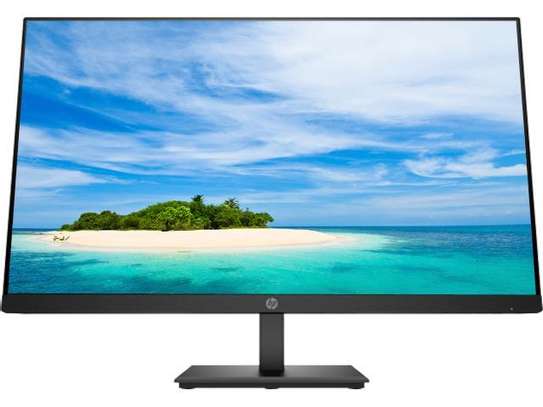
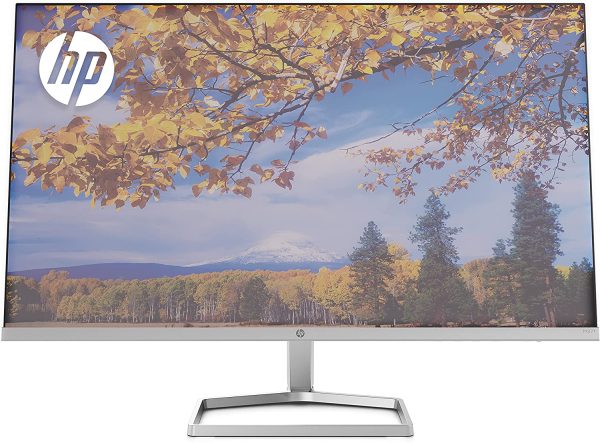
HP Series 3 Pro 23.8″ FHD Monitor – 324pv (9U5C1AS)
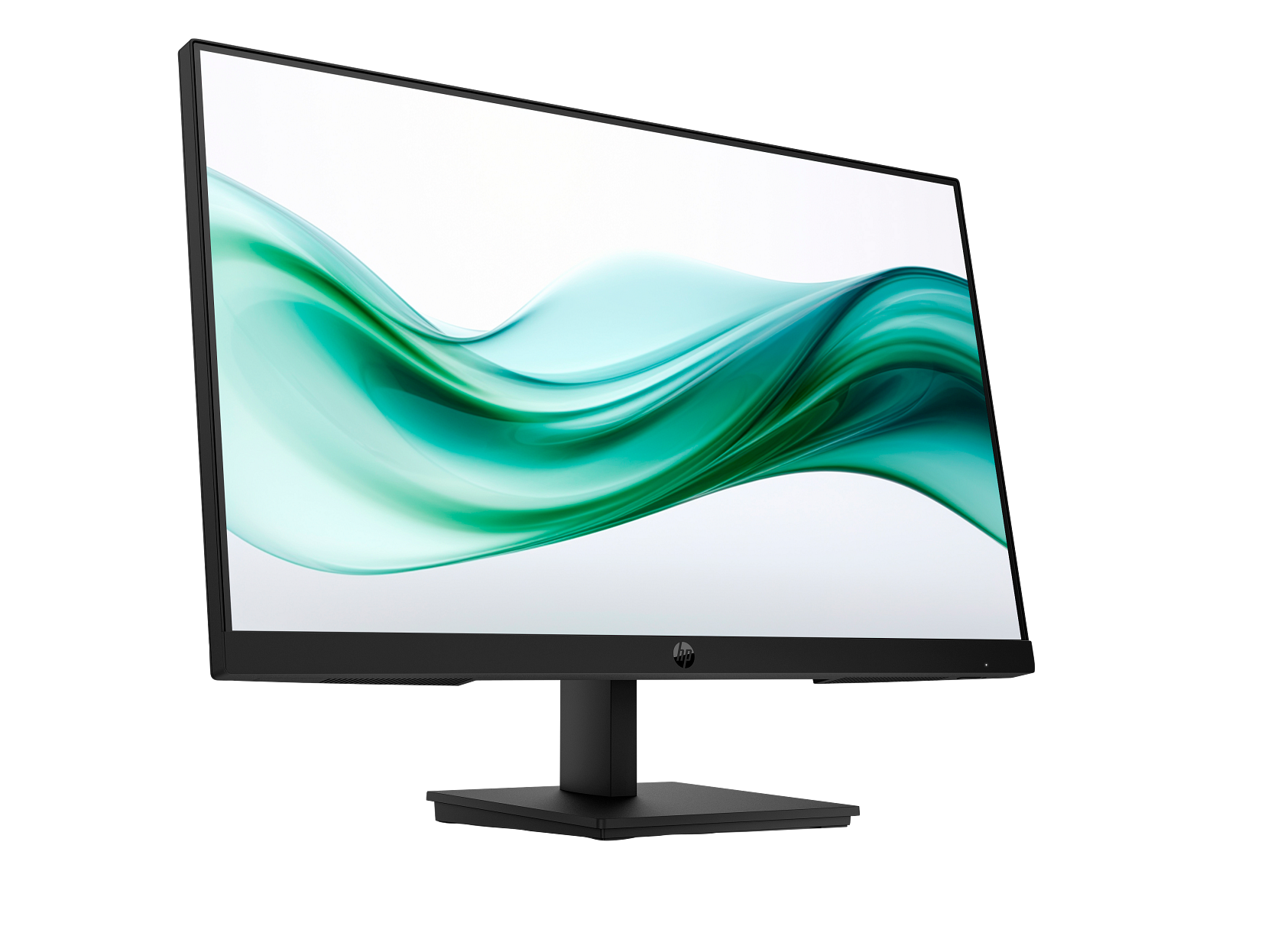
The HP Series 3 Pro 324pv is a 23.8-inch Full HD VA panel display built for everyday office, home office, and educational environments. It targets professionals and students who spend long hours at a desk and need a comfortable, productive screen without a complex feature set. Notably, the 324pv steps up from the 21.45-inch HP Series 3 Pro 322pe with a larger viewing area, a higher 3000:1 contrast ratio, and an always-on hardware low blue light filter — making it a more capable everyday display for the same core use case.
Key Features & Benefits
- VA Panel with 3000:1 Contrast Ratio: The VA technology produces noticeably deeper blacks and more vivid colour separation than standard IPS panels at this price point, making on-screen content — particularly dark-background applications and spreadsheets — easier to read without eye strain.
- HP Eye Ease Hardware Low Blue Light Filter: Unlike software-based blue light modes that shift colours to an unpleasant yellow tint, HP Eye Ease is an always-on hardware filter certified by TÜV Rheinland. It reduces blue light output without altering colour accuracy, so what you see on screen stays true to life throughout the day.
- 100 Hz Refresh Rate via HDMI: Delivers smooth frame transitions compared to standard 60 Hz office panels, reducing the perception of flicker during fast document scrolling, video playback, and on-screen motion.
- 3-Sided Micro-Edge Bezel: The slim, virtually borderless surround maximises the usable screen area and enables seamless side-by-side dual-monitor configurations with minimal visual gap between panels.
- Works with Chromebook Certified: The 324pv carries official Works with Chromebook certification, confirming compatibility with Chrome OS devices — an important consideration for schools, shared workspaces, and organisations deploying Chromebook fleets.
Technical Specifications
Display
| Specification | Detail |
|---|---|
| Screen Size | 60.5 cm (23.8″) diagonal |
| Display Type | VA; LCD, Edge-lit WLED |
| Native Resolution | FHD (1920 × 1080) |
| Maximum Resolution | 1920 × 1080 @ 100 Hz |
| Aspect Ratio | 16:9 |
| Pixel Pitch | 0.27 × 0.27 mm |
| Brightness | 250 nits |
| Contrast Ratio | 3000:1 |
| Response Time | 5ms GtG (with overdrive) |
| Colour Gamut | 72% NTSC |
| Colour Support | Up to 16.7 million colours |
| Viewing Angles | 178° horizontal / 178° vertical |
| Display Area | 52.70 × 29.64 cm (approx.) |
| Flicker-Free | Yes (TÜV certified) |
| Low Blue Light | Yes — HP Eye Ease (always-on hardware filter, TÜV certified) |
| Anti-Glare | Yes |
| Bezel Type | 3-sided micro-edge |
Supported Resolutions
640 × 480 @ 75 Hz · 720 × 400 @ 70 Hz · 800 × 600 @ 60/75 Hz · 1024 × 768 @ 60/75 Hz · 1280 × 720 @ 60 Hz · 1280 × 1024 @ 60/75 Hz · 1440 × 900 @ 60 Hz · 1600 × 900 @ 60 Hz · 1680 × 1050 @ 60 Hz · 1920 × 1080 @ 50/60/75/100 Hz (digital inputs only)
Connectivity
| Port | Detail |
|---|---|
| HDMI | 1 × HDMI 1.4 (supports up to 100 Hz) |
| VGA | 1 × VGA (supports up to 60 Hz) |
| HDCP | Yes (via HDMI) |
| Audio | No built-in speakers; no audio jack listed |
Ergonomics & Physical
| Specification | Detail |
|---|---|
| Tilt Adjustment | Tilt-adjustable (range not specified in HP QuickSpecs) |
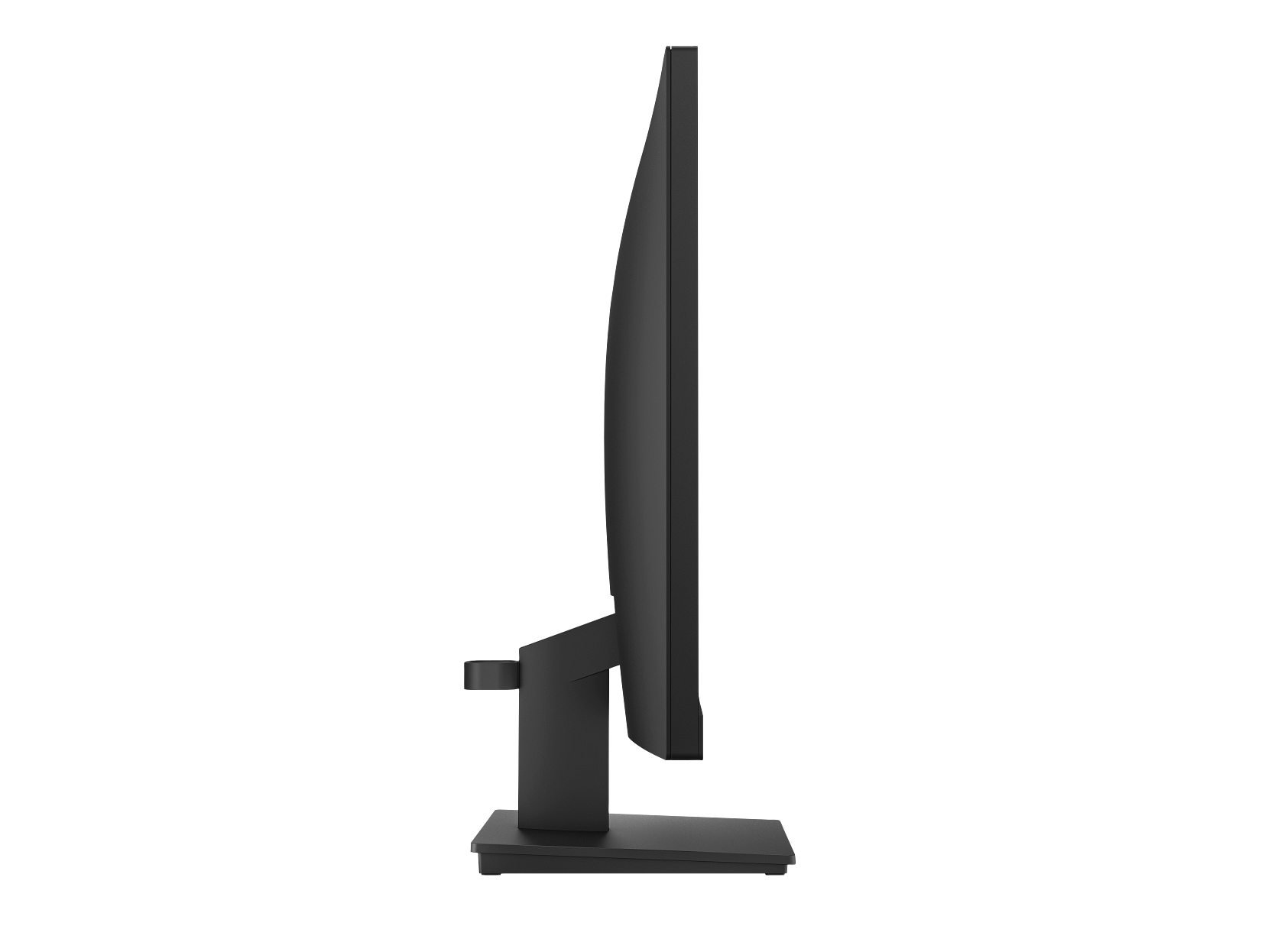
| Stand | Slim tilt-adjustable stand with cable management (detachable) |
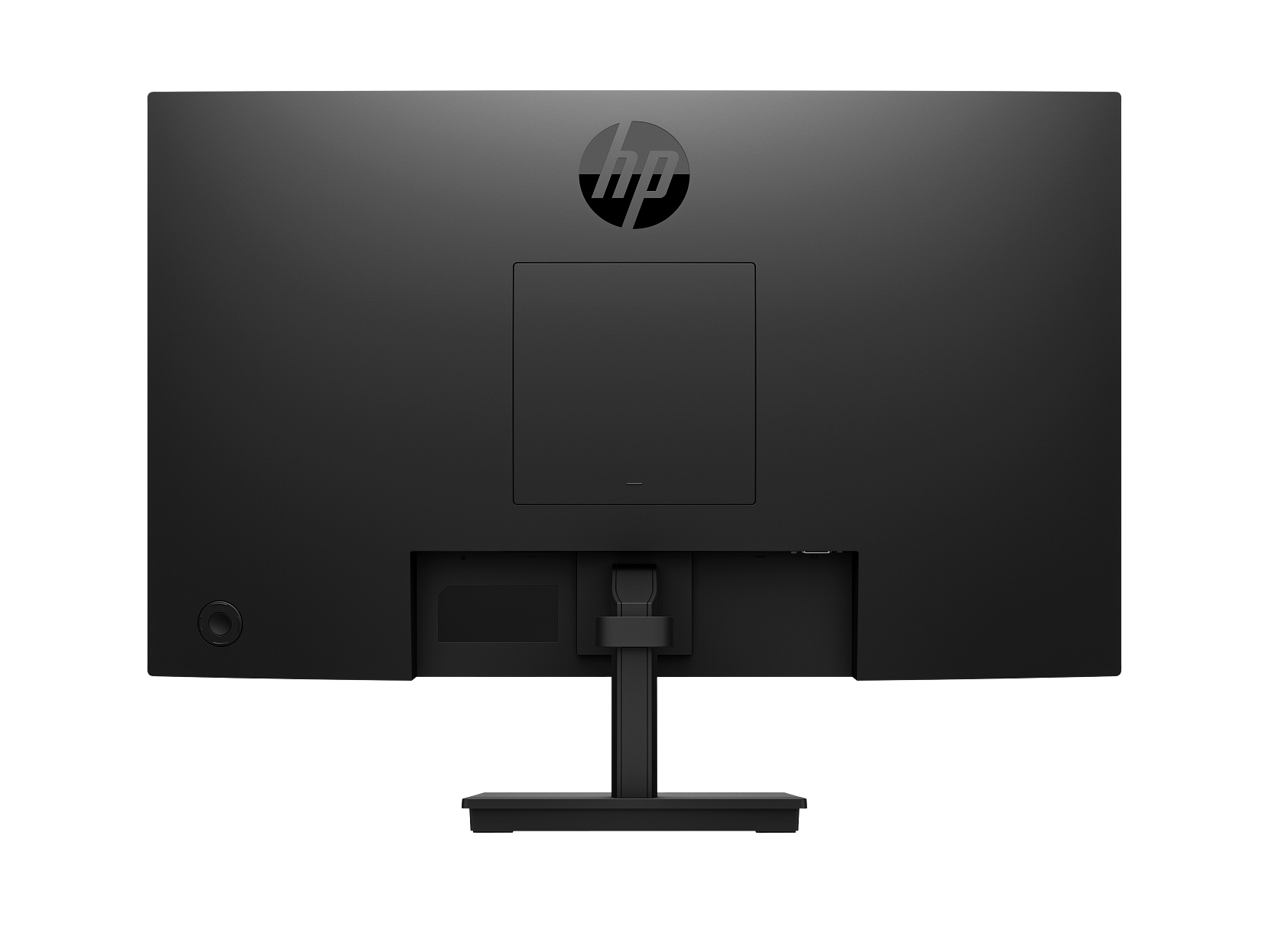
| VESA Mount | 100 × 100 mm |
| Security | Standard security lock slot |
| Dimensions (with stand) | 53.89 × 18.05 × 39.79 cm (W × D × H) |
| Dimensions (without stand) | 53.89 × 5.14 × 32.36 cm (W × D × H) |
| Weight (with stand) | 3.56 kg |
| Colour | Black |
Power
| Specification | Detail |
|---|---|
| Input Voltage | 100–240 VAC, 50/60 Hz (internal power supply) |
| Typical Power Consumption | ~20 W |
| Maximum Power Consumption | 30 W |
| Standby Power | 0.5 W |
| Off Mode Power | 0.3 W |
| Operating Temperature | 5°C to 35°C |
Management & OSD
| Feature | Detail |
|---|---|
| OSD Control Type | Joypad button (single multi-directional control) |
| On-Screen Display Controls | Brightness+, Colour, Image, Input, Power, Menu, Management, Information, Exit |
| Management Software | HP Display Manager, HP Display Centre, CMSL |
Environmental & Certifications
| Certification | Status |
|---|---|
| ENERGY STAR® | Certified |
| EPEAT® | Registered (status varies by country) |
| TCO Certified | Verify locally |
| TÜV Rheinland Flicker-Free | Certified |
| TÜV Rheinland Low Blue Light | Certified (hardware, HP Eye Ease) |
| Works with Chromebook | Certified |
| Recycled Plastic Content | 85% post-consumer recycled ITE plastics |
| Recycled Metal Content | 10% recycled metal |
| Packaging | 100% recyclable outer box; fibre cushions from 100% recycled wood fibre |
| Compliance | CE, FCC, WEEE, EAC, CCC, BSMI, KC/KCC, VCCI, South Africa safety, and others |
In the Box
- AC power cord
- HDMI 1.4 cable
- Quick Setup Poster
- Warranty card
- User Guide (multilingual)
Warranty
3 years (parts, labour, and on-site service — 3/3/0 for EMEA/Africa; verify local terms before publishing)
Use Cases
Everyday Office and Business Productivity
The HP 324pv suits the full range of standard office tasks: document editing, spreadsheet work, email, web browsing, and video conferencing. The 23.8-inch screen gives meaningfully more workspace than a 21.5-inch display, allowing two documents to sit side by side at comfortable reading sizes without constant window switching. Additionally, the 3000:1 contrast ratio makes fine text detail crisper and reduces the eye fatigue that can accumulate over a full workday.
Dual-Monitor Desk Configurations
The 3-sided micro-edge bezel is designed specifically to minimise the gap between two monitors placed side by side. For users who need extended desktop space — for instance, monitoring a dashboard on one screen while working in a document on the other — two 324pv units pair cleanly. The detachable, VESA-compatible stand further supports third-party monitor arms for flexible positioning.
Educational Institutions and Chromebook Deployments
Works with Chromebook certification means the 324pv connects to Chrome OS devices and functions without driver installation or compatibility workarounds. This makes it a practical choice for schools, universities, and institutions that have standardised on Chromebooks, as well as for mixed-device environments where the monitor may be shared between Windows, macOS, and Chrome OS users.
Long-Session Home Office Use
The combination of HP Eye Ease (always-on hardware low blue light), TÜV-certified flicker-free backlighting, and a tilt-adjustable stand makes the 324pv well suited to home office workers who sit in front of a screen for six to eight hours or more per day. Unlike software blue light filters that require toggling and degrade colour accuracy, HP Eye Ease operates continuously without affecting on-screen colour rendition.
Considerations
What This Monitor Does Not Include
The HP Series 3 Pro 324pv is intentionally straightforward in its connectivity. There are no built-in speakers and no audio output jack — you will need a headset or speakers connected directly to your PC or laptop. The stand is tilt-only; it does not offer height adjustment, pivot rotation, or swivel. Users who require full ergonomic stand flexibility will need to remove the included stand and mount the panel on a compatible 100 × 100 mm VESA arm instead.
Connectivity and Refresh Rate Limitations
The 100 Hz refresh rate requires an HDMI 1.4 connection. Connecting via VGA limits the monitor to 60 Hz due to the analogue signal’s bandwidth constraints. There is no DisplayPort, USB-C, or USB hub on the 324pv. For users who frequently switch between a desktop and a laptop, manual cable-swapping is unavoidable without an external KVM switch or docking station. Buyers who need richer connectivity — including USB-C passthrough or a built-in hub — should consider the HP Series 5 Pro 527pq 34″ USB-C QHD Curved Monitor as a step-up option.
Display Performance Context
At 250 nits brightness, the 324pv performs well in typical indoor office conditions with ambient lighting. It is not suited to environments with strong direct sunlight or very bright overhead lighting. The 72% NTSC colour gamut covers everyday productivity content accurately, however it falls short of the wider gamut required for colour-critical graphic design, photo retouching, or print production work. The VA panel technology delivers the 3000:1 contrast ratio advantage over IPS alternatives, but some users may notice slightly slower pixel transitions in very fast motion compared to IPS panels with lower overdrive response times.
Frequently Asked Questions
How does the HP 324pv differ from the HP 322pe?
The 324pv is larger (23.8 inches versus 21.45 inches) and uses a VA panel rather than an IPS panel, which produces a higher 3000:1 contrast ratio compared to the 322pe’s 1000:1. Additionally, the 324pv includes HP Eye Ease — an always-on hardware low blue light filter — whereas the 322pe uses a software-based blue light mode that must be toggled on via the OSD. The 324pv also introduces a joypad OSD control in place of the 322pe’s traditional push-button navigation.
Does the HP 324pv work with Mac computers?
Yes. The monitor connects via HDMI to any Mac with an HDMI output, or via an appropriate adapter (USB-C to HDMI, for instance). HP Display Centre supports macOS, enabling software-based monitor management from a Mac host. Standard display functionality requires no additional drivers.
Can I mount the HP 324pv on a monitor arm?
Yes. The stand is detachable, and the rear panel includes a standard 100 × 100 mm VESA mounting pattern, which is compatible with the vast majority of third-party monitor arms and wall brackets.
Is HP Eye Ease the same as a software blue light filter?
No. HP Eye Ease is a hardware-level filter built into the panel itself, certified by TÜV Rheinland. It reduces blue light output without shifting the display to a yellow tint, which is the common drawback of software-based blue light modes. Because it operates at the hardware level, it works regardless of which operating system or application is running, and it does not need to be toggled on or off.
Does the 324pv support 100 Hz via VGA?
No. The 100 Hz maximum refresh rate is only achievable via HDMI 1.4. VGA connections are limited to 60 Hz. For smooth 100 Hz performance, use the included HDMI cable.
What management software is compatible with the HP 324pv?
The monitor works with HP Display Manager, HP Display Centre (available from the Microsoft Store or support.hp.com for Windows and macOS), and HP CMSL for IT administrators managing device fleets.
Reviews
There are no reviews yet.