

HP Series 5 27″ FHD Monitor 527da (B11W6AS) — Full HD IPS Display with Built-In Speakers and Height-Adjustable Stand
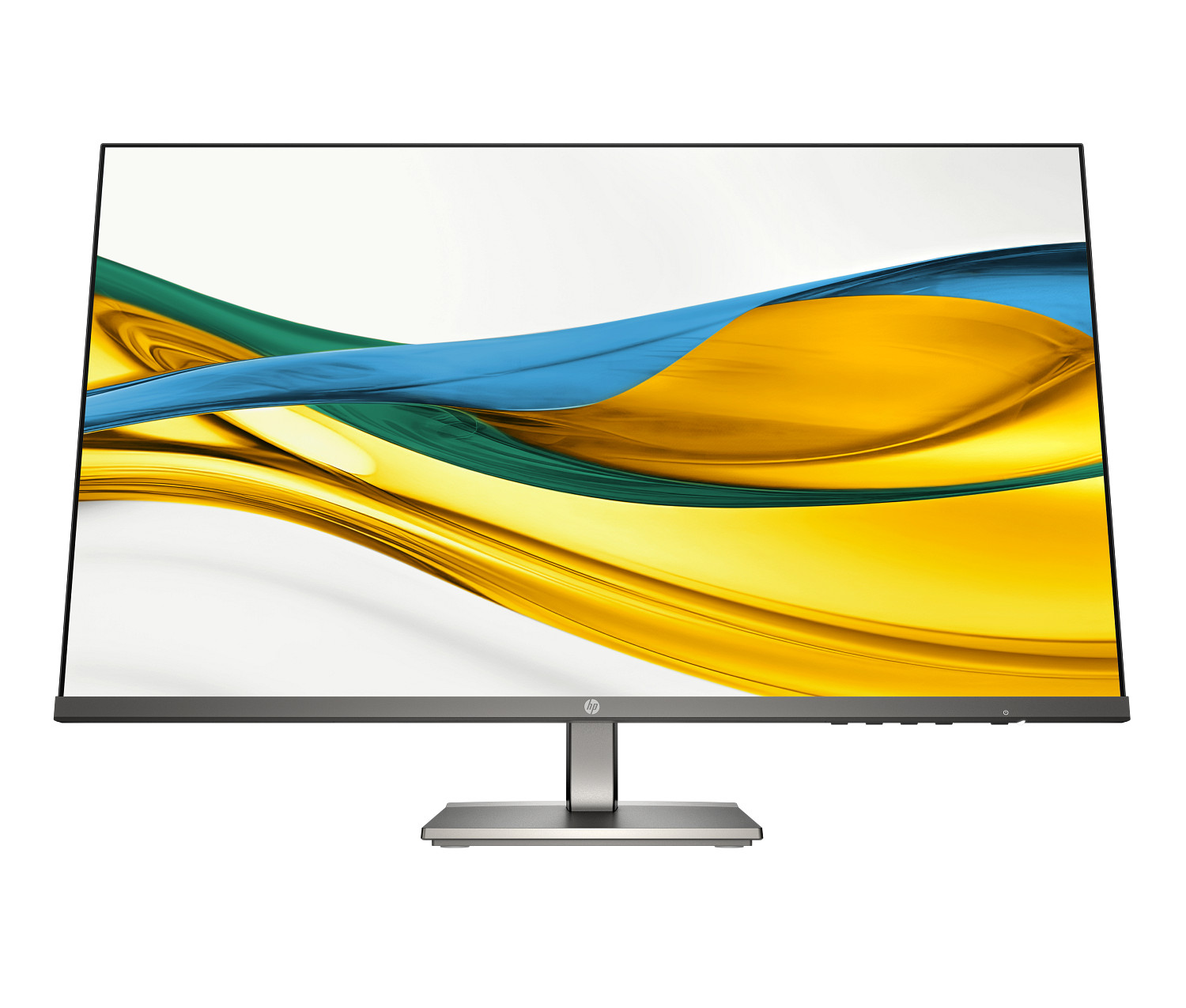
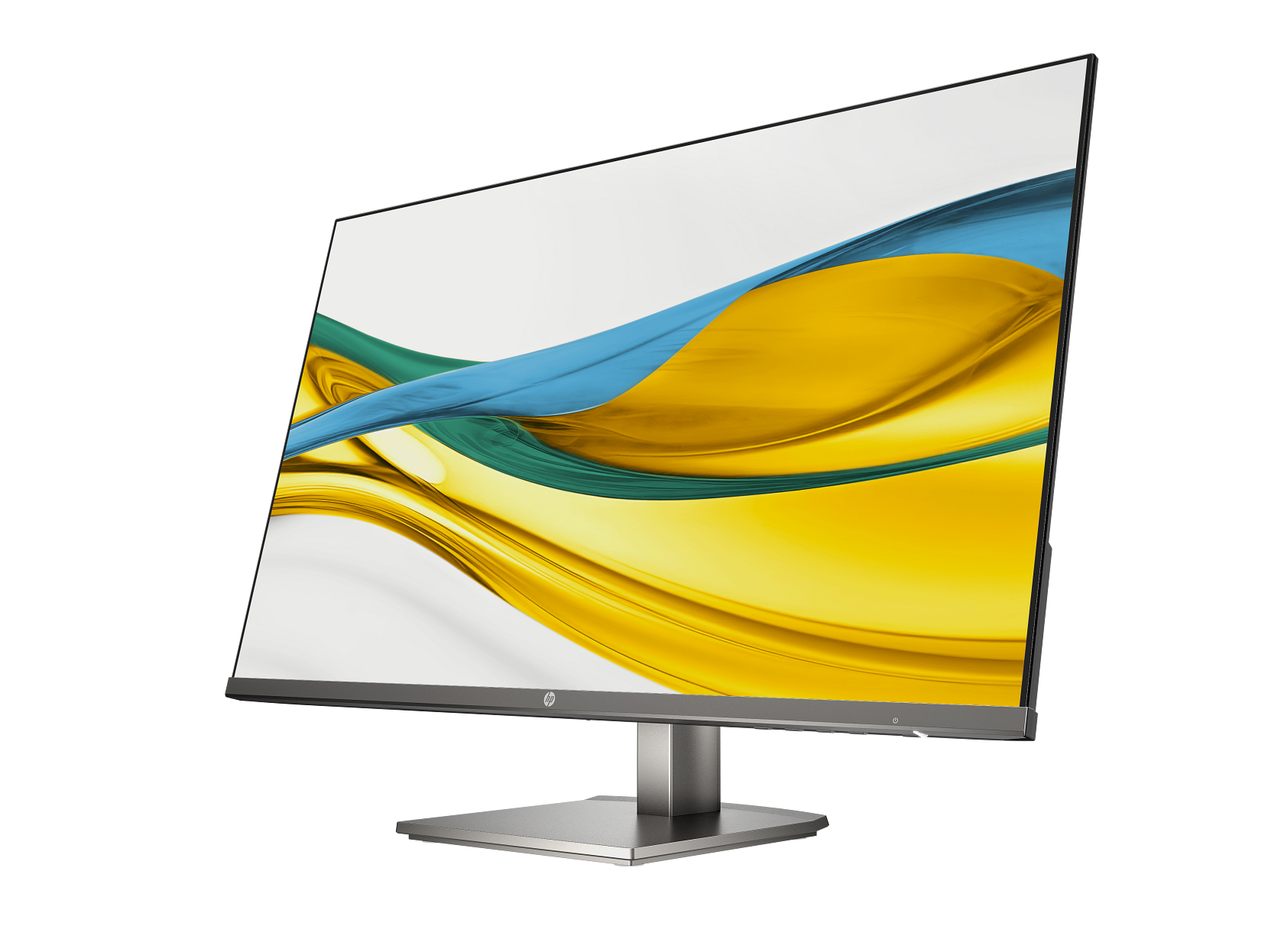
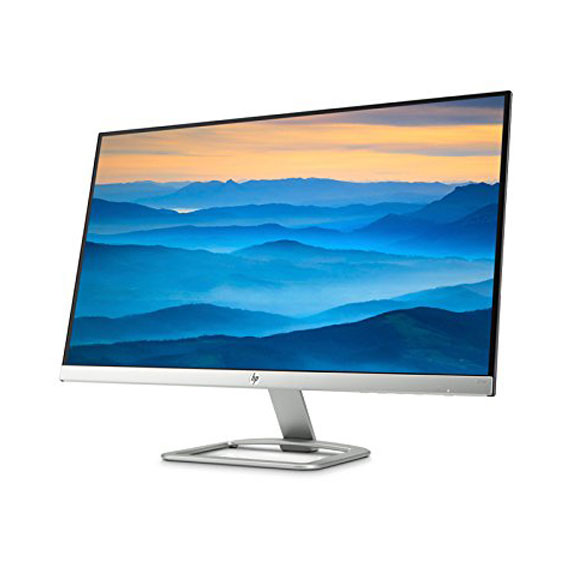
The HP Series 5 527da FHD Monitor gives everyday office users a 27-inch Full HD IPS screen with dual built-in speakers, a 100 Hz refresh rate, and a height-and-tilt-adjustable stand — all in a slim, three-sided borderless design. Specifically, it targets professionals who need a clean, comfortable desk display with integrated audio and accurate colour, without the cost of a premium enterprise monitor. Furthermore, the B11W6AS suits small and medium businesses, home office setups, and shared workspaces where cable simplicity and screen quality matter equally.
Technical Specifications
Display
| Specification | Detail |
|---|---|
| Screen Size | 27 inches (68.6 cm) diagonal |
| Native Resolution | Full HD — 1920 × 1080 |
| Maximum Refresh Rate | 100 Hz |
| Panel Technology | IPS (LCD with LED backlight) |
| Response Time | 5 ms GtG |
| Brightness | 300 nits (cd/m²) |
| Contrast Ratio | 1500:1 static / 8,000,000:1 dynamic |
| Colour Gamut | 99% sRGB |
| Colour Depth | 8-bit (6-bit + FRC) — up to 16.7 million colours |
| Viewing Angles | 178° horizontal / 178° vertical |
| Bezel | 3-sided micro-edge (borderless design) |
| Aspect Ratio | 16:9 |
| Curvature | Flat |
| Anti-Glare | Yes |
Ergonomics & Stand
| Specification | Detail |
|---|---|
| Height Adjustment | Yes — 100 mm range |
| Tilt | Yes |
| Swivel | No |
| Pivot | No |
| VESA Mount Compatibility | 100 × 100 mm |
| Detachable Stand | Yes |
Connectivity
| Specification | Detail |
|---|---|
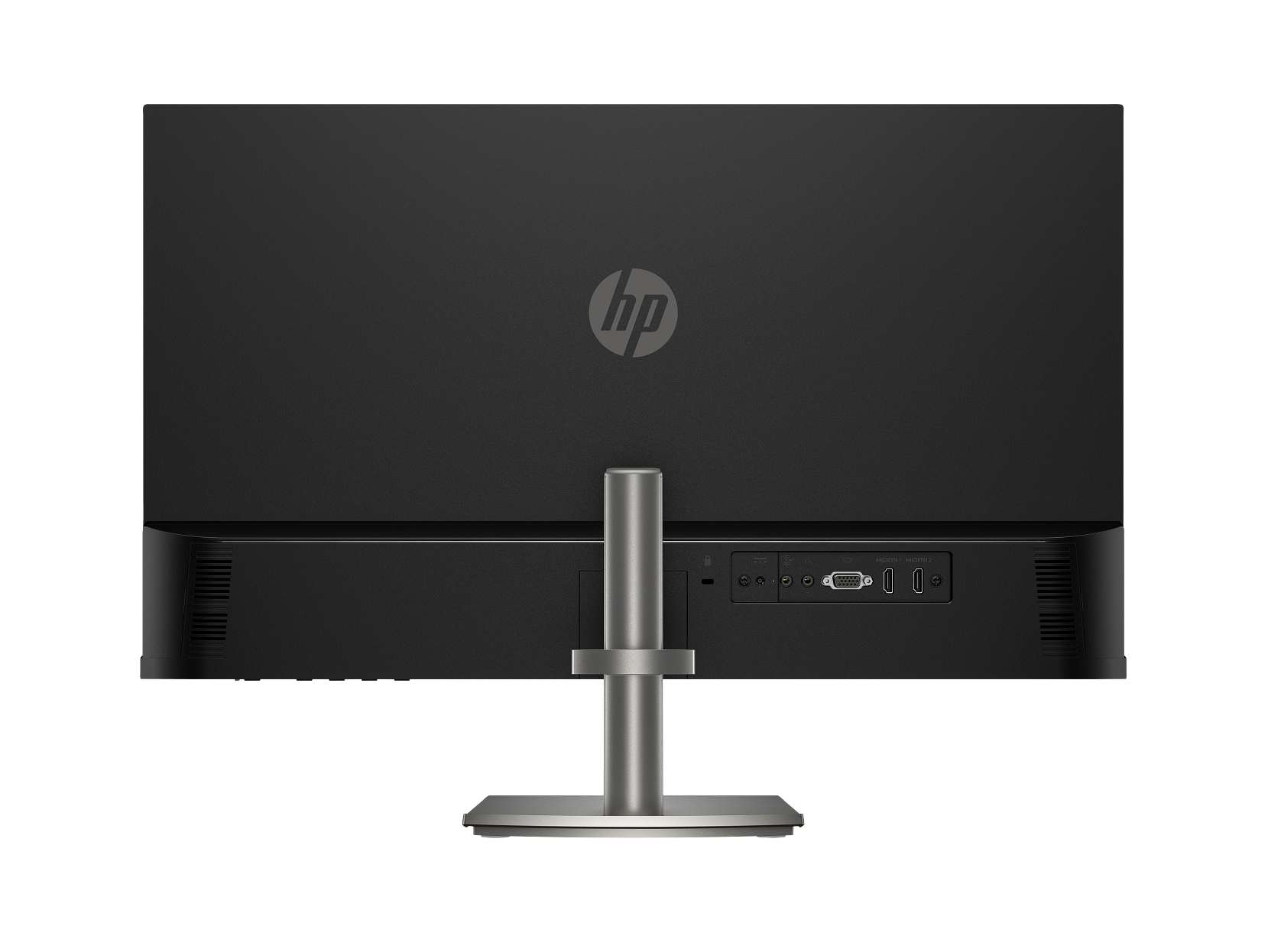
| HDMI | 2 × HDMI 1.4 |
| VGA | 1 × VGA (DE-15) |
| Audio In | 1 × 3.5 mm (analogue) |
| Audio Out | 1 × 3.5 mm (analogue) |
| Security | Kensington lock slot |
Audio
| Specification | Detail |
|---|---|
| Built-In Speakers | Yes — dual 2W (2 × 2W) |
| Speaker Configuration | Rear-firing |
Power
| Specification | Detail |
|---|---|
| Power Consumption — Typical | 31 W |
| Energy Certification | ENERGY STAR® certified |
| Environmental Registrations | EPEAT® registered |
Use Cases
Small and Medium Business Offices
The HP 527da slots cleanly into SMB office environments where simplicity and value take priority over enterprise management features. In particular, the built-in dual speakers eliminate the need for a separate audio unit at every desk, which reduces both cost and cable clutter at scale. Furthermore, the 100 Hz refresh rate delivers noticeably smoother scrolling than standard 60 Hz office monitors — a practical benefit for users who read large documents or navigate complex spreadsheets all day. In addition, the 99% sRGB colour coverage makes the display equally capable for light creative work, presentations, and design reviews where colour fidelity matters. As a result, one monitor model covers a broad range of desk roles without requiring different configurations per team.
Home Office and Hybrid Setups
Workers setting up a home office will find the 527da straightforward to deploy and use. Specifically, the dual HDMI inputs keep a laptop and a desktop connected simultaneously, so switching sources takes a single button press rather than a cable swap. Consequently, the built-in speakers handle audio for both sources through the monitor, which means one less peripheral on the desk. Moreover, the height-adjustable stand removes the need for a monitor stand riser or book stack — a common workaround in home office setups lacking dedicated ergonomic furniture. In short, the B11W6AS offers a self-contained display solution that works out of the box with minimal accessories.
General Daily Productivity
The 527da handles full eight-hour workdays comfortably. In addition, HP Eye Ease filters blue light at the hardware level, so the screen stays visually comfortable throughout the day without requiring software mode changes. Similarly, the matte anti-glare panel reduces reflections from windows and overhead lighting — a practical advantage in home offices and open-plan environments where lighting conditions change during the day. Furthermore, the three-sided borderless bezel makes the most of the 27-inch diagonal, giving you more usable content area than a comparable monitor with thick bezels on all four sides.
Considerations
No USB Hub
Unlike the HP E27 G5 and other monitors in the HP E-Series range, the 527da carries no USB hub. Therefore, peripherals such as keyboards, mice, and webcams connect directly to the computer rather than routing through the display. On the other hand, the absence of a hub keeps the monitor’s price point lower and reduces setup complexity for users who do not rely on USB peripherals at the monitor level. In short, if a USB hub at the monitor matters to your workflow, the HP E27 G5 FHD Monitor is the more appropriate choice.
No Swivel or Pivot
The stand adjusts for height and tilt only. Consequently, the 527da does not support portrait orientation or horizontal swivel — features that the HP E-Series monitors provide. Therefore, users who regularly rotate between landscape and portrait layouts, for instance for document review or coding, should consider the HP E27 G5 FHD Monitor instead, which supports full four-way ergonomic adjustment. Nevertheless, for users who work exclusively in landscape orientation, the height and tilt range covers most everyday posture adjustment needs.
VGA Port — Legacy Connectivity
The 527da includes one VGA input alongside its two HDMI ports. This makes the monitor compatible with older desktop computers that lack HDMI output, which is useful in environments where legacy hardware remains in service. However, VGA carries an analogue signal and does not support the full 1920 × 1080 @ 100 Hz resolution that HDMI delivers. Therefore, connect via HDMI wherever possible to take full advantage of the panel’s native resolution and refresh rate.
Speaker Output Level
The dual 2W speakers suit video calls, presentations, and background audio in quiet to moderately noisy environments. However, in open-plan offices with significant ambient noise, or for users who need higher volume levels for media playback, the 2W output may fall short. In that case, connecting external speakers or headphones through the 3.5 mm audio output gives you a more flexible audio solution.
Frequently Asked Questions
Does the HP 527da work with a Mac or Chromebook?
Yes. Any device with an HDMI output can drive the 527da, and HP confirms compatibility across operating systems including macOS and ChromeOS. Consequently, the monitor works as a plug-and-play display without requiring additional drivers for basic video and audio output on non-Windows platforms.
Does the HP 527da support 100 Hz over both HDMI and VGA?
No. The 100 Hz maximum refresh rate requires an HDMI 1.4 connection. VGA, as an analogue interface, does not support 100 Hz at 1920 × 1080. Therefore, use the HDMI input for the best image quality and smoothest motion.
Can I use the HP 527da on a monitor arm?
Yes. Remove the included stand and the monitor accepts any VESA 100 × 100 mm mount — including monitor arms, wall brackets, and desk clamps. As a result, the 527da suits sit-stand desks and ergonomic arm setups just as well as a fixed desk position. In addition, removing the stand frees up desk space beneath the display.
Does the HP 527da have a headphone output?
Yes. The monitor includes both a 3.5 mm audio input and a 3.5 mm audio output. Consequently, you can connect headphones directly to the monitor for private listening without unplugging anything from the computer. Similarly, the audio input lets you route a separate audio source through the monitor’s built-in speakers.
What is HP Eye Ease, and does it affect colour accuracy?
HP Eye Ease filters blue light within the panel hardware rather than through a software overlay. As a result, it avoids the yellow-orange colour shift that software blue-light filters introduce. Moreover, HP’s documentation states the display retains its 99% sRGB coverage with Eye Ease active. Therefore, colour-aware tasks such as light photo editing and presentation design remain practical without disabling the eye comfort feature.
Does the HP 527da have built-in remote management features?
No. The 527da does not support HP Display Manager or HP CMSL enterprise management tools. Therefore, IT administrators managing large deployments from a central console should evaluate the HP E27 G5 FHD Monitor or other E-Series models, which include those features. Nevertheless, for straightforward SMB or home office deployments, the plug-and-play setup of the 527da requires no management software at all.
Related Products
- HP E27 G5 FHD Monitor — 27-inch FHD IPS with 4-way ergonomic stand, USB hub, and enterprise remote management
- HP Series 5 Pro 527pq Monitor — 27-inch QHD step-up with USB-C connectivity in the Series 5 range
- HP E27u G5 QHD USB-C Monitor — 27-inch QHD with USB-C video and RJ-45 Ethernet for power users
- HP P34hc G4 Curved Monitor — 34-inch ultrawide curved display for multi-window productivity
Reviews
There are no reviews yet.