
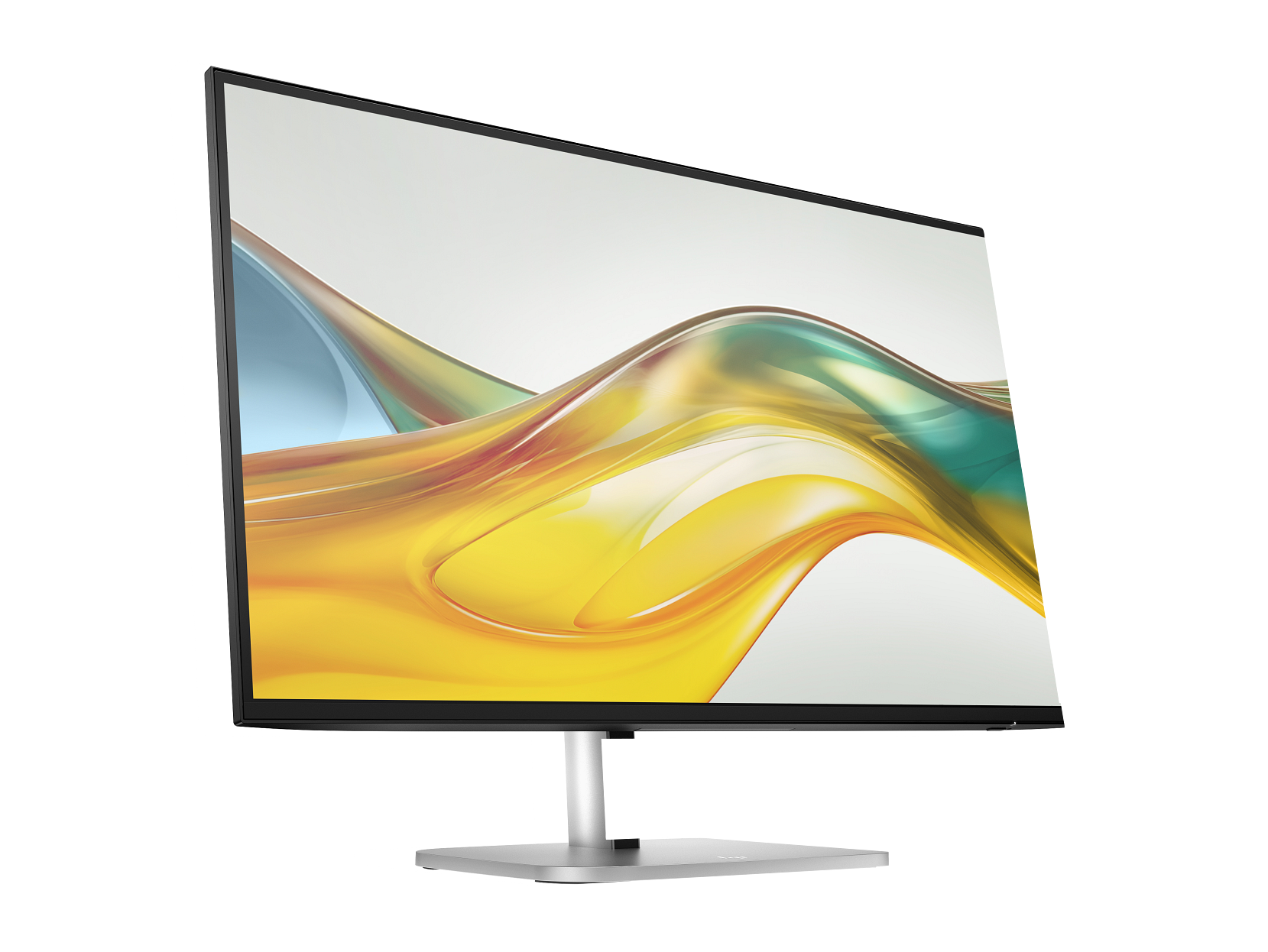
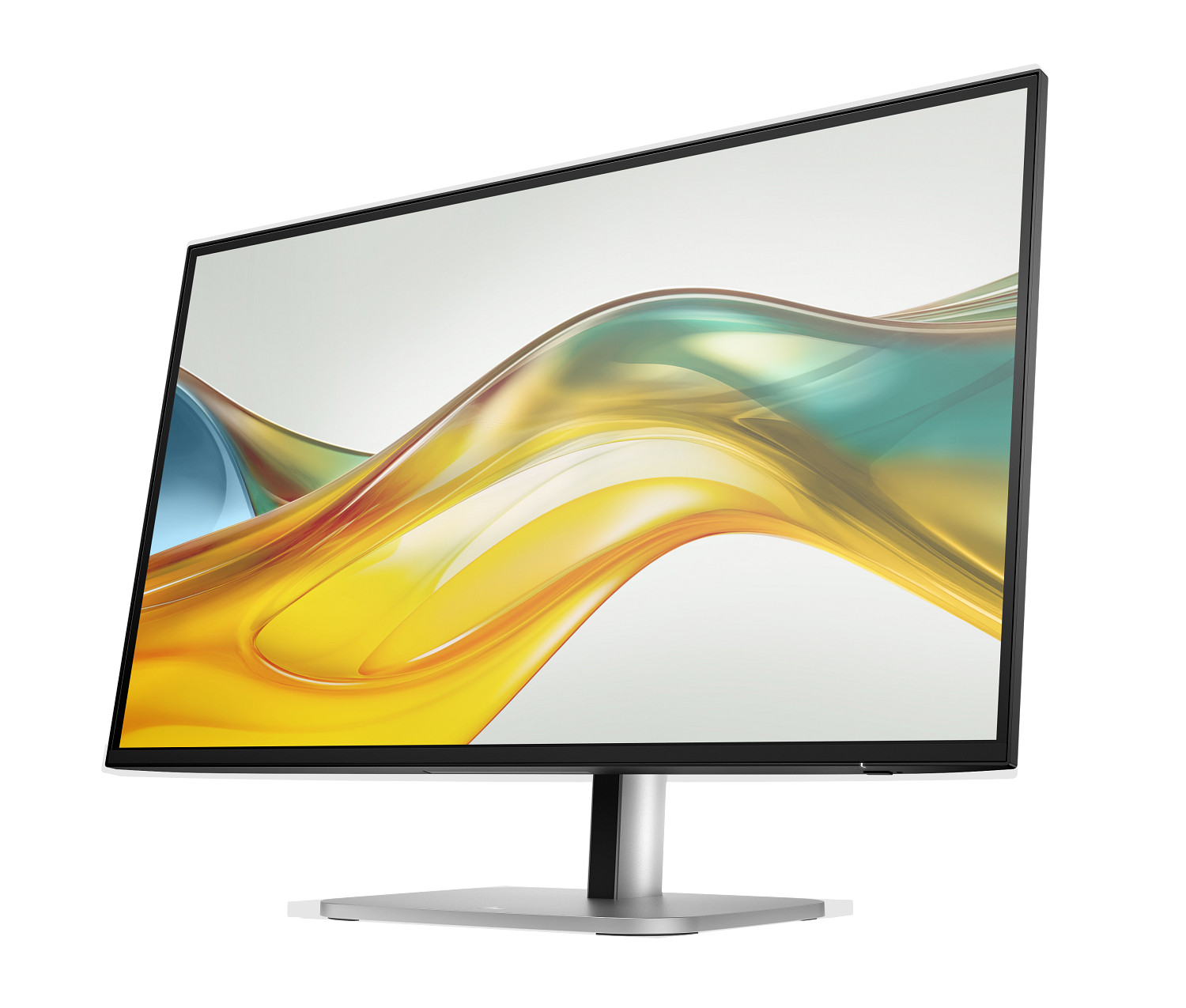


HP Series 5 Pro 527pq — 27-Inch QHD Monitor | 2560×1440 IPS | 100Hz | Model 9D9S0UT
The HP Series 5 Pro 527pq (9D9S0UT) is a 27-inch QHD business monitor designed for professionals who spend extended hours at a desk and need accurate colour, comfortable ergonomics, and tidy connectivity in a single display. Its IPS panel delivers 2560 × 1440 resolution at 100 Hz with 100% sRGB colour coverage, and the fully adjustable stand supports height, tilt, swivel, and pivot — making it one of the more ergonomically complete monitors at this screen size. Furthermore, daisy-chain support via DisplayPort allows a second HP Series 5 Pro monitor to connect without an additional cable run back to the computer.
HP Series 5 Pro 527pq — Technical Specifications
QHD IPS Panel
| Specification | Detail |
|---|---|
| Screen Size | 27 inches (diagonal) / 68.6 cm |
| Viewable Size | 68.47 cm (26.96 inches) |
| Panel Technology | IPS |
| Native Resolution | 2560 × 1440 (QHD) |
| Aspect Ratio | 16:9 |
| Refresh Rate | 50–100 Hz |
| Response Time | 5ms GtG (with overdrive) |
| Brightness (Typical) | 350 nits |
| Contrast Ratio | 1500:1 |
| Colour Gamut | 100% sRGB |
| Display Colours | Up to 16.7 million |
| Pixel Pitch | 0.23 × 0.23 mm |
| Horizontal Scan Frequency | 30–152 kHz |
| Vertical Scan Frequency | 50–100 Hz |
| Screen Treatment | Anti-glare |
| Flicker-Free | Yes |
| Low Blue Light | Yes — HP Eye Ease (TÜV Low Blue Light Hardware Solution certified) |
Connectivity
| Specification | Detail |
|---|---|
| DisplayPort | 1 × DisplayPort 1.2 (input; also supports daisy-chain output) |
| HDMI | 1 × HDMI 2.0 |
| USB-A (Downstream) | 4 × USB-A 5Gbps (SuperSpeed USB), including 1 × charging port |
| USB-B (Hub Enablement) | 1 × USB-B to USB-A upstream cable (included) |
| Audio | No built-in speakers; no audio output port listed |
Ergonomics and Physical Design
| Specification | Detail |
|---|---|
| Height Adjustment | Yes |
| Tilt | Yes |
| Swivel | Yes |
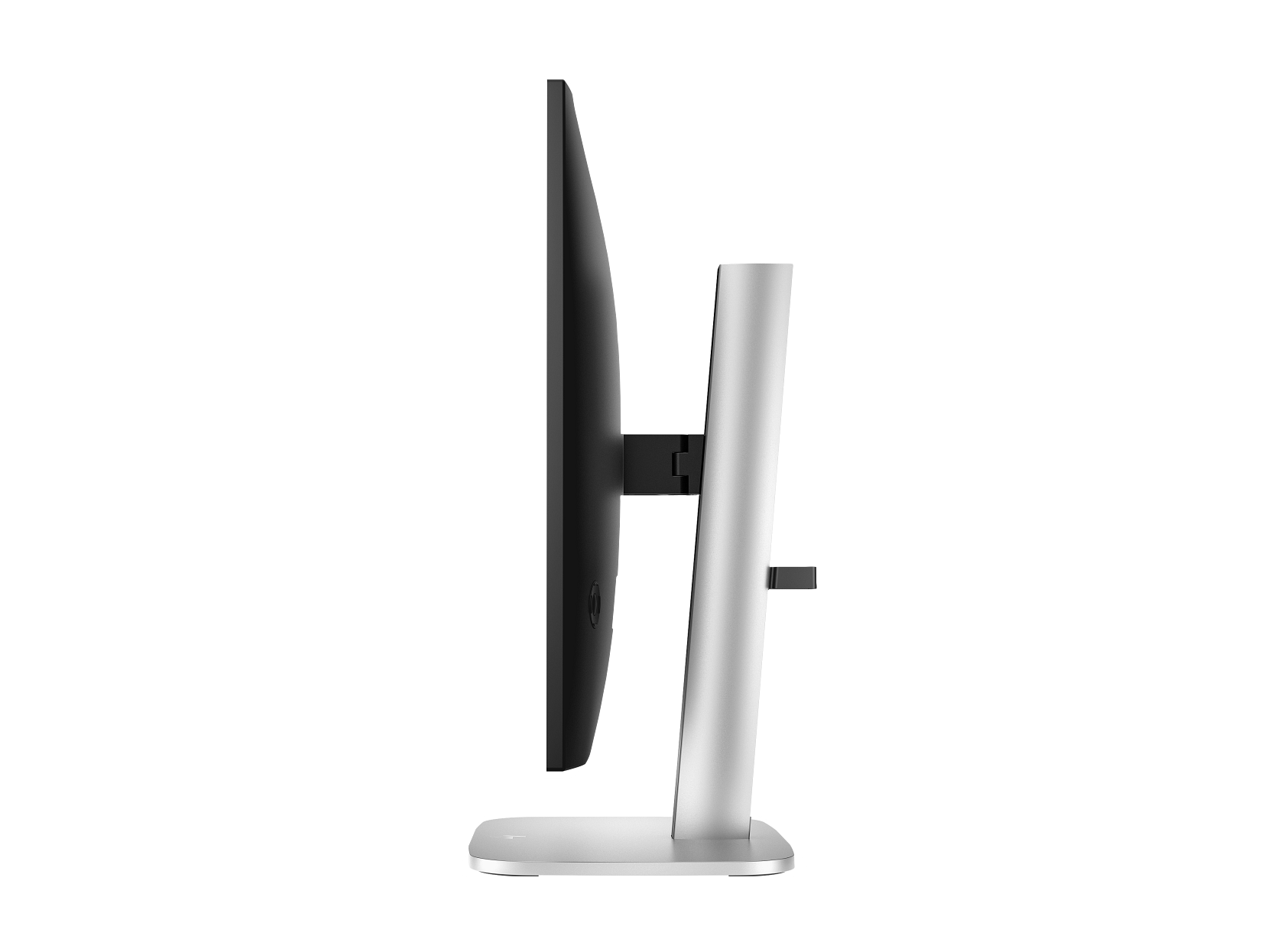
| Pivot | Yes (portrait mode supported) |
| VESA Mount | Yes (compatible) |
| Bezel Style | 3-sided borderless micro-edge |
| Security Lock | Security lock-ready (lock sold separately) |
| Colour | Jet black |
Dimensions and Weight
| Specification | Detail |
|---|---|
| With Stand (W × D × H) | 613.4 × 228.9 × 543.8 mm |
| Without Stand (W × D × H) | 613.4 × 46.9 × 356.7 mm |
| Weight (with stand) | 6.2 kg |
Power
| Specification | Detail |
|---|---|
| Power Input | 100–240V AC, 50/60 Hz |
| Typical Power Consumption | 30W |
| Maximum Power Consumption | 72W |
| Standby Power | 0.5W |
Environmental Conditions
| Specification | Detail |
|---|---|
| Operating Temperature | 5°C to 35°C |
| Operating Humidity | 20%–80% RH (non-condensing) |
Supported Resolutions
640×480, 800×600, 1024×768, 1280×720, 1280×1024, 1440×900, 1600×900, 1600×1200, 1680×1050, 1920×1080 (up to 100Hz), 1920×1200, 2560×1440 @ 60Hz, 2560×1440 @ 75Hz, 2560×1440 @ 100Hz.
Management Software
HP Display Center (Ergonomic Setup Guide, colour calibration, daisy-chain management); HP Display Manager. HP Display Center requires Windows 10 or higher.
Environmental Certifications
TÜV Low Blue Light Hardware Solution certified; Works with Chromebook certified; EPEAT registered; CE; FCC; Energy Star; low halogen; 85% ITE-derived closed-loop recycled plastic; contains ocean-bound plastic; at least 35% recycled metal; 100% sustainably sourced paper-based packaging.
Warranty
3 years limited.
In the Box
HP Series 5 Pro 527pq monitor; DisplayPort cable; HDMI cable; USB Type-B to Type-A cable; AC power cord; Quick Setup Poster; warranty card. Cables included may vary by country/region.
Who Is the HP Series 5 Pro 527pq QHD Monitor For?
Professionals Upgrading from 1080p Displays
The step from 1920 × 1080 to 2560 × 1440 on a 27-inch screen produces a meaningful improvement in text sharpness and working space. Consequently, users who spend most of their day in documents, spreadsheets, code editors, or browser-based tools will notice the difference immediately — more content fits on screen without scaling, and fine text renders more crisply.
Ergonomics-Focused Workstations
Four-way adjustability — height, tilt, swivel, and pivot — makes the 527pq practical for a wide range of desk setups, from sit-stand desks requiring frequent height changes to shared workstations used by people of different heights. The pivot function additionally supports portrait mode, which suits users who work with long vertical documents or coding terminals.
Dual-Monitor Daisy-Chain Setups
The DisplayPort daisy-chain capability allows a second compatible HP Series 5 Pro monitor to connect to the first, meaning the host PC needs only one DisplayPort output to drive two displays. This simplifies cabling considerably for users running dual monitors from a laptop or a compact desktop with limited video outputs.
Mac and PC Cross-Platform Users
The 527pq is certified to work with macOS and Windows, and the HDMI 2.0 and DisplayPort 1.2 inputs cover the most common video outputs on both platforms. Furthermore, Works with Chromebook certification confirms compatibility for users running Chrome OS devices.
HP 527pq Monitor — Considerations Before Buying
No USB-C Connectivity
The 527pq has no USB-C port — neither for video input nor power delivery. Users who connect primarily via USB-C (common on modern MacBooks, ultrabooks, and many recent laptops) will need to use a USB-C to DisplayPort or USB-C to HDMI adapter. Additionally, the monitor cannot charge a laptop over USB-C as the HP P34hc G4 can. Buyers for whom single-cable USB-C docking is a priority should consider a USB-C equipped model instead.
No Built-In Speakers
The 527pq does not include integrated speakers or a headphone output port. Users who need audio output from the monitor — for calls, video playback, or general desktop audio — will require external speakers or a USB/Bluetooth headset connected to the PC rather than the display.
100 Hz Requires DisplayPort 1.2 from the Host PC
The 100 Hz refresh rate at native 2560 × 1440 resolution is only available when connected via DisplayPort 1.2 or higher. Connecting via HDMI 2.0 supports native QHD resolution but caps the refresh rate at 60 Hz. Users connecting from a laptop or desktop with HDMI only should be aware of this limitation before purchasing.
Daisy-Chain Requires a Compatible Second Monitor
The daisy-chain output works specifically with other HP Series 5 Pro USB-C monitors in this family. It does not function as a universal multi-monitor hub — a second display connected via the daisy-chain port must be a compatible HP Series 5 Pro model, sold separately.
HP Display Center Ergonomic Guide Requires Windows 10 or Higher
The Ergonomic Setup Guide within HP Display Center runs on Windows 10 and above only. Mac and Linux users can still adjust the stand manually but will not have access to the guided setup tool. HP Display Manager is available for broader platform support for monitor management tasks.
HP Series 5 Pro 527pq — Frequently Asked Questions
What is the resolution of the HP 527pq monitor?
The native resolution is 2560 × 1440 (QHD), with a 16:9 aspect ratio. This produces 109 pixels per inch at 27 inches, resulting in noticeably sharper text and images compared to a 1920 × 1080 display of the same size.
Does the HP 527pq support 100 Hz?
Yes, at its native 2560 × 1440 resolution via DisplayPort 1.2 or higher. When connected via HDMI 2.0, the maximum supported refresh rate at native resolution is 60 Hz. The 100 Hz setting must be enabled in PC display settings after connection.
Does the HP Series 5 Pro 527pq have USB-C?
No. The 527pq has DisplayPort 1.2, HDMI 2.0, and four USB-A 5Gbps ports. There is no USB-C input on this model. For USB-C video input and power delivery, the HP P34hc G4 curved monitor is a suitable alternative.
Can I use the HP 527pq in portrait (vertical) mode?
Yes. The stand supports pivot rotation to portrait orientation, making it practical for users who work with long documents, code, or vertical content layouts.
Does the HP 527pq include cables in the box?
Yes. The box includes a DisplayPort cable, an HDMI cable, and a USB Type-B to Type-A cable for the USB hub. Cables included may vary by country. A power cord is also included.
How many monitors can I daisy-chain from the HP 527pq?
The 527pq supports connecting one additional compatible HP Series 5 Pro monitor in a daisy-chain configuration via its DisplayPort output. The second monitor must be a compatible HP Series 5 Pro USB-C model and is sold separately.

Reviews
There are no reviews yet.