
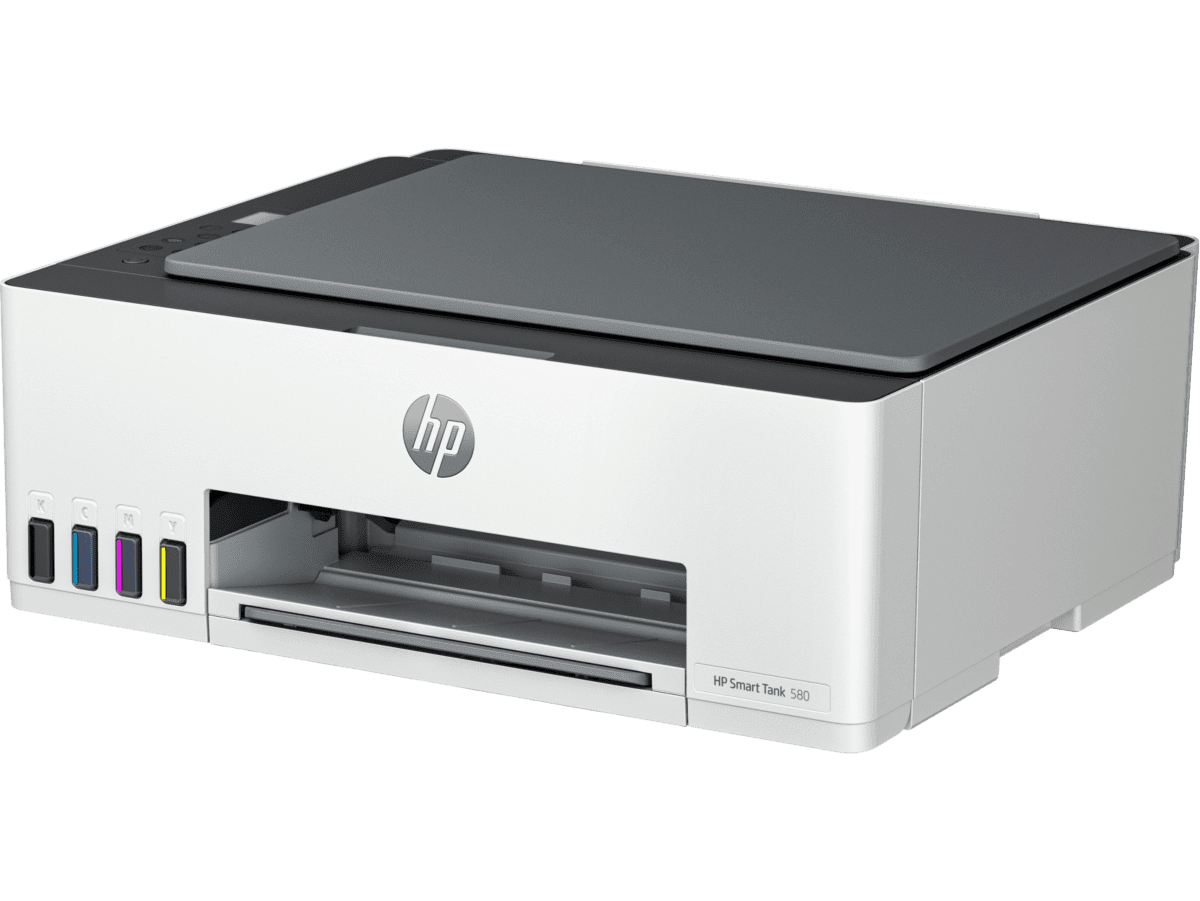
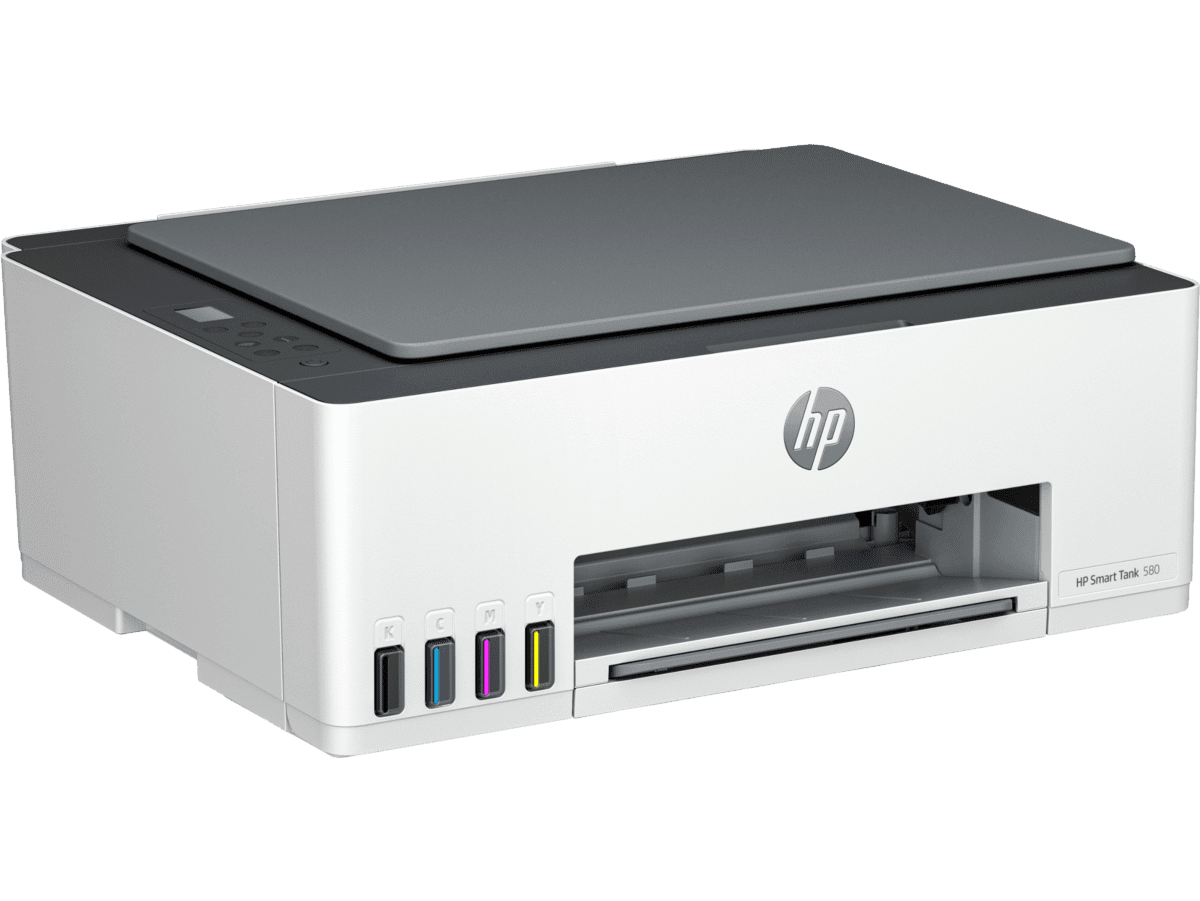
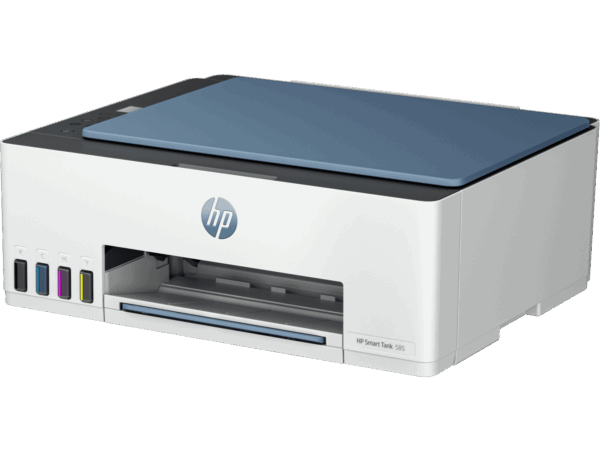
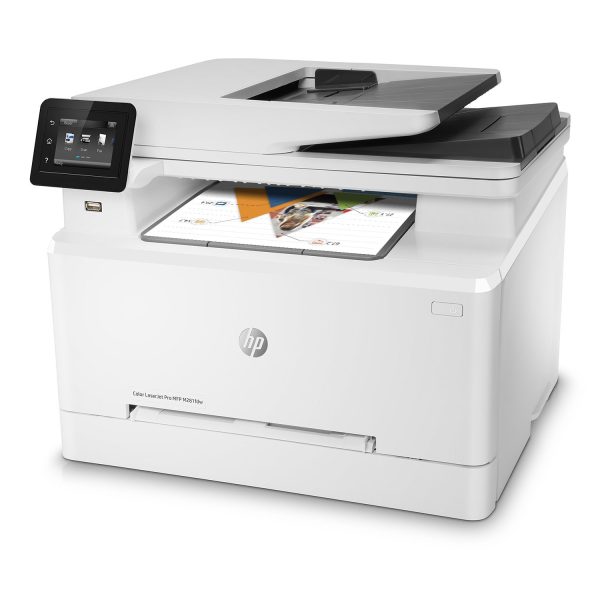
HP Smart Tank 580 All-in-One Wireless Inkjet Printer (1F3Y2A)
The HP Smart Tank 580 All-in-One wireless inkjet printer is a refillable tank printer built for homes and small offices that print regularly and want to cut the ongoing cost of replacement cartridges. It combines print, copy, and scan functions in a single compact unit, making it a practical everyday workhorse for document output, flatbed copying, and basic scanning tasks. Furthermore, built-in Wi-Fi and USB connectivity allow it to serve multiple devices wirelessly or connect directly to a single workstation without added configuration.
Technical Specifications
Functions & Technology
| Specification | Detail |
|---|---|
| Model Number | 1F3Y2A |
| Functions | Print, Copy, Scan |
| Print Technology | HP Thermal Inkjet |
| Printer Driver | HP PCL 3 GUI |
| Display | 1.2-inch iCON LCD + 33-segment display |
| Processor Speed | 980 MHz |
Control Panel
| Specification | Detail |
|---|---|
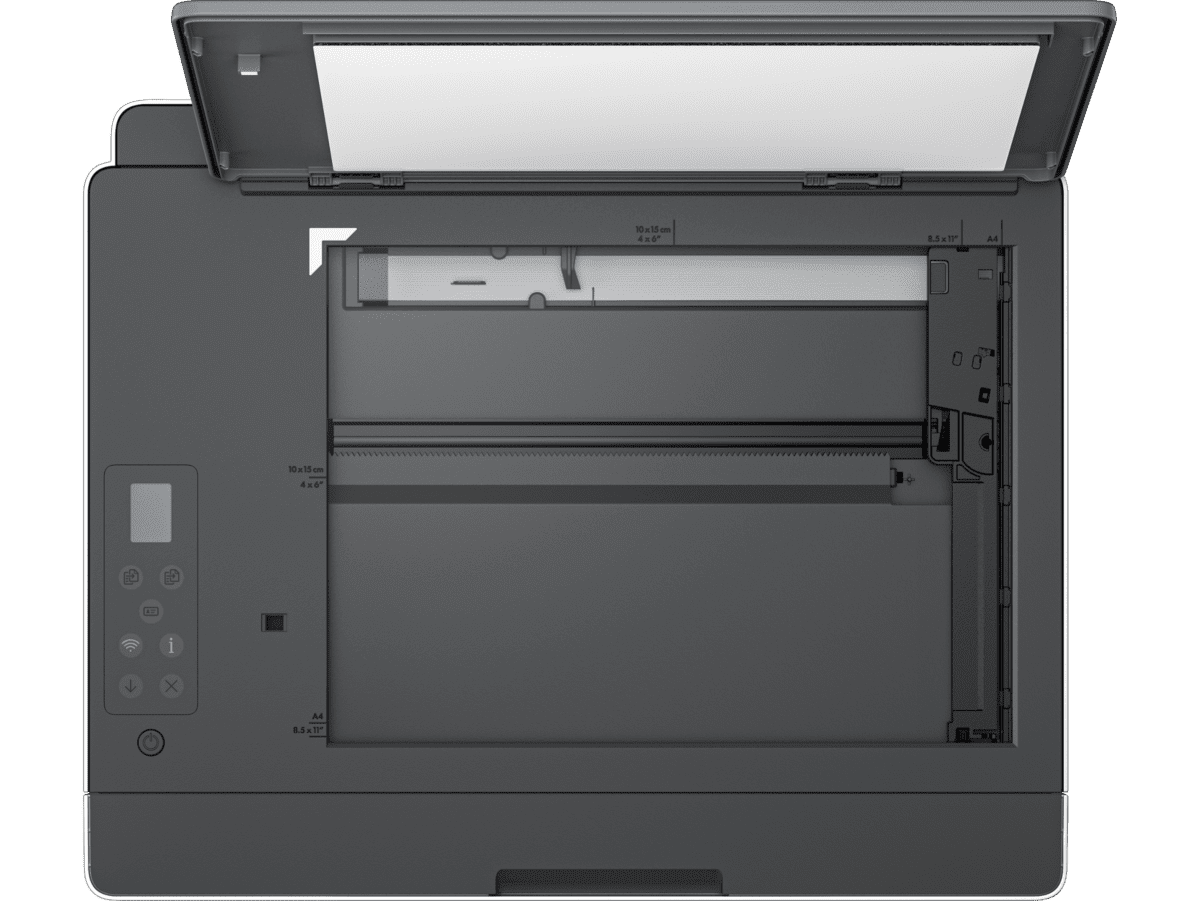
| Buttons | Power On/Off, Cancel, Resume, Colour Copy, Black Copy, ID Copy, Wi-Fi, Info |
Print Performance
| Specification | Detail |
|---|---|
| Print Speed — Black (ISO, A4) | Up to 12 ppm |
| Print Speed — Colour (ISO) | Up to 5 ppm |
| Print Quality — Black (Best) | Up to 1200 × 1200 rendered dpi |
| Print Quality — Colour (Best) | Up to 4800 × 1200 optimised dpi (from computer; 1200 input dpi) |
| Duplex Printing | Manual (driver support provided — not automatic) |
| Monthly Duty Cycle | Up to 3,000 pages |
| Recommended Monthly Volume | 400 to 800 pages |
Copy
| Specification | Detail |
|---|---|
| Copy Speed — Black (ISO) | Up to 10 cpm |
| Copy Speed — Colour (ISO) | Up to 2 cpm |
| ID Copy | Yes — detects and prints both sides of an ID card on one page |
Scan
| Specification | Detail |
|---|---|
| Scanner Type | Flatbed only (CIS — Contact Image Sensor) |
| Scan Speed — Colour (A4, Normal) | Up to 200 ppi / 19 seconds |
| Scan Speed — Mono (A4, Normal) | Up to 200 ppi / 10 seconds |
| Scan File Formats | JPG, PDF, PNG, TIFF, HEIF |
| Scan Input Modes | Copy; HP Software; Embedded Web Server (EWS) |
| Digital Sending | Scan to file; HP Smart Tasks |
Ink & Yield
| Specification | Detail |
|---|---|
| Ink System | Refillable tank — 4 bottles (1 black, 3 colour: cyan, magenta, yellow) |
| Black Yield (GT53XL 135ml bottle) | Up to 18,000 pages |
| Colour Yield (GT52 per set) | Up to 6,000 pages (composite) |
| Replacement Ink — EMEA Black | HP GT53XL 135-ml Black Ink Bottle (1VV21AE) |
| Replacement Ink — EMEA Colour | HP GT52 Cyan (M0H54AE); HP GT52 Magenta (M0H55AE); HP GT52 Yellow (M0H56AE) |
Connectivity
| Specification | Detail |
|---|---|
| USB | 1 × Hi-Speed USB 2.0 |
| Wi-Fi | 802.11b/g/n (2.4 GHz), built-in |
| Wi-Fi Direct | Yes — direct printing without a router |
| Mobile Printing | HP Smart App; Apple AirPrint; Mopria Print Service; HP Print Service Plugin (Android); Wi-Fi Direct |
Operating System Compatibility
| Platform | Versions Supported |
|---|---|
| Windows | Windows 10, Windows 11 |
| macOS | 10.15 Catalina through macOS 14 Sonoma |
| Mobile | Android, iOS |
| Other | Chrome OS |
Physical
| Specification | Detail |
|---|---|
| Dimensions (W × D × H) | 434.66 × 361.53 × 157.26 mm |
| Weight | 5.03 kg |
| Power — Ready Mode | 3.023 W |
| Power — Sleep Mode | 1.096 W |
| Power — Manual Off | 0.109 W |
| Power Supply | Internal, built-in |
Sustainability
| Specification | Detail |
|---|---|
| Recycled Content | 45% post-consumer recycled plastic |
| Ecolabel | Conforms to ecolabel energy efficiency limits |
| EPEAT | EPEAT registered |
| Energy Saving | HP Auto On/Auto-Off Technology |
Warranty
| Specification | Detail |
|---|---|
| Standard Warranty | One year or 30,000 pages, whichever is earlier |
| Extended Warranty | Up to 2 years upon registration at hp.com/go/inkTank-SmartTank-warranty |
In the Box
| Item |
|---|
| HP Smart Tank 580 All-in-One Printer |
| 3 × HP GT53XL 135-ml Black Original Ink Bottle (1VV24A) |
| HP GT52 50-ml Cyan Ink Bottle (6ZE03A) |
| HP GT52 50-ml Magenta Ink Bottle (6ZE04A) |
| HP GT52 50-ml Yellow Ink Bottle (6ZE05A) |
| HP Black Original Printhead (M0H50A) |
| HP Tri-Colour Original Printhead (6ZA18AE) |
| Setup Guide; Reference Guide; Regulatory, Ink Caution, and Warranty Flyers |
| Power Cord |
Use Cases
High-Volume Home and Home Office Printing
The Smart Tank 580 suits anyone printing regularly — school reports, invoices, contracts, or reference documents — who finds cartridge costs accumulate quickly. With up to 18,000 black pages per tank fill, a household printing 400 pages each month could run for nearly four years before needing a black refill. Additionally, the 1.096 W sleep power draw keeps running costs minimal during periods when the printer sits idle.
Small Teams Sharing a Single Printer
The printer supports up to three simultaneous users and handles up to 800 pages per month across a small team comfortably. Self-healing Wi-Fi maintains the connection across multiple devices without manual reconnection. Furthermore, Wi-Fi Direct printing allows a visitor or mobile worker to print without joining the main office network, avoiding network access complications entirely.
Mobile-First and App-Driven Workflows
For users who work primarily from a smartphone or tablet, the HP Smart app handles setup, scanning, and print monitoring from iOS and Android. HP Smart Tasks enables automated scan-to-PDF workflows triggered directly from the app. Apple AirPrint and Mopria compatibility means the Smart Tank 580 works with any compatible mobile device without additional driver installation.
Colour Document and Photo Printing
The 4800 × 1200 dpi colour output resolves fine gradients and graphics well for a refillable tank inkjet at this price point. For instance, printing school project materials, presentation handouts, or low-volume colour flyers produces sharp, vibrant results at a significantly lower per-page cost than equivalent cartridge-based alternatives.
Considerations
Scanning and Duplex Limitations
- Flatbed Scanner Only — No ADF: The HP Smart Tank 580 includes a flatbed scanner but no Automatic Document Feeder. Scanning multi-page documents requires placing each page manually, one at a time. Users who regularly scan batches of loose-leaf paperwork should consider a model with an ADF instead.
- Manual Duplex Only: Two-sided printing requires the user to manually flip and reload the paper stack. The printer does not feed the sheet back automatically for the reverse side. This slows double-sided jobs considerably compared to printers with automatic duplex.
- Colour Speed is Slow at 5 ppm: Black printing reaches 12 pages per minute, however colour printing drops to 5 pages per minute. For environments producing high volumes of colour documents, this throughput may create bottlenecks during peak periods.
Volume, Connectivity, and Ink Compatibility
- Recommended Volume Has a Ceiling: HP recommends 400 to 800 pages per month. The monthly duty cycle permits up to 3,000 pages, but sustained use above the recommended volume may affect device longevity. Teams consistently exceeding 800 pages monthly should evaluate a higher-duty-cycle model.
- Wi-Fi is 2.4 GHz Only: The printer connects to 2.4 GHz networks exclusively and does not support 5 GHz Wi-Fi. In environments with congested 2.4 GHz bands, connection stability may degrade compared to dual-band alternatives.
- Ink Bottles Vary by Region: Replacement ink bottle part numbers differ between EMEA, North America, Asia Pacific, and Latin America. Buyers should confirm regional availability before purchasing, particularly if sourcing ink internationally.
- Warranty Is Page-Count Limited: The standard warranty expires at whichever comes first — one year or 30,000 pages. High-volume users approaching 30,000 pages within the first year should register promptly to activate extended warranty options.
- No HP Wolf Security: Unlike the Smart Tank 585, the 580 does not include HP Wolf Essential Security. For environments handling sensitive documents, this distinction is worth considering when choosing between the two models.
Comparing tank printer options? Browse our full range of HP All-in-One printers to find the right model for your monthly print volume.
For driver downloads, ink compatibility, and warranty registration, visit the HP Smart Tank 580 official support page.
Reviews
There are no reviews yet.