

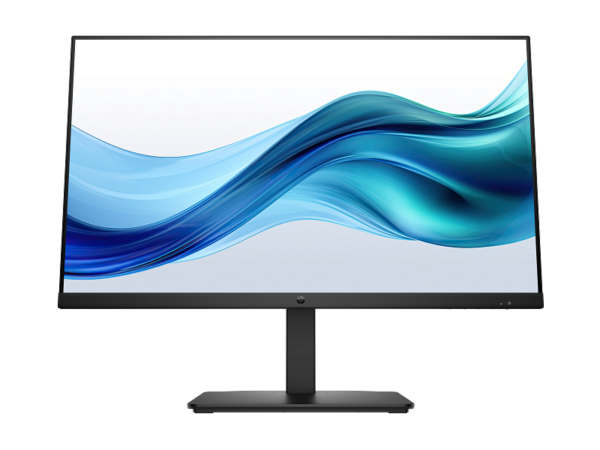
HP Series 5 27″ FHD White Monitor with Integrated Speakers – 527sa (94F48AS)
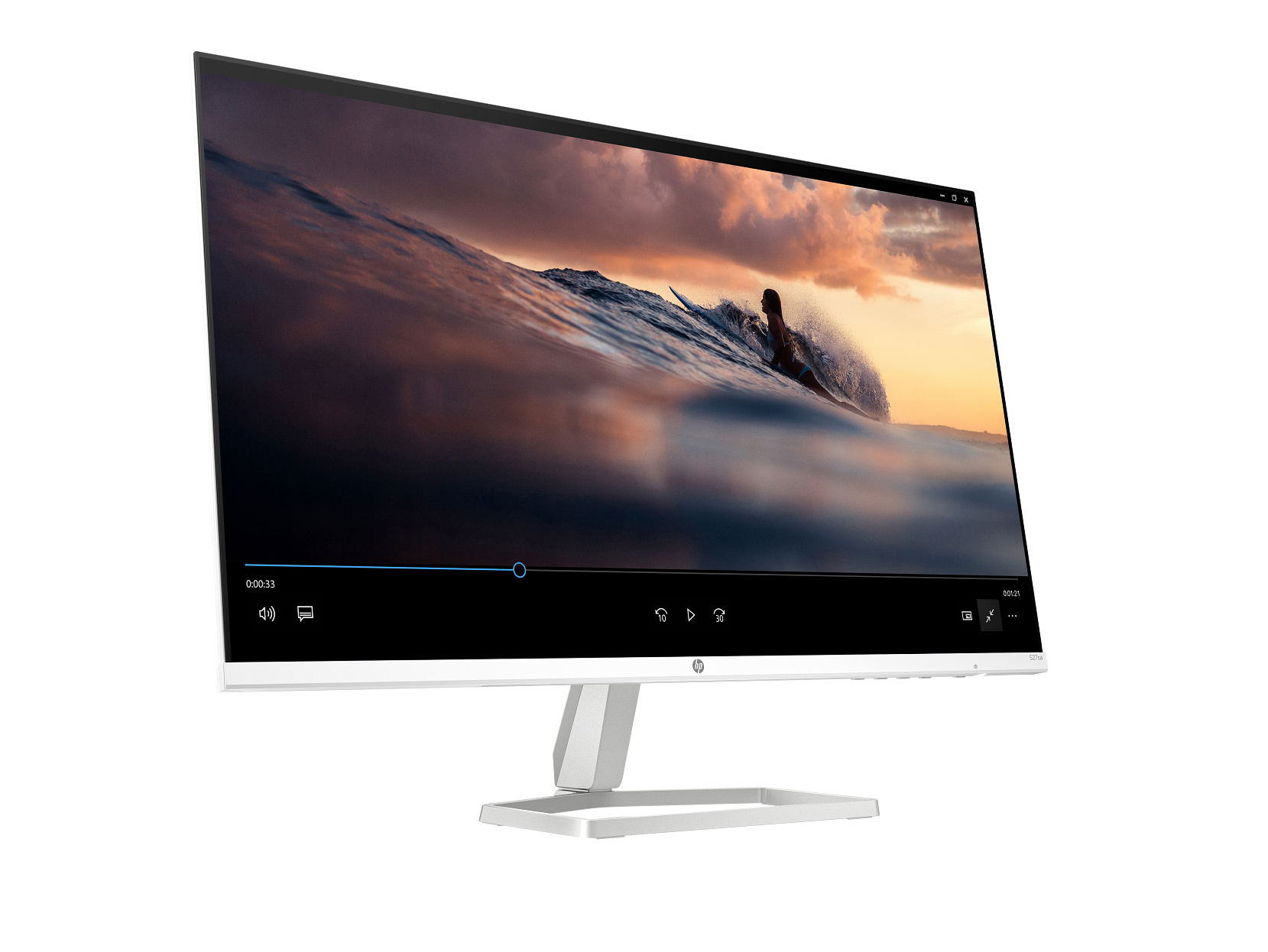
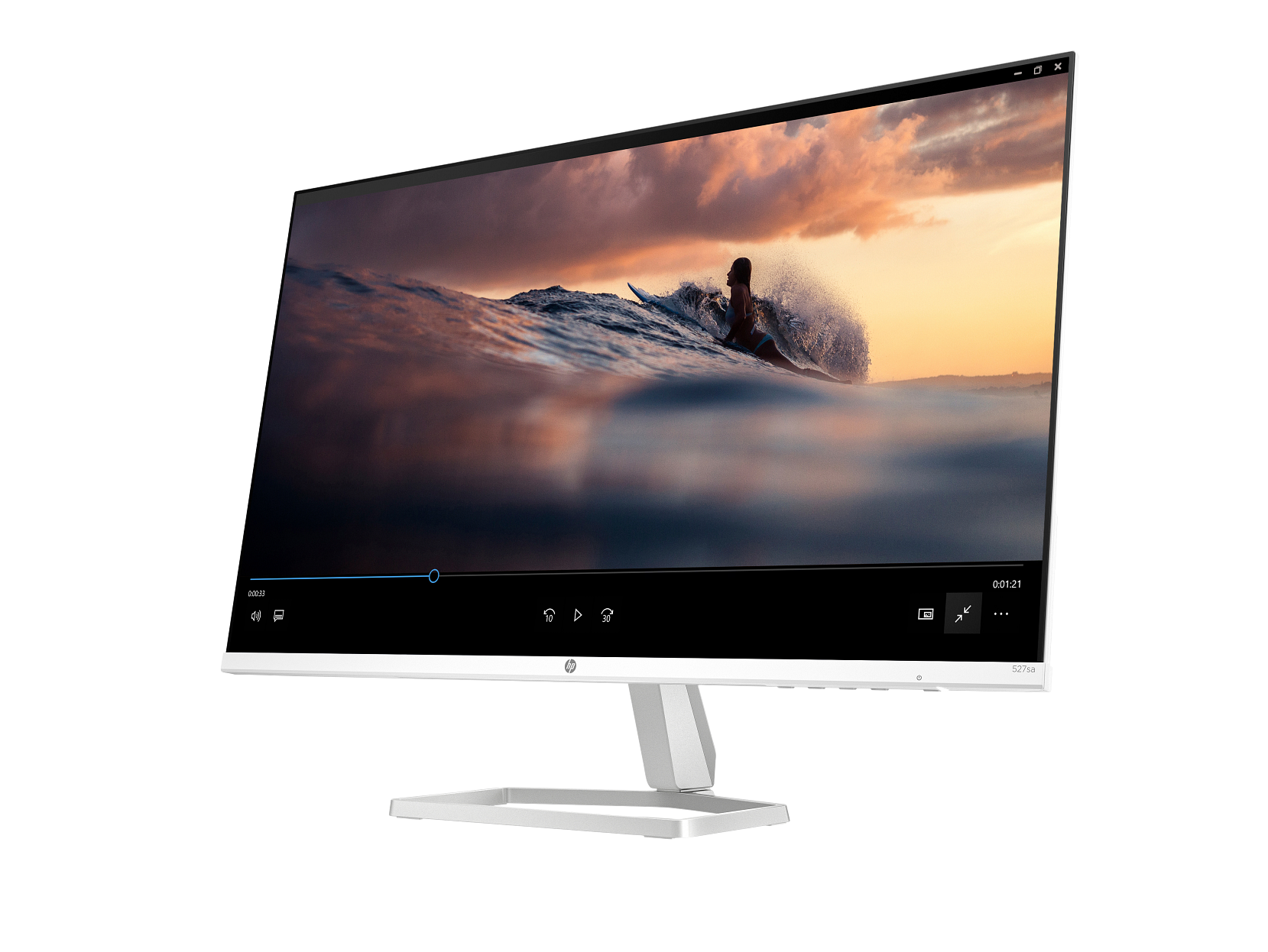
The HP Series 5 527sa delivers a 27-inch Full HD IPS display in white with integrated dual 2W speakers — the most complete monitor in the white Series 5 consumer range. It extends the HP Series 5 527sw 27″ white monitor with built-in audio and 3.5 mm audio jacks, and scales up the 23.8-inch HP Series 5 524sa with speakers to a 27-inch panel while adding a second HDMI 1.4 port. For home users, students, and home office workers who want a large white display that handles audio, video, and multi-device connectivity from a single unit, the 527sa covers all three without requiring a separate speaker system or audio adapter.
Technical Specifications
Display
| Specification | Detail |
|---|---|
| Screen Size | 68.6 cm (27″) diagonal |
| Display Type | IPS; LCD, Edge-lit |
| Native Resolution | FHD (1920 × 1080) |
| Maximum Resolution | 1920 × 1080 @ 100 Hz |
| Aspect Ratio | 16:9 |
| Pixel Pitch | 0.31 × 0.31 mm |
| Pixel Density | 82 PPI |
| Brightness | 300 nits (typical) |
| Contrast Ratio | 1500:1 (static); 10,000,000:1 (dynamic) |
| Response Time | 5ms GtG (with overdrive) |
| Colour Gamut | 99% sRGB |
| Colour Support | Up to 16.7 million colours (6-bit + A-FRC) |
| Viewing Angles | 178° horizontal / 178° vertical |
| Scan Frequency (Horizontal) | 30–113 kHz |
| Scan Frequency (Vertical) | 48–100 Hz |
| Flicker-Free | Yes (TÜV certified) |
| Low Blue Light | Yes — HP Eye Ease (Eyesafe® certified, always-on hardware filter) |
| Anti-Glare | Yes |
| Bezel Type | 3-sided micro-edge |
| Camera | None |
Supported Resolutions
640 × 480 · 720 × 400 · 800 × 600 · 1024 × 768 · 1280 × 720 · 1280 × 800 · 1280 × 1024 · 1440 × 900 · 1600 × 900 · 1680 × 1050 · 1920 × 1080
Connectivity
| Port | Detail |
|---|---|
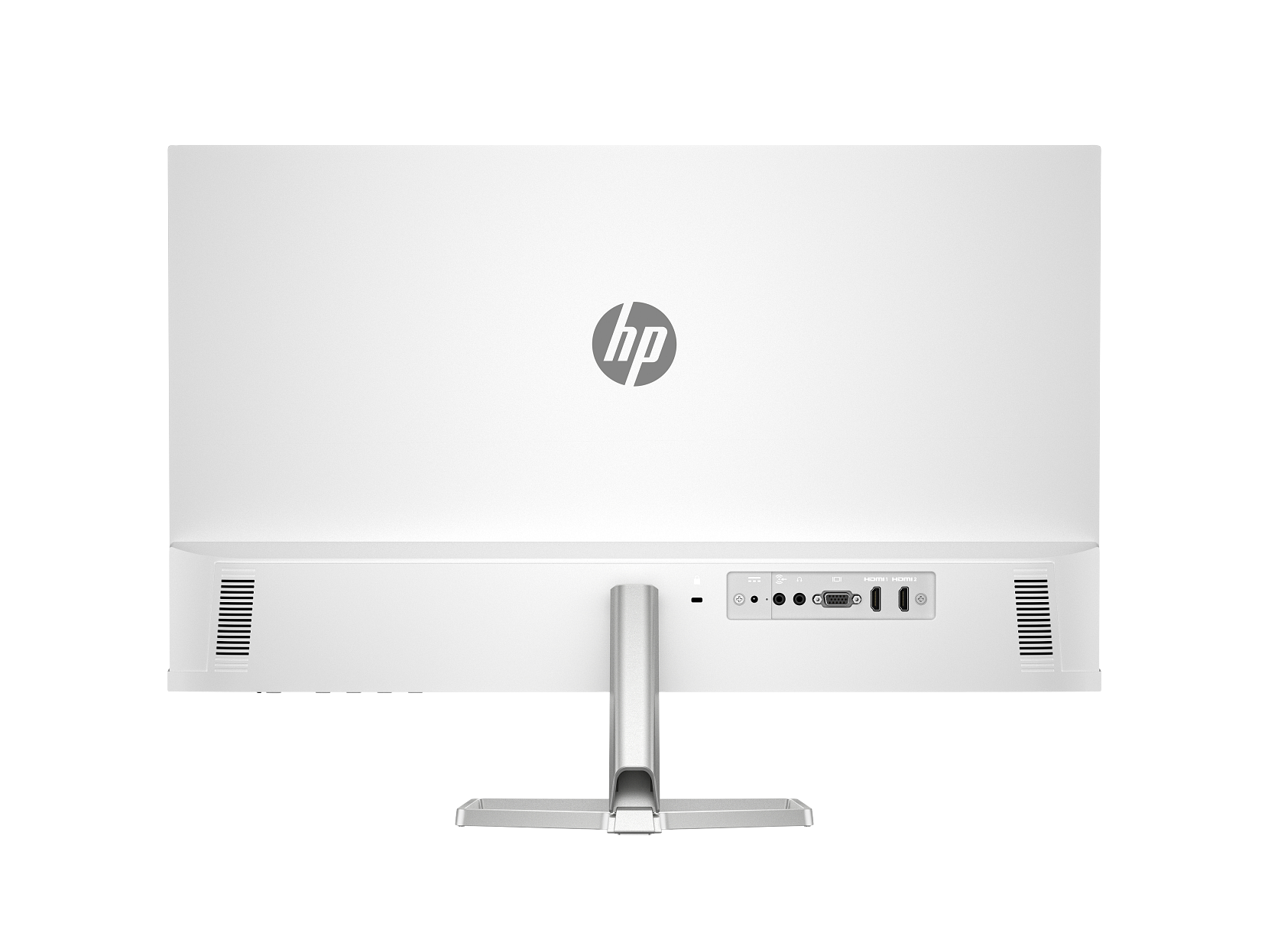
| HDMI | 2 × HDMI 1.4 (supports up to 100 Hz each) |
| VGA | 1 × VGA (supports up to 60 Hz) |
| Audio Out | 1 × 3.5 mm audio jack (headphones / external speakers) |
| Audio In | 1 × 3.5 mm audio jack |
| USB | None |
Audio
| Specification | Detail |
|---|---|
| Speakers | Integrated dual 2W speakers |
| Audio Out | 3.5 mm jack |
| Audio In | 3.5 mm jack |
Ergonomics & Physical
| Specification | Detail |
|---|---|
| Tilt Adjustment | −5° to +25° |
| Stand | Tilt-adjustable slim stand |
| VESA Mount | Not supported |
| Security | Standard security lock slot |
| Dimensions (with stand) | 60.79 × 18.82 × 43.73 cm (W × D × H) |
| Dimensions (without stand) | 60.79 × 3.42 × 35.60 cm (W × D × H) |
| Weight (with stand) | 3.28 kg |
| Colour | White / Silver |
Power
| Specification | Detail |
|---|---|
| Power Supply | External power adapter |
| Input Voltage | 100–240 VAC, 50/60 Hz |
| Typical Power Consumption | 23 W |
| Maximum Power Consumption | 31 W |
| Standby Power | 0.5 W |
| Operating Temperature | 5°C to 35°C |
| Operating Humidity | 20%–80% RH (non-condensing) |
Management & OSD
| Feature | Detail |
|---|---|
| On-Screen Display Controls | Brightness+, Colour, Image, Input, Power, Menu, Management, Information, Exit |
| Management Software | HP Display Centre (Ergonomic Setup Guide included; requires Windows 10 or later) |
Environmental & Certifications
| Certification | Status |
|---|---|
| ENERGY STAR® | Certified |
| EPEAT® | Registered |
| Eyesafe® | Certified (HP Eye Ease hardware filter) |
| TÜV Rheinland Flicker-Free | Certified |
| Works with Chromebook | Certified |
| Microsoft WHQL | Certified (Windows 11 and Windows 10) |
| NRCS of South Africa | Compliant |
| South Africa Energy | Compliant |
| Recycled Plastic | 85% post-consumer recycled plastic |
| Ocean-Bound Plastic | 5% (all plastic parts) |
| Packaging | 100% sustainably sourced and recyclable |
| Low Halogen | Yes |
| Other Compliance | CE, FCC, CCC, BSMI, EAC, KC/KCC, VCCI, ISO 9241-307, ErP, CEL Grade 1, cTUVus, ICES, BIS, NOM, UAE ECAS, UAE RoHS, Vietnam MEPS, CEC, and others |
In the Box
- Monitor (white / silver)
- HDMI cable
- Power adapter
- AC power cord
- Document kit
Warranty
1 year limited (HP standard — as specified in the HP Product Sheet for 94F48AA; verify local Africa-region terms before publishing)
Use Cases
Home Entertainment and All-in-One Media Setups
The 527sa eliminates the need for a separate speaker unit on the desk — the built-in dual 2W speakers handle streaming audio, video calls, and background music directly from the monitor. The 3.5 mm audio-out jack lets users redirect audio to headphones or a better speaker system at any time without changing any display settings. On a 27-inch panel with 99% sRGB colour coverage, streaming films and watching content looks and sounds noticeably richer than on entry-level alternatives.
Multi-Device Home and Home Office Setups
Two HDMI 1.4 ports let the 527sa stay connected to two sources simultaneously — for instance, a desktop on one port and a laptop on the other. Users switch between them from the OSD without unplugging. The VGA port adds a third option for older devices. This triple-input layout, combined with built-in audio, means the 527sa functions as a complete workstation hub for a multi-device home office without additional peripherals.
Student Desks with a Clean Aesthetic
Students who want a large white monitor for study, lecture viewing, and creative work find the 527sa handles all three from one display. The white and silver design suits desk setups with light wood, white furniture, or minimal aesthetics — a consideration that drives purchasing decisions at this segment as much as performance does. The Eyesafe® certified HP Eye Ease filter runs continuously during long study sessions, and the 100 Hz refresh rate smooths scrolling through documents and web pages compared to standard 60 Hz panels.
Dual White Monitor Workspaces
Two 527sa units side by side create a near-seamless 54-inch white workspace. The 3-sided micro-edge bezel keeps the gap between panels minimal, and the matching white and silver housing produces a visually unified result. Having audio built into each monitor also removes the need to position a speaker between the two displays, keeping the desk arrangement symmetrical and uncluttered.
Considerations
No VESA Mount Support
The 527sa does not support VESA mounting. The stand stays fixed and will not detach for use with a monitor arm or wall bracket. Users who need arm-based ergonomic positioning or wall mounting at 27 inches should consider the HP Series 3 Pro 327pe 27″ FHD Monitor with Speakers instead — it carries VESA support and a 4-way adjustable stand, though it comes in black and without the 527sa’s wider colour gamut.
Tilt-Only Stand, No Height Adjustment
The 527sa tilts from −5° to +25° but offers no height adjustment. Users who alternate between sitting and standing, or who need the panel at a specific eye level, will find the tilt range alone insufficient for full ergonomic flexibility. The 527sa suits a fixed desk with a consistent seated posture best.
Speaker Output Context
The integrated 2W per channel speakers handle video calls, streaming audio, and background music at comfortable desk listening distances. However, 2W drivers in a slim monitor chassis produce limited bass response and will not satisfy users who listen critically or need volume in a larger room. The 3.5 mm audio-out jack makes it straightforward to connect powered speakers or headphones whenever richer audio output matters.
External Power Adapter and Warranty Term
The 527sa runs on an external power adapter, which contributes to the slim 3.42 cm panel profile but adds a small brick to manage on or under the desk. The typical 23 W power draw — slightly higher than the speaker-less 527sw at 19 W — reflects the added speaker amplifier circuit. HP’s Product Sheet specifies a standard one-year limited warranty, shorter than the three-year coverage on Series 3 Pro models.
Frequently Asked Questions
How does the HP 527sa differ from the HP 527sw?
The 527sa and 527sw share the same 27-inch IPS panel, white / silver housing, 99% sRGB gamut, 1500:1 contrast, 300 nits brightness, 100 Hz refresh rate, dual HDMI 1.4 ports, VGA, Eyesafe® certified HP Eye Ease, external power adapter, and one-year warranty. The 527sa adds integrated dual 2W speakers, a 3.5 mm audio-out jack, and a 3.5 mm audio-in jack. It also weighs slightly more (3.28 kg vs 3.2 kg) and draws more power at typical load (23 W vs 19 W). Choose the 527sa when desktop audio matters; choose the HP Series 5 527sw when a cleaner, lighter setup takes priority.
Does the HP 527sa have a headphone jack?
Yes. The 527sa includes a 3.5 mm audio-out jack alongside the integrated speakers. Plugging in headphones redirects audio away from the built-in drivers, giving users a private listening option for calls and content without changing any display settings.
Can I connect two computers to the HP 527sa at the same time?
Yes. The 527sa provides two HDMI 1.4 ports, so two sources stay connected simultaneously. Switch between them using the Input option in the OSD. A third device connects via VGA, though VGA tops out at 60 Hz.
Is the 100 Hz refresh rate available on both HDMI ports?
Yes. Both HDMI 1.4 ports support the 100 Hz maximum refresh rate. The VGA port tops out at 60 Hz due to analogue bandwidth constraints.
Does the HP 527sa support VESA mounting?
No. The stand will not detach, and no VESA mounting pattern appears on the rear of the monitor. Users who need arm-based or wall-mounted solutions should look at the HP Series 3 Pro 327pe, which includes 100 × 100 mm VESA support.
Does the HP 527sa work with Chromebooks?
Yes. The 527sa carries Works with Chromebook certification and connects via either HDMI 1.4 port — directly or via a USB-C to HDMI adapter for Chromebooks without a native HDMI output.
Does the HP 527sa work with Mac computers?
Yes. The monitor connects to any Mac with an HDMI output, or via a USB-C to HDMI adapter. HP Display Centre runs on macOS and provides access to the Ergonomic Setup Guide and OSD management.


Reviews
There are no reviews yet.