


HP Series 5 27″ FHD White Monitor – 527sw (94F46AS)
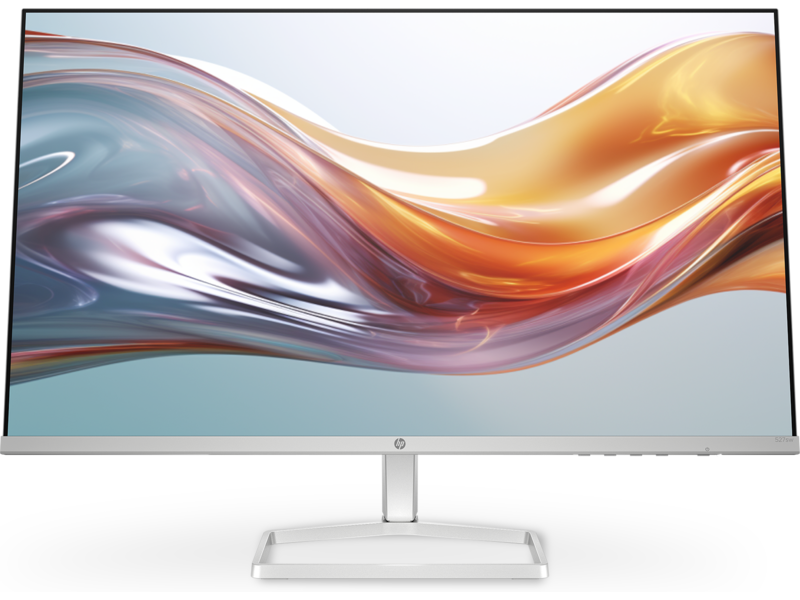
The HP Series 5 527sw brings the same 27-inch Full HD IPS display, dual HDMI 1.4 connectivity, and Eyesafe® certified HP Eye Ease filter as the black HP Series 5 527sf — in a white finish that suits home setups, light-coloured desk arrangements, and spaces where aesthetics matter as much as performance. It scales up the screen size and dual-port layout of the white HP Series 5 524sw 23.8″ Monitor to 27 inches while keeping the same slim 3.42 cm profile and lightweight 3.2 kg build. For home users who want a white monitor large enough to comfortably run two windows side by side, the 527sw delivers that without asking for a premium.
Technical Specifications
Display
| Specification | Detail |
|---|---|
| Screen Size | 68.6 cm (27″) diagonal |
| Display Type | IPS; LCD, Edge-lit |
| Native Resolution | FHD (1920 × 1080) |
| Maximum Resolution | 1920 × 1080 @ 100 Hz |
| Aspect Ratio | 16:9 |
| Pixel Pitch | 0.31 × 0.31 mm |
| Pixel Density | 82 PPI |
| Brightness | 300 nits (typical) |
| Contrast Ratio | 1500:1 (static) |
| Response Time | 5ms GtG (with overdrive) |
| Colour Gamut | 99% sRGB |
| Colour Support | Up to 16.7 million colours (6-bit + A-FRC) |
| Viewing Angles | 178° horizontal / 178° vertical |
| Scan Frequency (Horizontal) | 30–113 kHz |
| Scan Frequency (Vertical) | 48–100 Hz |
| Flicker-Free | Yes (TÜV certified) |
| Low Blue Light | Yes — HP Eye Ease (Eyesafe® certified, always-on hardware filter) |
| Anti-Glare | Yes |
| Bezel Type | 3-sided micro-edge |
| Camera | None |
Supported Resolutions
640 × 480 · 720 × 400 · 800 × 600 · 1024 × 768 · 1280 × 720 · 1280 × 800 · 1280 × 1024 · 1440 × 900 · 1600 × 900 · 1680 × 1050 · 1920 × 1080
Connectivity
| Port | Detail |
|---|---|
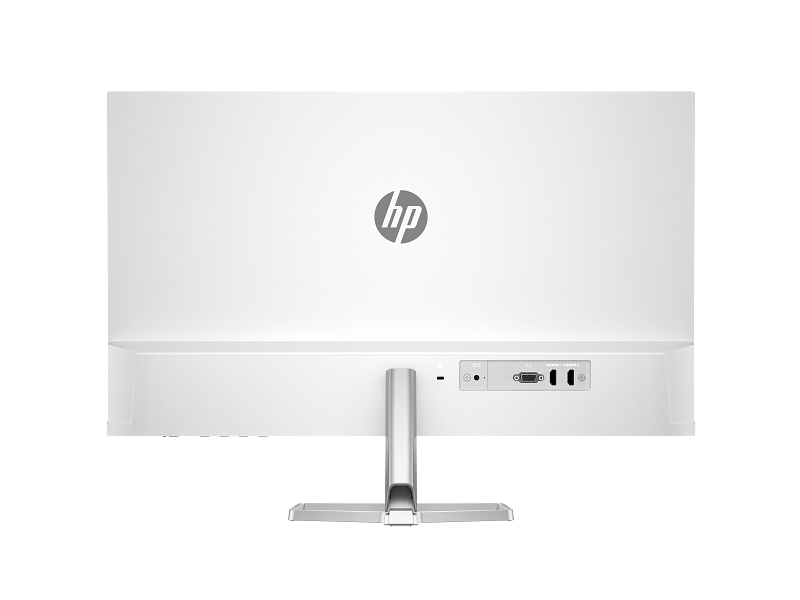
| HDMI | 2 × HDMI 1.4 (supports up to 100 Hz each) |
| VGA | 1 × VGA (supports up to 60 Hz) |
| Audio | None |
| USB | None |
Ergonomics & Physical
| Specification | Detail |
|---|---|
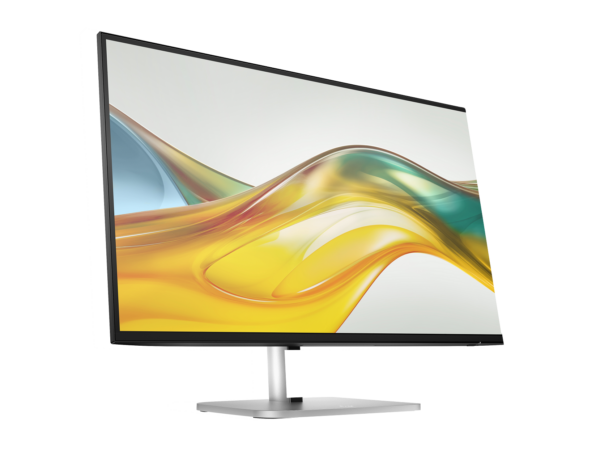
| Tilt Adjustment | −5° to +25° |
| Stand | Tilt-adjustable slim stand |
| VESA Mount | Not supported |
| Security | Standard security lock slot |
| Dimensions (with stand) | 60.79 × 18.82 × 43.73 cm (W × D × H) |
| Dimensions (without stand) | 60.79 × 3.42 × 35.60 cm (W × D × H) |
| Weight (with stand) | 3.2 kg |
| Colour | White / Silver |
Power
| Specification | Detail |
|---|---|
| Power Supply | External power adapter |
| Input Voltage | 100–240 VAC, 50/60 Hz |
| Typical Power Consumption | 19 W |
| Maximum Power Consumption | 24 W |
| Standby Power | 0.5 W |
| Operating Temperature | 5°C to 35°C |
| Operating Humidity | 20%–80% RH (non-condensing) |
Management & OSD
| Feature | Detail |
|---|---|
| On-Screen Display Controls | Brightness+, Colour, Image, Input, Power, Menu, Management, Information, Exit |
| Management Software | HP Display Centre (Ergonomic Setup Guide included; requires Windows 10 or later) |
Environmental & Certifications
| Certification | Status |
|---|---|
| ENERGY STAR® | Certified |
| EPEAT® | Registered |
| Eyesafe® | Certified (HP Eye Ease hardware filter) |
| TÜV Rheinland Flicker-Free | Certified |
| Works with Chromebook | Certified |
| Microsoft WHQL | Certified (Windows 11 and Windows 10) |
| NRCS of South Africa | Compliant |
| South Africa Energy | Compliant |
| Recycled Plastic | 85% post-consumer recycled plastic |
| Ocean-Bound Plastic | 5% (all plastic parts) |
| Packaging | 100% sustainably sourced and recyclable |
| Low Halogen | Yes |
| Other Compliance | CE, FCC, CCC, BSMI, EAC, KC/KCC, VCCI, ISO 9241-307, ErP, CEL Grade 1, cTUVus, ICES, BIS, NOM, UAE ECAS, UAE RoHS, Vietnam MEPS, CEC, and others |
In the Box
- Monitor (white / silver)
- HDMI cable
- Power adapter
- AC power cord
- Document kit
Warranty
1 year limited (HP standard — as specified in the HP Product Sheet for 94F46AA; verify local Africa-region terms before publishing)
Use Cases
Home and Home Office Setups with Multiple Devices
Two HDMI 1.4 ports let the 527sw stay permanently connected to two sources at once — a desktop on one port, a laptop or streaming device on the other. Users switch between them from the OSD without touching a single cable. This dual-port layout gives the 527sw a clear practical edge over the HP Series 5 524sw 23.8″, which provides only one HDMI port. The VGA port adds a third connection option for older hardware, making the 527sw a versatile hub for households running a mix of device generations.
Living Room and Entertainment Spaces
The white finish and slim profile make the 527sw at home on a console shelf, entertainment unit, or sideboard just as naturally as on a desk. The 27-inch panel and 99% sRGB colour gamut produce vivid, accurate colour for streaming films, browsing, and casual gaming, while the 100 Hz refresh rate smooths fast-moving content noticeably compared to standard 60 Hz panels. The 1500:1 contrast ratio adds depth to darker scenes without the colour accuracy compromise that VA panels sometimes introduce.
Student Desks and Creative Home Setups
Students and creative home users who want a large white monitor for study, content creation, and entertainment find the 527sw covers all three comfortably from a single display. Connecting a laptop via HDMI for study and a tablet or console on the second HDMI port for downtime keeps the desk tidy and cable-free. Additionally, the Eyesafe® certified HP Eye Ease filter runs continuously, reducing blue light during long sessions without any need to toggle a software mode.
Dual-Monitor White Desk Configurations
Two 527sw units side by side create a near-seamless 54-inch white workspace. The 3-sided micro-edge bezel keeps the gap between panels minimal, and the matching white housing delivers a visually unified setup. Furthermore, the external power adapter contributes to the ultra-slim 3.42 cm panel depth, helping both monitors sit close together on a standard desk without bulk.
Considerations
No VESA Mount Support
The 527sw does not support VESA mounting. The stand stays fixed and will not detach for use with a monitor arm or wall bracket. Users who prefer arm-based ergonomic solutions or want to wall-mount the display need a different model. At 27 inches with VESA support, the HP Series 3 Pro 327pe offers a 100 × 100 mm VESA mount and a 4-way adjustable stand — though it comes in black only.
Tilt-Only Stand, No Height Adjustment
The 527sw’s stand tilts from −5° to +25° but offers no height adjustment. Users who need the panel at a specific eye level — or who alternate between sitting and standing — will find the tilt range alone insufficient for full ergonomic flexibility. The 527sw suits a fixed desk with a consistent seated position better than a height-variable one.
No Audio Output
The 527sw carries no integrated speakers and no 3.5 mm audio jack. All audio routes through the host PC or an external device. Users who want a white monitor with built-in speakers at 27 inches should look at the HP Series 5 527sa 27″ FHD White Monitor with Speakers instead, which adds dual 2W integrated speakers and a 3.5 mm audio-out jack.
External Power Adapter and Warranty Term
The 527sw runs on an external power adapter, which keeps the panel slim at 3.42 cm but adds a small brick to the desk or floor setup. HP’s Product Sheet specifies a standard one-year limited warranty — shorter than the three-year coverage on Series 3 Pro models. Buyers sourcing the 527sw for business or institutional deployments should factor this into procurement planning.
Frequently Asked Questions
How does the HP 527sw differ from the HP 527sf?
The 527sw and 527sf share the same 27-inch IPS panel, 99% sRGB gamut, 1500:1 contrast, 300 nits brightness, 100 Hz refresh rate, dual HDMI 1.4 ports, VGA port, Eyesafe® certified HP Eye Ease, external power adapter, and one-year warranty. The sole difference is the housing colour — the 527sw comes in white with a silver stand; the 527sf comes in black with a silver stand. Choose the 527sw for white desk setups and the 527sf for black or grey ones.
How does the HP 527sw differ from the HP 524sw?
Both monitors share the white finish, IPS panel, 99% sRGB gamut, 1500:1 contrast, 300 nits brightness, 100 Hz refresh rate, and Eyesafe® certified HP Eye Ease. The 527sw adds a larger 27-inch screen and a second HDMI 1.4 port. The HP Series 5 524sw 23.8″ suits users who need a compact white display; the 527sw suits those who want a bigger screen and dual HDMI without changing the white aesthetic.
Can the HP 527sw be used with a monitor arm?
No. The 527sw does not support VESA mounting, and the stand will not detach for use with a third-party arm or wall bracket. If VESA compatibility at 27 inches matters, the HP Series 3 Pro 327pe is the recommended alternative, though it comes in black only.
Does the HP 527sw have built-in speakers?
No. The 527sw carries no integrated speakers and no 3.5 mm audio jack. All audio runs through the connected PC or external speakers. Users who need built-in audio in a white 27-inch monitor should consider the HP Series 5 527sa, which adds dual 2W speakers and a 3.5 mm audio-out jack.
Is the 100 Hz refresh rate available on both HDMI ports?
Yes. Both HDMI 1.4 ports on the 527sw support the 100 Hz maximum refresh rate. The VGA port tops out at 60 Hz due to analogue bandwidth limits.
Does the HP 527sw work with Chromebooks?
Yes. The 527sw carries Works with Chromebook certification and connects via either HDMI 1.4 port — directly or via a USB-C to HDMI adapter for Chromebooks without a native HDMI output.
Does the HP 527sw work with Mac computers?
Yes. The monitor connects to any Mac with an HDMI output, or via a USB-C to HDMI adapter. HP Display Centre runs on macOS and provides access to the Ergonomic Setup Guide and OSD management.


Reviews
There are no reviews yet.