
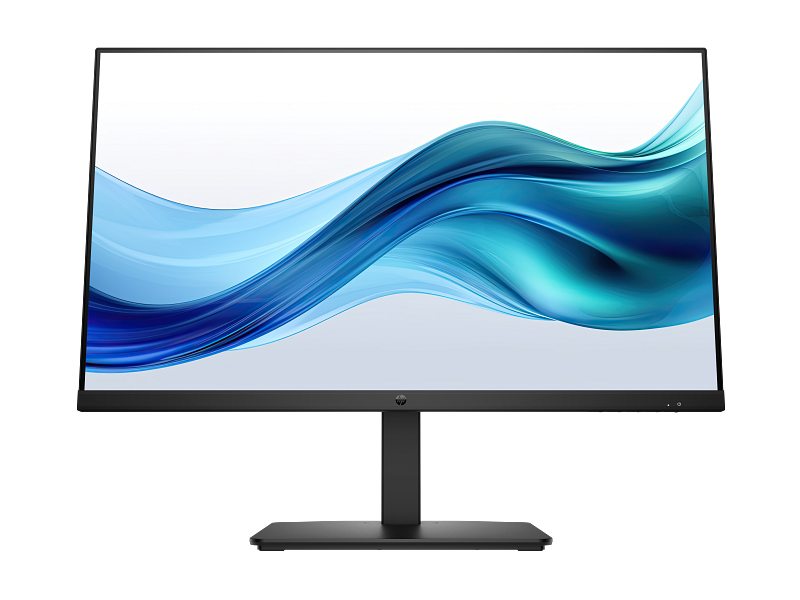
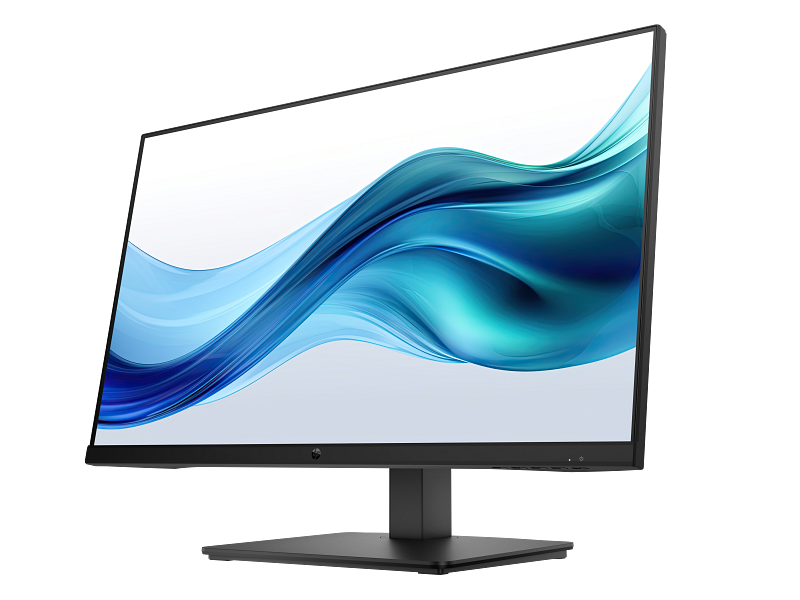
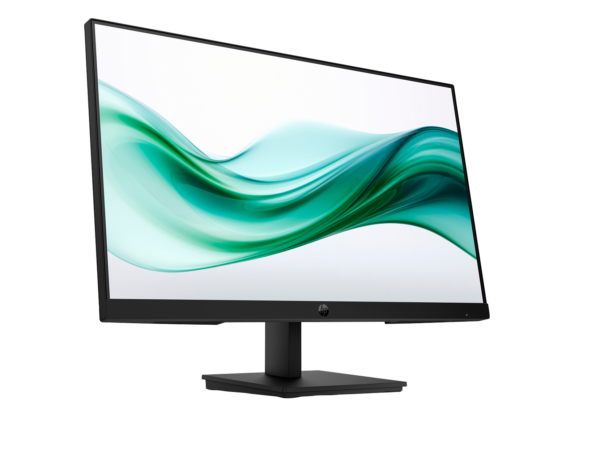

HP Series 3 Pro 27″ FHD Monitor with Integrated Speakers – 327pe (B1GM6AS)
The HP Series 3 Pro 327pe is a 27-inch Full HD IPS display aimed at office professionals and hybrid workers who need a larger screen, built-in audio, and meaningful ergonomic flexibility without moving into premium monitor pricing. It steps up from the 23.8-inch HP Series 3 Pro 324pv with a larger panel, an expanded three-port video connector layout that adds DisplayPort 1.2 alongside HDMI 1.4 and VGA, dual 2W integrated speakers, and a 4-way adjustable stand — making it one of the most fully specified monitors in the Series 3 Pro catalogue.
Technical Specifications
Display
| Specification | Detail |
|---|---|
| Screen Size | 68.6 cm (27″) diagonal |
| Display Type | IPS; LCD, Edge-lit |
| Native Resolution | FHD (1920 × 1080) |
| Maximum Resolution | 1920 × 1080 @ 100 Hz |
| Aspect Ratio | 16:9 |
| Pixel Pitch | 0.3114 × 0.3114 mm |
| Pixel Density | 82 PPI |
| Brightness | 250 nits (typical) |
| Contrast Ratio | 1300:1 (static); 8,000,000:1 (dynamic) |
| Response Time | 5ms GtG (with overdrive) |
| Colour Gamut | 72% NTSC |
| Colour Support | Up to 16.7 million colours (6-bit + A-FRC) |
| Viewing Angles | 178° horizontal / 178° vertical |
| Panel Active Area | 59.79 × 33.63 cm (W × H) |
| Scan Frequency (Vertical) | 48–100 Hz |
| Flicker-Free | Yes |
| Low Blue Light | Yes — HP Eye Ease (always-on hardware filter) |
| Anti-Glare | Yes (3H hard coating) |
| Bezel Type | 3-sided micro-edge |
| Camera | None |
Supported Resolutions
640 × 480 @ 60 Hz · 720 × 400 @ 70 Hz · 800 × 600 @ 60 Hz · 1024 × 768 @ 60 Hz · 1280 × 720 @ 60 Hz · 1280 × 800 @ 60 Hz · 1280 × 1024 @ 60 Hz · 1366 × 768 @ 60 Hz · 1440 × 900 @ 60 Hz · 1600 × 900 @ 60 Hz · 1680 × 1050 @ 60 Hz · 1920 × 1080 @ 60/75/100 Hz
Connectivity
| Port | Detail |
|---|---|
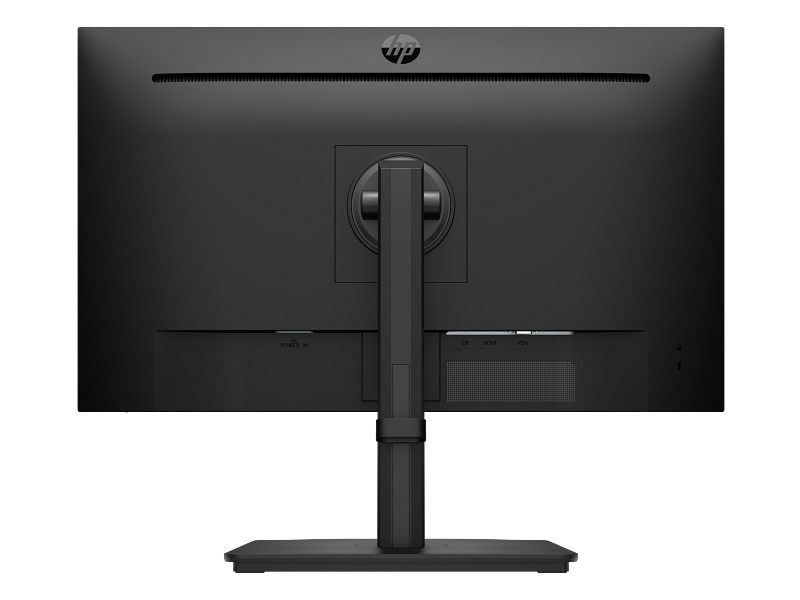
| HDMI | 1 × HDMI 1.4 (supports up to 100 Hz) |
| DisplayPort | 1 × DisplayPort 1.2 (supports up to 100 Hz) |
| VGA | 1 × VGA (supports up to 60 Hz) |
| HDCP | Yes (HDMI and DisplayPort) |
| Audio | No 3.5 mm audio jack |
| USB | None |
Audio
| Specification | Detail |
|---|---|
| Speakers | Integrated dual 2W speakers |
| Audio Jack | None (audio routes through host PC) |
OSD Controls
| Feature | Detail |
|---|---|
| OSD Control Type | Joypad button (single multi-directional control) |
| On-Screen Menu | Brightness+, Colour, Image, Input, Power, Menu, Management, Information, Exit |
Ergonomics & Physical
| Specification | Detail |
|---|---|
| Height Adjustment | 100 mm range |
| Tilt Adjustment | −5° to +20° |
| Swivel | Yes |
| Pivot | Yes (portrait rotation) |
| Stand Type | 4-way adjustable with cable management |
| VESA Mount | 100 × 100 mm |
| Security | Security lock slot |
| Dimensions (without stand) | 61.14 × 3.60 × 36.55 cm approx. (W × D × H) |
| Weight (with stand) | ~4.54 kg (verify against HP QuickSpecs) |
| Colour | Black |
Power
| Specification | Detail |
|---|---|
| Power Supply | Internal |
| Input Voltage | 100–240 VAC, 50/60 Hz |
| Typical Power Consumption | ~22 W (verify against HP QuickSpecs) |
| Standby Power | 0.5 W |
| Operating Temperature | 5°C to 35°C |
Management Software
| Feature | Detail |
|---|---|
| Software | HP Display Centre (Ergonomic Setup Guide included; requires Windows 10 or later) |
| Compatible OS | Windows 10/11, macOS |
| CMSL Support | Yes |
Environmental & Certifications
| Certification | Status |
|---|---|
| ENERGY STAR® | Certified |
| EPEAT® | Registered (status varies by country) |
| TÜV Rheinland Flicker-Free | Certified |
| HP Eye Ease | Always-on hardware low blue light (Eyesafe® status — verify before publishing) |
| Works with Chromebook | Verify against HP Africa product page |
| Recycled Plastic | At least 90% post-consumer recycled plastic in enclosure |
| Recycled Glass (panel) | 20% recycled glass |
| Low Halogen | Yes |
| Packaging | 100% paper-based packaging from recycled or certified sustainable sources |
| Other Compliance | CE, FCC, CCC, BSMI, EAC, KC/KCC, VCCI, ISO 9241-307, South Africa Energy, NRCS of South Africa, and others |
In the Box
- Monitor (black)
- Power cord
- HDMI cable (verify; may vary by region)
- Document kit
- (DisplayPort cable not confirmed in box — verify before publishing)
Warranty
3 years limited (verify local Africa-region terms before publishing)
Use Cases
Full-Day Professional Office Work
At 27 inches, the 327pe provides noticeably more on-screen space than a 23.8-inch display. Users who spend a full day in documents, spreadsheets, or browser-heavy workflows benefit from the additional screen real estate — for instance, keeping two documents open side by side at a comfortable reading size without constant window resizing. The 4-way adjustable stand further means the monitor can be set precisely to eye level regardless of desk or chair configuration, reducing the neck and shoulder strain associated with displays that sit too low.
Multi-Device and Mixed-Generation Office Environments
The three video inputs — HDMI 1.4, DisplayPort 1.2, and VGA — give the 327pe practical flexibility that most two-port monitors cannot match. A user might connect a modern laptop via DisplayPort, keep a legacy desktop connected via VGA, and switch inputs directly from the OSD without touching cables. Additionally, the joypad OSD makes input switching faster than the push-button navigation found on the Series 3 Pro 322pe and 324pv.
Collaborative and Shared Desk Setups
The 4-way stand adjustment — including swivel and pivot — allows the 327pe to be repositioned quickly for a second viewer, turned to portrait mode for reading long documents or code, or swivelled towards a visitor for a brief screen share. The wide 178° IPS viewing angles ensure that colour and contrast remain consistent from positions well off-centre, which matters whenever someone is viewing the screen from the side of a desk.
Dual-Monitor Configurations
The 3-sided micro-edge bezel minimises the visual gap when two 327pe units are placed side by side, producing a near-seamless 54-inch combined workspace. The 100 × 100 mm VESA mount also means that dual-arm monitor stands are compatible, allowing users to raise both panels off the desk surface and improve cable management. Furthermore, the 327pe’s internal power supply — in contrast to the external adapters on the 524sa and 524sw — means there is one fewer brick to manage in a dual-monitor cable run.
Considerations
Colour Gamut is 72% NTSC, Not 99% sRGB
The 327pe uses the same colour gamut specification as the Series 3 Pro 322pe and 324pv (72% NTSC), which is broadly equivalent to approximately 100% sRGB but does not reach the wider 99% sRGB figure cited for the Series 5 524sa, 524sw, and 524da. For standard office productivity work, this distinction is largely imperceptible. However, users who review colour-sensitive content — photography, branded design work, or video — should note that the 327pe’s panel does not match the wider gamut of the Series 5 monitors at similar price points.
Brightness is 250 nits
At 250 nits, the 327pe is appropriate for typical office lighting conditions. However, it is noticeably dimmer than the 300 nits offered by the Series 5 524sa, 524sw, and 524da. Users who work in bright rooms, near windows facing strong sunlight, or who prefer a high-brightness display for long-form reading should factor this difference in.
No 3.5 mm Audio Jack
The integrated 2W speakers handle calls and casual audio, but the 327pe does not include a 3.5 mm headphone output jack. Audio for headphones or external speakers must route through the host PC or a docking station rather than the monitor. This is worth noting for users in open-plan offices who rely on headphones for call privacy. The HP Series 5 Pro 524da and HP Series 5 524sa both include 3.5 mm audio-out jacks if monitor-level headphone connectivity is required.
Contrast Ratio in Context
The 327pe’s 1300:1 static contrast is higher than the 1000:1 typical of standard IPS panels, but lower than the 3000:1 VA panel in the HP Series 3 Pro 324pv. Users who prioritise deep black rendering for dark-mode workflows or video review may find the 324pv’s VA panel advantageous despite its smaller 23.8-inch size.
Frequently Asked Questions
Does the HP 327pe support portrait (pivot) orientation?
Yes. The 4-way adjustable stand includes pivot rotation, allowing the 327pe to be turned to portrait mode. This is useful for reading long documents, reviewing code, or viewing web pages without excessive scrolling. Additionally, the stand swivels horizontally for quick screen sharing with a colleague.
Does the HP 327pe work with monitor arms?
Yes. The stand is detachable and the rear of the monitor includes a standard 100 × 100 mm VESA mount, making it compatible with most single and dual monitor arms on the market. This is a significant advantage over Series 5 consumer monitors (524sa, 524sw) which do not support VESA mounting.
Can I connect two computers to the HP 327pe simultaneously?
The 327pe has three video inputs (HDMI 1.4, DisplayPort 1.2, VGA), so you can connect up to three separate sources and switch between them via the OSD. However, picture-in-picture (PiP) or picture-by-picture (PbP) mode is not confirmed for this model — verify against the full HP QuickSpecs before relying on multi-source simultaneous display.
Does the HP 327pe work with Mac computers?
Yes. The monitor connects via HDMI 1.4 or DisplayPort 1.2 to any Mac with the corresponding output, or via an appropriate adapter. HP Display Centre is available for macOS. Standard display functionality requires no additional drivers.
How does the 327pe compare with the 324pv at 23.8 inches?
The 327pe is larger (27 vs 23.8 inches) and adds integrated speakers, DisplayPort 1.2, and 4-way stand adjustment including pivot and swivel — features the 324pv does not have. However, the 324pv’s VA panel delivers a higher 3000:1 static contrast ratio compared to the 327pe’s 1300:1 IPS contrast. Users who need more desk space, speakers, and portrait rotation should choose the 327pe; users who prioritise contrast depth in a more compact footprint may prefer the 324pv.
Is the HP Eye Ease filter on the 327pe the same as Eyesafe® certified?
HP’s product pages for the 327pe describe HP Eye Ease as “an always-on hardware low-blue light filter that doesn’t impact colour accuracy.” Eyesafe® certification status for this specific model has not been confirmed in available HP Africa documentation. Mark should verify this against the official HP Africa product page or HP QuickSpecs before publishing an Eyesafe® claim.
Reviews
There are no reviews yet.