
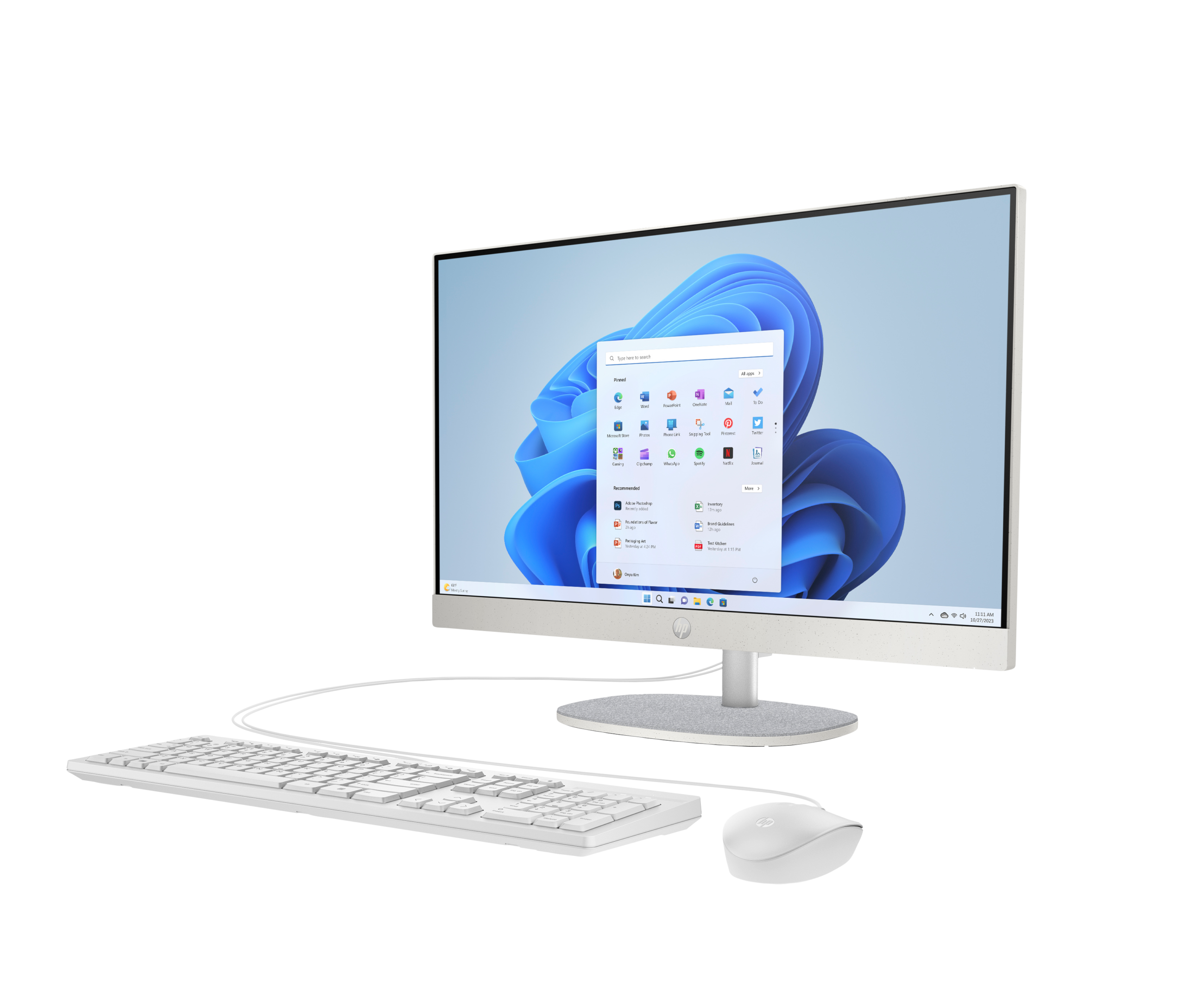

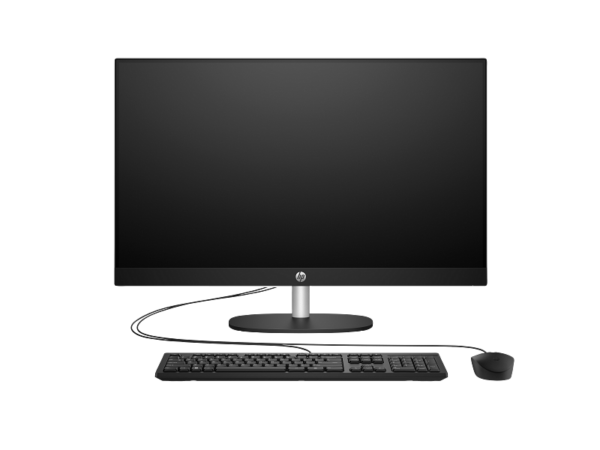
HP All-in-One 24-cr0315nh (B73U3EA) — 23.8-Inch FHD Desktop PC with Intel Core i3 and 512GB SSD
The HP All-in-One 24-cr0315nh delivers a 13th-generation Intel Core i3-powered desktop in a slim, cable-free form factor with a built-in 23.8-inch Full HD IPS display. Specifically, it targets home users, students, and small-office workers who want a clean, space-saving desk setup without sacrificing everyday computing performance. Furthermore, the B73U3EA ships with FreeDOS, which makes it an attractive choice for buyers who plan to install their own operating system or need a pre-OS machine for a managed IT deployment.
Technical Specifications
Processor
| Specification | Detail |
|---|---|
| Processor Family | 13th Generation Intel® Core™ i3 |
| Processor | Intel® Core™ i3-1315U |
| Base Clock | 1.2 GHz |
| Boost Clock | Up to 4.5 GHz (Intel® Turbo Boost) |
| Cores / Threads | 6 cores / 8 threads |
| Cache | 10 MB L3 |
Memory & Storage
| Specification | Detail |
|---|---|
| Installed Memory | 8 GB DDR4-3200 MT/s (1 × 8 GB) |
| Memory Slots | 2 × SODIMM (1 available for upgrade) |
| Internal Storage | 512 GB PCIe® NVMe™ M.2 SSD |
| Expansion Slots | 2 × M.2 (1 for SSD, 1 for WLAN) |
Display
| Specification | Detail |
|---|---|
| Screen Size | 23.8 inches (60.5 cm) diagonal |
| Resolution | Full HD — 1920 × 1080 |
| Panel Technology | IPS |
| Brightness | 250 nits |
| Colour Gamut | 99% sRGB |
| Viewing Angles | 178° horizontal / 178° vertical |
| Bezel | 3-sided micro-edge (anti-glare) |
| Touchscreen | No |
| Screen-to-Body Ratio | 98.16% |
| Flicker-Free | Yes |
Graphics
| Specification | Detail |
|---|---|
| Graphics | Intel® UHD Graphics (integrated) |
Connectivity & Ports
| Specification | Detail |
|---|---|
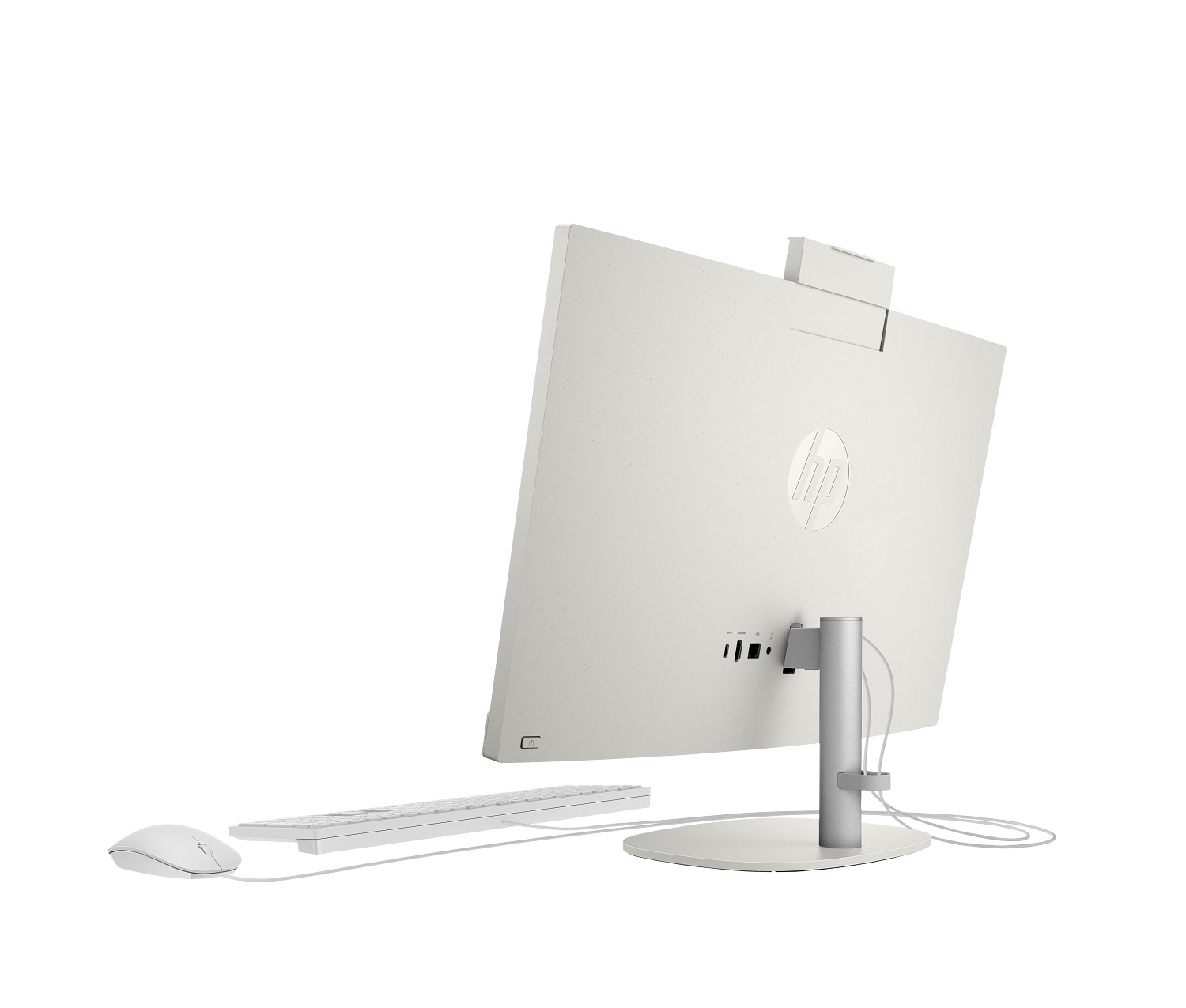
| USB Type-C | 1 × USB Type-C 5 Gbps |
| USB Type-A (5 Gbps) | 2 × USB Type-A 5 Gbps |
| USB Type-A (2.0) | 2 × USB 2.0 Type-A |
| Audio | 1 × 3.5 mm headphone/microphone combo |
| Video Out | 1 × HDMI-out 1.4 |
| Ethernet | 1 × RJ-45 |
| Wireless | Wi-Fi 6 (1×1); Bluetooth® 5.3 |
Camera & Audio
| Specification | Detail |
|---|---|
| Camera | HP True Vision 720p HD — tilt privacy camera with temporal noise reduction |
| Microphones | Integrated dual digital array |
| Speakers | Dual 2W stereo |
Physical
| Specification | Detail |
|---|---|
| Dimensions (W × D × H) | 54.05 × 18.62 × 40.9 cm |
| Weight | 5.27 kg |
| Colour | Black |
Software & Operating System
| Specification | Detail |
|---|---|
| Operating System | FreeDOS |
| Cloud Storage | 100 GB Dropbox for 3 months |
In the Box
| Item |
|---|
| HP All-in-One 24-cr0315nh PC |
| HP wired keyboard |
| HP wired mouse |
| AC power cable |
Use Cases
Home and Family Computing
The 24-cr0315nh suits a shared family or home computing setup well. In particular, the all-in-one design eliminates the tower, separate monitor, and cable tangle that a traditional desktop requires, leaving a single unit on the desk with only a power cable. Furthermore, the built-in 720p camera and dual microphones handle video calls on Zoom, Google Meet, and Microsoft Teams without any additional accessories. In addition, the 512GB NVMe SSD provides generous storage for documents, photos, and downloaded media, while the 99% sRGB display makes casual photo viewing and streaming look noticeably more vibrant than budget panels with narrower colour coverage. As a result, the 24-cr0315nh covers the full range of daily home computing tasks in a compact, presentable package.
Student and Educational Use
Students who need a reliable, space-efficient desktop for coursework, research, and online classes will find the 24-cr0315nh a practical choice. Specifically, the Core i3-1315U handles simultaneous browser tabs, office applications, and video conferencing without slowdown — a meaningful advantage over entry-level machines with lower-power processors. Moreover, the integrated camera and microphones make attending online lectures or seminars entirely self-contained. In addition, the two available SODIMM slots and second M.2 slot give students the option to expand memory and storage as coursework demands increase. Consequently, the 24-cr0315nh can grow with a student over multiple years of study rather than requiring replacement after the first year.
Small Office and Business Deployment
For small businesses deploying multiple desks, the 24-cr0315nh offers a straightforward, consistent workstation with a small physical footprint. In addition, the FreeDOS configuration lets IT administrators install a corporate OS image from a controlled deployment environment rather than managing pre-installed consumer software. Furthermore, the wired RJ-45 Ethernet port ensures stable network connectivity in office environments where Wi-Fi can be congested. Moreover, the USB-C and four USB-A ports provide enough connectivity for a typical office peripheral set — keyboard, mouse, external storage, and a docking peripheral — without requiring a hub. As a result, deployment across multiple identical desks requires minimal per-unit configuration time.
Considerations
FreeDOS — Operating System Installation Required
The B73U3EA ships with FreeDOS rather than Windows. Therefore, to use Windows or any other operating system, you must purchase a separate licence and perform the installation yourself. FreeDOS itself does not run most commercial Windows applications. However, for buyers who plan to install Linux, a corporate Windows image, or another OS, this configuration avoids paying for a Windows licence you already hold. In short, confirm your OS plan before purchasing — this machine will not run Windows software out of the box.
Display Brightness at 250 Nits
The built-in panel outputs 250 nits of brightness. This figure suits typical indoor use — office environments, home offices, and rooms with controlled lighting. However, in a brightly lit room with direct sunlight falling on the screen, 250 nits may appear dim compared to monitors rated at 300 nits or higher. Therefore, consider the room placement before purchasing if your workspace receives strong direct light during working hours.
Integrated Graphics Only
The 24-cr0315nh uses Intel UHD Graphics integrated into the Core i3-1315U processor. As a result, the machine handles everyday tasks, HD video playback, and video calls without issue. However, it does not suit GPU-intensive workloads such as 3D rendering, video editing at 4K, or modern gaming at playable frame rates. Therefore, users who need discrete graphics for creative or gaming applications should evaluate a machine with a dedicated GPU instead.
Memory Upgrade Ceiling
The 24-cr0315nh ships with 8 GB DDR4-3200 in a single SODIMM slot, with a second slot available for expansion. HP specifies the maximum supported memory for this chassis at 16 GB. Consequently, users who run memory-heavy applications — multiple large browser sessions, virtual machines, or professional creative tools — should plan for a 16 GB configuration from the outset rather than upgrading later.
Frequently Asked Questions
Can I install Windows on the HP All-in-One 24-cr0315nh?
Yes. The 24-cr0315nh supports Windows installation, but the B73U3EA does not include a Windows licence. Therefore, you need to purchase a Windows 11 Home or Pro licence separately and install it yourself. Alternatively, Linux distributions such as Ubuntu install cleanly on this hardware and require no separate licence purchase.
Can I upgrade the RAM in the HP 24-cr0315nh?
Yes. The machine ships with one 8 GB SODIMM installed in a two-slot configuration. Consequently, you can add a second 8 GB SODIMM to reach 16 GB total — the maximum supported capacity. Use DDR4-3200 SO-DIMM modules for compatibility.
Does the HP 24-cr0315nh have an external monitor output?
Yes. The rear panel includes an HDMI 1.4 output, which lets you connect a second display. As a result, you can run a dual-monitor setup using the built-in 23.8-inch display and one external monitor simultaneously — useful for multitasking-heavy workflows.
Does the HP 24-cr0315nh include a keyboard and mouse?
Yes. HP includes a wired keyboard and wired mouse in the box. Therefore, you need no additional peripherals to start using the machine after setup.
Is the HP 24-cr0315nh suitable for video conferencing?
Yes. The built-in HP True Vision 720p camera and dual digital array microphones handle video calls on all major platforms, including Zoom, Microsoft Teams, and Google Meet. In addition, the dual 2W stereo speakers provide clear audio output for remote meetings without requiring external speakers.
How much storage does the HP 24-cr0315nh have, and can I add more?
The machine ships with a 512 GB PCIe NVMe M.2 SSD. Additionally, a second M.2 slot is available for a second SSD if you need more internal storage later. However, the machine does not include an optical drive or traditional hard drive bay, so additional storage beyond the two M.2 slots requires an external USB drive.
Related Products
- HP All-in-One 24-cr0124nh — Core i5-1335U step-up configuration with more processing headroom for heavier workloads
- HP Series 5 527da FHD Monitor — 27-inch standalone FHD display if a separate monitor and tower setup suits you better
- HP E27 G5 FHD Monitor — 27-inch FHD IPS with 4-way stand and USB hub for pairing with a separate desktop
Reviews
There are no reviews yet.