
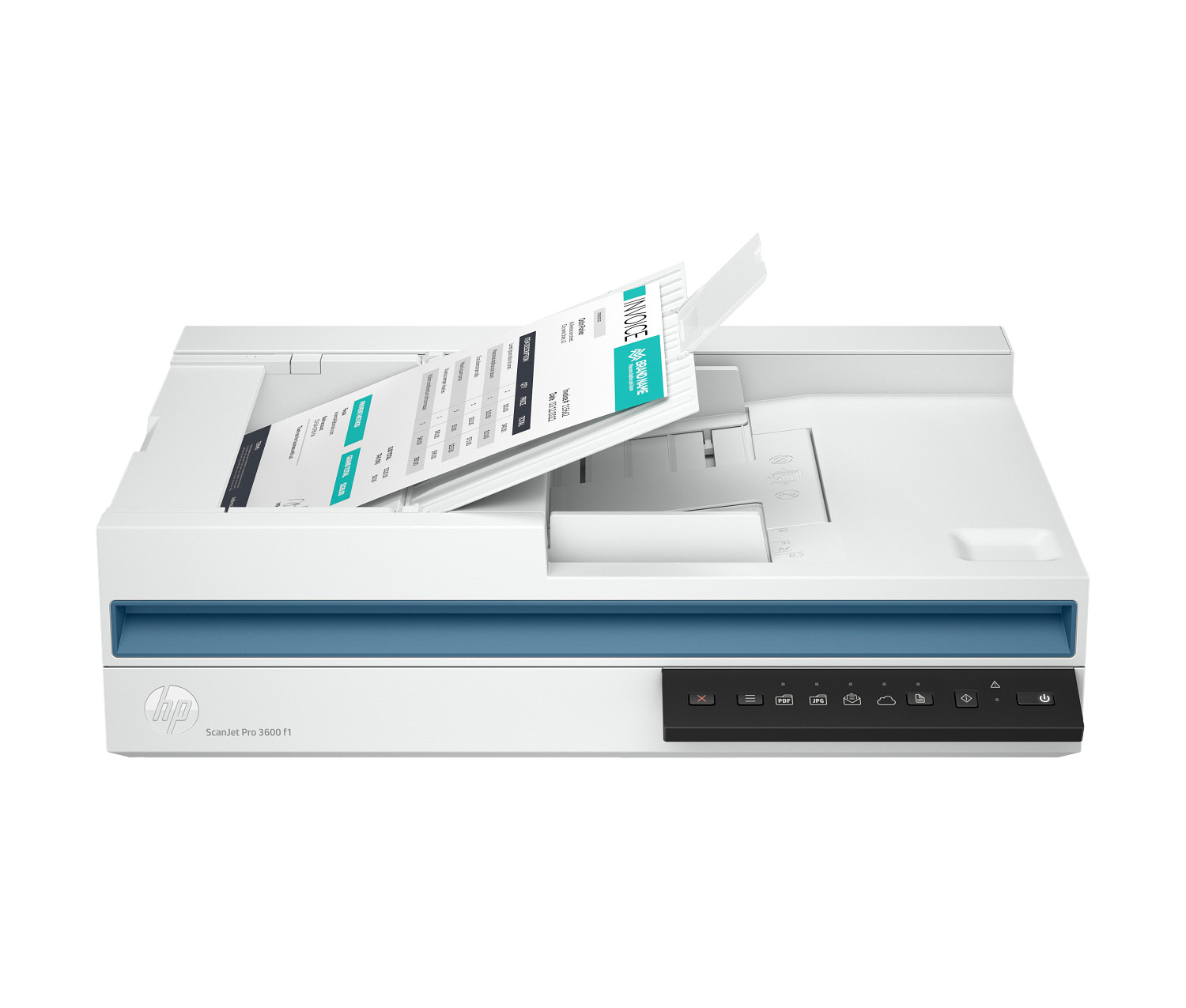
HP ScanJet Pro 3600 f1 Duplex Flatbed ADF Scanner — Model 20G06A
The HP ScanJet Pro 3600 f1 is a compact duplex flatbed scanner with a 60-sheet automatic document feeder, designed for professional workgroups that process up to 3,000 pages daily. Specifically, it combines single-pass duplex ADF scanning at 30 pages per minute, a 1200 dpi flatbed for books and bound documents, and HP EveryPage ultrasonic multifeed detection — so it handles high-volume document workflows reliably without constant operator attention. As a result, the HP ScanJet Pro 3600 f1 suits office administrators, legal teams, accountancy practices, and SMB document management environments that need a fast, dependable, and desk-friendly scanning solution.
Technical Specifications
Scanning Performance
| Specification | Detail |
|---|---|
| Scanner Type | ADF; Flatbed; CIS (Contact Image Sensor) |
| ADF Scan Speed | Up to 30 ppm / 60 ipm (colour, greyscale, and b&w at 300 dpi) |
| ADF Duplex Scanning | Yes — single-pass duplex |
| ADF Capacity | 60 sheets (standard) |
| Optical Resolution (ADF) | Up to 600 dpi (colour and mono) |
| Optical Resolution (Flatbed) | Up to 1200 × 1200 dpi (colour and mono) |
| Enhanced Resolution | Up to 1200 dpi |
| Bit Depth | 24-bit external / 48-bit internal |
| Greyscale Levels | 256 |
| Light Source | LED |
| Multifeed Detection | Yes — HP EveryPage ultrasonic sensing |
Scan Dimensions
| Specification | Detail |
|---|---|
| Max Scan Size (ADF) | 216 × 3100 mm |
| Min Scan Size (ADF) | 89 × 148 mm |
| Max Scan Size (Flatbed) | 216 × 297 mm |
| Supported ADF Media Sizes | Letter, Legal, Executive, A4, A5, A6, B5, B5 (JIS) |
Media Handling
| Specification | Detail |
|---|---|
| ADF Paper Weight Range | 49 to 120 g/m² |
| Max Document Weight (ADF) | 120 g/m² |
| Media Types Supported | Plain paper, photo paper, inkjet paper, banner paper, envelopes, labels, greeting cards, index cards |
Output File Formats
| Category | Formats |
|---|---|
| Image Formats | PDF, Searchable PDF, PDF/A, JPEG, PNG, BMP, TIFF |
| Document Formats | Word (DOC, DOCX), Excel (XLS, XLSX), CSV, TXT, RTF |
| PDF Options | Password security, document permissions, iHQC compression, file size/quality slider |
| TIFF Compression | Uncompressed, LZW, JPEG-TIFF (colour/grey); Uncompressed, LZW, TIFF G3, TIFF G4 (b&w) |
Scan Input Modes and Software Features
| Specification | Detail |
|---|---|
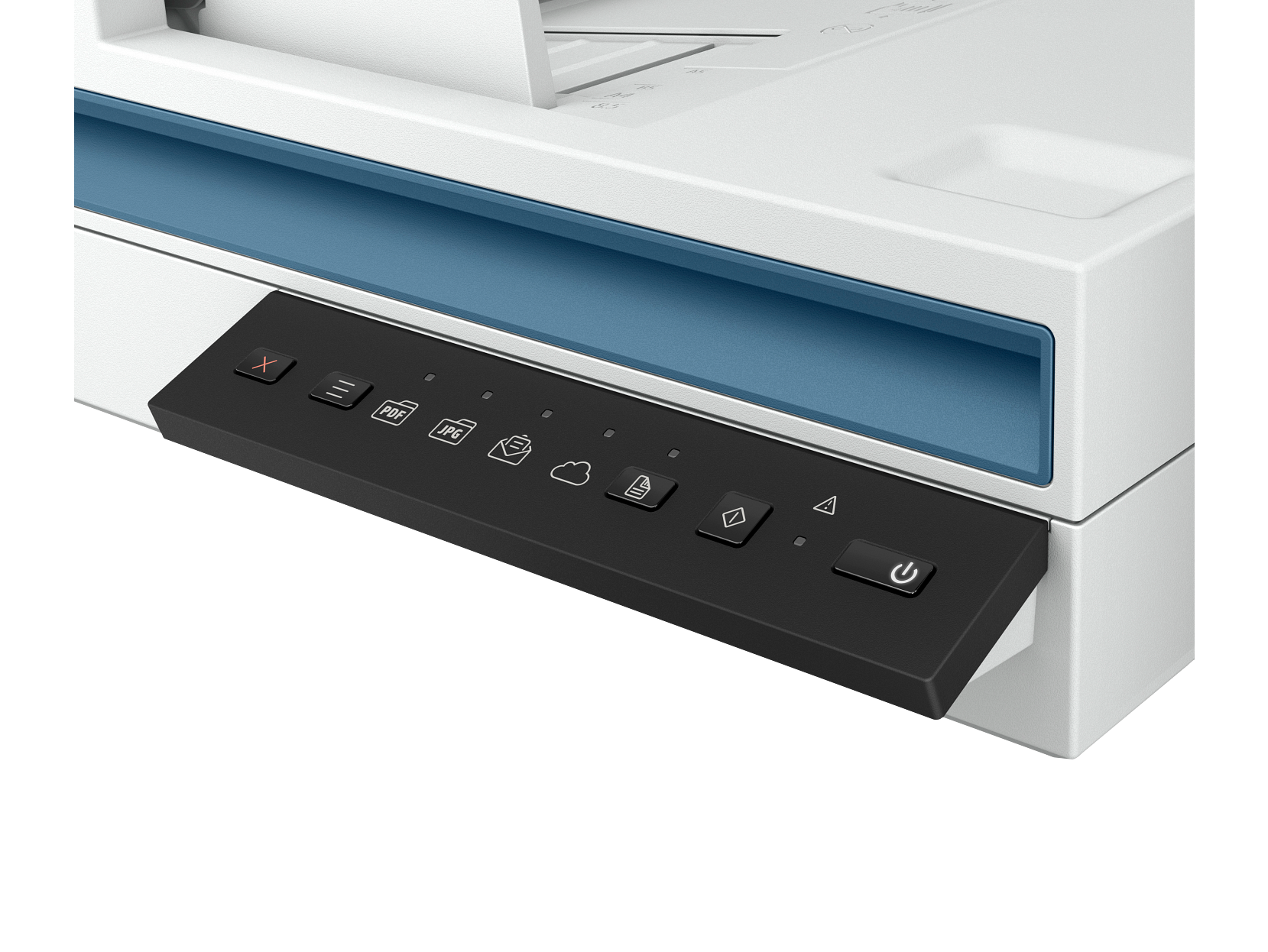
| Front Panel Functions | Save as PDF, Save as JPEG, Scan to Email, Send to Cloud, Scan to USB |
| Software | HP Scan (Windows), HP Easy Scan / ICA (macOS), HP Scanner Tools Utility, HP WIA driver, HP TWAIN driver (v2.4) |
| OCR | Yes — single zone selection for zonal OCR, barcode, and QR code recognition |
| Advanced Features | Auto-detect colour/size/orient, background removal/smoothing, blank page detection and deletion, barcode separation, zonal text separation, multi-streaming, vertical streak detection, book scan mode (flatbed), merge pages, document separation, shortcut import/export |
| Cloud Destinations | Google Drive, OneDrive, OneDrive for Business, SharePoint, SharePoint 365, Dropbox, Box, Evernote, SMTP, SFTP |
Connectivity
| Specification | Detail |
|---|---|
| Standard Interface | USB 3.0 (SuperSpeed) |
| Network Connectivity | None — USB only |
Hardware and Control Panel
| Specification | Detail |
|---|---|
| Buttons | 5 (Power, Scan, Duplex, Shortcut Select, Cancel) |
| Indicator Lights | 6 (Shortcut, Duplex, Error) |
| Processor | 666 MHz |
| Memory | 256 MB |
Power
| Specification | Detail |
|---|---|
| Input Voltage | AC 100–240V, autosensing |
| Power Supply | External adapter (included) |
| Active Scanning | 13.31W |
| Ready | 5.31W |
| Sleep | 1.23W |
| Auto-Off / Manual-Off | 0.07W |
| Energy Star | Yes |
Physical
| Specification | Detail |
|---|---|
| Dimensions (W×D×H) — Standard | 491.5 × 325.4 × 133.3 mm |
| Dimensions (W×D×H) — ADF Open | 491.5 × 422.3 × 387.4 mm |
| Weight | 5.4 kg |
| Colour | White |
Operating Environment
| Specification | Detail |
|---|---|
| Operating Temperature | 10°C to 35°C (recommended: 17.5°C to 25°C) |
| Operating Humidity | 15% to 80% RH (recommended: 30% to 70% RH) |
| Acoustic Power (active) | 6.5 B(A) |
Compatible Operating Systems
| Platform | Versions |
|---|---|
| Windows | 7, 8, 8.1, 10, 11 (32-bit and 64-bit); Windows Server 2008 R2, 2012 R2, 2016, 2019 |
| macOS | 10.14 Mojave, 10.15 Catalina, 11 Big Sur, 12 Monterey |
| Linux | Yes |
Certifications and Ecolabels
| Category | Detail |
|---|---|
| Environmental | ENERGY STAR®, EPEAT® Silver |
| Other | CECP, SEPA, IT ECO Declaration |
In the Box
- HP ScanJet Pro 3600 f1 Scanner
- USB cable
- Power adapter
- Power cord(s)
- Install guide
- Supporting flyers
- Cushions
Warranty
One-year limited hardware warranty; phone and web support included
Use Cases
High-Volume Office Document Scanning
The HP ScanJet Pro 3600 f1 handles daily scanning loads of up to 3,000 pages — covering the full document output of a busy SMB or departmental workgroup in a single device. In particular, the 60-sheet ADF processes stacks of invoices, contracts, correspondence, and forms without requiring an operator to reload frequently. Additionally, single-pass duplex scanning captures both sides of every page simultaneously, so two-sided document batches complete in half the time of equivalent simplex scanners.
Legal, Finance, and Compliance Document Archiving
For teams that digitise contracts, financial statements, HR records, and regulatory documents, the HP ScanJet Pro 3600 f1 delivers Searchable PDF, PDF/A, and Word output formats that integrate directly into document management systems. Furthermore, HP EveryPage ultrasonic multifeed detection ensures that every page in a batch registers — which is critical in legal and audit contexts where a missing page can compromise document integrity. Additionally, barcode and blank page separation automate multi-document batch splitting without manual intervention.
Mixed Media Scanning with Flatbed
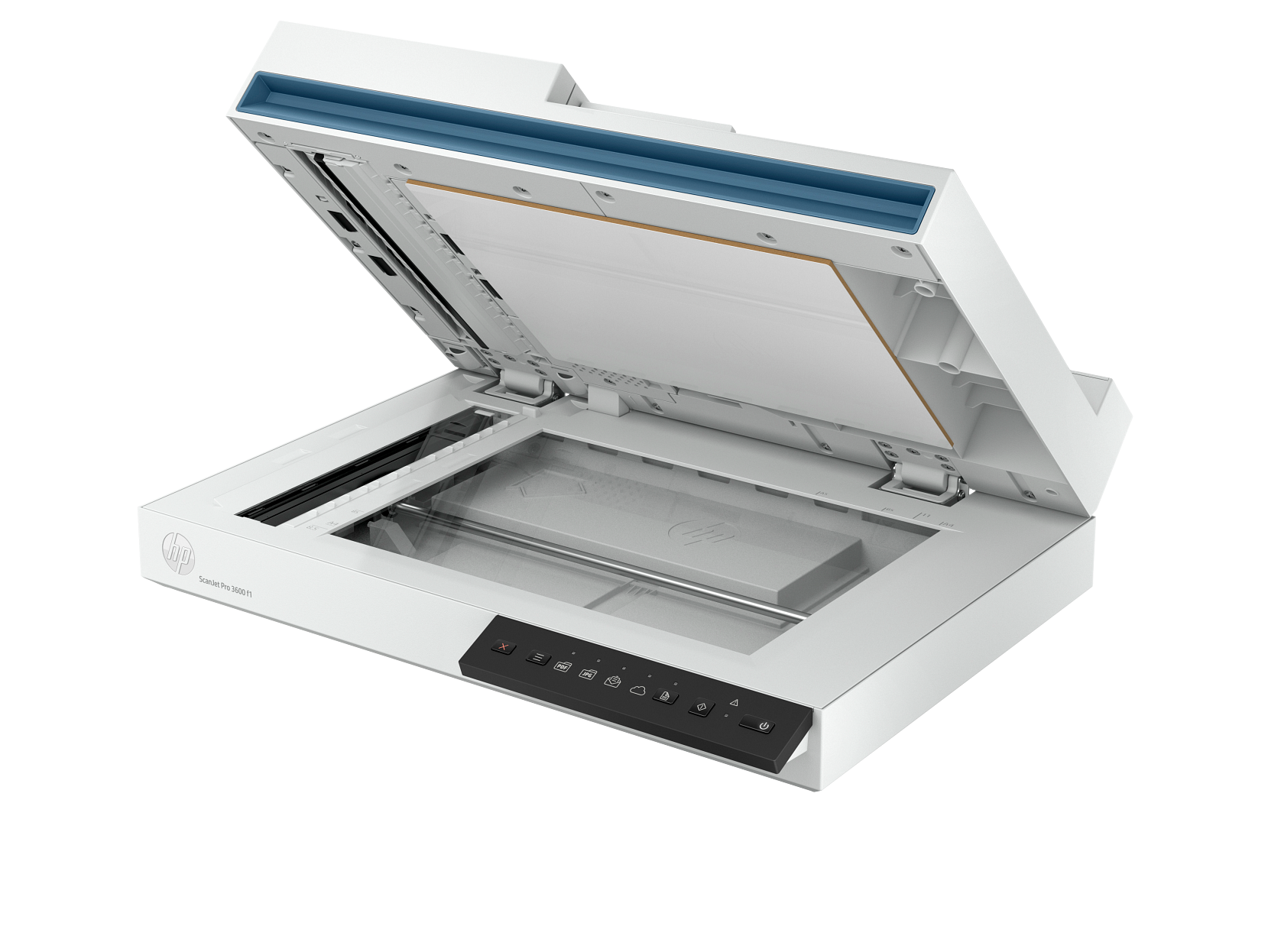
Many office workflows involve documents that the ADF cannot safely handle — bound reports, passports, ID cards, receipts, and fragile originals. Consequently, the 1200 dpi flatbed platen gives operators a reliable second capture path for these document types without switching to a separate device. Moreover, the flatbed’s 1200 dpi optical resolution produces sharper scans of small text and fine detail than the ADF’s 600 dpi maximum — making it the appropriate input for documents where resolution matters most.
Automated Cloud and Network Workflow Integration
Through HP Scan software, the HP ScanJet Pro 3600 f1 sends scanned files directly to Google Drive, OneDrive, SharePoint, Dropbox, Box, and SFTP destinations — without manual file transfer steps between scanning and upload. As a result, remote teams and hybrid workers receive digitised documents in shared cloud repositories immediately after scanning, reducing the delay between physical document receipt and digital availability. Furthermore, configured scan shortcuts let operators trigger specific cloud destinations from the front panel with a single button press.
Considerations
USB Connectivity Only — No Network or Wi-Fi
The HP ScanJet Pro 3600 f1 connects via USB 3.0 only — it carries no Ethernet or Wi-Fi interface. Consequently, the scanner must connect directly to a single host PC rather than sharing access across multiple workstations simultaneously. Therefore, workgroups that need multi-user shared network scanning access should evaluate the HP ScanJet Enterprise Flow N6600 fnw1 (20G08A), which includes Ethernet, Wi-Fi, and Wi-Fi Direct connectivity alongside higher ADF throughput.
ADF Resolution Limited to 600 dpi
The ADF captures at a maximum optical resolution of 600 dpi. Consequently, for documents where very fine detail — such as small printed text, fine signatures, or halftone images — requires reproduction above 600 dpi, the flatbed platen at 1200 dpi provides the appropriate capture path. For standard office documents scanned at 200–300 dpi, the ADF resolution presents no practical limitation.
Flatbed Maximum Size is A4 — No A3 Support
The flatbed platen accommodates documents up to 216 × 297 mm — A4 size. Therefore, operators who need to scan A3 documents, architectural drawings, or large-format originals cannot use the HP ScanJet Pro 3600 f1 for those formats. Consequently, A3 requirements point to larger departmental scanners outside this product range.
Recommended Daily Duty Cycle is 3,000 Pages
HP rates the HP ScanJet Pro 3600 f1 for a recommended daily duty cycle of 3,000 ADF pages. Therefore, environments that regularly exceed this volume — such as centralised mailrooms, high-turnover financial processing teams, or shared departmental scan stations — should evaluate higher-duty-cycle alternatives rather than running the scanner above its recommended workload threshold.
No Automatic Document Stacking or Output Sorter
The ADF outputs scanned pages into a standard exit tray without automatic sorting or stacking by document set. Consequently, operators scanning multiple separate documents in a single session must manage output organisation manually, or rely on HP Scan’s software-based document separation features — such as barcode separation and blank page insertion — to distinguish individual files in the output queue.
Frequently Asked Questions
Does the HP ScanJet Pro 3600 f1 Scan Both Sides of a Page Automatically?
Yes. The ADF supports single-pass duplex scanning — it captures both sides of each page simultaneously in one pass through the feeder. Consequently, two-sided documents scan at the full 30 ppm / 60 ipm rate without any speed penalty compared to simplex scanning.
What File Formats Does the HP ScanJet Pro 3600 f1 Support?
The scanner outputs to PDF, Searchable PDF, PDF/A, JPEG, PNG, BMP, TIFF, TXT, RTF, Word (DOC and DOCX), Excel (XLS and XLSX), and CSV. Additionally, it supports PDF security settings including password protection and document permission restrictions — making it suitable for confidential document workflows.
Can I Scan Books and Bound Documents?
Yes, via the flatbed platen. The ADF handles loose sheets only — bound documents, books, magazines, and fragile originals require the flatbed, which scans up to A4 size (216 × 297 mm) at up to 1200 dpi optical resolution. However, the HP ScanJet Pro 3600 f1 does not include a book scanning curved platen or overhead camera — it uses a standard flat platen glass.
Does the HP ScanJet Pro 3600 f1 Support Network Scanning?
No. This model connects via USB 3.0 only and does not carry Ethernet, Wi-Fi, or Wi-Fi Direct. Therefore, network-connected or multi-user shared scanning requires either connecting the scanner to a networked PC and sharing it via software, or choosing a network-capable model such as the HP ScanJet Enterprise Flow N6600 fnw1 (20G08A).
Is the Scanner Compatible with Mac and Linux?
Yes. The HP ScanJet Pro 3600 f1 supports macOS 10.14 Mojave through macOS 12 Monterey, with HP Easy Scan and ICA drivers provided. Furthermore, it supports Linux — making it compatible with a wider range of operating environments than many competing document scanners in this class.
What Is HP EveryPage Technology?
HP EveryPage uses ultrasonic sensing to detect when multiple sheets feed together through the ADF simultaneously. Specifically, when the sensor detects a multifeed event, the scanner alerts the operator so the affected pages can be rescanned. As a result, HP EveryPage prevents silent page-miss errors that would otherwise produce incomplete document scans without any visible indication of the problem.
Can I Scan Directly to Cloud Storage?
Yes. Through HP Scan software plugins, the HP ScanJet Pro 3600 f1 supports direct scan-to-cloud destinations including Google Drive, OneDrive, OneDrive for Business, SharePoint, SharePoint 365, Dropbox, Box, and SFTP. Additionally, the front panel Scan to Cloud button triggers cloud upload directly without opening the HP Scan application on the connected PC.
For compatible consumables including the HP ADF Cleaning Cloth Package, HP ScanJet A Pad Unit, and HP ScanJet A Roller Unit, see our HP ScanJet accessories and consumables.
For full technical documentation and driver downloads, visit the HP ScanJet Pro 3600 f1 official product page.
Reviews
There are no reviews yet.