
Lenovo IdeaCentre AIO 24IRH9 23.8″ FHD Touchscreen All-in-One Desktop — Intel Core i7-13620H, 16GB DDR5, 512GB SSD, Windows 11 Home — Model F0HN00FJUE
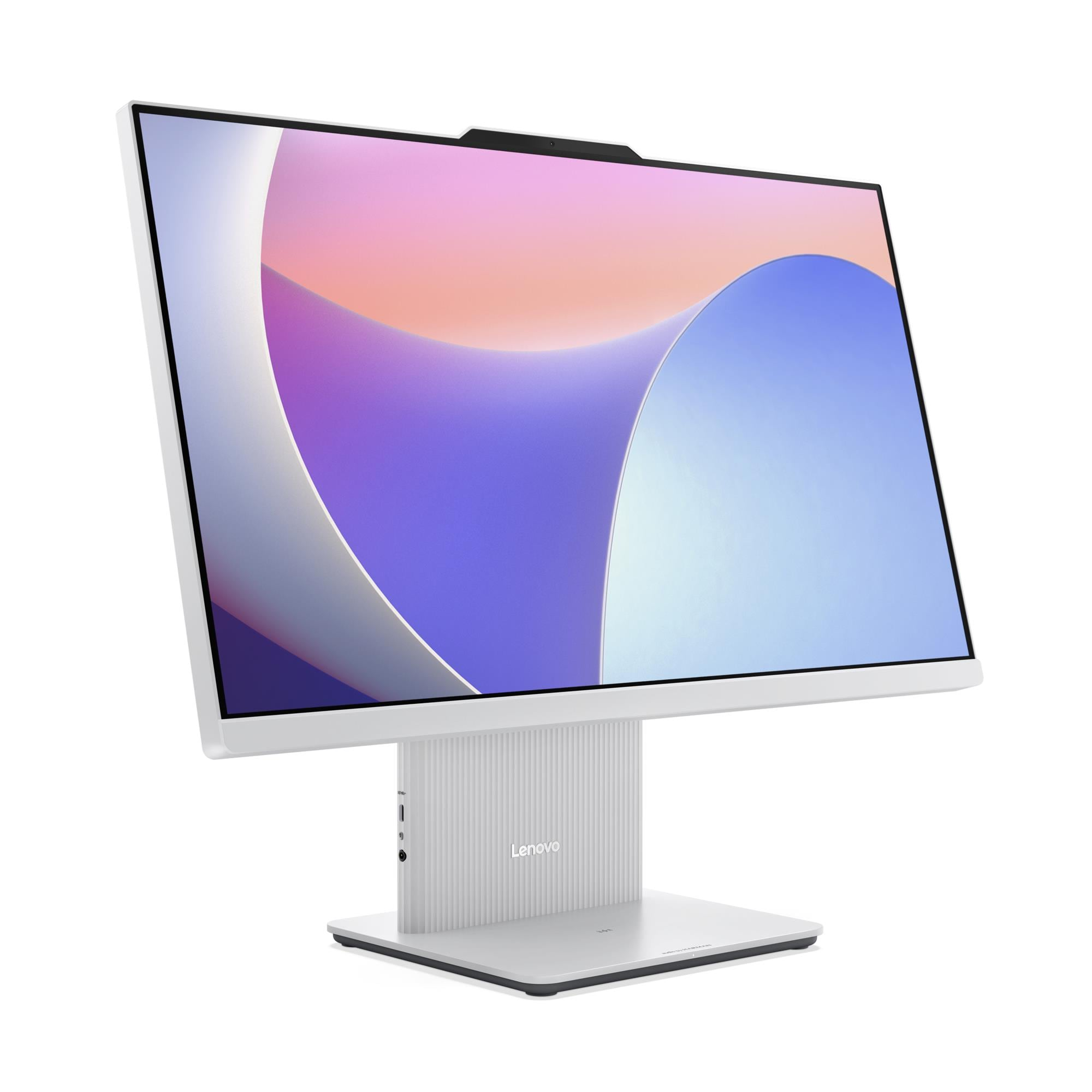
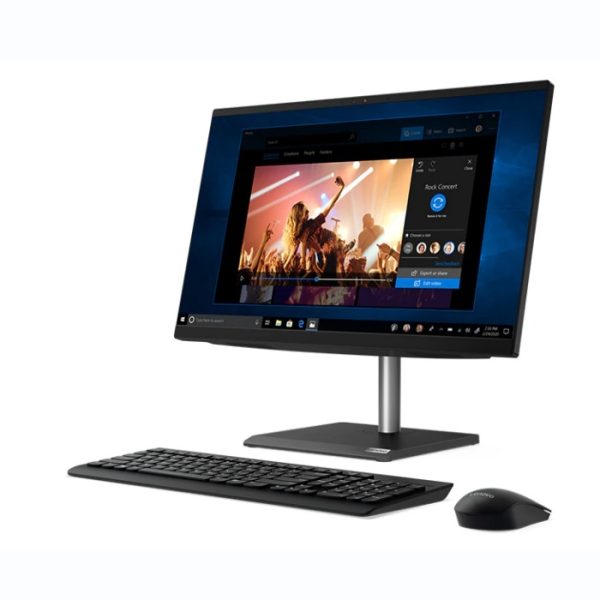
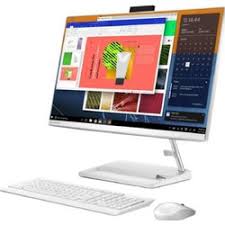
The Lenovo IdeaCentre AIO 24IRH9 is a 23.8-inch All-in-One desktop that combines a 10-point multi-touch FHD display, a 10-core Intel Core i7-13620H processor, and HARMAN-tuned stereo speakers into a single slim chassis ready to use straight from the box with Windows 11 Home. Specifically, this configuration ships with 16GB of dual-channel DDR5 memory and a 512GB PCIe 4.0 NVMe SSD — so it handles everyday home and hybrid working tasks, content creation, video calls, and entertainment without configuration or additional purchases. As a result, this AIO suits home users, students, creative professionals, and remote workers who want a capable, clean-desk solution that delivers a complete computing experience immediately.
Technical Specifications
Display
| Specification | Detail |
|---|---|
| Screen Size | 23.8 inches |
| Resolution | 1920×1080 (Full HD) |
| Panel Type | IPS (In-Plane Switching) |
| Refresh Rate | 100Hz |
| Brightness | 250 nits |
| Contrast Ratio | 1300:1 |
| Colour Gamut | 99% sRGB |
| Viewing Angles | 89° / 89° / 89° / 89° (L/R/U/D) |
| Surface Treatment | Anti-glare |
| Aspect Ratio | 16:9 |
| Touchscreen | 10-point multi-touch |
| Display Features | Borderless design, Low Blue Light, Flicker Free |
Processor
| Specification | Detail |
|---|---|
| Processor | Intel® Core™ i7-13620H |
| Cores / Threads | 10 cores (6 P-core + 4 E-core) / 16 threads |
| Max Frequency | P-core 4.9GHz / E-core 3.6GHz |
| Cache | 24MB Intel® Smart Cache |
| Platform | Intel® SoC (System on Chip) |
Memory
| Specification | Detail |
|---|---|
| Installed RAM | 16GB DDR5-5200 |
| Memory Slots | 2× DDR5 SO-DIMM, dual-channel capable |
| Dual-Channel Status | Active (2× DIMMs installed) |
| Maximum Memory | Up to 24GB DDR5-5200 |
Storage
| Specification | Detail |
|---|---|
| Installed SSD | 512GB M.2 2280 PCIe® NVMe®, PCIe® 4.0 x4 |
| Maximum Storage | Up to 1TB M.2 2280 SSD (single drive only) |
| Optical Drive | None |
| Card Reader | None |
Graphics
| Specification | Detail |
|---|---|
| Integrated Graphics | Intel® UHD Graphics |
| Max External Resolution | 4096×2160 @ 60Hz (via HDMI 2.1 out) |
| DirectX Support | DirectX® 12.1 |
| Monitor Support | Native 23.8″ display + 1 external monitor via HDMI out |
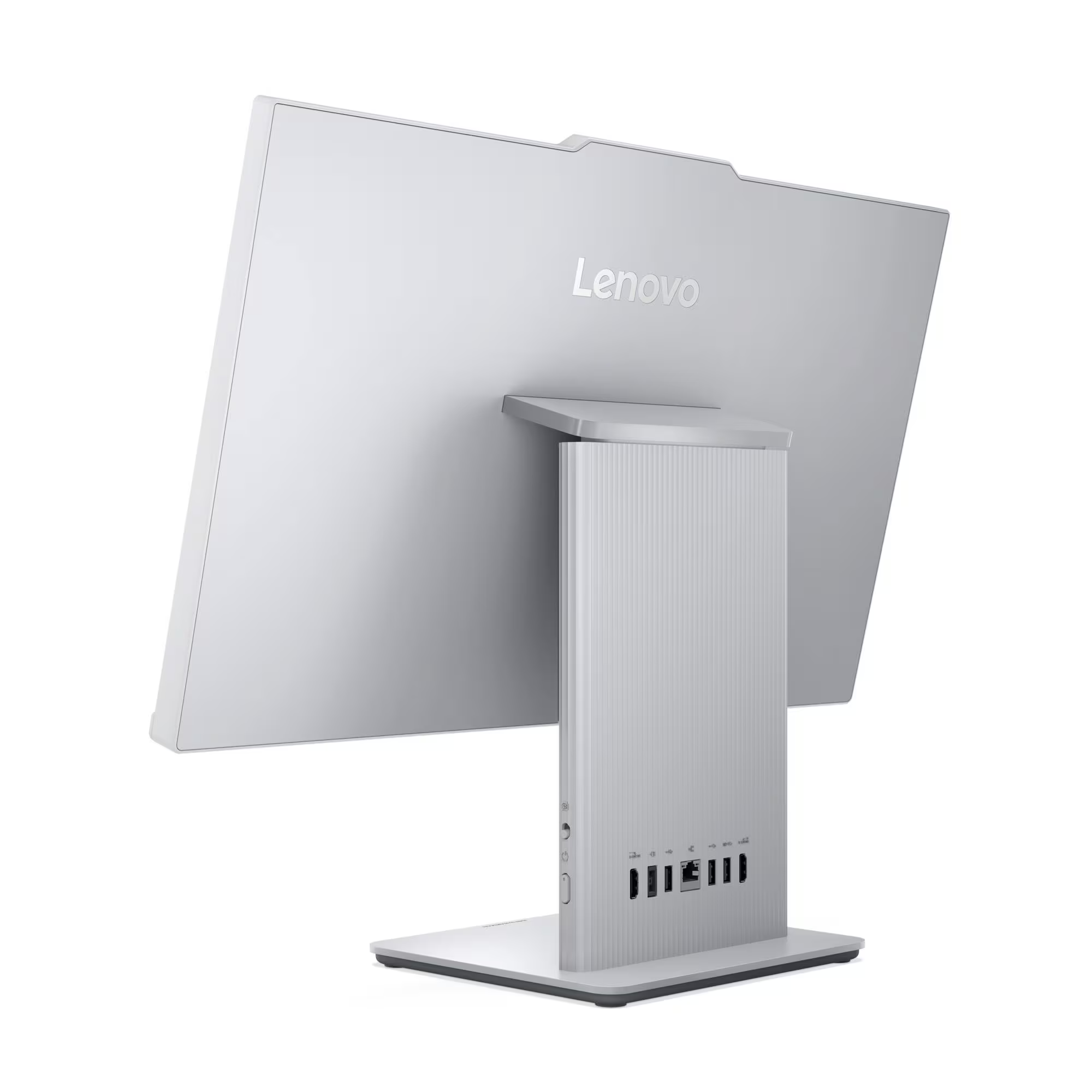
Rear Ports
| Port | Detail |
|---|---|
| USB-A (10Gbps) | 1× USB-A (USB 10Gbps / USB 3.2 Gen 2) |
| USB-A (USB 2.0) | 2× USB-A (Hi-Speed USB 2.0) |
| HDMI In | 1× HDMI® 1.4 input |
| HDMI Out | 1× HDMI® 2.1 TMDS output |
| Ethernet | 1× Gigabit Ethernet RJ-45 |
| Power | 1× power connector |
Left-Side Ports
| Port | Detail |
|---|---|
| USB-C | 1× USB-C (USB 10Gbps / USB 3.2 Gen 2), data transfer only |
| Audio | 1× headphone/microphone combo jack (3.5mm) |
Wireless Connectivity
| Specification | Detail |
|---|---|
| Wi-Fi | Wi-Fi 6 (802.11ax), 2×2, M.2 card |
| Bluetooth | Bluetooth 5.2 |
| Ethernet | Gigabit (1GbE) onboard |
Camera and Audio
| Specification | Detail |
|---|---|
| Camera | 5.0-megapixel (IR variant available for Windows Hello) |
| Privacy Shutter | Physical camera shutter latch |
| Microphone | Dual-microphone array |
| Speakers | Stereo 3W×2, Audio by HARMAN |
| Audio Chip | Realtek® ALC233-CG HD Audio codec |
Security
| Specification | Detail |
|---|---|
| Security Chip | Firmware TPM 2.0, integrated in SoC |
| Physical Lock | None |
| BIOS Security | Administrator password, power-on password, Secure Boot |
Design & Physical
| Specification | Detail |
|---|---|
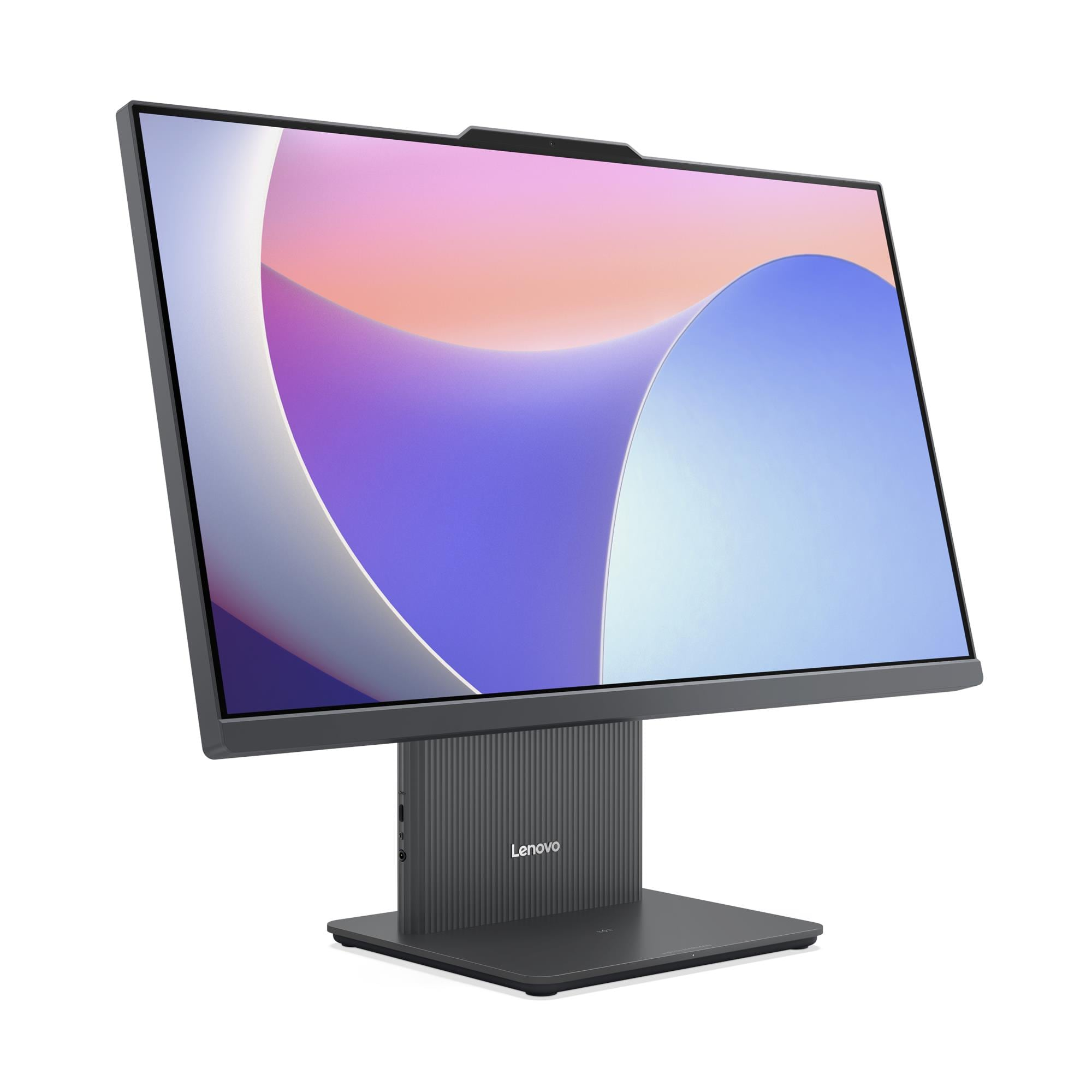
| Form Factor | All-in-One, 23.8 inches |
| Colour | Cloud Grey or Luna Grey (varies by configuration) |
| Dimensions (W×D×H) | 540 × 192 × 431 mm |
| Weight | Approx. 6.0 kg |
| Stand | Monitor stand, tilt -5° to +15° |
| VESA Mounting | None |
| Optional Accessory | Wireless charger 15W (optional) |
Power Supply
| Specification | Detail |
|---|---|
| Power Supply Options | 90W adapter (89% efficiency) / 135W adapter (90% efficiency) |
| Voltage | Autosensing |
Operating System
| Specification | Detail |
|---|---|
| Installed OS | Windows 11 Home |
Certifications
| Category | Certifications |
|---|---|
| Environmental | ErP Lot 3/7, GREENGUARD®, RoHS, WEEE, REACH |
| Display Eye Care | TÜV Rheinland® Flicker Free, TÜV Rheinland® Low Blue Light |
| Noise | TÜV Rheinland® Ultra Low Noise |
Warranty
1-year mail-in, 1-year courier/carry-in, or 1-year limited onsite service (varies by configuration; up to 3-year courier/carry-in available)
Use Cases
Home and Hybrid Working
The IdeaCentre AIO 24IRH9 suits home office users who want a complete, ready-to-use computer without the cables and clutter of a separate tower, monitor, and speaker system. Specifically, Windows 11 Home ships pre-installed, the 16GB dual-channel DDR5 memory handles simultaneous browser sessions, productivity applications, and video calls without slowdown, and the HARMAN stereo speakers deliver audio quality that built-in laptop speakers cannot match. Furthermore, the compact 540mm-wide footprint leaves ample space on the desk for notebooks, peripherals, and other working materials.
Creative and Content-Focused Home Use
For photo editing, video playback, digital art, and light content creation, the 99% sRGB IPS display renders colours accurately at wide viewing angles — so images appear consistent whether viewing straight-on or from the side. Additionally, the 10-point multi-touch capability supports stylus-friendly and gesture-driven creative applications naturally. Moreover, the 10-core i7-13620H processor and PCIe 4.0 NVMe SSD ensure application launches and file exports complete quickly, keeping creative workflows moving rather than waiting.
Video Conferencing and Remote Collaboration
The 5MP camera, dual-microphone array, and HARMAN-tuned stereo speakers create a video conferencing setup that far outperforms the typical monitor-plus-webcam arrangement. In particular, the dual-microphone array captures voice clearly while reducing ambient room noise, and the 3W×2 HARMAN speakers reproduce remote voices with enough clarity and volume to follow conversations comfortably. Consequently, daily calls, team meetings, and online presentations run more smoothly without additional audio or camera accessories.
Dual-Source Entertainment and Media
The rear HDMI 1.4 input allows users to connect a games console, streaming device, or second laptop and use the IdeaCentre AIO 24IRH9’s 23.8-inch FHD touch screen as the output display. As a result, the machine serves as both a primary home computer and a secondary entertainment or productivity screen — eliminating the need for a second standalone display. Furthermore, the 100Hz refresh rate delivers smoother motion during gaming and streaming video compared to standard 60Hz AIO panels.
Student Desks and Compact Shared Spaces
At 540mm wide and 6.0 kg, the IdeaCentre AIO 24IRH9 suits student bedrooms, small shared living rooms, and any environment where desk space is limited. In addition, the single-cable power setup reduces the tangle of leads that a desktop tower arrangement creates. The touch display also supports interactive learning applications, annotation tools, and touch-based navigation that standard desktops cannot accommodate without an additional touch peripheral.
Considerations
Memory Ceiling is 24GB — Lower Than ThinkCentre AIO Alternatives
The IdeaCentre AIO 24IRH9 supports a maximum of 24GB DDR5-5200 across its two SO-DIMM slots. Consequently, the upgrade path from the installed 16GB is limited to a single 8GB DIMM swap rather than a full 2×16GB configuration. Users who anticipate needing more than 24GB — particularly for virtualisation or very large creative project files — should instead evaluate the ThinkCentre neo 50a 27 Gen 5, which supports up to 32GB.
No Physical Security Lock
The IdeaCentre AIO 24IRH9 does not carry a Kensington Security Slot or any physical locking mechanism. Therefore, this machine suits secure home environments but does not meet the physical security requirements of shared office spaces, educational institutions, or public-facing deployments where cable locks protect against theft. In contrast, the ThinkCentre neo 50a 27 Gen 5 includes a Kensington Security Slot on models manufactured from February 2025 onwards.
Single M.2 SSD — No Secondary Storage Expansion
The chassis accepts one M.2 2280 SSD with a maximum capacity of 1TB. Therefore, users who accumulate large local media libraries, software installations, or project archives beyond 1TB must use external USB storage or cloud solutions. Additionally, no card reader ships on this model, so transferring files from SD cards or memory cards requires a separate USB reader.
USB-C Left Port Carries Data Only — No Charging
The left-side USB-C port (USB 10Gbps / USB 3.2 Gen 2) supports data transfer only — it does not deliver power output. Consequently, users expecting to charge phones, tablets, or USB-C peripherals from this port will need to use an alternative power source. In contrast, the ThinkCentre neo 50a 27 Gen 5 includes a USB-C port that delivers 15W charging alongside data transfer.
BIOS Security is Basic Compared to ThinkCentre Models
The BIOS security suite covers administrator and power-on passwords plus Secure Boot — a standard consumer-level configuration. Consequently, enterprise features present on the ThinkCentre range — including Absolute Persistence Module, Smart USB Protection, Intel BIOS Guard, Self-Healing BIOS, and individual USB port disablement — are absent on the IdeaCentre AIO 24IRH9. Therefore, IT teams managing corporate deployments should evaluate the ThinkCentre neo 50a 27 Gen 5 instead.
Display Brightness is 250 Nits
The integrated FHD IPS panel delivers 250 nits of brightness — 50 nits below the ThinkCentre neo 50a 27 Gen 5’s 300-nit panel. Consequently, in very brightly lit rooms or near large windows, the display may appear less vivid. For typical home and office ambient lighting, 250 nits performs adequately, but buyers in bright environments should factor this into their decision.
Frequently Asked Questions
Does the IdeaCentre AIO 24IRH9 Come with Windows Installed?
Yes. This configuration ships with Windows 11 Home pre-installed and ready to use from first boot — unlike the ThinkCentre neo 50a 27 Gen 5 model 12SA000CUM, which ships with no preloaded OS. Consequently, home users and students can begin using the machine immediately without sourcing or installing an operating system separately.
Can I Use the Touch Display with a Stylus?
The 10-point multi-touch display supports finger-based touch input natively. Active stylus compatibility depends on the stylus type — the display uses a standard capacitive touch layer rather than an active digitiser, so passive capacitive styluses work, but precision active styluses designed for digitiser panels (such as those used with Surface or iPad Pro) require compatibility verification before purchase.
Can I Use the Screen as an External Monitor for a Laptop?
Yes. The rear HDMI 1.4 input accepts a video signal from a second device, allowing you to use the IdeaCentre AIO 24IRH9’s 23.8-inch FHD display as an external monitor. However, HDMI 1.4 limits the input signal — maximum supported resolution and refresh rate over the HDMI input depends on the source device’s own HDMI output specification.
Can I Upgrade the RAM?
Yes, within the 24GB platform ceiling. The two SO-DIMM slots currently hold 16GB total. However, upgrading beyond 24GB is not possible on this platform — the maximum supported configuration is 24GB DDR5-5200. Users who anticipate needing more than 24GB should consider the ThinkCentre neo 50a 27 Gen 5, which supports up to 32GB.
Can I Replace or Upgrade the SSD?
Yes. The single M.2 2280 slot accepts PCIe 4.0 x4 NVMe drives up to 1TB. Therefore, users can replace the installed 512GB drive with a 1TB alternative to reach maximum on-device storage. However, the platform supports only one M.2 SSD — the chassis provides no secondary storage bay.
Does the IdeaCentre AIO 24IRH9 Support Windows Hello?
Windows Hello facial recognition requires the IR camera variant of the 5MP camera. Buyers should confirm whether the IR camera ships in the F0HN00FJUE configuration at point of order, as a standard (non-IR) 5MP camera variant also exists on this platform. Windows Hello fingerprint sign-in is not supported, as this model carries no fingerprint reader.
How Does This Compare to the ThinkCentre neo 50a 27 Gen 5?
Both machines share the i7-13620H SoC, DDR5-5200 memory, PCIe 4.0 NVMe storage, HARMAN speakers, 5MP camera, and HDMI-in/out ports. However, the IdeaCentre AIO 24IRH9 adds a 10-point multi-touch display, ships with Windows 11 Home pre-installed, and offers a smaller 23.8-inch screen at a lower price point. In contrast, the ThinkCentre neo 50a 27 Gen 5 delivers a larger 27-inch display at 300 nits (vs 250 nits), supports up to 32GB RAM (vs 24GB), includes a Kensington Security Slot, carries a more comprehensive BIOS security suite including Intel BIOS Guard and Absolute Persistence Module, and includes a USB-C port with 15W charging output.
For compatible wireless keyboards, mice, and Lenovo AIO accessories, see our Lenovo IdeaCentre desktop accessories.
For full technical documentation and configuration options, visit the Lenovo IdeaCentre AIO 24IRH9 official product page.
Reviews
There are no reviews yet.