
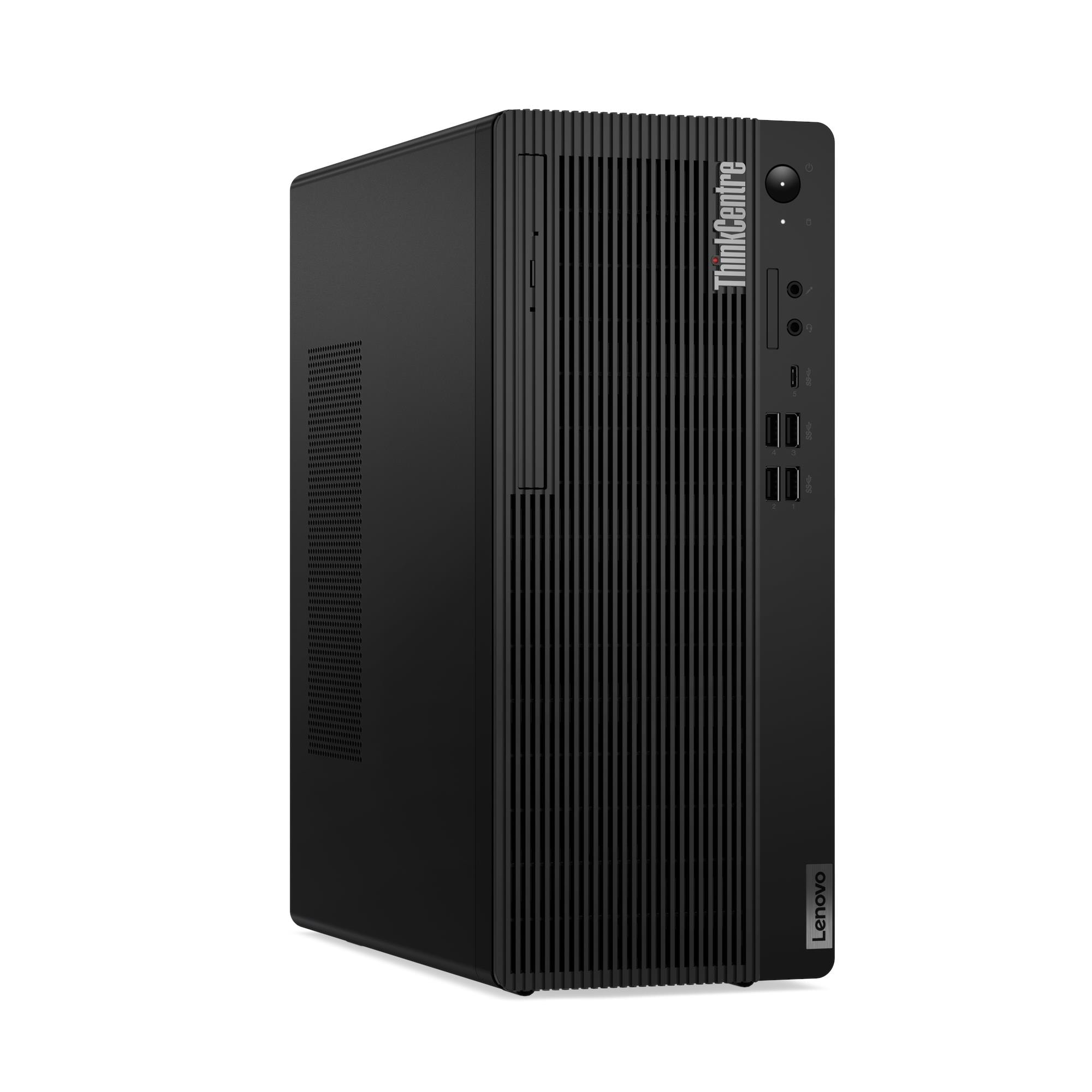
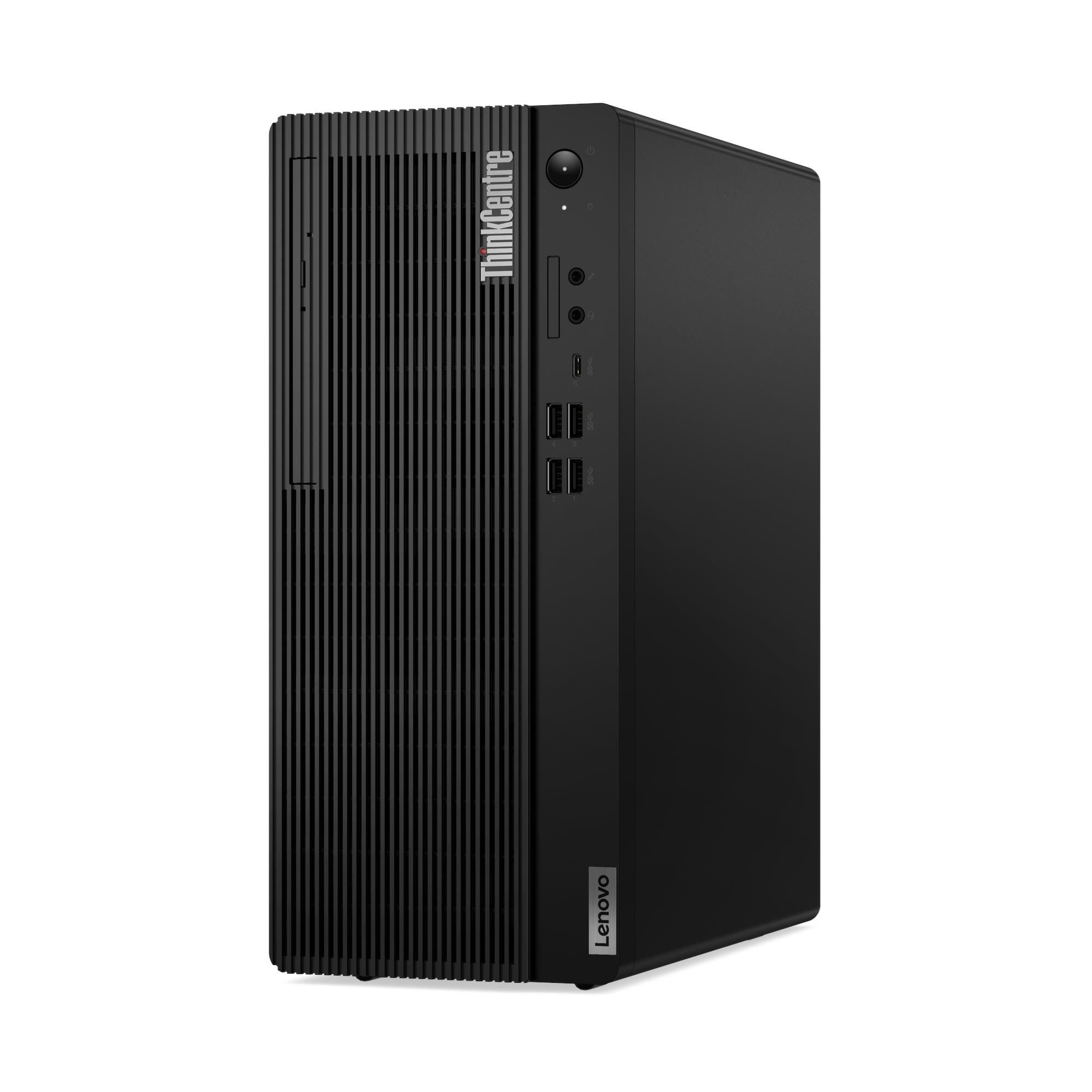
Lenovo ThinkCentre M70t Gen 5 Tower Desktop — Intel Core i5-14400, 8GB DDR5, 512GB SSD, No OS — Model 12U60034UM
The Lenovo ThinkCentre M70t Gen 5 is a full-height enterprise tower desktop that delivers the security, manageability, and expandability of the M70t platform at the cost efficiency of a 10-core Intel Core i5-14400 configuration. Specifically, it runs on the Intel Q670 chipset — the enterprise-grade platform enabling Intel vPro® Enterprise — and carries a discrete TPM 2.0 chip certified to both TCG and FIPS 140-2 standards, alongside MIL-STD-810H military durability testing. As a result, this tower suits IT administrators, regulated-sector organisations, and procurement teams who need full enterprise manageability and security without the premium cost of an i7 processor.
Technical Specifications
Processor
| Specification | Detail |
|---|---|
| Processor | Intel® Core™ i5-14400 |
| Cores / Threads | 10 cores (6 P-core + 4 E-core) / 16 threads |
| Base Frequency | P-core 2.5GHz / E-core 1.8GHz |
| Max Turbo Frequency | P-core 4.7GHz / E-core 3.5GHz |
| Cache | 9.5MB L2 Cache / 20MB Intel® Smart Cache |
| Integrated Graphics | Intel® UHD Graphics 730 |
| Chipset | Intel® Q670 |
Memory
| Specification | Detail |
|---|---|
| Installed RAM | 8GB DDR5 |
| Memory Type | DDR5-5600 (may operate at DDR5-4800 or DDR5-5200 depending on processor support) |
| Memory Slots | 2× DDR5 UDIMM, dual-channel capable |
| Maximum Memory | Up to 64GB DDR5 |
Storage
| Specification | Detail |
|---|---|
| Installed SSD | 512GB M.2 2280 PCIe® NVMe®, PCIe® 4.0 x4 |
| Additional Bay 1 | 1× 3.5″ SATA HDD bay (up to 2TB) |
| Additional Bay 2 | 1× 2.5″ HDD bay (optional, customer self-upgrade only) |
| M.2 Slots | 2× M.2 (one for WLAN, one for SSD — supports up to 2TB per M.2 SSD) |
Graphics
| Specification | Detail |
|---|---|
| Integrated Graphics | Intel® UHD Graphics 730 |
| Max Resolution (DisplayPort) | 4096×2304 @ 60Hz |
| Max Resolution (HDMI) | 4096×2160 @ 60Hz |
| DirectX Support | DirectX® 12 |
| Monitor Support | Up to 2 independent displays via onboard DP and HDMI |
| Discrete Option 1 | NVIDIA® GeForce RTX™ 5050, 8GB GDDR6, 421 AI TOPS (optional) |
| Discrete Option 2 | AMD Radeon™ RX 6600 LE, 8GB GDDR6 (optional) |
| Discrete Option 3 | Intel® Arc™ A310 LP, 4GB GDDR6 (optional) |
| Discrete Option 4 | NVIDIA® GeForce RTX™ 3050, 6GB GDDR6 (optional) |
Front Ports
| Port | Detail |
|---|---|
| USB-C | 1× USB-C (USB 5Gbps / USB 3.2 Gen 1), 15W charging |
| USB-A | 4× USB-A (USB 5Gbps / USB 3.2 Gen 1) |
| Audio | 1× headphone/microphone combo jack (3.5mm) |
| Microphone | 1× microphone jack (3.5mm) |
| Card Reader | Optional 3-in-1 card reader (SD, SDHC, SDXC) |
Rear Ports
| Port | Detail |
|---|---|
| USB-A (USB 2.0) | 4× USB-A (Hi-Speed USB 2.0) |
| HDMI | 1× HDMI® 2.1 TMDS |
| DisplayPort | 1× DisplayPort™ 1.4a (HBR2, DSC) |
| Ethernet | 1× Gigabit Ethernet RJ-45, Intel® I219-LM, Wake-on-LAN |
| Optional Rear Ports | 2× USB-A 5Gbps (PCIe x1 card), 2.5GbE RJ-45, parallel, serial, 2nd serial, 4× serial, 2× PS/2 |
Wireless Connectivity
| Specification | Detail |
|---|---|
| Wi-Fi Options | Realtek Wi-Fi 6 + Bluetooth 5.3 / Intel Wi-Fi 6 AX201 + Bluetooth 5.2 / Intel Wi-Fi 6E AX211 + Bluetooth 5.3 (with or without vPro) |
| WLAN Card Type | M.2 card |
| Ethernet | Gigabit (1GbE) onboard via Intel I219-LM; optional 2.5GbE via PCIe x1 adapter |
Security
| Specification | Detail |
|---|---|
| Security Chip | Discrete TPM 2.0 — TCG certified, FIPS 140-2 certified |
| Physical Locks | Kensington® Security Slot™ (3mm × 7mm), Padlock Loop, optional E-lock, optional Smart Cable Clip |
| Chassis Intrusion | Chassis intrusion switch (selected models) |
| BIOS Security | Administrator / HDD / power-on passwords, Secure Boot, Self-Healing BIOS, Intel BIOS Guard, Smart USB Protection, Absolute Persistence Module, Certificate-Based BIOS Authentication, individual USB port disablement, configuration change detection, Secure Wipe, Cover Tamper Detection |
| System Management | Intel® vPro® Enterprise (optional) / Non-vPro |
Design & Physical
| Specification | Detail |
|---|---|
| Form Factor | Tower (13.6L) |
| Colour | Black |
| Dimensions (W×D×H) | 145 × 296 × 346 mm |
| Weight | Approx. 5.9 kg |
| Expansion Slots | 1× PCIe 3.0 x16 full-height (≤222.7mm × ≤111.2mm) / 1× PCIe 3.0 x1 full-height |
| Bays | 1× 3.5″ disk bay / 1× 2.5″ disk bay (optional) / 1× slim ODD bay |
| Chassis Access | Toolless cover, memory, disk, optical, and expansion card removal |
| Optional Accessories | Dust filter |
| Smart Power On | Supported |
| Chassis Material | 85% PCC ABS bezel |
Power Supply
| Specification | Detail |
|---|---|
| Power Supply Options | 180W (85%) / 258W (90%) / 260W (90%, hybrid) / 310W (92%) / 380W (92%) |
| Voltage | AC 100–240V, 50–60Hz |
Audio
| Specification | Detail |
|---|---|
| Audio Chip | Realtek® ALC623-CG HD Audio codec |
| Speaker | Single 2W integrated speaker (standard on all configurations) |
Operating System
| Specification | Detail |
|---|---|
| Installed OS | No preloaded operating system |
| Compatible OS | Windows 11 Pro, Windows 11 Home, Windows 11 IoT Enterprise LTSC 2024, Windows 10 Pro (downgrade), Ubuntu Linux |
Durability
| Specification | Detail |
|---|---|
| Military Testing | MIL-STD-810H — Low Pressure (Altitude), High Temperature, Low Temperature, Temperature Shock, Humidity, Sand and Dust, Vibration, Shock, Solar Radiation, Contamination by Fluids, Salt Fog |
Certifications
| Category | Certifications |
|---|---|
| Environmental | ENERGY STAR® 8.0 (optional), EPEAT™ Silver / Gold (optional), ErP Lot 3, GREENGUARD®, RoHS, TCO Certified 9.0 |
| Noise | TÜV Rheinland® Ultra Low Noise (optional) |
| Sustainability | 85% PCC ABS bezel, 95% PCC ABS keyboard/mouse cover, 30% Ocean Bound Plastic thermal shell, FSC-certified paper packaging |
Warranty
1-year courier/carry-in, 1-year limited onsite, or 3-year limited onsite service (varies by model configuration)
Use Cases
Enterprise Fleet Deployment with Remote Management
The ThinkCentre M70t Gen 5 targets large-scale corporate deployments where IT administrators manage devices centrally rather than at the desk. In particular, Intel vPro® Enterprise — enabled by the Intel Q670 chipset — delivers out-of-band KVM remote control, hardware-level threat monitoring, and OS-independent device recovery across the fleet. Additionally, Wake-on-LAN, Smart Power On, Smart USB Protection, and individual USB port disablement give IT teams granular endpoint control that reduces on-site servicing requirements significantly.
Regulated and Security-Sensitive Environments
The M70t Gen 5 carries a discrete TPM 2.0 certified to both TCG and FIPS 140-2, alongside Certificate-Based BIOS Authentication, Self-Healing BIOS, Absolute Persistence Module, Secure Wipe, and chassis intrusion detection. Consequently, organisations in finance, healthcare, government, and defence can deploy this tower within environments that mandate strict endpoint security compliance. Furthermore, the Kensington Security Slot, Padlock Loop, and optional E-lock provide layered physical security for shared or high-value workstations.
Cost-Efficient Enterprise Workstations
The i5-14400 configuration delivers the full M70t Gen 5 enterprise platform — Q670 chipset, FIPS 140-2 TPM, vPro support, MIL-STD-810H testing, and toolless chassis access — at a lower unit cost than the i7-14700 variant. Therefore, IT departments rolling out large fleets can standardise on the M70t Gen 5 platform across the estate, allocating the i7-14700 variant selectively to power users and the i5-14400 variant to the broader workforce. As a result, organisations gain platform consistency without paying for processing headroom that most office users do not require.
GPU-Upgradeable Professional Workstations
The full-height PCIe x16 slot accepts premium discrete graphics options including the NVIDIA GeForce RTX 5050 (8GB GDDR6, 421 AI TOPS), AMD Radeon RX 6600 LE (8GB GDDR6), NVIDIA RTX 3050 (6GB GDDR6), and Intel Arc A310 LP (4GB GDDR6). Consequently, users whose workloads grow to require GPU acceleration — including AI inferencing, 3D visualisation, multi-stream video, or extended display arrays — can upgrade the tower in the field without replacing the chassis. Moreover, the 380W power supply option provides sufficient headroom for premium discrete graphics cards.
OS-Agnostic Image-Controlled Deployments
The 12U60034UM ships bare-metal with no preloaded OS, giving IT teams full control over image deployment from first boot. Specifically, the machine supports Windows 11 Pro, Windows 11 IoT Enterprise LTSC 2024, Windows 10 Pro (via downgrade rights), and Ubuntu Linux. Consequently, this configuration suits organisations maintaining validated golden images across mixed OS environments without licence conflicts or pre-installed software to remove.
Considerations
Memory Starts at 8GB — Dual-Channel Inactive
This configuration ships 8GB DDR5 in a single UDIMM, leaving the second slot empty and dual-channel operation inactive. Therefore, users running memory-intensive applications — virtualisation, large datasets, or concurrent multi-application professional environments — should add a matched second DIMM at point of order or shortly after deployment. Specifically, dual-channel activation increases memory bandwidth measurably, and the two slots accept up to 64GB DDR5 total.
Intel UHD Graphics 730 — Lower than the i7 Variant
The i5-14400 integrates Intel UHD Graphics 730, which sits one tier below the Intel UHD Graphics 770 found in the i7-14700 M70t Gen 5 configuration. Consequently, users who run GPU-accelerated workloads — including hardware video encoding, compute tasks, or multi-display at high refresh rates — will find the UHD 770 performs more capably. However, for standard dual-display office productivity, the UHD 730 handles both onboard video outputs reliably.
Onboard Video Limited to Two Displays
The integrated Intel UHD Graphics 730 drives a maximum of two independent displays via the rear HDMI 2.1 and DisplayPort 1.4a ports simultaneously. Therefore, users who need three or more monitors must add a discrete graphics card. In contrast, the neo 50t Gen 5 natively supports three displays via HDMI, DP, and VGA without a discrete card — making it the more straightforward choice for triple-display environments where GPU performance is not a priority.
No Rear VGA Port
The M70t Gen 5 does not carry a rear VGA output. Instead, rear video consists of HDMI 2.1 and DisplayPort 1.4a only. Consequently, users connecting legacy VGA monitors must use the bundled HDMI-to-VGA or DP-to-VGA dongle. IT teams managing estates with legacy display infrastructure should account for this at point of deployment.
PCIe Expansion Slots Run at PCIe 3.0
Both full-height PCIe slots — the x16 and the x1 — operate at PCIe 3.0 bandwidth. As a result, expansion cards that benefit from PCIe 4.0 throughput operate at PCIe 3.0 speeds in this chassis. For most professional office workloads and the supported discrete GPU options, PCIe 3.0 x16 does not create a practical bottleneck. However, buyers specifying high-bandwidth PCIe 4.0 cards should factor this into their configuration decision.
vPro Requires Specific Wi-Fi Card
Intel vPro® Enterprise activation requires the Intel Wi-Fi 6E AX211 card with vPro technology support — a specific SKU within the AX211 family. Consequently, buyers who need vPro for remote management must confirm this card appears in the 12U60034UM configuration at point of order rather than assuming any AX211 variant enables the full vPro feature set.
Frequently Asked Questions
How Does the i5-14400 Configuration Differ from the i7-14700 Version?
The i5-14400 delivers 10 cores and 16 threads at up to 4.7GHz with Intel UHD Graphics 730 and a 20MB Smart Cache. In contrast, the i7-14700 provides 20 cores and 28 threads at up to 5.4GHz with Intel UHD Graphics 770 and a 33MB Smart Cache. Both configurations share the same Intel Q670 chipset, vPro support, FIPS 140-2 TPM, and chassis. Therefore, the i5-14400 variant suits the majority of corporate office workloads, while the i7-14700 targets power users who run highly multi-threaded or GPU-intensive professional applications.
Does the M70t Gen 5 Support Intel vPro?
Yes, on configurations that include the Intel Wi-Fi 6E AX211 card with vPro technology support. Specifically, vPro delivers out-of-band remote management, hardware-level AMT, and KVM-over-network device recovery independently of the operating system state. Buyers should confirm vPro activation in the 12U60034UM configuration at point of order, as not every AX211 variant enables the full vPro feature set.
How Does This Compare to the neo 50t Gen 5 i5-14400 Tower?
Both towers share the Intel Core i5-14400 processor, DDR5 memory, and PCIe 4.0 NVMe storage. However, the M70t Gen 5 adds Intel Q670 chipset with vPro support, a discrete TPM 2.0 certified to FIPS 140-2, MIL-STD-810H military durability testing, GREENGUARD® and ErP Lot 3 certifications, full toolless internal access, optional E-lock, Wi-Fi 6E support, optional 2.5GbE network adapter, and a 3-year onsite warranty option. In contrast, the neo 50t Gen 5 natively supports three displays via HDMI, DP, and VGA simultaneously, includes a rear VGA port, and carries a Luna Grey and Raven Black colour scheme versus the M70t Gen 5’s all-black chassis.
How Many Monitors Can I Connect?
The integrated Intel UHD Graphics 730 drives two independent displays via the rear HDMI 2.1 and DisplayPort 1.4a ports. However, adding a discrete graphics card expands output significantly. Specifically, the NVIDIA RTX 5050 supports four simultaneous displays via three DisplayPort 2.1 outputs and one HDMI 2.1, delivering resolutions up to 7680×4320 at up to 165Hz with DSC.
Can I Upgrade the RAM After Purchase?
Yes. The two DDR5 UDIMM slots accept up to 64GB DDR5 total. Furthermore, adding a matched second DIMM activates dual-channel memory operation, which increases memory bandwidth and improves multi-tasking performance. This upgrade also removes the single-channel bandwidth limitation that shipping with one DIMM creates.
What Operating Systems Does This Machine Support?
The 12U60034UM ships with no preloaded OS and supports Windows 11 Pro, Windows 11 Home, Windows 11 IoT Enterprise LTSC 2024, Windows 10 Pro (via downgrade rights), and Ubuntu Linux. Consequently, IT teams apply their validated corporate image immediately on arrival without removing pre-installed software.
Does the M70t Gen 5 Support Wi-Fi?
Wi-Fi is optional. Available configurations include Realtek Wi-Fi 6 with Bluetooth 5.3, Intel Wi-Fi 6 AX201 with Bluetooth 5.2, Intel Wi-Fi 6E AX211 with Bluetooth 5.3, and the vPro-enabled AX211 variant. Wired Gigabit Ethernet via Intel I219-LM is the confirmed standard onboard connection. Additionally, the optional 2.5GbE PCIe x1 adapter upgrades wired network throughput for bandwidth-intensive environments.
For compatible monitors, discrete graphics cards, and ThinkCentre tower accessories, see our Lenovo ThinkCentre desktop accessories.
For full technical documentation and configuration options, visit the Lenovo ThinkCentre M70t Gen 5 official product page.
Reviews
There are no reviews yet.