
Full official spec sheet confirmed. Complete Yoast-compliant page below — this is the first All-in-One product in this series, so the structure addresses AIO-specific buying considerations throughout.
Focus Keyphrase: Lenovo ThinkCentre neo 50a 27 Gen 5 All-in-One desktop URL Slug: lenovo-thinkcentre-neo-50a-27-gen-5-all-in-one-desktop Meta Description: Lenovo ThinkCentre neo 50a 27 Gen 5 AIO desktop with Intel Core i7-13620H, 8GB DDR5, 512GB SSD, 27″ FHD IPS display. TÜV Flicker Free, HARMAN audio, No OS.
Lenovo ThinkCentre neo 50a 27 Gen 5 All-in-One Desktop — Intel Core i7-13620H, 8GB DDR5, 512GB SSD, 27″ FHD, No OS — Model 12SA000CUM
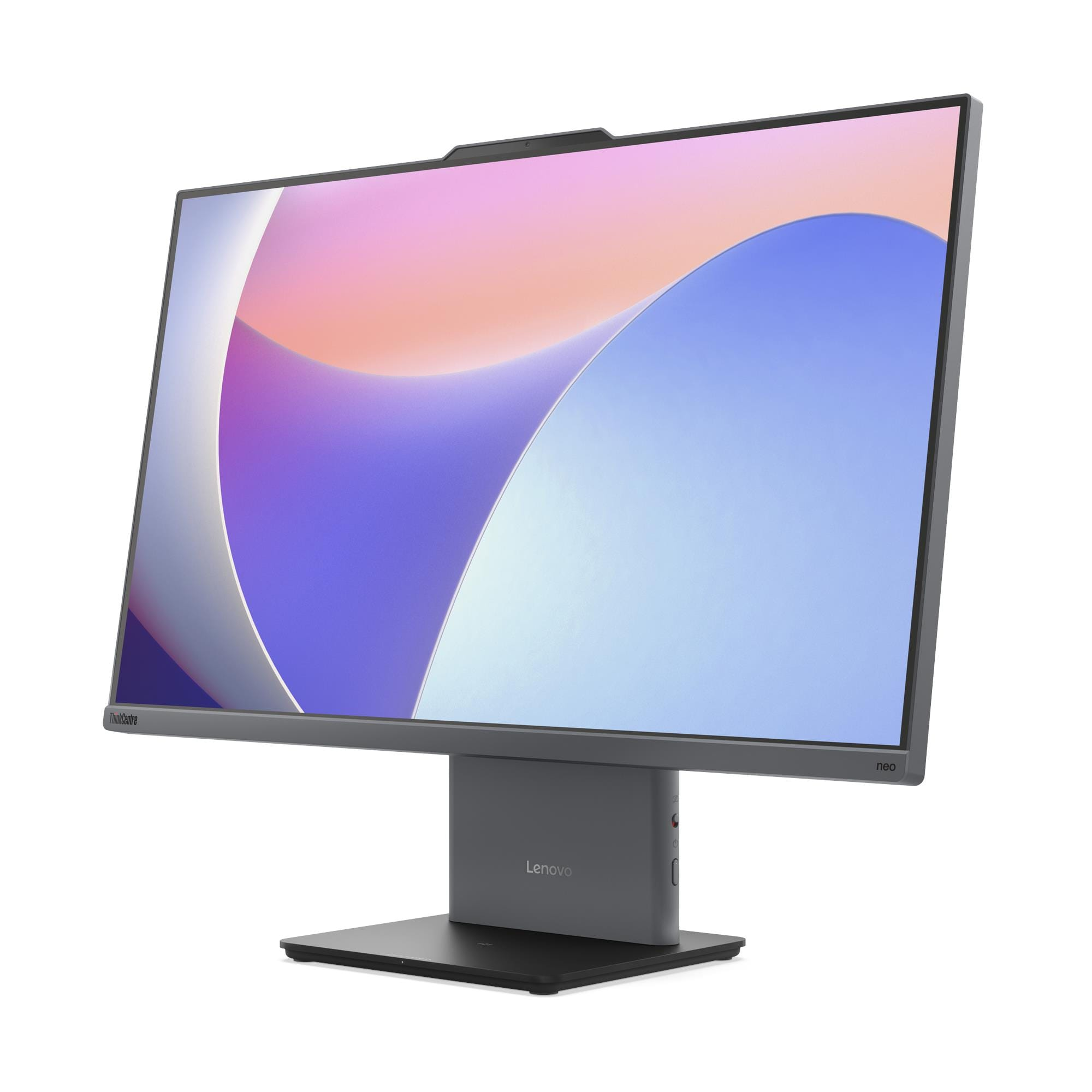
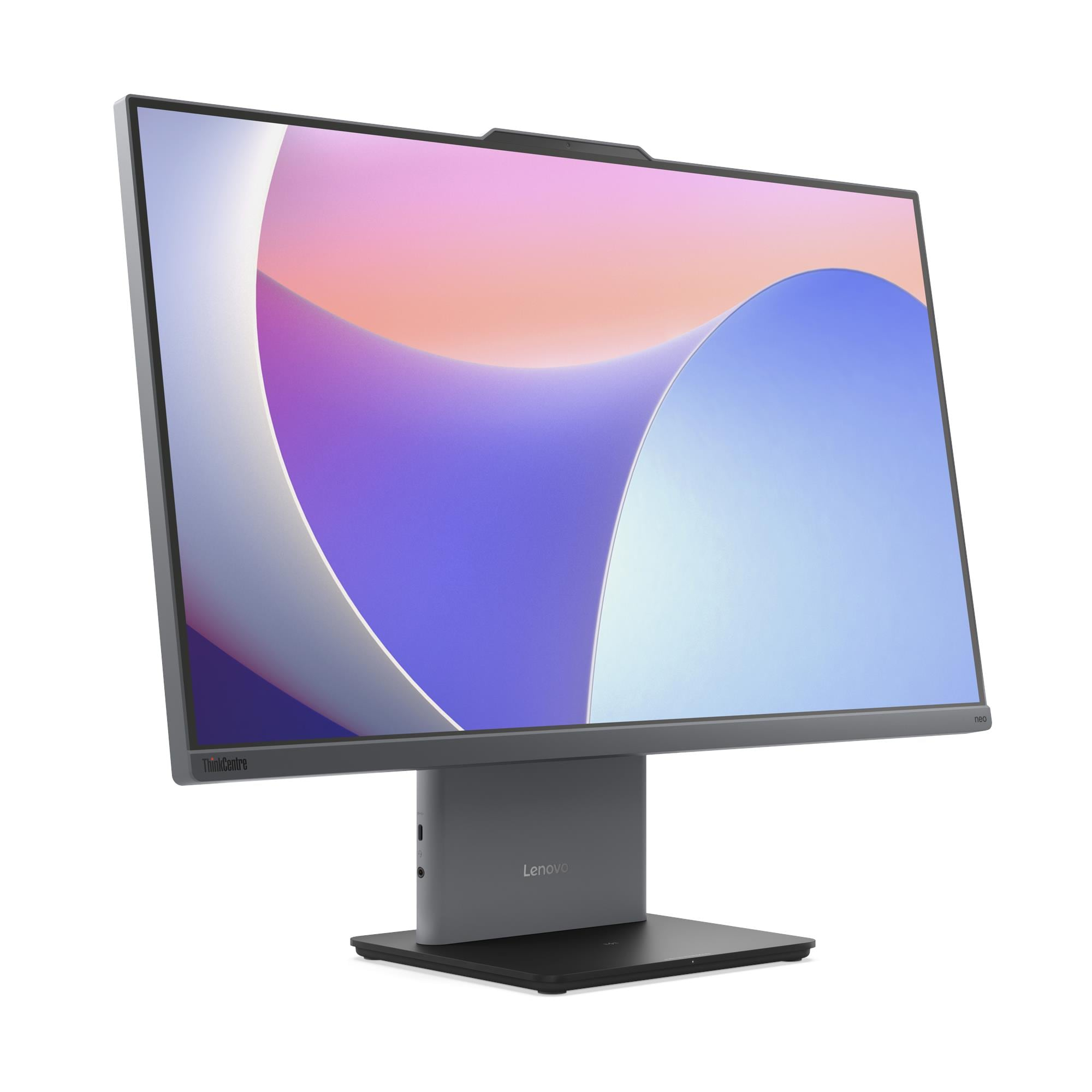
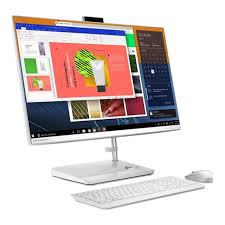
The Lenovo ThinkCentre neo 50a 27 Gen 5 is a 27-inch All-in-One desktop that integrates a full business workstation into a single slim Luna Grey chassis — eliminating the separate tower, power cables, and display stand that traditional desktop configurations require. Specifically, it pairs a 10-core Intel Core i7-13620H processor with a 100Hz FHD IPS display, a 5MP camera with privacy shutter, HARMAN-tuned stereo speakers, and TÜV-certified flicker-free and low blue light display technology. As a result, this AIO suits hybrid workers, hot-desking environments, front-of-house installations, and professionals who need a capable, space-efficient workstation that looks as clean on the desk as it performs.
Technical Specifications
Display
| Specification | Detail |
|---|---|
| Screen Size | 27 inches |
| Resolution | 1920×1080 (Full HD) |
| Panel Type | IPS (In-Plane Switching) |
| Refresh Rate | 100Hz |
| Brightness | 300 nits |
| Contrast Ratio | 1300:1 |
| Colour Gamut | 99% sRGB |
| Viewing Angles | 89° / 89° / 89° / 89° (L/R/U/D) |
| Response Time | 14ms |
| Surface Treatment | Anti-glare |
| Aspect Ratio | 16:9 |
| Touchscreen | Non-touch (this configuration) / Optional 10-point multi-touch |
| Display Features | Borderless design, Low Blue Light, Flicker Free |
Processor
| Specification | Detail |
|---|---|
| Processor | Intel® Core™ i7-13620H |
| Cores / Threads | 10 cores (6 P-core + 4 E-core) / 16 threads |
| Max Frequency | P-core 4.9GHz / E-core 3.6GHz |
| Cache | 24MB Intel® Smart Cache |
| Platform | Intel® SoC (System on Chip) |
Memory
| Specification | Detail |
|---|---|
| Installed RAM | 8GB DDR5-5200 |
| Memory Slots | 2× DDR5 SO-DIMM, dual-channel capable |
| Maximum Memory | Up to 32GB DDR5-5200 |
Storage
| Specification | Detail |
|---|---|
| Installed SSD | 512GB M.2 2280 PCIe® NVMe®, PCIe® 4.0 x4 |
| Maximum Storage | Up to 1TB M.2 2280 SSD (single drive only) |
| Optical Drive | None |
| Card Reader | None |
Graphics
| Specification | Detail |
|---|---|
| Integrated Graphics | Intel® UHD Graphics |
| Max External Resolution | 4096×2160 @ 60Hz (via HDMI 2.1 out) |
| DirectX Support | DirectX® 12.1 |
| Monitor Support | Native 27″ display + 1 external monitor via HDMI out |
Rear Ports
| Port | Detail |
|---|---|
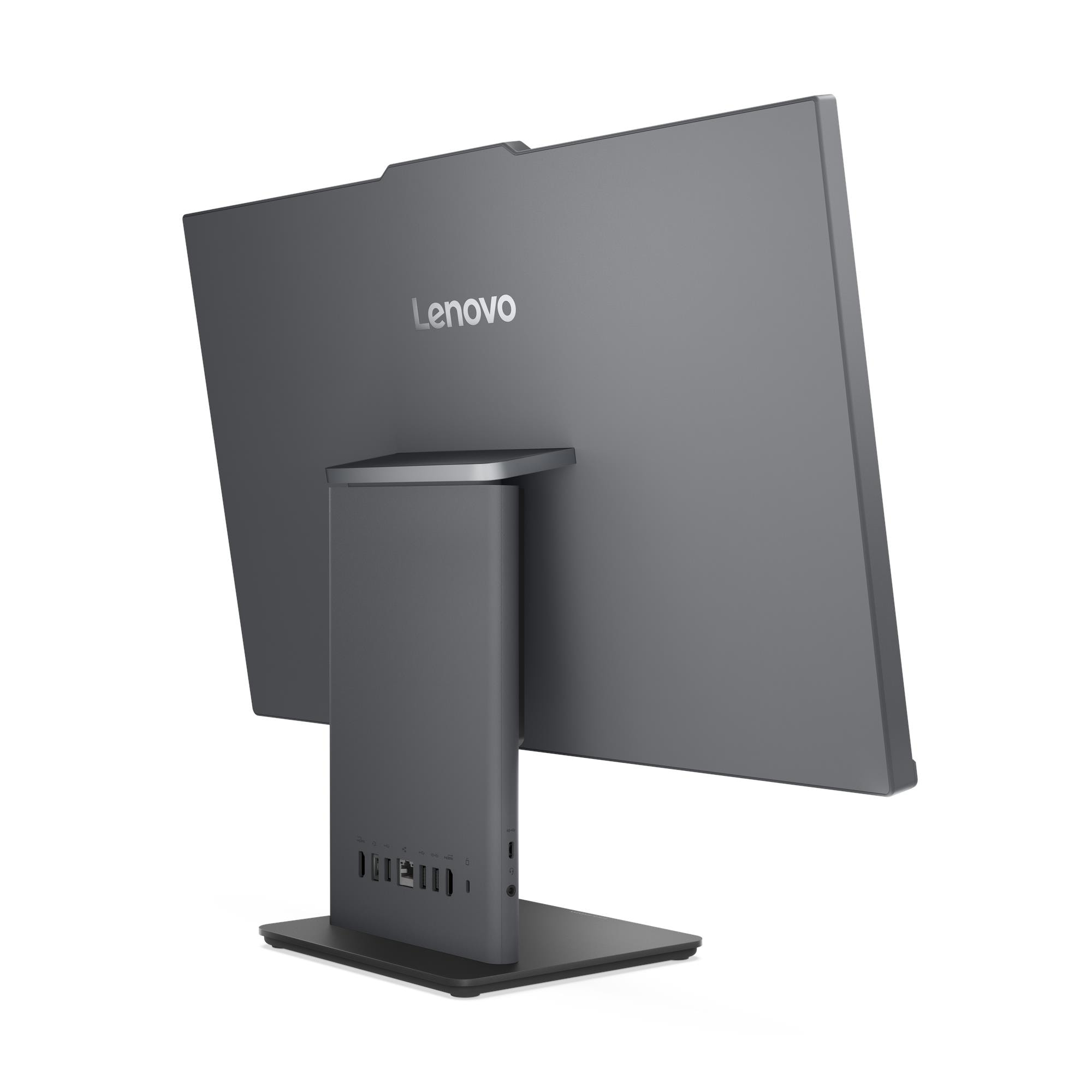
| USB-A (10Gbps) | 1× USB-A (USB 10Gbps / USB 3.2 Gen 2) |
| USB-A (USB 2.0) | 2× USB-A (Hi-Speed USB 2.0) |
| HDMI In | 1× HDMI® 1.4 input |
| HDMI Out | 1× HDMI® 2.1 TMDS output |
| Ethernet | 1× Gigabit Ethernet RJ-45, Realtek® RTL8111H |
| Power | 1× power connector |
Left-Side Ports
| Port | Detail |
|---|---|
| USB-C | 1× USB-C (USB 10Gbps / USB 3.2 Gen 2), data transfer and 15W charging |
| Audio | 1× headphone/microphone combo jack (3.5mm) |
Wireless Connectivity
| Specification | Detail |
|---|---|
| Wi-Fi Options | Realtek Wi-Fi 6 RTL8852BE + Bluetooth 5.2 / Intel Wi-Fi 6 AX201 + Bluetooth 5.2 |
| WLAN Card Type | M.2 card |
| Ethernet | Gigabit (1GbE) onboard |
Camera and Audio
| Specification | Detail |
|---|---|
| Camera | 5.0-megapixel (IR variant available for Windows Hello) |
| Privacy Shutter | Physical camera shutter latch |
| Microphone | Dual-microphone array |
| Speakers | Stereo 3W×2, Audio by HARMAN |
| Audio Chip | Realtek® ALC233-CG HD Audio codec |
Security
| Specification | Detail |
|---|---|
| Security Chip | Firmware TPM 2.0, integrated in SoC |
| Physical Lock | Kensington® Security Slot™ 3×7mm (standard on models manufactured from 10 February 2025) |
| Chassis Intrusion | None |
| BIOS Security | Administrator / power-on passwords, Secure Boot, Self-Healing BIOS, Intel BIOS Guard, Boot Sequence Control |
Design & Physical
| Specification | Detail |
|---|---|
| Form Factor | All-in-One, 27 inches |
| Colour | Luna Grey |
| Dimensions (W×D×H) | 611.72 × 192 × 473.16 mm |
| Weight | Approx. 7.1 kg |
| Stand | Monitor stand, tilt -5° to +15° |
| VESA Mounting | None |
| Optional Accessory | Wireless charger 15W (optional) |
| Chassis Material | 65% PCC ABS bezel |
Power Supply
| Specification | Detail |
|---|---|
| Power Supply Options | 90W adapter (89% efficiency) / 135W adapter (90% efficiency) |
| Voltage | Autosensing |
Operating System
| Specification | Detail |
|---|---|
| Installed OS | No preloaded operating system |
| Compatible OS | Windows 11 Pro, Windows 11 Home, Windows 11 Home Single Language |
Certifications
| Category | Certifications |
|---|---|
| Environmental | ENERGY STAR® 8.0 (optional), EPEAT™ Gold (optional), ErP Lot 3/7, GREENGUARD®, RoHS, WEEE, REACH |
| Display Eye Care | TÜV Rheinland® Flicker Free, TÜV Rheinland® Low Blue Light |
| Noise | TÜV Rheinland® Ultra Low Noise |
| Sustainability | 65% PCC ABS bezel, 95% PCC recycled keyboard/mouse plastic, 30% Ocean Bound Plastic bag, FSC-certified paper packaging |
Warranty
1-year courier/carry-in or 1-year limited onsite service (varies by model configuration)
Use Cases
Clean-Desk Professional Workspaces
The neo 50a 27 Gen 5 reduces the typical desktop configuration to a single cable — the power lead — by integrating the display, speakers, camera, microphone, and compute into one chassis. Consequently, it suits professionals who value desk organisation, open-plan office aesthetics, and the reduced cable management burden that a tower-plus-monitor arrangement demands. Additionally, the Luna Grey finish and borderless IPS display create a refined visual profile that suits customer-facing reception desks, executive offices, and collaborative workspaces equally well.
Hot-Desking and Shared Workstations
The AIO form factor makes the neo 50a 27 Gen 5 straightforward to deploy across hot-desking environments where users move between stations. Specifically, the integrated camera, microphone, and HARMAN speakers mean each station delivers a complete video conferencing experience without additional peripherals. Furthermore, the HDMI-in port allows visiting users to connect a personal laptop and use the AIO’s 27-inch display as an external monitor — turning each desk into a dual-use station without complexity.
Video Conferencing and Communication-Heavy Roles
The 5MP camera with IR Windows Hello support, dual-microphone array, and HARMAN-tuned 3W×2 stereo speakers combine to create a video conferencing experience significantly above what external monitors with basic integrated cameras typically deliver. In particular, the IR camera enables hands-free Windows Hello facial recognition sign-in, which removes password friction for users who move frequently between shared machines. Additionally, the physical privacy shutter provides hardware-level camera privacy that software mute controls cannot replicate.
Dual-Source Display Environments
The HDMI 1.4 input port allows the neo 50a 27 Gen 5 to receive a video signal from a second device simultaneously with its own internal compute. As a result, users can switch the 27-inch display between the AIO’s own output and an external laptop, console, or secondary PC — making this machine suitable for environments where IT teams need to mirror or control a secondary device from the same screen. Furthermore, the HDMI 2.1 output port drives an additional external monitor for users who need a two-screen working layout.
OS-Agnostic Corporate Deployments
The 12SA000CUM ships with no preloaded OS, giving IT teams full control over image deployment from first boot. Specifically, the machine supports Windows 11 Pro, Windows 11 Home, and Windows 11 Home Single Language. Consequently, this configuration suits organisations maintaining validated golden images that need a clean target machine rather than a retail-configured unit with pre-installed software to remove.
Considerations
Memory Ceiling is 32GB — Lower Than Tower Alternatives
The AIO SoC platform limits maximum memory to 32GB DDR5-5200 across two SO-DIMM slots. Consequently, users running virtualisation, very large datasets, or memory-intensive multi-application workloads who anticipate needing more than 32GB should evaluate a tower desktop instead. However, for the vast majority of professional productivity and communication workloads, 32GB represents sufficient headroom across the deployment lifecycle.
Single M.2 Storage Drive Only — No HDD Bay
The neo 50a 27 Gen 5 accepts a single M.2 2280 SSD with a maximum capacity of 1TB. Therefore, users who require on-device storage beyond 1TB must rely on external USB drives or network-attached storage. In contrast, tower desktops such as the ThinkCentre neo 50t Gen 5 or M70t Gen 5 support up to three simultaneous drives — a significant storage expandability advantage over any AIO form factor.
Firmware TPM 2.0 — Not a Discrete Module
The security chip uses firmware TPM 2.0 integrated into the SoC rather than a discrete hardware TPM. Consequently, regulated environments that mandate a discrete TPM — or specifically require FIPS 140-2 TPM certification — should evaluate the ThinkCentre M70t Gen 5 or M70s Gen 5 tower, both of which carry discrete TPM 2.0 certified to FIPS 140-2. For standard corporate security requirements, firmware TPM 2.0 functions adequately.
No VESA Mount Support
The neo 50a 27 Gen 5 does not support VESA wall or arm mounting. The machine uses its own tilt-adjustable monitor stand exclusively, with no VESA mount option available. Therefore, IT teams planning wall-mounted or arm-mounted AIO deployments should confirm this limitation before specifying the 12SA000CUM.
No Intel vPro Support
The neo 50a 27 Gen 5 platform does not support Intel vPro® Enterprise (“System Management: None” per the official spec sheet). Therefore, IT teams who require out-of-band remote management, hardware-level AMT, or KVM-over-network device recovery should evaluate the ThinkCentre M70t Gen 5 or M70s Gen 5, both of which support vPro on the Intel Q670 chipset.
Kensington Security Slot — Manufacturing Date Dependent
The Kensington® Security Slot is standard only on units manufactured on or after 10 February 2025. Consequently, IT teams purchasing refurbished or older-stock units should verify the manufacturing date before assuming physical lock compatibility. Units manufactured before this date may not carry the slot.
No Operating System Included
The 12SA000CUM ships bare-metal. Therefore, this configuration targets IT-managed deployments with existing volume licences rather than individual users expecting a ready-to-use machine. Buyers must supply and deploy their own Windows 11 licence and installation media before use.
Frequently Asked Questions
Can I Use the neo 50a 27 as an External Monitor for a Laptop?
Yes. The rear HDMI 1.4 input port accepts a video signal from an external device — including a laptop, second PC, or console — allowing users to display that device’s output on the neo 50a 27’s integrated 27-inch screen. However, the HDMI input runs at HDMI 1.4 standard, so maximum supported resolution and refresh rate over the input depends on the source device’s HDMI output capability.
Can I Upgrade the RAM After Purchase?
Yes, within the platform’s ceiling of 32GB DDR5-5200. The two SO-DIMM slots currently hold 8GB in a single module, so adding a second matched DIMM activates dual-channel memory operation and increases memory bandwidth. However, the 32GB maximum is fixed by the SoC platform — users requiring more than 32GB total must choose a tower desktop form factor instead.
Can I Replace or Upgrade the SSD?
Yes. The single M.2 2280 slot accepts PCIe 4.0 x4 NVMe drives up to 1TB. Consequently, users can replace the 512GB drive with a 1TB alternative to double on-device storage. However, the platform supports only one M.2 SSD — there is no secondary drive slot available in the AIO chassis.
Does the neo 50a 27 Gen 5 Support Windows Hello?
Yes, on configurations with the IR camera variant. The 5MP IR camera enables Windows Hello facial recognition for password-free sign-in. Buyers should confirm the IR camera is included in the 12SA000CUM configuration at point of order, as a non-IR 5MP camera variant also exists on this platform.
How Does This Compare to a Tower Desktop at the Same Processor Level?
The neo 50a 27 Gen 5 shares the i7-13620H mobile SoC with the ThinkCentre neo 30s Gen 5 tower. However, the AIO adds an integrated 27-inch FHD IPS display, HARMAN stereo speakers, 5MP camera, dual microphone, and a single-cable desk setup — eliminating the need for a separate monitor entirely. In contrast, tower desktops offer significantly greater storage expandability, higher memory ceilings (64GB vs 32GB), discrete GPU upgrade paths, and full-height PCIe expansion slots that the AIO chassis cannot accommodate.
Does the neo 50a 27 Gen 5 Support Wi-Fi?
Yes. Available configurations include Realtek Wi-Fi 6 RTL8852BE with Bluetooth 5.2 and Intel Wi-Fi 6 AX201 with Bluetooth 5.2. Buyers should confirm the wireless card in the 12SA000CUM configuration at point of order. Wired Gigabit Ethernet via Realtek RTL8111H is confirmed as the standard onboard network connection.
Does the Optional Wireless Charger Require a Separate Purchase?
Yes. The 15W wireless charger is an optional accessory and does not ship with the 12SA000CUM. IT teams who want wireless charging at each desk should add the accessory separately at point of order.
For compatible accessories, memory upgrade kits, and Lenovo AIO stands, see our Lenovo ThinkCentre desktop accessories.
For full technical documentation and configuration options, visit the Lenovo ThinkCentre neo 50a 27 Gen 5 official product page.
Reviews
There are no reviews yet.