
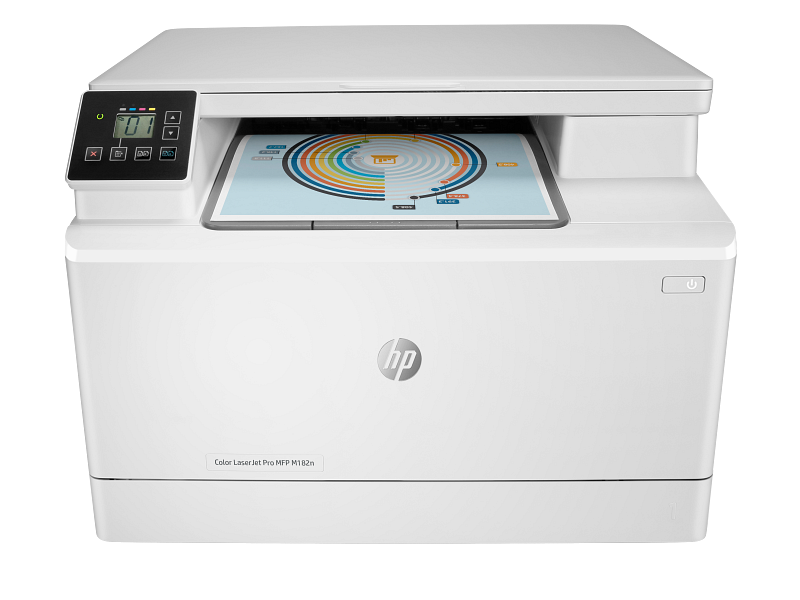
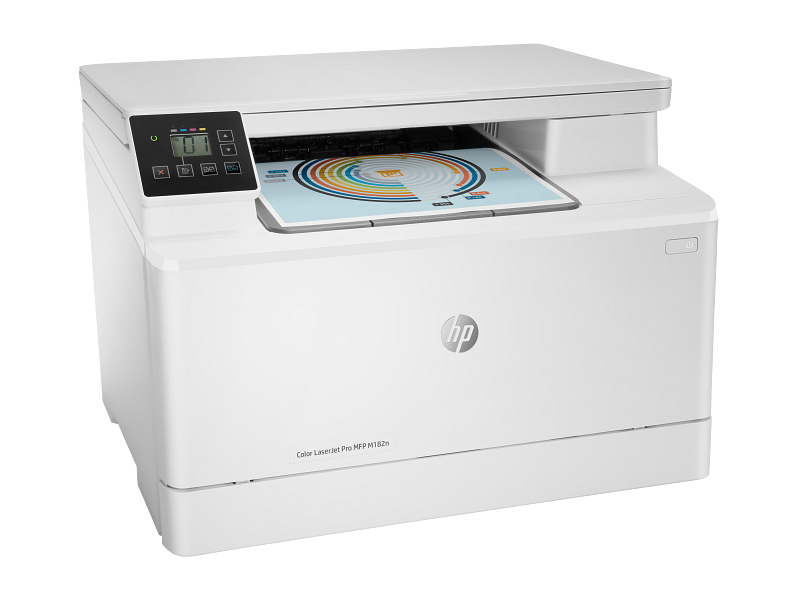
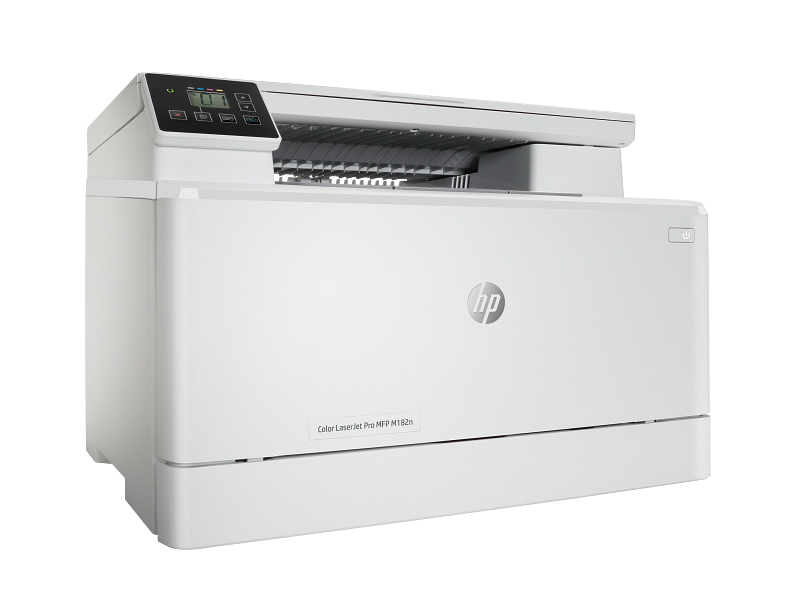
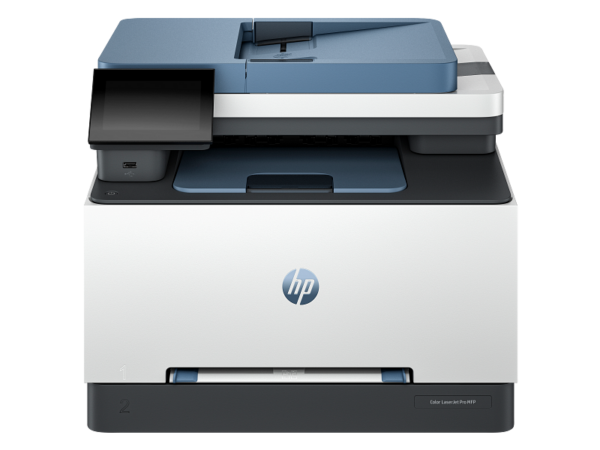
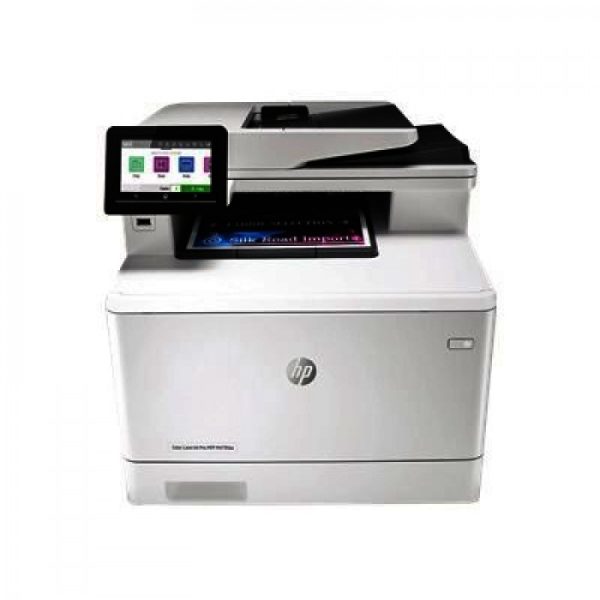
HP Color LaserJet Pro MFP M182n — Colour Laser Multifunction Printer | Ethernet & USB | Model 7KW54A
The HP Color LaserJet Pro MFP M182n (7KW54A) is a compact, three-function colour laser printer designed for small offices and workgroups of 10 to 30 users that need reliable everyday output without a large footprint. It handles print, copy, and scan tasks at up to 16 pages per minute in both colour and mono, making it a practical choice for teams with steady but moderate document volumes. Additionally, wired Ethernet networking is built in as standard, so the device connects to a shared office network without requiring a wireless router or additional hardware.
Technical Specifications
Print Performance
| Specification | Detail |
|---|---|
| Print Technology | Laser (colour) |
| Print Speed — Mono (A4) | Up to 16 ppm |
| Print Speed — Colour (A4) | Up to 16 ppm |
| Print Speed — Mono (A5 Portrait) | Up to 5 ppm |
| First Page Out — Mono (ready) | As fast as 11.8 seconds |
| First Page Out — Colour (ready) | As fast as 13.8 seconds |
| First Page Out — Mono (sleep) | As fast as 13.4 seconds |
| First Page Out — Colour (sleep) | As fast as 14.8 seconds |
| Print Resolution | Up to 600 × 600 dpi (mono and colour) |
| Resolution Technology | HP ImageREt 3600 |
| Print Languages | HP PCL6, PCL5c, PostScript Level 3 emulation, PDF, PWG Raster, PCLm, PCLm-S, URF |
| Duplex Printing | Manual (driver support provided) |
| Monthly Duty Cycle | Up to 30,000 pages |
| Recommended Monthly Volume | 150 to 1,500 pages |
| Number of Toner Cartridges | 4 (black, cyan, magenta, yellow) |
Copy
| Specification | Detail |
|---|---|
| Copy Speed — Mono (A4) | Up to 16 cpm |
| Copy Speed — Colour (A4) | Up to 16 cpm |
| First Copy Out — Mono | As fast as 12.2 seconds |
| First Copy Out — Colour | As fast as 17.9 seconds |
| Maximum Copies per Job | 99 |
| Reduce / Enlarge | 25% to 400% |
| Copy Settings | Number of copies, reduce/enlarge, lighter/darker, optimise, paper size, paper type, draft mode, image adjustment |
Scan
| Specification | Detail |
|---|---|
| Scanner Type | Flatbed |
| Scan Technology | Contact Image Sensor (CIS) |
| Optical Resolution | Up to 1200 dpi |
| Hardware Resolution | Up to 1200 × 1200 dpi |
| Maximum Scan Area (Flatbed) | 215.9 × 297 mm |
| Bit Depth | 24-bit colour / 8-bit mono |
| Greyscale Levels | 256 |
| Scan File Formats | JPG, RAW (BMP), PNG, TIFF, PDF |
| Scan Input Modes | Front-panel copy; HP Scan software; TWAIN; WIA |
| Digital Send Destinations | Scan to Email, Scan to FTP, Google Drive, Dropbox, Microsoft OneDrive, SharePoint (via PC); Scan to USB |
| Advanced Scan Features | Automatic scan cropping, save as editable file (text/PDF), Smart Tasks shortcuts |
| TWAIN Version | 1.9 (legacy OS); 2.1 (Windows 7 and higher) |
Connectivity
| Specification | Detail |
|---|---|
| USB | 1 × Hi-Speed USB 2.0 (device) |
| Ethernet | 1 × Fast Ethernet 10/100Base-TX (built-in) |
| Wireless | None |
| Network Authentication | 802.1X |
| Supported Protocols | TCP/IP (IPv4, IPv6), LPD, Web Services Printing, SLP, Bonjour, Web Services Discovery, DHCP, BootP, AutoIP |
| Mobile Printing | HP ePrint, Apple AirPrint, Mopria Certified, HP Smart App |
Control Panel and Memory
| Specification | Detail |
|---|---|
| Control Panel | 7-segment icon LCD with 6 buttons and 6 indicator lights |
| Processor | 800 MHz |
| Memory | 256 MB DDR + 128 MB Flash (standard and maximum) |
Media Handling
| Specification | Detail |
|---|---|
| Input Tray | 150 sheets |
| Output Bin | 100 sheets |
| Total Input Capacity | 150 sheets |
| Media Weight | 60–163 g/m² (standard); up to 220 g/m² glossy via driver |
| Supported Media Types | Plain, bond, brochure, coloured, glossy, heavy, letterhead, photo, preprinted, prepunched, recycled, rough, transparencies, labels, envelopes, cardstock |
| Supported Media Sizes | A4, A5, A6, B5 (JIS), B6 (JIS), Letter, Legal, Executive, envelopes (DL, C5, B5, #10, Monarch), postcard, custom |
Physical and Environmental
| Specification | Detail |
|---|---|
| Dimensions (W × D × H) | 420 × 380 × 292.6 mm |
| Weight | 15.7 kg |
| Operating Temperature | 10°C to 32.5°C |
Compatible Operating Systems
Windows 10, 8.1, 8, 7 (32-bit and 64-bit); Windows Vista (32-bit); Windows XP SP3 (32-bit); Windows Server 2008 R2 and higher; macOS Sierra (10.12) through macOS Catalina (10.15); Linux; Unix.
Toner Cartridges (HP 215A Series)
| Cartridge | SKU | Yield |
|---|---|---|
| Black | W2310A | ~1,050 pages |
| Cyan | W2311A | ~850 pages |
| Yellow | W2312A | ~850 pages |
| Magenta | W2313A | ~850 pages |
In the Box
HP Color LaserJet Pro MFP M182n printer; introductory toner cartridges (~700 composite colour yield, ~800-page black yield); installation guide; power cord; USB cable (Asia-Pacific region only).
Use Cases
Small Office Document Printing and Copying
The M182n suits offices where several people share a single device for everyday tasks — printing invoices, copying contracts, and scanning signed documents. The 10/100 Ethernet connection supports up to 30 concurrent users on a shared network, and the 16 ppm output speed keeps short-run print jobs moving without queuing.
Scanning to Cloud and Email Workflows
Teams that regularly scan documents for digital filing benefit from the HP Smart App’s Smart Tasks feature. For instance, a receptionist processing incoming correspondence can scan a document directly to a designated email address or SharePoint folder in a single tap, rather than navigating multiple menus at the control panel each time.
Cost-Conscious Small Business Setup
The M182n’s compact footprint (420 × 380 mm base) and wired-only connectivity make it straightforward to install and maintain. Furthermore, the absence of wireless hardware reduces setup complexity and removes a potential point of failure in environments where simplicity and reliability take priority over mobility.
Light Graphic and Marketing Print
The HP ImageREt 3600 resolution technology produces smooth colour gradients at 600 × 600 dpi, making it suitable for printing branded documents, presentations, and short-run marketing materials where professional colour output matters but specialist wide-format equipment is unnecessary.
Considerations
No Automatic Document Feeder (ADF)
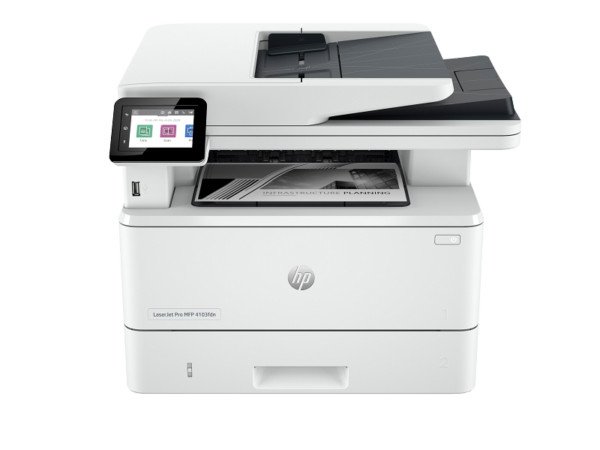
The M182n has a flatbed scanner only — there is no ADF on this model. Consequently, multi-page copy or scan jobs require placing each page manually on the glass. Teams that regularly process multi-page documents will find this a meaningful time cost; the HP Color LaserJet Pro MFP 3303fdw includes a 50-sheet ADF and would be a more appropriate choice for those workflows.
No Wireless Connectivity
This model connects via USB or Ethernet only. Teams that rely on Wi-Fi for device sharing, or staff who print regularly from laptops without an Ethernet port, will need a USB-C to Ethernet adapter or a wired connection to the network. There is no option to add Wi-Fi after purchase.
Manual Duplex Only
Automatic two-sided printing is not supported. The driver provides manual duplex assistance, which prompts the user to flip the paper mid-job, but this adds time and requires the operator to remain present during the print run. For offices where two-sided output is frequent, this is a practical limitation worth noting before purchase.
Introductory Toner Yields Are Lower Than Replacement Cartridges
The printer ships with introductory cartridges rated at approximately 700 composite colour pages and 800 black pages. Standard HP 215A replacement cartridges yield 850 pages (colour) and 1,050 pages (black), so running costs stabilise after the first replacement cycle.
OS Compatibility Is Based on the Original Datasheet
The operating system compatibility list in the official datasheet covers Windows 7 through Windows 10 and macOS up to Catalina (10.15). Compatibility with Windows 11 and later macOS versions is not confirmed in the source datasheet. Buyers running newer operating systems should verify driver availability via HP’s support portal before purchasing.
Frequently Asked Questions
Does the HP Color LaserJet Pro MFP M182n print in colour automatically?
Yes. The M182n prints in both colour and mono laser at up to 16 ppm. It uses four individual HP 215A toner cartridges — black, cyan, yellow, and magenta — so colour and mono jobs print from the same device without switching consumables.
Does the M182n have a document feeder for scanning multiple pages?
No. This model uses a flatbed scanner only. Each page must be placed manually on the glass for copying or scanning. If an automatic document feeder is required, consider the HP Color LaserJet Pro MFP 3303fdw, which includes a 50-sheet ADF.
What toner cartridges does the HP M182n use?
The M182n uses the HP 215A series: W2310A (black, ~1,050 pages), W2311A (cyan, ~850 pages), W2312A (yellow, ~850 pages), and W2313A (magenta, ~850 pages).
Can I connect the M182n to Wi-Fi?
No. This model supports Ethernet (10/100Base-TX) and USB 2.0 connections only. There is no wireless capability and no option to add it via an accessory.
Can I print from a smartphone or tablet?
Yes, with limitations. The M182n supports HP ePrint, Apple AirPrint, and Mopria-certified mobile printing over the network, provided the mobile device is connected to the same Ethernet network via a router or access point. Wi-Fi Direct is not available on this model.
How many users can share this printer?
HP recommends the M182n for workgroups of 10 to 30 users, with a recommended monthly print volume of 150 to 1,500 pages. It is therefore well suited to small teams rather than large departments.
Reviews
There are no reviews yet.