
The IdeaCentre AIO 24IRH9 spec sheet is already fully retrieved. This configuration carries the Intel Core i5-13420H with 8GB DDR5 rather than the i7-13620H with 16GB — all other platform specs remain identical to the F0HN00FJUE page already published. Generating directly from confirmed spec sheet data.
Focus Keyphrase: Lenovo IdeaCentre AIO 24IRH9 23.8-inch touchscreen All-in-One desktop i5 URL Slug: lenovo-ideacentre-aio-24irh9-238-touchscreen-all-in-one-desktop-i5 Meta Description: Lenovo IdeaCentre AIO 24IRH9 with Intel Core i5-13420H, 8GB DDR5, 512GB SSD, 23.8″ FHD touch display, Windows 11 Home. HARMAN audio, 5MP camera, Wi-Fi 6.
Lenovo IdeaCentre AIO 24IRH9 23.8″ FHD Touchscreen All-in-One Desktop — Intel Core i5-13420H, 8GB DDR5, 512GB SSD, Windows 11 Home — Model F0HN00FHUE
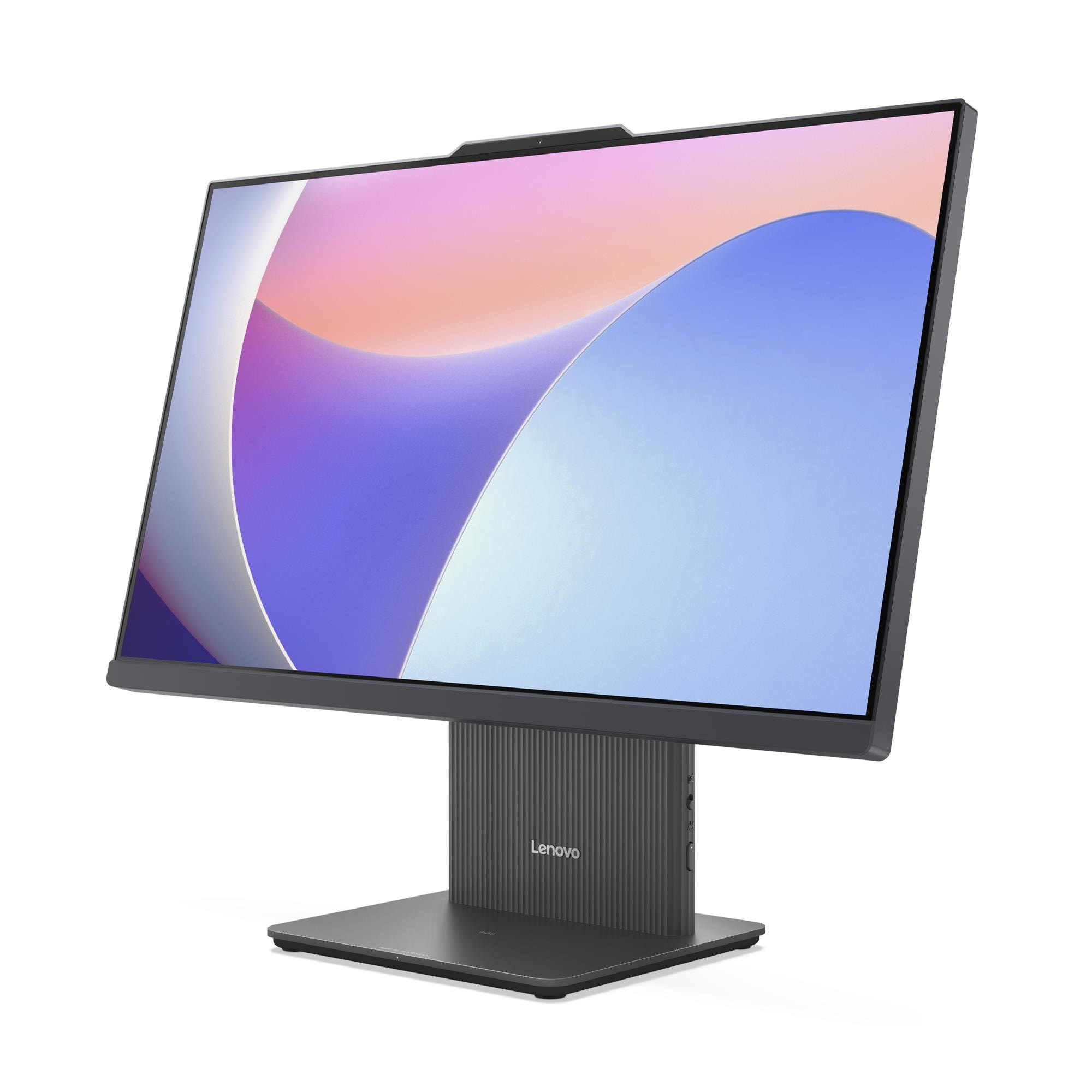
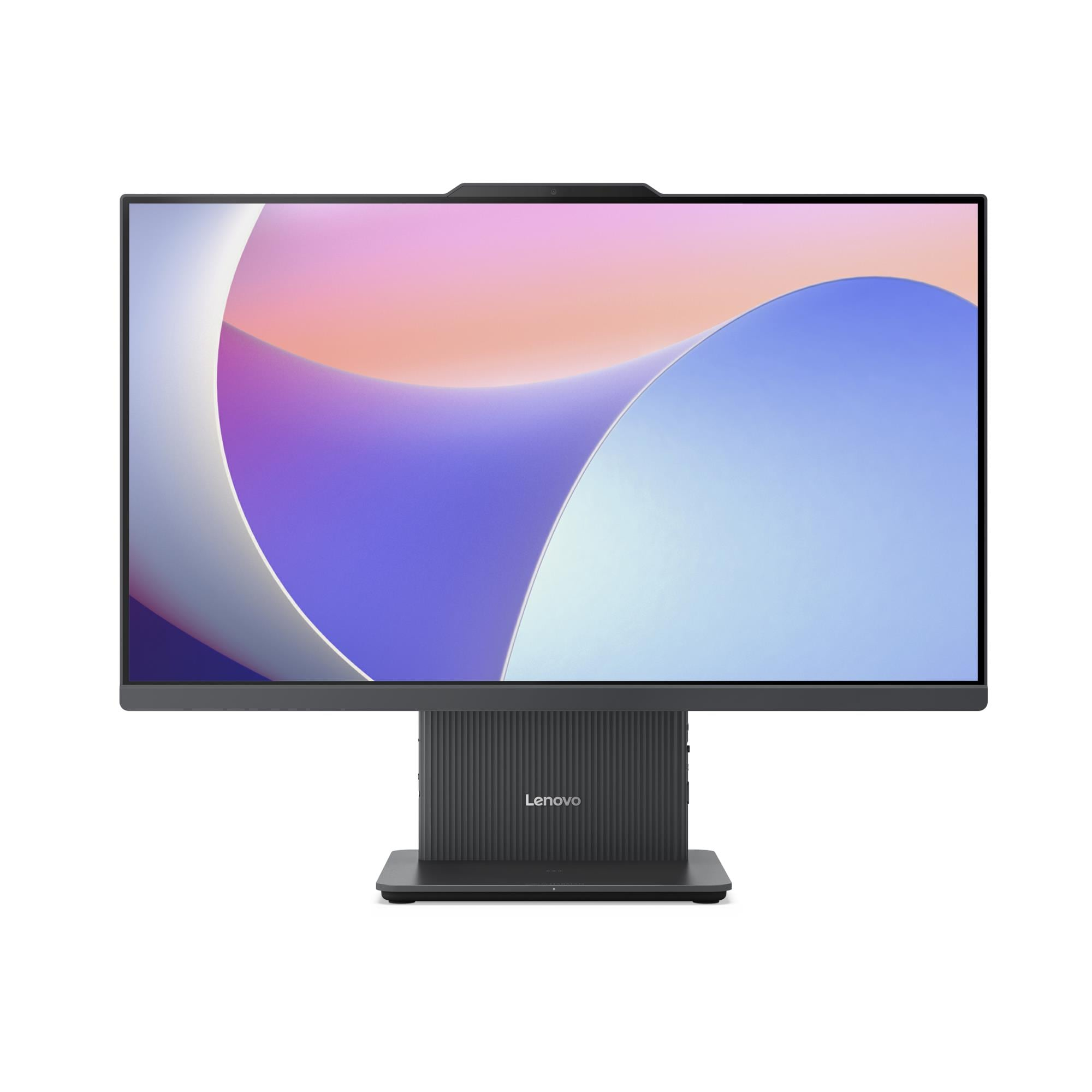
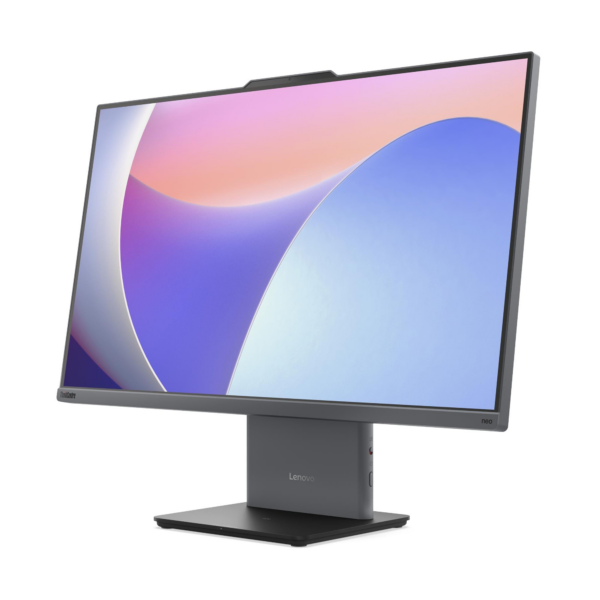
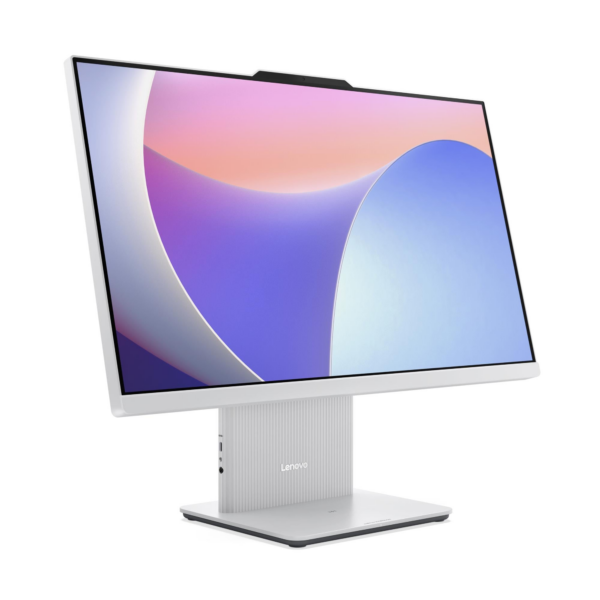
The Lenovo IdeaCentre AIO 24IRH9 is a 23.8-inch All-in-One desktop that integrates a 10-point multi-touch FHD display, an 8-core Intel Core i5-13420H processor, HARMAN-tuned stereo speakers, and a 5MP camera into a single slim chassis — with Windows 11 Home pre-installed and ready to use straight from the box. Specifically, this configuration targets home users, students, and everyday remote workers who want a complete, clean-desk computing solution at a more accessible price point than the i7-13620H variant. As a result, it suits browsing, streaming, video calls, productivity applications, and light creative work without the setup complexity or desk clutter of a traditional tower-and-monitor arrangement
Technical Specifications
Display
| Specification | Detail |
|---|---|
| Screen Size | 23.8 inches |
| Resolution | 1920×1080 (Full HD) |
| Panel Type | IPS (In-Plane Switching) |
| Refresh Rate | 100Hz |
| Brightness | 250 nits |
| Contrast Ratio | 1300:1 |
| Colour Gamut | 99% sRGB |
| Viewing Angles | 89° / 89° / 89° / 89° (L/R/U/D) |
| Surface Treatment | Anti-glare |
| Aspect Ratio | 16:9 |
| Touchscreen | 10-point multi-touch |
| Display Features | Borderless design, Low Blue Light, Flicker Free |
Processor
| Specification | Detail |
|---|---|
| Processor | Intel® Core™ i5-13420H |
| Cores / Threads | 8 cores (4 P-core + 4 E-core) / 12 threads |
| Max Frequency | P-core 4.6GHz / E-core 3.4GHz |
| Cache | 12MB Intel® Smart Cache |
| Platform | Intel® SoC (System on Chip) |
Memory
| Specification | Detail |
|---|---|
| Installed RAM | 8GB DDR5-5200 |
| Memory Slots | 2× DDR5 SO-DIMM, dual-channel capable |
| Dual-Channel Status | Single DIMM installed — dual-channel inactive |
| Maximum Memory | Up to 24GB DDR5-5200 |
Storage
| Specification | Detail |
|---|---|
| Installed SSD | 512GB M.2 2280 PCIe® NVMe®, PCIe® 4.0 x4 |
| Maximum Storage | Up to 1TB M.2 2280 SSD (single drive only) |
| Optical Drive | None |
| Card Reader | None |
Graphics
| Specification | Detail |
|---|---|
| Integrated Graphics | Intel® UHD Graphics |
| Max External Resolution | 4096×2160 @ 60Hz (via HDMI 2.1 out) |
| DirectX Support | DirectX® 12.1 |
| Monitor Support | Native 23.8″ display + 1 external monitor via HDMI out |
Rear Ports
| Port | Detail |
|---|---|
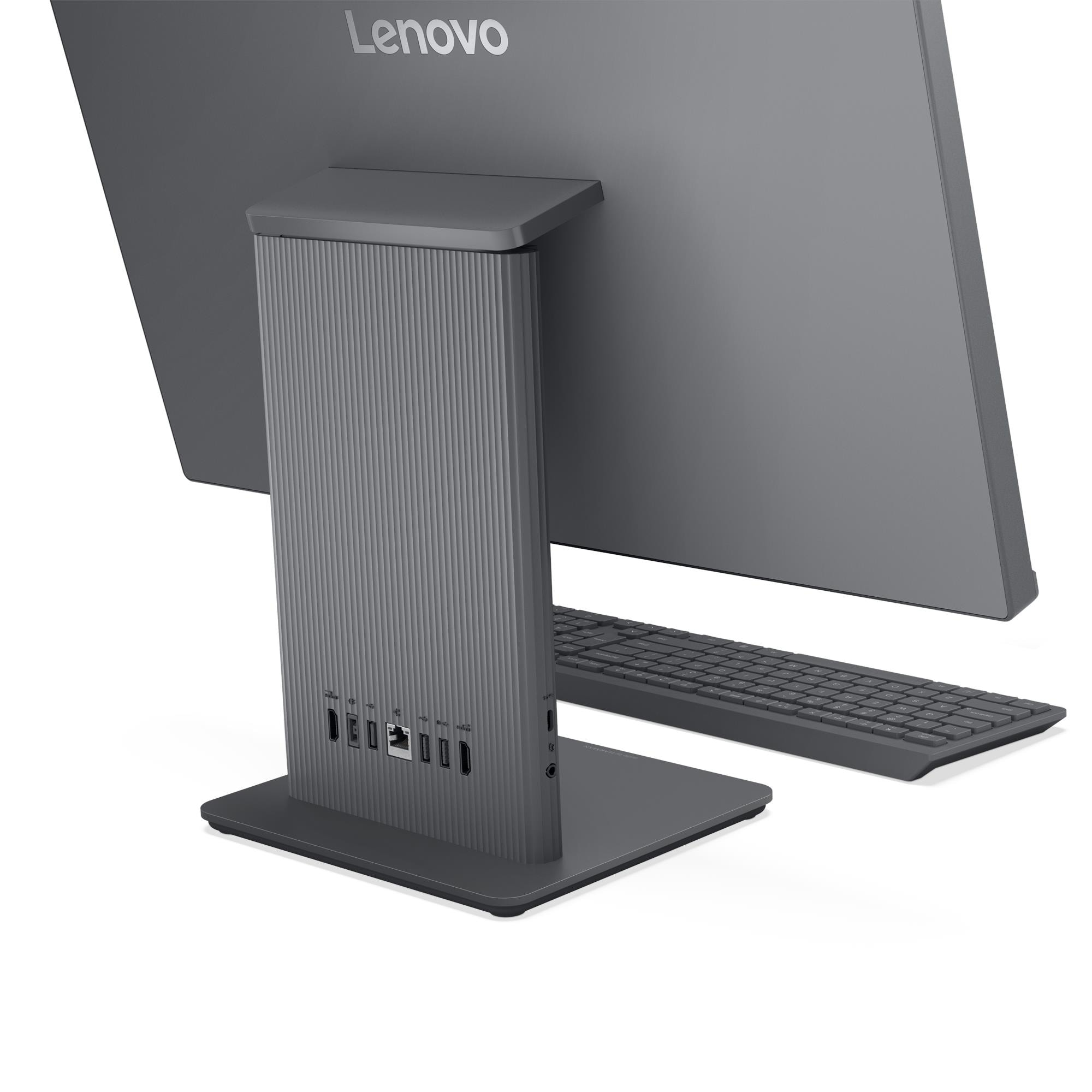
| USB-A (10Gbps) | 1× USB-A (USB 10Gbps / USB 3.2 Gen 2) |
| USB-A (USB 2.0) | 2× USB-A (Hi-Speed USB 2.0) |
| HDMI In | 1× HDMI® 1.4 input |
| HDMI Out | 1× HDMI® 2.1 TMDS output |
| Ethernet | 1× Gigabit Ethernet RJ-45 |
| Power | 1× power connector |
Left-Side Ports
| Port | Detail |
|---|---|
| USB-C | 1× USB-C (USB 10Gbps / USB 3.2 Gen 2), data transfer only |
| Audio | 1× headphone/microphone combo jack (3.5mm) |
Wireless Connectivity
| Specification | Detail |
|---|---|
| Wi-Fi | Wi-Fi 6 (802.11ax), 2×2, M.2 card |
| Bluetooth | Bluetooth 5.2 |
| Ethernet | Gigabit (1GbE) onboard |
Camera and Audio
| Specification | Detail |
|---|---|
| Camera | 5.0-megapixel (IR variant available for Windows Hello) |
| Privacy Shutter | Physical camera shutter latch |
| Microphone | Dual-microphone array |
| Speakers | Stereo 3W×2, Audio by HARMAN |
| Audio Chip | Realtek® ALC233-CG HD Audio codec |
Security
| Specification | Detail |
|---|---|
| Security Chip | Firmware TPM 2.0, integrated in SoC |
| Physical Lock | None |
| BIOS Security | Administrator password, power-on password, Secure Boot |
Design & Physical
| Specification | Detail |
|---|---|
| Form Factor | All-in-One, 23.8 inches |
| Colour | Cloud Grey or Luna Grey (varies by configuration) |
| Dimensions (W×D×H) | 540 × 192 × 431 mm |
| Weight | Approx. 6.0 kg |
| Stand | Monitor stand, tilt -5° to +15° |
| VESA Mounting | None |
| Optional Accessory | Wireless charger 15W (optional) |
Power Supply
| Specification | Detail |
|---|---|
| Power Supply Options | 90W adapter (89% efficiency) / 135W adapter (90% efficiency) |
| Voltage | Autosensing |
Operating System
| Specification | Detail |
|---|---|
| Installed OS | Windows 11 Home |
Certifications
| Category | Certifications |
|---|---|
| Environmental | ErP Lot 3/7, GREENGUARD®, RoHS, WEEE, REACH |
| Display Eye Care | TÜV Rheinland® Flicker Free, TÜV Rheinland® Low Blue Light |
| Noise | TÜV Rheinland® Ultra Low Noise |
Warranty
1-year mail-in, 1-year courier/carry-in, or 1-year limited onsite service (varies by configuration; up to 3-year courier/carry-in available)
Use Cases
Everyday Home Computing and Remote Working
The IdeaCentre AIO 24IRH9 suits home users who need a reliable, ready-to-use computer for browsing, email, document editing, and video calls — without spending on a dedicated tower, monitor, and speaker system separately. In particular, Windows 11 Home ships pre-installed, the 512GB PCIe 4.0 NVMe SSD delivers fast application launches, and the HARMAN-tuned speakers handle video call audio clearly without external accessories. Furthermore, the compact 540mm-wide footprint leaves ample desk space for everyday working materials.
Student Desks and Compact Living Spaces
At 540mm wide and 6.0 kg, the IdeaCentre AIO 24IRH9 fits naturally into student bedrooms, shared living rooms, and any space where desk real estate is limited. Additionally, the 10-point multi-touch display supports annotation apps, interactive learning tools, and touch-based navigation that standard non-touch desktops cannot accommodate. Moreover, the single-power-cable setup eliminates the tangle of leads that tower configurations create — a practical benefit in shared or space-constrained environments.
Video Conferencing and Online Learning
The 5MP camera, dual-microphone array, and HARMAN 3W×2 stereo speakers create a video conferencing setup that outperforms most monitor-mounted webcam and headset combinations. Specifically, the dual-microphone array captures voice clearly from the front of the desk without requiring a headset, and the speakers reproduce remote voices with enough clarity to follow conversations comfortably. Consequently, daily calls, lectures, and online study sessions run smoothly without additional audio or camera accessories.
Dual-Source Entertainment and Casual Gaming
The rear HDMI 1.4 input allows users to connect a games console, streaming stick, or second device and display its output on the IdeaCentre AIO 24IRH9’s 23.8-inch touch screen. As a result, the machine doubles as an entertainment display for casual gaming and streaming alongside its primary role as a home computer. Furthermore, the 100Hz refresh rate delivers smoother motion during gaming and video playback compared to standard 60Hz AIO panels.
Light Creative and Touch-Based Applications
The 99% sRGB IPS display and 10-point multi-touch input suit light photo editing, digital illustration, and touch-driven creative applications that benefit from direct on-screen interaction. In addition, the anti-glare surface reduces reflections in mixed indoor and natural lighting — making colour evaluation and detailed work more comfortable across different environments.
Considerations
Memory at 8GB — Single DIMM, Dual-Channel Inactive
This configuration ships 8GB of DDR5-5200 in a single SO-DIMM, leaving one slot empty and dual-channel memory operation inactive. Consequently, users running multiple simultaneous applications — particularly those involving video calls, browser-heavy workflows, or light creative tools — will benefit from adding a second 8GB DIMM to activate dual-channel mode and increase memory bandwidth. The platform ceiling of 24GB allows a maximum configuration of 16GB + 8GB across the two slots.
Memory Ceiling is 24GB Platform Maximum
Even with both SO-DIMM slots populated, the IdeaCentre AIO 24IRH9 supports a maximum of 24GB DDR5-5200. Therefore, users who anticipate significant memory growth beyond this — for virtualisation, very large creative projects, or intensive multi-application workloads — should evaluate the ThinkCentre neo 50a 27 Gen 5, which supports up to 32GB, or a tower desktop form factor altogether.
Single M.2 SSD — No Secondary Storage
The chassis accepts one M.2 2280 SSD with a maximum capacity of 1TB. Therefore, users who accumulate large media libraries, game installations, or project archives beyond 1TB must rely on external USB drives or cloud storage. Additionally, no card reader ships on this model, so transferring files from SD or memory cards requires a separate USB card reader.
No Physical Security Lock
The IdeaCentre AIO 24IRH9 carries no Kensington Security Slot or physical locking option on any configuration. Consequently, this machine suits secure home environments but does not meet the physical security requirements of shared office spaces, schools, or public-facing deployments where cable locking is standard practice. IT managers specifying for such environments should instead evaluate the ThinkCentre neo 50a 27 Gen 5.
USB-C Left Port — Data Transfer Only, No Charging Output
The left-side USB-C port supports USB 10Gbps data transfer only — it does not supply power. Therefore, users who expect to charge phones, tablets, or USB-C peripherals from the side port will need an alternative power source. In contrast, the ThinkCentre neo 50a 27 Gen 5 includes a USB-C port with 15W charging output alongside data transfer.
How This Differs from the i7-13620H Configuration
The F0HN00FHUE carries the i5-13420H (8 cores, 12 threads, 4.6GHz peak, 12MB cache) and 8GB single-channel DDR5, versus the F0HN00FJUE’s i7-13620H (10 cores, 16 threads, 4.9GHz peak, 24MB cache) and 16GB dual-channel DDR5. Consequently, the i5 variant suits everyday home use and light multitasking, while the i7 variant handles more demanding concurrent workloads with greater headroom. Both configurations share identical display, audio, camera, port, and connectivity specifications.
Frequently Asked Questions
Does the IdeaCentre AIO 24IRH9 Come with Windows Pre-Installed?
Yes. This configuration ships with Windows 11 Home pre-installed and ready to use from first boot. Consequently, home users and students begin using the machine immediately without sourcing or deploying an operating system separately — unlike ThinkCentre bare-metal configurations that target IT-managed deployments.
Can I Upgrade the RAM After Purchase?
Yes. Adding a second DDR5-5200 SO-DIMM to the empty slot increases capacity and activates dual-channel memory operation, which measurably improves performance in memory-intensive tasks. However, the platform ceiling is 24GB total — upgrading beyond this is not possible on the IdeaCentre AIO 24IRH9 SoC platform.
Can I Replace or Upgrade the SSD?
Yes. The single M.2 2280 slot accepts PCIe 4.0 x4 NVMe drives up to 1TB. Therefore, replacing the installed 512GB drive with a 1TB drive doubles on-device storage capacity. However, the platform supports only one M.2 SSD and provides no secondary storage bay, so external storage remains the only option beyond 1TB.
Can I Use the Screen as an External Monitor for a Laptop?
Yes. The rear HDMI 1.4 input accepts a video signal from a second device, allowing it to display on the IdeaCentre AIO 24IRH9’s 23.8-inch FHD screen. However, the input runs at HDMI 1.4 standard — maximum resolution and refresh rate over the input port depend on the source device’s HDMI output capability.
Does the IdeaCentre AIO 24IRH9 Support Windows Hello?
Windows Hello facial recognition requires the IR camera variant of the 5MP camera. Buyers should confirm whether the IR camera ships in the F0HN00FHUE configuration at point of order, as a standard (non-IR) 5MP camera variant also exists on this platform. No fingerprint reader is available on this model.
How Does This Compare to the i7-13620H Variant?
The i5-13420H model (F0HN00FHUE) delivers 8 cores, 12 threads, and 4.6GHz peak frequency with 8GB single-channel DDR5. In contrast, the i7-13620H model (F0HN00FJUE) offers 10 cores, 16 threads, 4.9GHz peak, and 16GB dual-channel DDR5. Both share identical display, camera, audio, port, and connectivity specifications. Therefore, the i5 configuration suits everyday home use and standard multitasking, while the i7 configuration handles heavier concurrent workloads and benefits from the additional dual-channel memory bandwidth from day one.
Does the Machine Include Wi-Fi?
Yes. Wi-Fi 6 (802.11ax, 2×2) with Bluetooth 5.2 ships as standard across all IdeaCentre AIO 24IRH9 configurations. Additionally, wired Gigabit Ethernet via the rear RJ-45 port provides a reliable alternative for users who prefer a cabled network connection.
For compatible wireless keyboards, mice, and Lenovo AIO accessories, see our Lenovo IdeaCentre desktop accessories.
For full technical documentation and configuration options, visit the Lenovo IdeaCentre AIO 24IRH9 official product page.









 No products in the cart.
Reviews
There are no reviews yet.