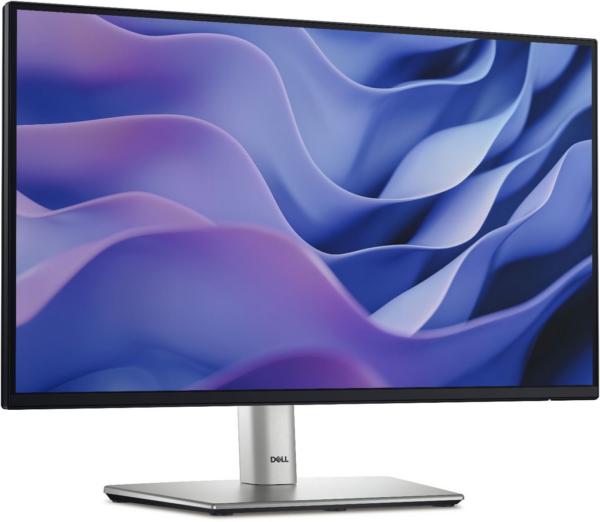
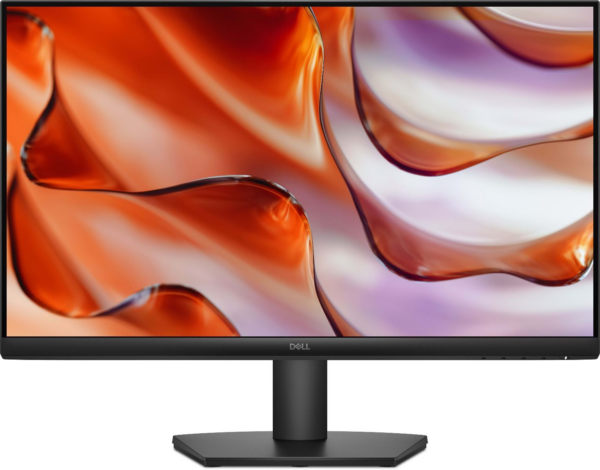
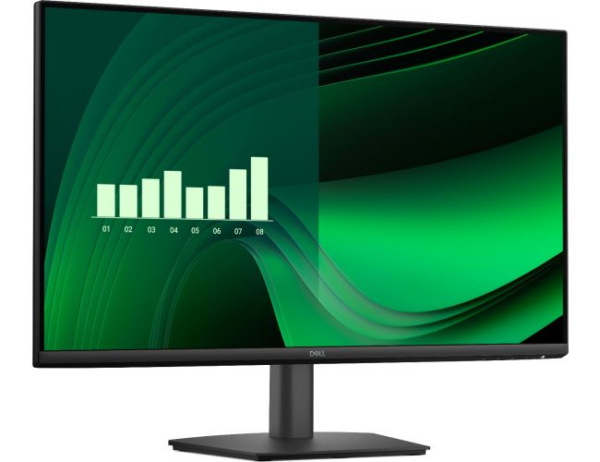
ComfortView Blue Light Filter: Cuts blue light output at the hardware level, reducing eye fatigue during extended work sessions — no software setup needed.
TN Panel with Anti-Glare Coating: Delivers 170° horizontal and 160° vertical viewing angles, keeping content readable from most seated positions at a shared desk. 2beshop
Slim Profile & Cable Management: The thin profile and improved cable management create a smaller footprint, lending itself to a clean, uncluttered desk. Connection
DisplayPort + VGA Dual Connectivity: Connects to modern systems via DisplayPort and to legacy desktops via VGA — most users need no adapter for either.
VESA 100 × 100 mm Mount Support: You can detach the stand and attach the monitor to any standard wall mount or monitor arm for a more flexible workspace arrangement.
VA Panel with 3000:1 Contrast Ratio: VA technology produces noticeably deeper blacks and richer contrast than IPS panels at a similar price point — making text sharper and spreadsheets easier to scan across long working sessions.
TÜV Rheinland 3-Star Eye Comfort Certification: The E2425H is certified for both low blue light and flicker-free performance at the hardware level. This reduces eye strain during extended use without affecting colour accuracy or requiring any software settings.
DisplayPort 1.2 + VGA Connectivity: DisplayPort handles modern desktops and docking stations cleanly, while the VGA port means the Dell E2425H Monitor works with older systems without adapters — a practical advantage in mixed-hardware office environments.
VESA Mount Compatible (100×100mm): The stand detaches to expose a standard VESA pattern, making this monitor compatible with monitor arms, wall mounts, and multi-display rigs — extending its usefulness well beyond a basic desk setup.
Slim Bezel Design with Small Footprint: The narrow three-sided bezel and compact base keep desk clutter minimal. This makes it well-suited for side-by-side dual-monitor configurations where bezel gap matters.
DisplayPort 1.2 Input: Supports higher bandwidth signal transmission compared to HDMI 1.4, making it the preferred connection for business workstations, docking stations, and daisy-chaining configurations in multi-monitor setups.
VA Panel with 3000:1 Static Contrast Ratio: Renders crisp text, clear spreadsheet grids, and well-defined UI elements with stronger on-screen depth than TN alternatives at a comparable price point.
Flicker-Free Backlight Technology: Avoids pulse-width modulation (PWM) dimming, eliminating a common source of invisible screen flicker that contributes to eye strain and headaches during extended work sessions.
Anti-Glare Coating (Haze 25%): Scatters ambient light from overhead office fixtures and nearby windows, maintaining consistent readability without requiring you to reposition the monitor as lighting conditions shift.
Tilt-Adjustable Stand with VESA 100×100mm Support: Offers −5° to +21° tilt out of the box, and full compatibility with third-party monitor arms for height, swivel, and pivot adjustments when ergonomic needs go further.
Dual HDMI Input Ports: Connect two HDMI devices simultaneously — switch between a desktop and a laptop, or a PC and a streaming device, without swapping cables each time.
VA Panel with 3000:1 Contrast Ratio: Produces deeper blacks and more distinct on-screen separation than typical TN panels at this price range, making text sharper and spreadsheets easier to scan across a full workday.
Flicker-Free Backlight: Eliminates the invisible pulse-width modulation (PWM) flicker found in many budget displays, reducing a common contributor to eye fatigue and headaches during extended use.
Anti-Glare Screen Coating (Haze 25%): Diffuses reflections from office lighting and windows, letting you maintain consistent screen visibility without repositioning your monitor throughout the day.
VESA 100×100mm Mount Compatibility: Works with the majority of third-party monitor arms and wall mounts right out of the box, giving you full flexibility to reclaim desk space or adjust height ergonomically.
Full Ergonomic Adjustability: The Dell P2425H supports height, tilt, swivel, and pivot adjustment — meaning you can rotate the screen to portrait mode for coding, document editing, or reading long-form content. This dramatically reduces neck and back strain over extended sessions.
IPS Panel Technology: IPS delivers consistent colour accuracy across wide viewing angles (178°/178°). Colleagues or clients viewing your screen from the side see accurate colours — no colour shift or contrast drop.
ComfortView Plus (Low Blue Light): The panel uses a hardware-level low blue-light filter certified by TÜV Rheinland. Unlike software filters, this works without colour tinting, making prolonged use noticeably easier on the eyes.
Multiple Connectivity Options: Four ports — HDMI 1.4, DisplayPort 1.4, and two USB-A downstream ports — means the P2425H works with most modern laptops and desktops without adapters. It is compatible with Dell Precision, XPS, and Latitude systems out of the box.
Space-Saving VESA Mount Support: The stand detaches, revealing a 100×100mm VESA mount. This makes it ideal for monitor arms, wall mounts, or multi-display productivity rigs.
USB-C with 90W Power Delivery: Connects, charges, and transfers data to compatible laptops through a single cable — eliminating the need for a separate charger or docking station for most business ultrabooks and USB-C laptops.
Built-In RJ45 Ethernet Port: Passes a wired network connection through the monitor to your laptop via the USB-C cable, giving you stable LAN connectivity without occupying a laptop port or adding a USB-to-Ethernet adapter.
Full Ergonomic Adjustment — Height, Tilt, Swivel, and Pivot: The stand covers all four axes of movement, including 90° pivot for portrait orientation — useful for reading long documents, coding, or viewing vertical content without an aftermarket arm.
IPS Panel with Wide Viewing Angles: Maintains consistent color accuracy and contrast up to 178° horizontally and vertically, making it more reliable than VA alternatives for shared viewing, side-by-side collaboration, or color-sensitive work.
USB-A Hub (Downstream Ports): Onboard USB-A ports let you connect peripherals — keyboard, mouse, external drives — directly to the monitor, keeping cables routed neatly to one point rather than reaching behind your laptop.
Full Four-Axis Ergonomic Stand: Height, tilt, swivel, and 90° pivot adjustment gives you precise control over screen positioning — reducing neck, shoulder, and eye strain across varied desk setups, seating heights, and user preferences without needing an aftermarket arm.
IPS Panel with 178° Viewing Angles: Maintains accurate color and contrast when viewed from wide off-axis positions, making it more reliable than VA alternatives for side-by-side collaboration, shared screen reviews, or color-referencing tasks.
ComfortView Plus — Always-On Low Blue Light: Hardware-level blue light reduction is built into the panel itself rather than applied as a software filter, preserving color accuracy while lowering the high-energy light emission linked to eye fatigue during extended sessions.
100Hz Refresh Rate: Delivers smoother on-screen motion than the standard 60Hz baseline — noticeably better for scrolling dense documents, multitasking across multiple windows, and general desktop fluidity throughout a long workday.
Thin Three-Sided Bezel Design: Minimizes the border between screen and surroundings, making dual-monitor configurations cleaner and reducing visual interruption when tiling windows across the full display width.
VA Panel Technology: Delivers wider viewing angles (178°/178°) and higher contrast than standard TN panels — colours stay consistent whether you sit directly in front or slightly to the side.
Full HD 1920 × 1080 Resolution: Renders text, spreadsheets, and web content sharply at typical desk distances — reducing eye strain during extended use.
ComfortView Low Blue Light Filter: Cuts blue light emission at the hardware level, helping reduce eye fatigue during long work or study sessions without requiring third-party software.
Tilt-Adjustable Stand (−5° to +21°): Lets you set the screen angle to match your seating position, reducing neck and shoulder strain over long periods.
HDMI + VGA Dual Connectivity: Works with modern laptops via HDMI and connects to older desktops via VGA — most users need no adapter.
VA Panel with 3000:1 Contrast Ratio: VA technology produces deep blacks and punchy contrast that IPS panels at this size and price cannot replicate — making text crisp, dark-mode interfaces rich, and spreadsheets easy to scan across long sessions.
100Hz Refresh Rate: Smoother scrolling, less eye fatigue, and more fluid motion than standard 60Hz displays — noticeable in both everyday office tasks and casual content viewing.
TÜV Rheinland 3-Star Eye Comfort Certification: Dell builds low blue light and flicker-free performance directly into the hardware on the SE2225HM. No software filter required — eye protection stays active at all times without any colour tinting.
HDMI + VGA Connectivity: HDMI handles modern laptops, desktops, and streaming devices cleanly. The VGA port covers older hardware directly, giving this monitor broad compatibility across different device generations.
VESA 100×100mm Mount Support: Detach the stand and mount the SE2225HM on any compatible monitor arm or wall bracket — a practical option for freeing up desk space in tighter workspaces.
100Hz Refresh Rate: Delivers smoother scrolling, less flicker, and more fluid motion than standard 60Hz panels — making everyday tasks like spreadsheets, web browsing, and light gaming feel more responsive.
IPS Panel Technology: Maintains accurate colours and clear visuals at wide viewing angles (178°/178°), so the image stays consistent whether you're viewing straight-on or from the side.
ComfortView Plus (Hardware Blue Light Filter): Reduces harmful blue light exposure at the hardware level — always active, no software toggle needed, and without the yellow tint typical of software-based filters. Certified by TÜV Rheinland (3-Star Eye Comfort).
Built-in Cable Holder & Integrated PSU: Keeps your desk tidy by routing cables through the stand and eliminating the need for an external power brick — a practical feature often missing at this price point.
VESA Mount Compatible: The stand detaches to reveal a 100×100mm VESA pattern, making the SE2425HM compatible with most monitor arms and wall mounts for flexible desk arrangements.
AMD FreeSync Technology: Synchronizes the display's refresh rate with your GPU output, reducing screen tearing during video playback and light gaming without requiring proprietary hardware.
Anti-Glare Coating (Haze 25%): Diffuses ambient light from windows and overhead lighting, reducing eye strain during extended sessions in typical office or home environments.
75Hz Refresh Rate: Delivers smoother motion than the standard 60Hz baseline — noticeably better for scrolling large documents, spreadsheets, or watching video content.
Tilt-Adjustable Stand (−5° to +21°): Lets you fine-tune screen angle to your seated posture without buying an aftermarket arm, reducing neck and shoulder fatigue over long workdays.
Flicker-Free Backlight: Uses a stable backlight rather than pulse-width modulation (PWM), which can cause invisible flicker that contributes to headaches during prolonged use.