

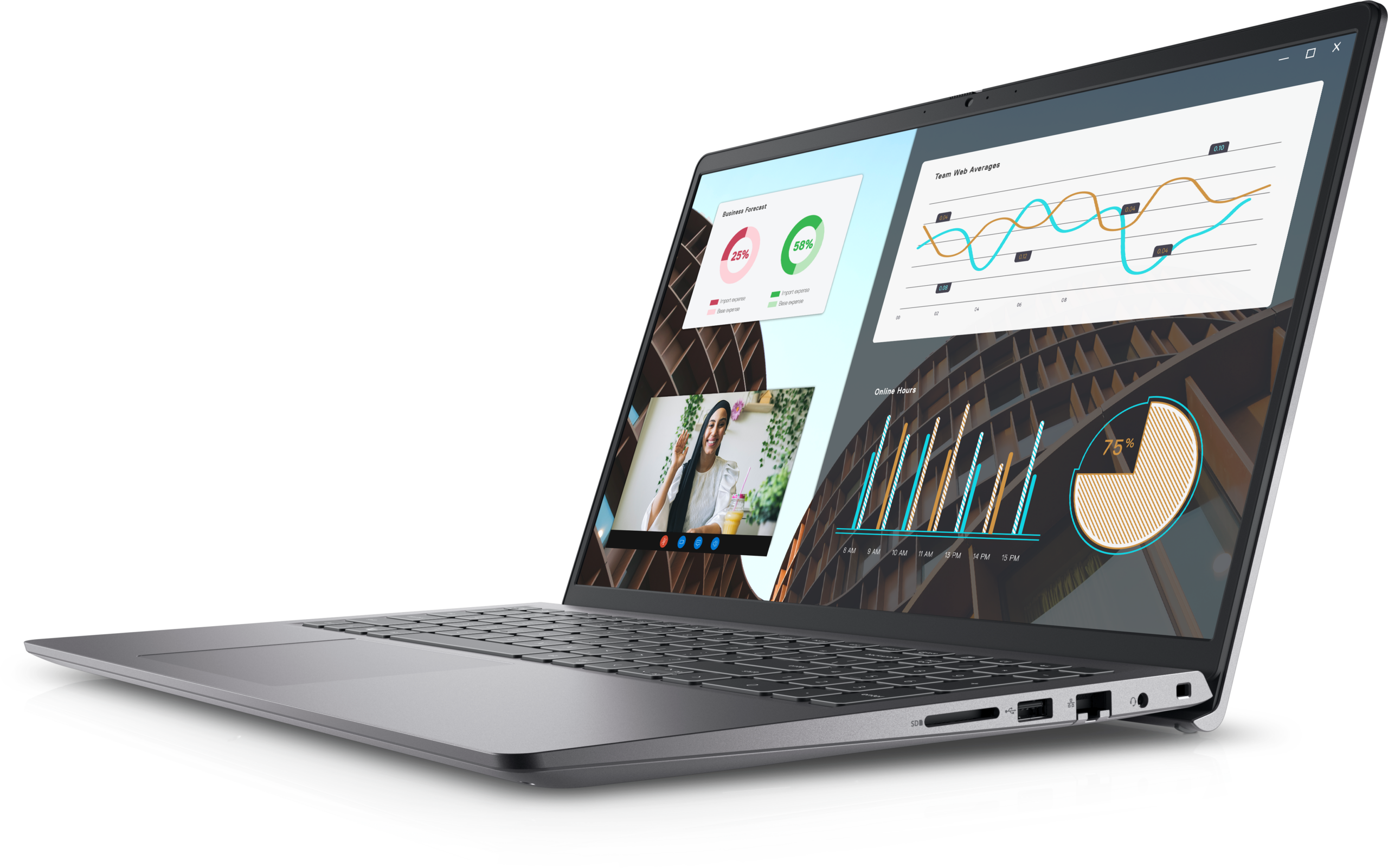

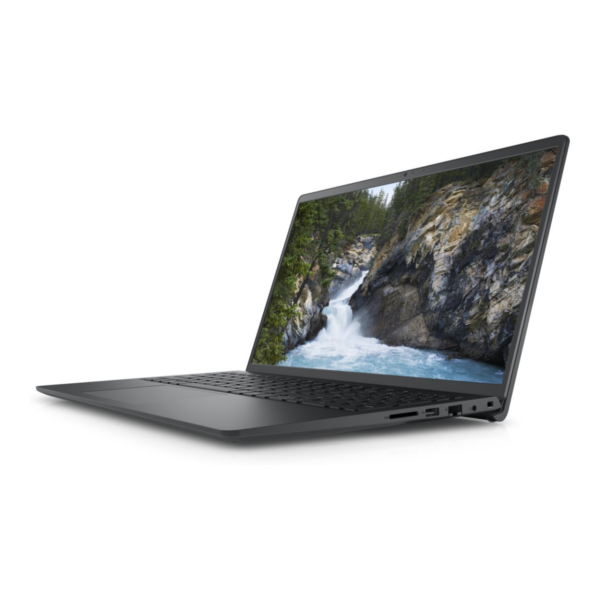
Dell Vostro 3530 — 15.6″ Budget Business Laptop with Intel Core i3 & Ubuntu Linux
The Dell Vostro 3530 is an entry-level business laptop built for students, small business users, and first-time Linux adopters who need dependable everyday performance at a practical price point. Equipped with the Intel Core i3-1305U processor and Ubuntu Linux pre-installed, it handles office productivity, web browsing, light development tasks, and video calls without unnecessary complexity. The 15.6-inch Full HD display and 512GB SSD make it a capable daily driver for users who do not need high-end processing power.
Technical Specifications
Processor
- Model: Intel Core i3-1305U (13th Gen)
- Cores / Threads: 5 cores (1 Performance + 4 Efficiency), 6 threads
- Base / Boost Clock: 1.6GHz base / up to 4.5GHz boost
- Cache: 10MB Intel Smart Cache
- TDP: 15W (optimised for thin-and-light chassis)
Memory
- RAM: 8GB DDR4, 3200MHz
- Memory Slots: 2 (1 occupied; 1 free for upgrade up to 16GB)
Storage
- Drive: 512GB M.2 PCIe NVMe SSD
- Form Factor: M.2 2230/2280 compatible slot
Display
- Screen Size: 15.6 inches
- Resolution: 1920 × 1080 (Full HD)
- Panel Type: IPS-level anti-glare
- Refresh Rate: 60Hz
- Brightness: 250 nits (typical)
Operating System
- Pre-installed OS: Ubuntu Linux (latest LTS at time of shipment)
- Windows Compatible: Yes — Windows 11 installs separately (licence not included)
Connectivity
- Wi-Fi: 802.11ac (Wi-Fi 5) dual-band
- Bluetooth: 5.1
- Ports: 1× USB-C (USB 3.2 Gen 1), 2× USB-A 3.2, 1× HDMI 1.4, 1× RJ-45 Ethernet, 1× SD card reader, 1× 3.5mm audio combo jack
Build & Dimensions
- Chassis Material: Plastic composite (MIL-STD-810H tested)
- Weight: Approximately 1.77 kg (3.9 lbs)
- Dimensions: 358.5 × 235.56 × 19.9 mm
Battery
- Capacity: 54Wh 3-cell lithium-ion
- Runtime: Up to 9 hours typical mixed use (web browsing + documents)
- Charging: Standard barrel connector; no USB-C charging
Model Reference
- Model Number: N1612QVNB3530EMEA
- Series: Vostro 3530
- Region: EMEA (Europe, Middle East, Africa)
How Does the Core i3 Version Compare to the Core i7?
The i3-1305U variant is the more power-efficient and affordable configuration of the Dell Vostro 3530 range. It suits users whose workload centres on documents, email, video calls, and light web applications. The Core i7-1355U model (N1601PVNB3530EMEA) delivers roughly 40–50% more multi-core performance and better suits users who compile code, run virtual machines, or handle larger datasets. For standard office and educational use, the i3 configuration offers adequate performance at a lower cost.
Use Cases & Applications
Classroom & Student Use The combination of Ubuntu, SSD speed, and a Full HD display makes this a practical laptop for students managing assignments, research browsing, and online learning platforms. LibreOffice handles most coursework document formats without issue. The anti-glare screen reduces strain during long study sessions.
Small Business Productivity SMB teams running Google Workspace, Zoho, or browser-based CRM tools will find the Dell Vostro 3530 Intel Core i3 Ubuntu laptop reliable across a standard working day. The MIL-STD-810H chassis provides basic durability for desk-to-meeting-room use.
Entry-Level Linux Development This laptop suits developers learning Python, web development fundamentals, or shell scripting. The Ubuntu environment includes terminal tools and package managers out of the box. Resource-intensive tasks like running Docker containers or compiling large projects, however, may push users toward the i7 variant.
Managed IT Deployments Dell’s Vostro range supports remote management through Dell BIOS tools and works with standard MDM solutions. Ubuntu’s enterprise LTS releases give IT teams a low-maintenance option when standardising Linux across entry-level workstations.
Frequently Asked Questions
Can the Dell Vostro 3530 Core i3 run Windows 11? Yes. The hardware meets Windows 11 requirements. However, this model does not include Windows 11 — buyers need a separate licence. Ubuntu Linux is the only pre-installed operating system on this configuration.
Is 8GB RAM enough for daily use on Ubuntu? For typical workloads — browser sessions with 10–15 tabs, LibreOffice, and video calls — 8GB performs adequately. Ubuntu manages memory more efficiently than Windows in comparable configurations. Users running heavier applications can upgrade to 16GB via the free second slot straightforwardly.
Does this laptop support external monitors? Yes. The HDMI 1.4 port drives external displays up to 4K at 30Hz. A compatible USB-C to DisplayPort or HDMI adapter also enables video output through the USB-C port.
Compatibility Notes
Works with: External monitors via HDMI or USB-C adapter, standard USB-A and USB-C peripherals, Bluetooth 5.1 devices, SD cards, RJ-45 wired Ethernet, Ubuntu-compatible software repositories.
Not compatible with: USB-C Power Delivery charging (uses proprietary barrel connector), Thunderbolt 4 accessories (USB 3.2 only), macOS.
Linux hardware support: The Ubuntu kernel includes Wi-Fi, Bluetooth, touchpad, and display drivers. Users do not need to install drivers manually for standard peripherals.
Internal Link
For a full comparison of configurations in this range, see our guide to Dell Vostro 3530 Intel Core i3 Ubuntu laptop options for students and small businesses.
External Link
For official driver downloads, warranty registration, and support documentation, visit the Dell Vostro 3530 Intel Core i3 Ubuntu laptop support page.
Reviews
There are no reviews yet.