

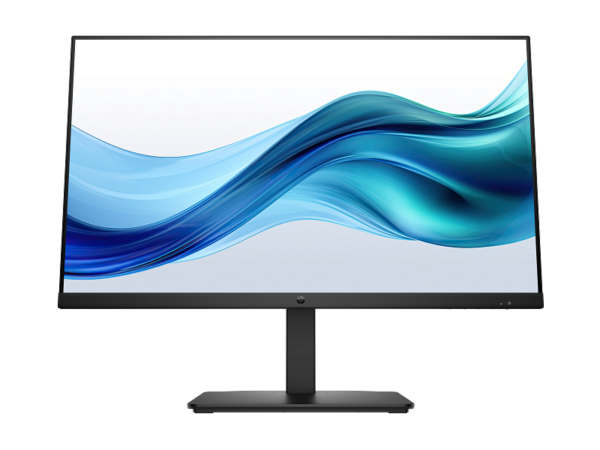
HP E27 G5 FHD Monitor (6N4E2AA) — 27-Inch Full HD IPS Display with 4-Way Ergonomic Stand
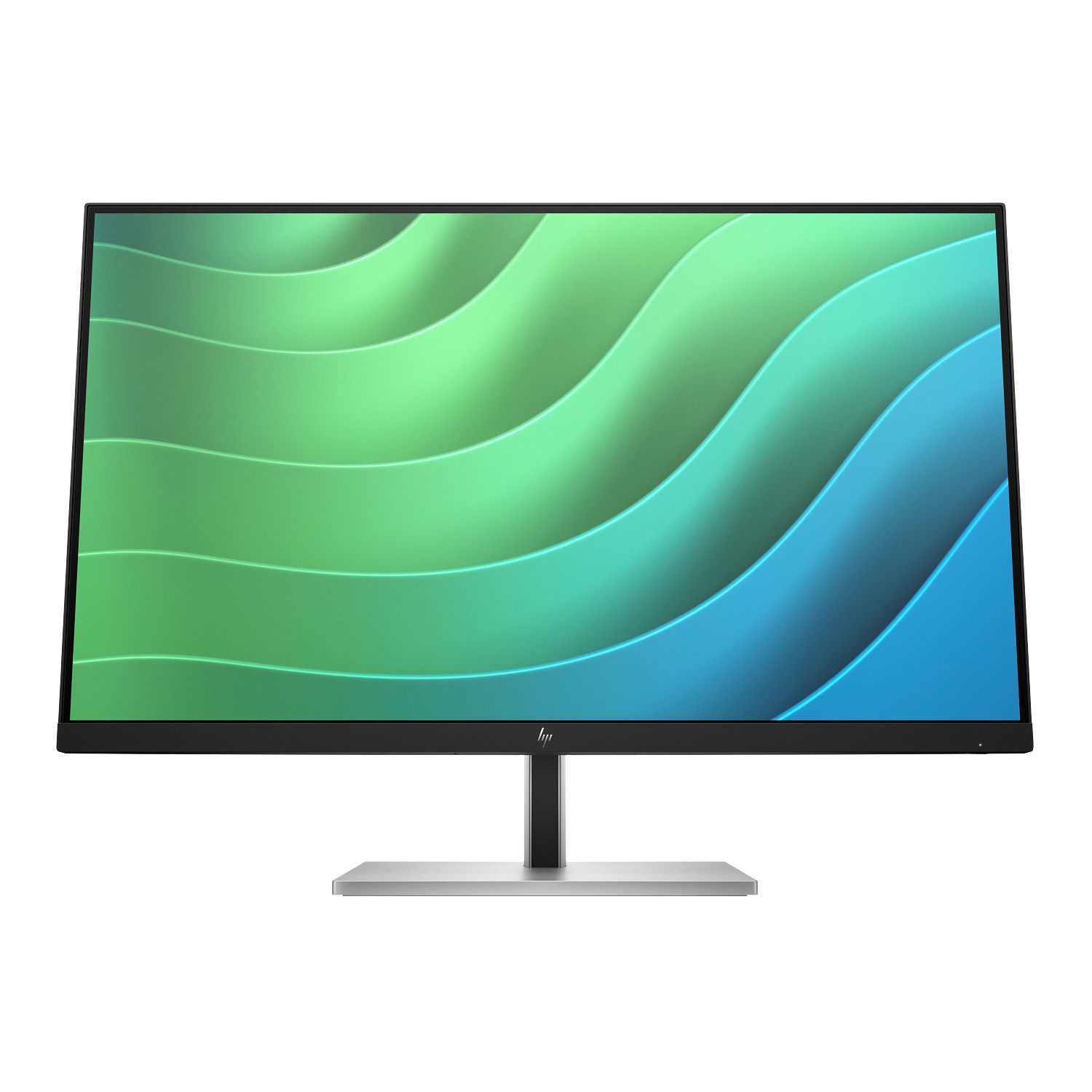
The HP E27 G5 FHD Monitor delivers a 27-inch Full HD IPS panel with a four-way adjustable stand and an integrated USB 3.2 hub. Specifically, it targets professionals who spend eight or more hours daily at a desk and need accurate colour, flexible positioning, and clean peripheral connectivity in a single display. Furthermore, the 6N4E2AA suits both large IT-managed office deployments and individual hybrid work setups, making it a versatile choice across a wide range of buying scenarios.
Key Features & Benefits
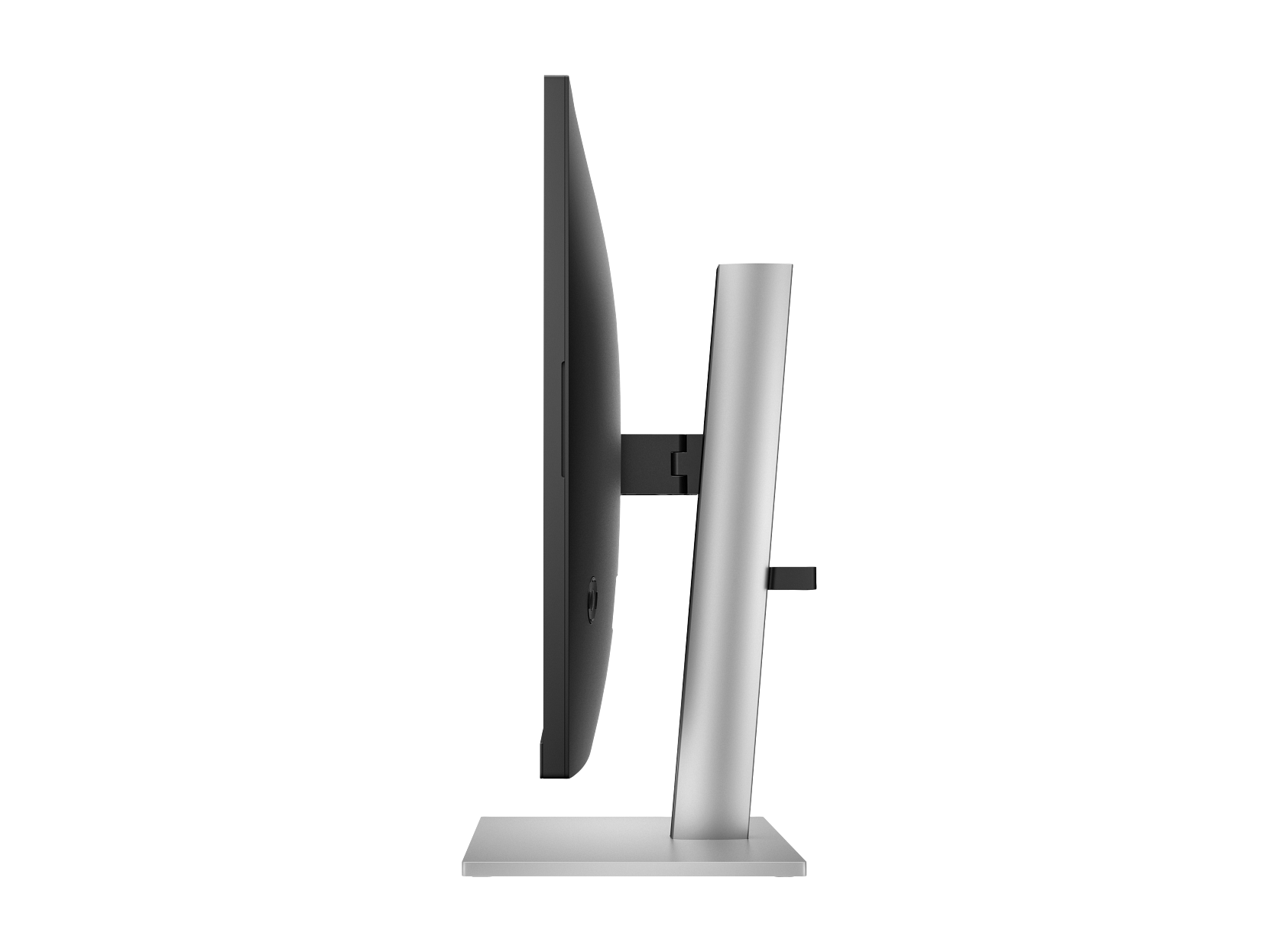
- Full 4-Way Ergonomic Stand: Height, tilt, swivel, and pivot adjustments give you precise control over screen position. Consequently, you can dial in a comfortable viewing angle whether you sit, stand, or rotate the panel to portrait mode for document-heavy tasks.
- 99% sRGB IPS Panel: The wide colour gamut and 178-degree viewing angles deliver consistent, accurate colour from virtually any seat in the room. In addition, the three-sided micro-edge bezel maximises usable screen area and makes multi-monitor arrangements look seamless.
- HP Eye Ease with Flicker-Free Backlight: A hardware-level, always-on low-blue-light filter pairs with a flicker-free LED backlight to reduce eye fatigue throughout the day. As a result, colour temperature stays stable without the yellow-orange shift that software-based night modes introduce.
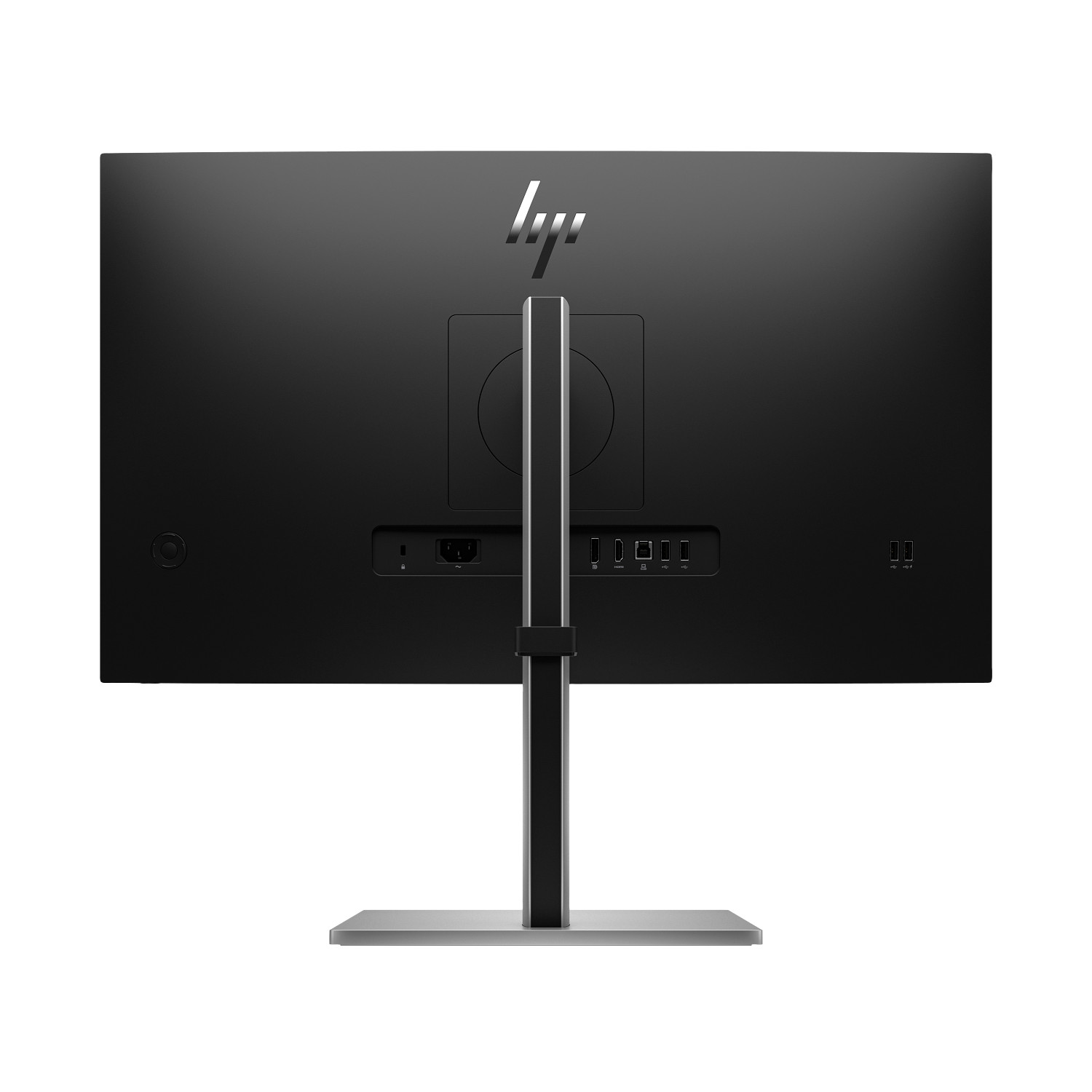
- Integrated USB 3.2 Hub: Four SuperSpeed USB Type-A ports — one with device charging — turn the monitor into a peripheral hub and eliminate separate cable runs to the computer. Therefore, a keyboard, mouse, webcam, and charging cable all connect through the display instead.
- Enterprise Remote Management: HP Display Manager and HP CMSL support Wake on LAN, MAC Address Pass Through, and in-band and out-of-band manageability. Consequently, IT administrators can configure, track, and manage large monitor fleets remotely without visiting individual desks.
Technical Specifications
Display
| Specification | Detail |
|---|---|
| Screen Size | 27 inches (68.6 cm) diagonal |
| Native Resolution | Full HD — 1920 × 1080 |
| Maximum Refresh Rate | 75 Hz |
| Panel Technology | IPS (LCD with LED backlight) |
| Response Time | 5 ms GtG (with overdrive) |
| Brightness | 300 nits (cd/m²) |
| Contrast Ratio | 1000:1 static / 8,000,000:1 dynamic |
| Colour Gamut | 99% sRGB |
| Colour Depth | 8-bit (6-bit + FRC) — up to 16.7 million colours |
| Viewing Angles | 178° horizontal / 178° vertical |
| Bezel | 3-sided micro-edge |
| Aspect Ratio | 16:9 |
| Curvature | Flat |
Ergonomics & Stand
| Specification | Detail |
|---|---|
| Height Adjustment | Yes |
| Tilt | Yes |
| Swivel | Yes |
| Pivot | Yes — portrait orientation supported |
| VESA Mount Compatibility | 100 × 100 mm |
| Detachable Stand | Yes |
Connectivity
| Specification | Detail |
|---|---|
| DisplayPort | 1 × DisplayPort 1.2 |
| HDMI | 1 × HDMI 1.4 |
| USB Downstream (Type-A) | 4 × SuperSpeed USB Type-A 5 Gbps (1 with charging) |
| USB Upstream (Type-B) | 1 × USB Type-B (connects hub to host) |
| Security | Kensington lock slot |
Physical Dimensions & Weight
| Specification | Detail |
|---|---|
| Dimensions with Stand (W × D × H) | 61.2 × 22.7 × 54.6 cm |
| Dimensions without Stand (W × D × H) | 61.17 × 4.64 × 36.33 cm |
| Weight with Stand | 6.96 kg |
| Packaged Dimensions (W × D × H) | 69.9 × 16 × 44.6 cm |
| Packaged Weight | 10.88 kg |
| Colour | Black / Silver |
Power & Environmental
| Specification | Detail |
|---|---|
| Power Consumption — Typical | 30 W |
| Power Consumption — Maximum | 50 W |
| Standby Power | 0.5 W |
| Energy Certification | ENERGY STAR® certified |
| Environmental Registrations | EPEAT® registered; TCO Certified |
| Recycled Content | 90% recycled and renewable enclosure; 25% recycled metals; 4.5% ocean-bound plastics |
| Packaging | 100% sustainably sourced outer box; moulded paper pulp cushion |
In the Box
| Item |
|---|
| HP E27 G5 FHD Monitor |
| DisplayPort 1.2 cable |
| HDMI 1.4 cable |
| USB Type-B to Type-A cable |
| AC power cord |
| Warranty card |
| Quick Setup Poster |
Use Cases
Corporate Office Deployments
The HP E27 G5 integrates smoothly into standardised office rollouts. In particular, HP Display Manager gives IT teams remote Wake on LAN, asset tracking, and display configuration, which significantly reduces the number of desk visits support staff must make. Furthermore, HP CMSL (Command Management Scripting Library) lets administrators push PowerShell-based settings to hundreds of units simultaneously, making fleet-wide changes far faster than manual configuration. In addition, the monitor carries ENERGY STAR and EPEAT certifications, which satisfy the sustainability criteria common in public sector and enterprise procurement policies. Moreover, the pivot function broadens the display’s role across departments — for instance, legal and finance teams often rotate to portrait orientation to review long documents without scrolling. As a result, a single monitor model covers a wide range of desk roles across the organisation.
Hybrid and Home Office Setups
Workers who alternate between a laptop and a desktop will find the dual-input design especially practical. Specifically, one DisplayPort 1.2 and one HDMI 1.4 input keep two sources connected at the same time, so switching machines takes only a single button press on the monitor. Consequently, the integrated USB hub holds a keyboard, mouse, and webcam at the display rather than at the computer, and all those peripherals transfer automatically with the source switch. However, the hub only activates when you also connect the included USB Type-B to Type-A cable from the monitor to a spare port on the host — HDMI or DisplayPort alone does not enable it. In short, verify your computer has a free USB Type-A port before relying on this workflow.
Extended Daily Use
The E27 G5 handles long workdays comfortably. In addition, HP Eye Ease filters blue light directly within the panel, so colour temperature holds steady throughout the day rather than shifting the way toggled software filters do. Similarly, the four-way stand covers a wide range of sitting and standing posture preferences without requiring any tools to adjust. Moreover, if you use a sit-stand desk, a VESA-compatible monitor arm lets the display travel with the surface, and the 100 × 100 mm mounting pattern makes arm compatibility straightforward. As a result, the E27 G5 adapts to changing work positions across a full day rather than fixing you into one posture.
Considerations
Resolution Relative to Screen Size
Spreading 1920 × 1080 pixels across a 27-inch panel produces roughly 82 PPI. By comparison, a QHD panel at the same diagonal delivers noticeably sharper text and finer detail, particularly at viewing distances under 60 cm. Therefore, users who work with detailed photo editing, precision graphic design, or sustained small-text reading will find the HP E27u G5 QHD USB-C Monitor a meaningfully sharper option. On the other hand, for standard office use — spreadsheets, email, presentations, and video calls — FHD at 27 inches performs well and costs considerably less than a QHD equivalent. In summary, the E27 G5 represents strong value for general productivity, but falls short for pixel-critical creative work.
USB Hub Requires a Separate Cable
Connecting the monitor via DisplayPort or HDMI alone leaves all four USB Type-A ports inactive. To wake the hub, you must run the included USB Type-B to Type-A cable separately from the video cable between the monitor and the host computer. Nevertheless, the setup takes under a minute once you locate a free USB Type-A port. In other words, the hub relies entirely on the host for power and data — it does not operate independently of that upstream connection.
Refresh Rate and Gaming
The 75 Hz refresh rate handles office software and casual video playback without issue. However, HP positions the E27 G5 as an office display rather than a gaming screen, and it carries no FreeSync or G-Sync adaptive sync support. Therefore, users who want a single display for both productive desk work and fast-paced gaming will find a dual-purpose screen with adaptive sync considerably better suited to that combined need.
Windows Dependency for Management Features
HP Display Manager and HP CMSL both require a Windows 10 or higher host to operate. In addition, HP CMSL specifically needs 64-bit PowerShell 5.1 or higher, with Windows 10 version 1809 as the minimum OS build. macOS and Linux hosts can drive the display over DisplayPort or HDMI without restriction. However, those platforms cannot access Wake on LAN, auto-rotate, or any other remote management features. As a result, organisations running non-Windows endpoints should weigh whether the management tools justify this model over a simpler alternative.
Frequently Asked Questions
Does the HP E27 G5 support portrait (pivot) mode?
Yes. Rotating the stand 90 degrees switches the display to portrait orientation, which works particularly well for long-document reading, coding, and vertical content. In addition, HP Display Center software on Windows 10 hosts triggers automatic screen rotation when you physically pivot the panel. As a result, switching between landscape and portrait on a compatible Windows machine requires no manual software adjustment whatsoever.
Does the HP E27 G5 work with a VESA monitor arm?
Yes. Remove the included stand and the monitor accepts any VESA 100 × 100 mm mount — including monitor arms, wall brackets, and desk clamps. Consequently, you gain significant flexibility over screen positioning, particularly at sit-stand desks or in tight workstation layouts. In addition, the detachable stand means you lose no mounting hardware in the process.
What cables come in the box?
HP includes a DisplayPort 1.2 cable, an HDMI 1.4 cable, a USB Type-B to Type-A cable, and an AC power cord. As a result, a single-source setup — with hub enabled — needs nothing extra out of the box. In other words, you can go from unboxing to a fully cabled, hub-active display in one straightforward session.
Does the HP E27 G5 have built-in speakers?
No. The 6N4E2AA carries no integrated speakers. Instead, connect external speakers or headphones to the host computer for audio. Alternatively, a USB audio device through the hub works just as well and keeps audio hardware at the monitor end of the desk.
Does HP Eye Ease affect colour accuracy?
HP Eye Ease operates at the hardware level, filtering blue light within the panel rather than through a software overlay. As a result, it avoids the yellow-orange colour cast that software blue-light filters introduce. Moreover, HP’s datasheet states the display maintains 99% sRGB coverage with Eye Ease active. Therefore, it remains practical for colour-aware office work — though a fully calibrated professional display will still outperform it for critical colour grading.
Does the HP E27 G5 work with a Mac or Chromebook?
Yes. Any device with a DisplayPort 1.2 or HDMI 1.4 output can drive the monitor, including Macs and Chromebooks. However, HP Display Manager, HP Display Center, and HP CMSL only run on Windows 10 or higher. Nevertheless, the USB hub works with any host that has a spare USB Type-A port. Therefore, Mac and Chromebook users can still connect peripherals through the hub without needing any Windows software at all.
Related Products
- HP E24 G5 FHD Monitor — 24-inch FHD IPS option for tighter desks or secondary display positions
- HP E27u G5 QHD USB-C Monitor — 27-inch QHD upgrade with USB-C video and RJ-45 Ethernet
- HP E27k G5 4K USB-C Monitor — 27-inch 4K panel with USB-C power delivery for sharper detail work
- HP P34hc G4 Curved Monitor — 34-inch ultrawide curved display for multi-window productivity



Reviews
There are no reviews yet.