
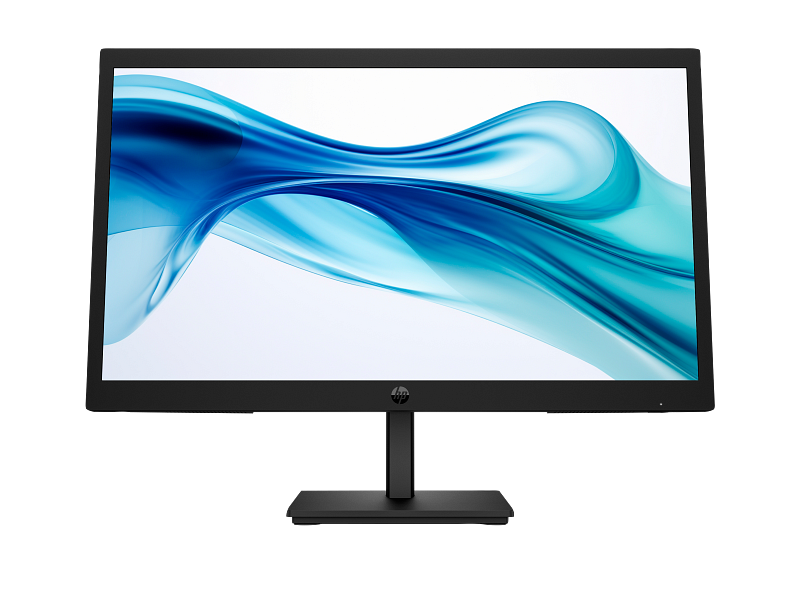
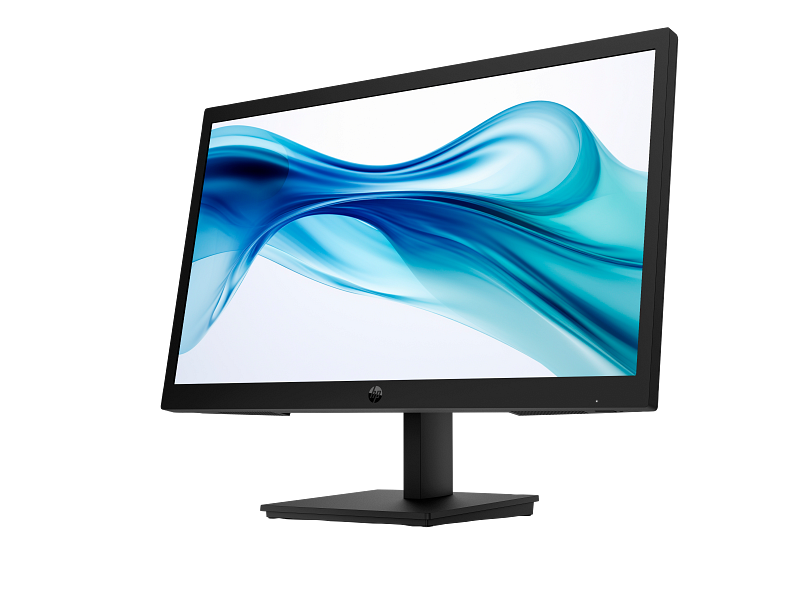
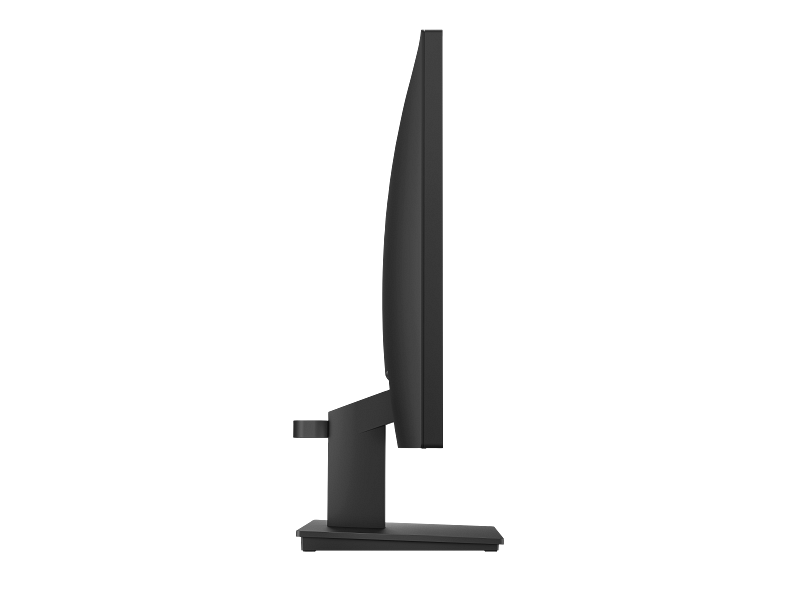

HP Series 3 Pro 21.45 Inch FHD Monitor — 322pv (9U5A2AA)
The HP Series 3 Pro 21.45 Inch FHD Monitor (9U5A2AA) is a compact VA-panel display designed for everyday office and home-office use. It delivers a 1920 × 1080 resolution at up to 100Hz, with a 3000:1 contrast ratio that renders text and detail more crisply than most monitors at this screen size. Professionals who need a reliable second screen, students extending a laptop display, or small businesses equipping a workstation will find this a well-rounded, no-fuss option.
Technical Specifications
Display
| Specification | Detail |
|---|---|
| Screen size (diagonal) | 54.5 cm (21.45″) |
| Panel technology | VA; LCD |
| Native resolution | FHD (1920 × 1080) |
| Aspect ratio | 16:9 |
| Refresh rate (maximum) | 100 Hz (HDMI); 60 Hz (VGA) |
| Response time | 5ms GtG (with scalar overdrive) |
| Contrast ratio | 3000:1 |
| Brightness | 250 nits |
| Colour gamut | 72% NTSC |
| Panel bit depth | 8-bit (6-bit + FRC) |
| Pixel pitch | 0.25 × 0.24 mm |
| Pixels per inch | 103 ppi |
| Backlight type | Edge-lit WLED |
| Screen treatment | Anti-glare, 3H hardness, 25% haze |
| Curvature | Flat |
| Bezel | Narrow |
Viewing & Ergonomics
| Specification | Detail |
|---|---|
| Horizontal viewing angle | 178° |
| Vertical viewing angle | 178° |
| Tilt adjustment | −5° to +23° |
| Low blue light | HP Eye Ease (TÜV Low Blue Light Hardware Solution certified) |
| Flicker-free | Yes (TÜV certified) |
Connectivity
| Specification | Detail |
|---|---|
| HDMI | 1 × HDMI 1.4 |
| VGA | 1 × VGA |
| HDCP | Yes (HDMI) |
| Display scan frequency (horizontal) | 30–80 kHz (VGA); 30–115 kHz (HDMI) |
| Display scan frequency (vertical) | 50–60 Hz (VGA); 50–100 Hz (HDMI) |
Physical Dimensions
| Specification | Detail |
|---|---|
| Dimensions without stand (W × D × H) | 50.42 × 5.08 × 30.3 cm |
| Dimensions with stand (W × D × H) | 50.42 × 18.05 × 38.69 cm |
| Display area | 47.87 × 26.03 cm |
| Weight (with stand) | 2.8 kg |
| VESA mounting | 100 × 100 mm |
| Detachable stand | Yes |
Power & Environmental
| Specification | Detail |
|---|---|
| Power supply | Internal; 100–240 VAC, 50/60 Hz |
| Standby power | 0.5 W |
| Operating temperature | 5–35°C |
| Operating humidity | 20–80% RH (non-condensing) |
| Energy efficiency class | D |
| Sustainability | 85% ITE-derived closed-loop plastic; 10% recycled metal; low-halogen; 100% recyclable outer packaging |
Software & Security
| Specification | Detail |
|---|---|
| Management software | HP Display Centre; HP Client Management Script Library |
| Physical security | Standard lock slot |
| On-screen controls | Joypad OSD button (Brightness+, Colour, Image, Input, Power, Menu, Management, Information, Exit) |
In the Box
Monitor; HDMI cable; AC power cord; Quick Setup Poster; Warranty card
Warranty
HP three-year limited warranty
Use Cases
Daily Office Work and Administration
The 9U5A2AA’s 21.45-inch footprint fits comfortably on standard office desks without crowding a keyboard and phone. The 1920 × 1080 resolution handles most productivity applications — word processing, spreadsheets, email clients, and browser-based tools — at a comfortable reading density of 103ppi. Additionally, the joypad OSD button simplifies switching between input sources when the monitor serves a shared workstation.
Extended Work Sessions
For workers who spend six or more hours in front of a screen, the combination of TÜV-certified flicker-free operation and HP Eye Ease low blue light filtering addresses the two primary hardware contributors to digital eye strain. Because HP Eye Ease is a hardware filter rather than a software mode, it remains active regardless of the operating system or application in use — making it compatible with Windows, Linux, and Chrome OS environments alike.
Secondary Display for Laptops and Compact PCs
The HDMI 1.4 input is compatible with virtually all modern laptops, mini-PCs, and thin clients. At 2.8 kg with the stand, the monitor is light enough to reposition easily. For users who prefer a monitor arm, the 100 × 100 mm VESA mount accepts standard third-party arms without adapter hardware.
Small Business and Education Deployments
IT administrators benefit from HP Display Manager, which enables remote monitoring and management of display settings across multiple units. Furthermore, HP Client Management Script Library integration means the 9U5A2AA slots into existing HP fleet management workflows without additional tooling.
Considerations
What to Expect from the VA Panel
VA technology produces higher contrast than IPS at comparable price points, however it trades some colour accuracy at wide angles. The 178° horizontal and vertical viewing angles are respectable, but colours will shift slightly when viewed from extreme off-axis positions — typically not an issue at a single-user desk. For tasks that require precise colour grading or graphic design work, a monitor with wider colour gamut coverage would be more appropriate. The 72% NTSC colour gamut is standard for office-class displays and adequate for general document work, web browsing, and video consumption.
Refresh Rate and Cable Dependency
The 100Hz refresh rate requires an HDMI connection. Users relying on the VGA port — for instance, connecting an older desktop with no HDMI output — will be limited to 60Hz. VGA also carries no HDCP signal, which affects playback of DRM-protected content. If 100Hz or protected media playback matters, confirm your source device has an HDMI output before purchasing.
Brightness and Ambient Light
At 250 nits, the panel performs well in moderately lit offices and home workspaces. However, in rooms with strong direct sunlight or near bright windows, the brightness ceiling may feel limiting. The anti-glare coating with 25% haze helps manage reflections, but the monitor is not suited to outdoor or high-brightness retail environments.
No Built-in Speakers or USB Hub
The 9U5A2AA does not include integrated speakers or a USB hub. For audio output, a separate speaker or headset is required. Users who want to consolidate peripheral connections at the monitor will need a separate USB hub or docking station.
Frequently Asked Questions
Does the HP Series 3 Pro 9U5A2AA support 100Hz over VGA?
No. The 100Hz refresh rate is supported via HDMI 1.4 only. Over VGA, the maximum refresh rate is 60Hz at 1920 × 1080.
Is the HP Eye Ease filter a software setting or hardware feature?
HP Eye Ease is a hardware-level low blue light filter. It operates continuously without requiring any driver or software toggle, and it does not alter colour temperature — unlike software blue light modes that add a yellow tint.
Can I mount the 9U5A2AA on a monitor arm?
Yes. The stand is detachable, and the rear panel includes a VESA 100 × 100 mm mounting pattern compatible with standard monitor arms and wall brackets.
What resolutions does this monitor support besides 1920 × 1080?
The monitor accepts a range of legacy and standard resolutions including 640 × 480, 800 × 600, 1024 × 768, 1280 × 720, 1280 × 1024, 1440 × 900, 1600 × 900, and 1680 × 1050 — all at 60Hz. Additionally, via HDMI, 1920 × 1080 is supported at 50Hz, 75Hz, and 100Hz.
Is this monitor compatible with HP’s remote management tools?
Yes. The 9U5A2AA works with HP Display Manager for remote settings control and asset tracking, as well as HP Client Management Script Library for scripted fleet deployment.
Does the monitor include a cable in the box?
Yes. An HDMI cable and AC power cord are included. No VGA cable is included in the box.
Reviews
There are no reviews yet.