
Lenovo ThinkVision T34w-40 — 34″ Ultrawide QHD Curved Business Monitor
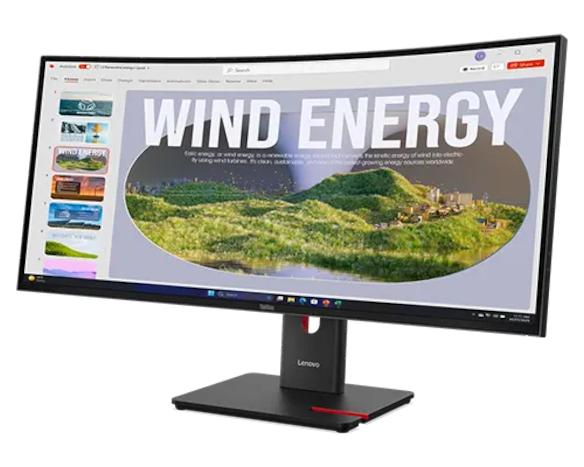
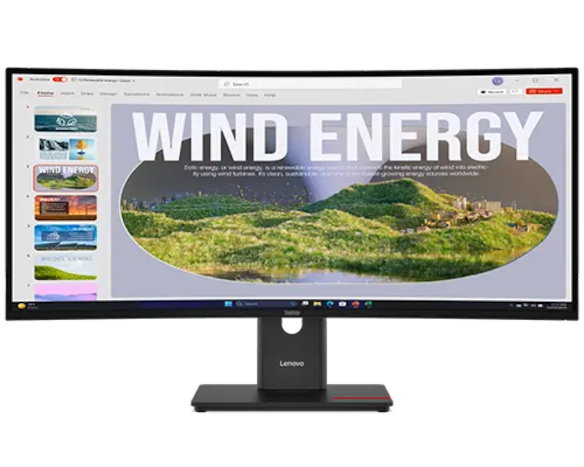
The Lenovo ThinkVision T34w-40 is a 34-inch ultrawide curved business monitor designed for professionals who need expansive screen real estate without multiple-monitor setups. Its 3440×1440 QHD resolution and 21:9 aspect ratio make it well-suited for financial analysts, developers, content creators, and project managers working across multiple applications simultaneously. The Eclipse Black finish keeps the aesthetic clean and desk-neutral.
Technical Specifications
Display
- Screen Size: 34 inches (diagonal)
- Panel Type: VA (Vertical Alignment)
- Resolution: 3440 × 1440 (WQHD / Ultrawide QHD)
- Aspect Ratio: 21:9
- Curvature: 1500R
- Pixel Density: 109 PPI
- Refresh Rate: 60Hz
- Response Time: 4ms (grey-to-grey)
- Brightness: 300 cd/m²
- Contrast Ratio: 3000:1 (static)
- Colour Gamut: 99% sRGB
- Colour Depth: 10-bit (8-bit + FRC)
- HDR Support: HDR400 certified
Connectivity & Ports
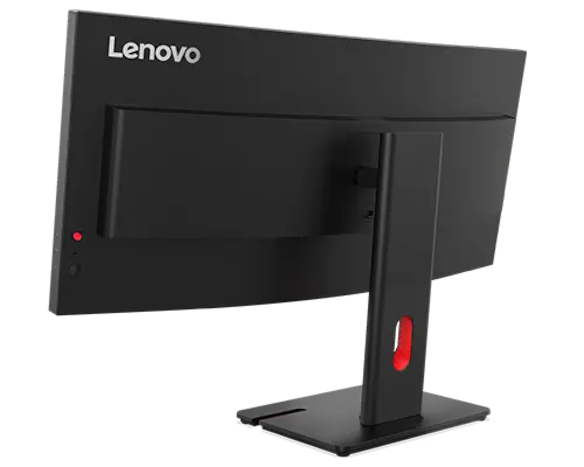
- USB-C: 1× USB-C (DP Alt Mode, 75W Power Delivery)
- DisplayPort: 1× DP 1.4
- HDMI: 2× HDMI 2.0
- USB Hub: 4× USB-A 3.2 Gen 1 downstream ports
- USB-B Upstream: 1× (for KVM)
- Audio: 1× 3.5mm headphone output
- Built-in Speakers: 2× 3W integrated speakers
KVM & Docking
- KVM Switch: Built-in — supports 2 input sources
- Power Delivery: Up to 75W via USB-C (charges most business laptops)
- Daisy Chain: Not supported
Ergonomics & Physical
- Height Adjustment: 150mm range
- Tilt: −5° to +35°
- Swivel: ±30°
- VESA Mount: 100×100mm compatible (stand removable)
- Colour: Eclipse Black
- Chassis Material: Recycled plastic content (per Lenovo sustainability specs)
Power
- Power Consumption (typical): 55W
- Standby Power: <0.5W
- Power Supply: Internal; standard IEC cable
Dimensions & Weight
- With Stand (W×H×D): 812.5 × 395–545 × 230mm (approx.)
- Without Stand: 812.5 × 363 × 81mm (approx.)
- Weight (with stand): Approximately 10.2 kg
- Weight (without stand): Approximately 7.1 kg
Model Reference
- Model Number: 64AEGAT1UK
- Series: ThinkVision T34w-40
- Region: UK
Use Cases & Applications
Developer & Engineering Workstations The ultrawide layout lets developers run a code editor, terminal, and documentation side by side — all on one screen. The USB-C connection with 75W charging means a single cable connects and powers a compatible laptop like a ThinkPad or MacBook Pro simultaneously.
Financial Analysis & Data Work Wide spreadsheets and multi-column dashboards sit comfortably within the 3440-pixel horizontal span. Analysts working in Excel, Power BI, or Bloomberg terminals benefit from viewing more columns without horizontal scrolling.
Dual-Computer Workflows The built-in KVM switch is particularly useful for users managing a personal laptop and a work-issued desktop. One monitor, one keyboard, one mouse — switch between machines with a button press or hotkey.
Creative & Design Work The 99% sRGB coverage makes the Lenovo ThinkVision T34w-40 a capable option for graphic designers working in Adobe Illustrator, Figma, or Affinity Designer. However, it is not suited for professional colour-graded video work requiring DCI-P3 coverage.
Video Conferencing & Collaboration The integrated 3W speakers handle call audio adequately in quiet office environments. For open-plan spaces, an external headset or speaker is recommended. The wide display keeps video, chat, and shared screens visible without constant window switching.
Frequently Asked Questions
Does the Lenovo ThinkVision T34w-40 work with MacBooks? Yes. The USB-C port supports DisplayPort Alt Mode and 75W power delivery, which is compatible with MacBook Air and MacBook Pro models. However, 75W may not fully charge 16-inch MacBook Pro models under heavy load (Apple recommends 96W+).
Is this monitor compatible with Windows and Linux? Yes. It connects via standard DisplayPort, HDMI, or USB-C — no proprietary drivers are needed for basic display function. The KVM and USB hub features work across Windows, macOS, and most Linux distributions.
Can it be wall-mounted? Yes. The stand detaches and the monitor is VESA 100×100mm compatible. A standard VESA arm or wall bracket works without adapters.
Compatibility Notes
Works with: USB-C laptops (DP Alt Mode required for video), HDMI 2.0 sources, DisplayPort 1.4 sources, VESA 100×100mm mounts, USB-A peripherals (via hub), Windows / macOS / Linux systems.
Not compatible with: Thunderbolt-only video output without adapter, USB-C charging above 75W, 4K or 5K resolution input (max 3440×1440), daisy-chain multi-monitor setups.
Internal Link
For a side-by-side breakdown of ultrawide monitors for business use, see our guide to Lenovo ThinkVision T34w-40 34 inch ultrawide curved monitor comparisons for professionals.
External Link
For official specs, firmware updates, and warranty information, visit the Lenovo ThinkVision T34w-40 34 inch ultrawide curved monitor product page.
Reviews
There are no reviews yet.